
How to Build a CFO Email List: 7 Best Tools in 2026

CFOs are the people who control company budgets and decide what's worth spending money on, so getting their contact information right matters. The tool you choose to build your CFO email list will directly impact the performance of your executive outreach.
There are two primary ways to build a CFO mailing list. You can buy a pre-built database (I don't recommend this), or you can use email-finder tools that pull contact details and verify addresses in real time before you send anything.
Both will give you a list of CFO contacts, but pre-built databases are usually outdated. Bad data means higher bounce rates, which can hurt your email deliverability and your company's reputation.
In this guide, I'll walk through the 7 best tools that help you build accurate CFO contact lists and use them in your cold outreach and sales prospecting without risking your sender reputation.
1. Skrapp
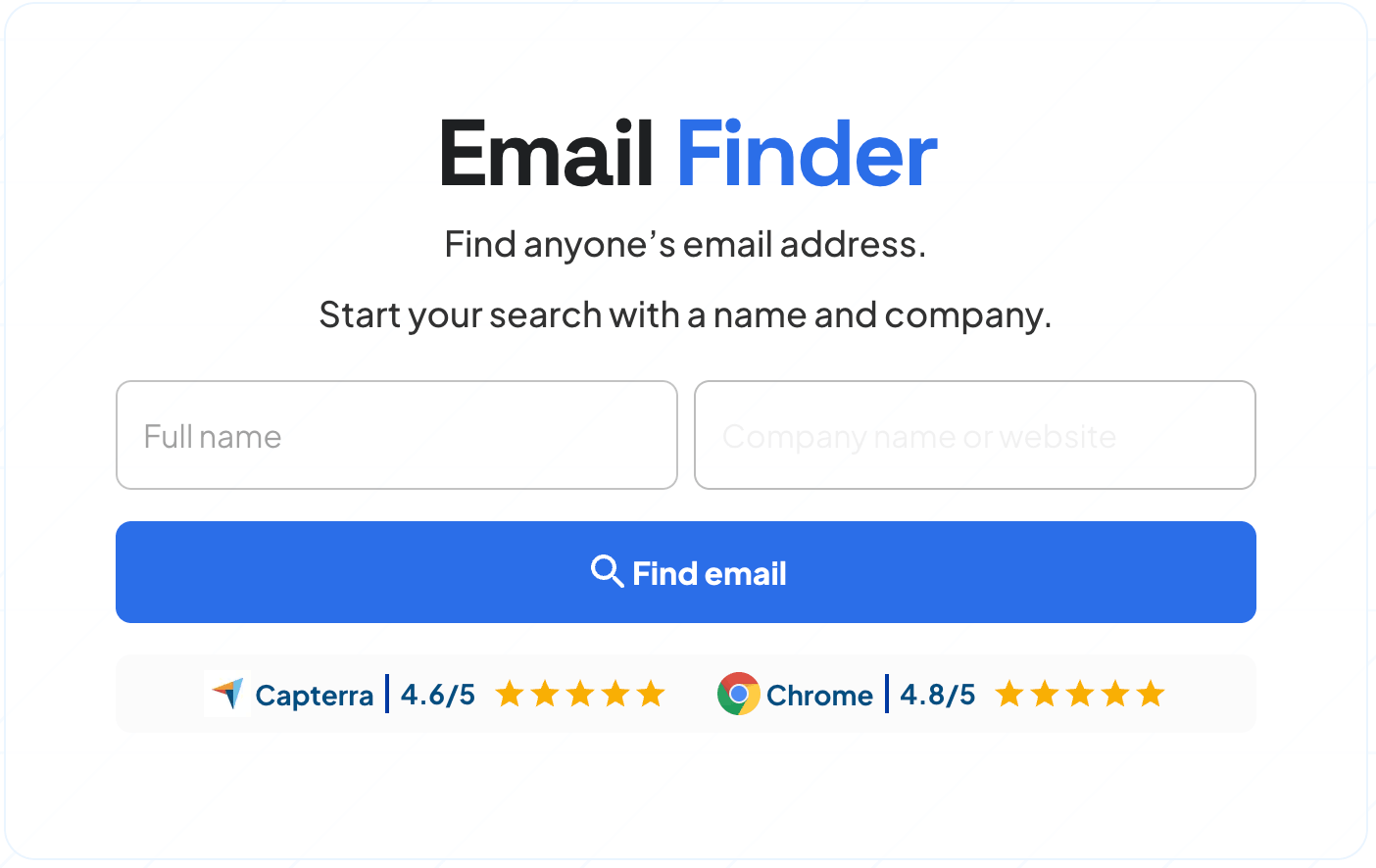
We built Skrapp to help you find and verify business email addresses at scale, which is exactly what you need when putting together a list of chief financial officers. You can search by company name and job title, and Skrapp pulls the contacts from its database and verifies the addresses to make sure they're still active.
The platform gives you two ways to work. You can search for individual contacts on our website one at a time (email search by name), or you can upload a CSV file with company domains and let Skrapp find the email addresses in bulk. The platform focuses on accuracy rather than just volume, with a verification rate above 97%.
What makes Skrapp worth considering is that it verifies every email address before you download it, so you're not getting dead addresses that will bounce when you send your campaign.
If you're building a chief financial officer email list for the United States, Europe, or targeting other specific regions, Skrapp includes location filters and pulls additional contact information like people's names and roles.
With Skrapp, you can:
- Verify every email address before you download it
- Search multiple contacts quickly through the bulk search feature
- Find multiple contacts on LinkedIn with its Chrome extension
- Target specific regions or roles using filters
- Move contacts to your CRM using CSV export
Best for: Building accurate CFO mailing lists in bulk from a list of companies.
Limitation: The free plan gives you 100 email credits per month, which sounds decent for very targeted account-based searches, but you'll hit that limit pretty quickly if you're running larger campaigns or building lists regularly.
Pricing: Paid plans start at $30/month for 1,000 credits.
Rating: 4.5/5 according to 50+ reviews on Capterra.
How to Build a CFO Mailing List Using Skrapp
Here’s a detailed step-by-step process to help you build a CFO email database if you already have a list of names, companies, or domains you plan to target.
Step 1:
Log in to your Skrapp account or sign up for a new one.
Step 2:
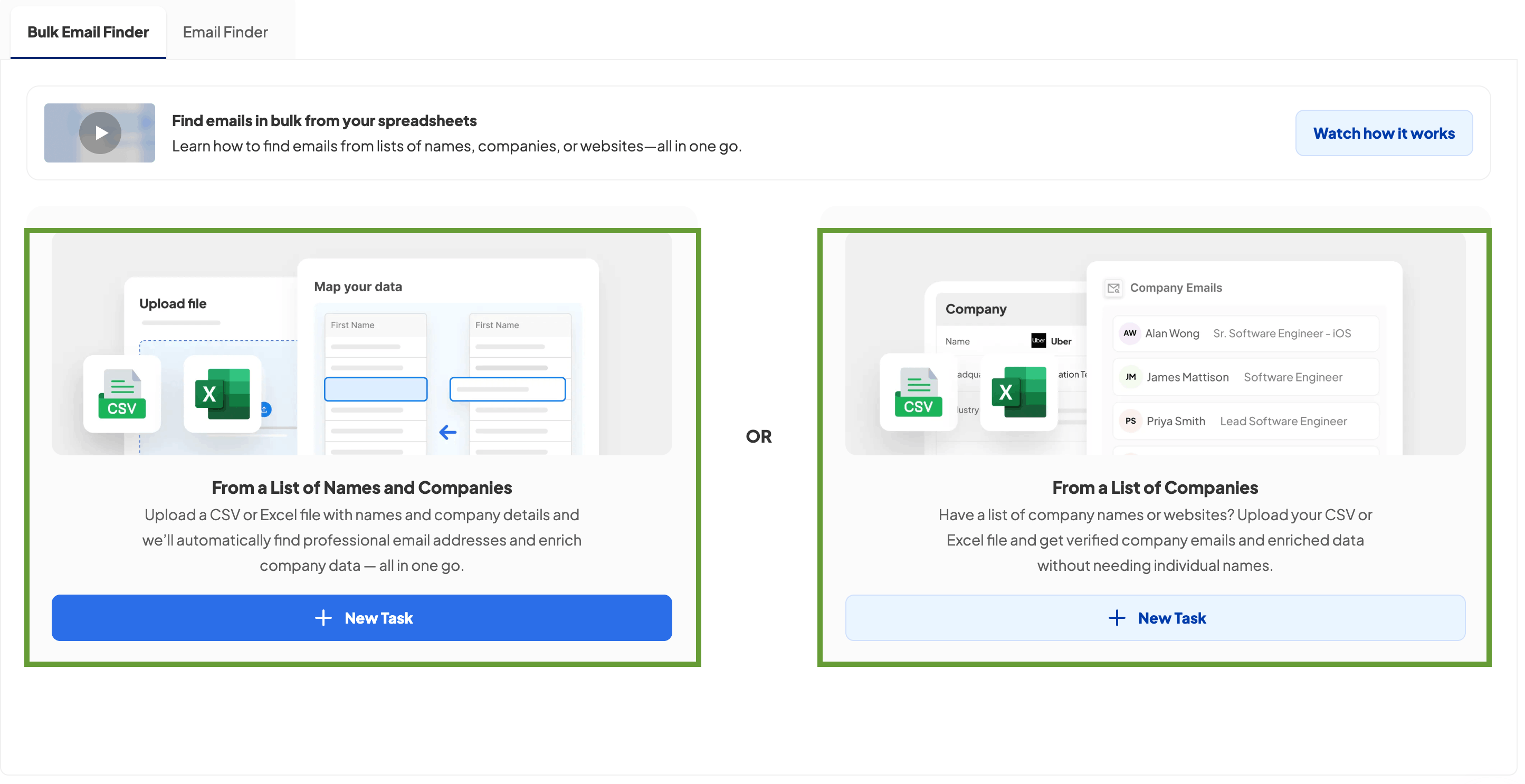
Go to Skrapp's Bulk Email Finder and choose one of the following options: From a List of Names and Companies (if you have the CFO's names) or From a List of Companies (if you need to find people who hold the CFO role at each company).
Step 3:
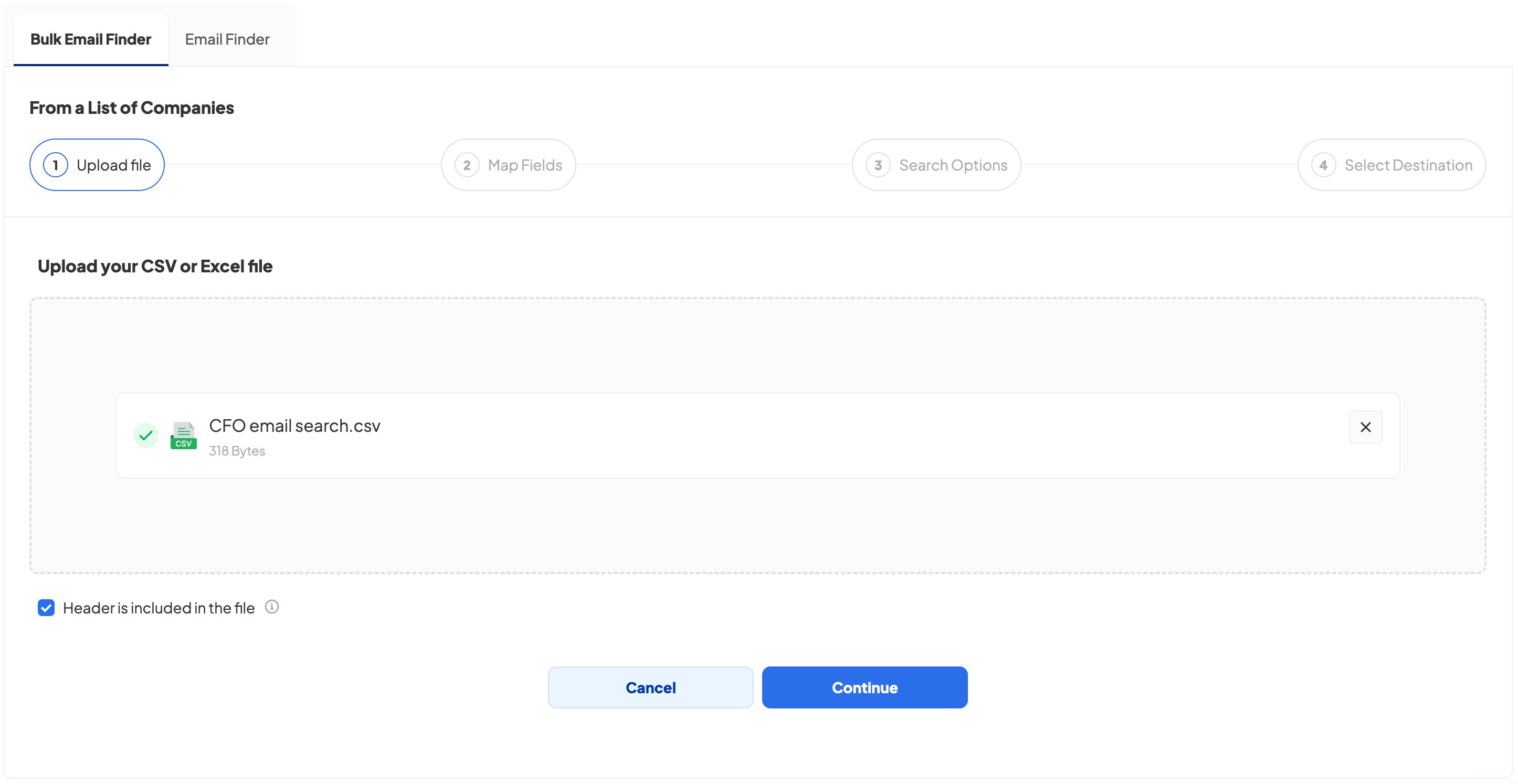
After you've selected the right option, upload your list of companies or names in CSV format.
Step 4:
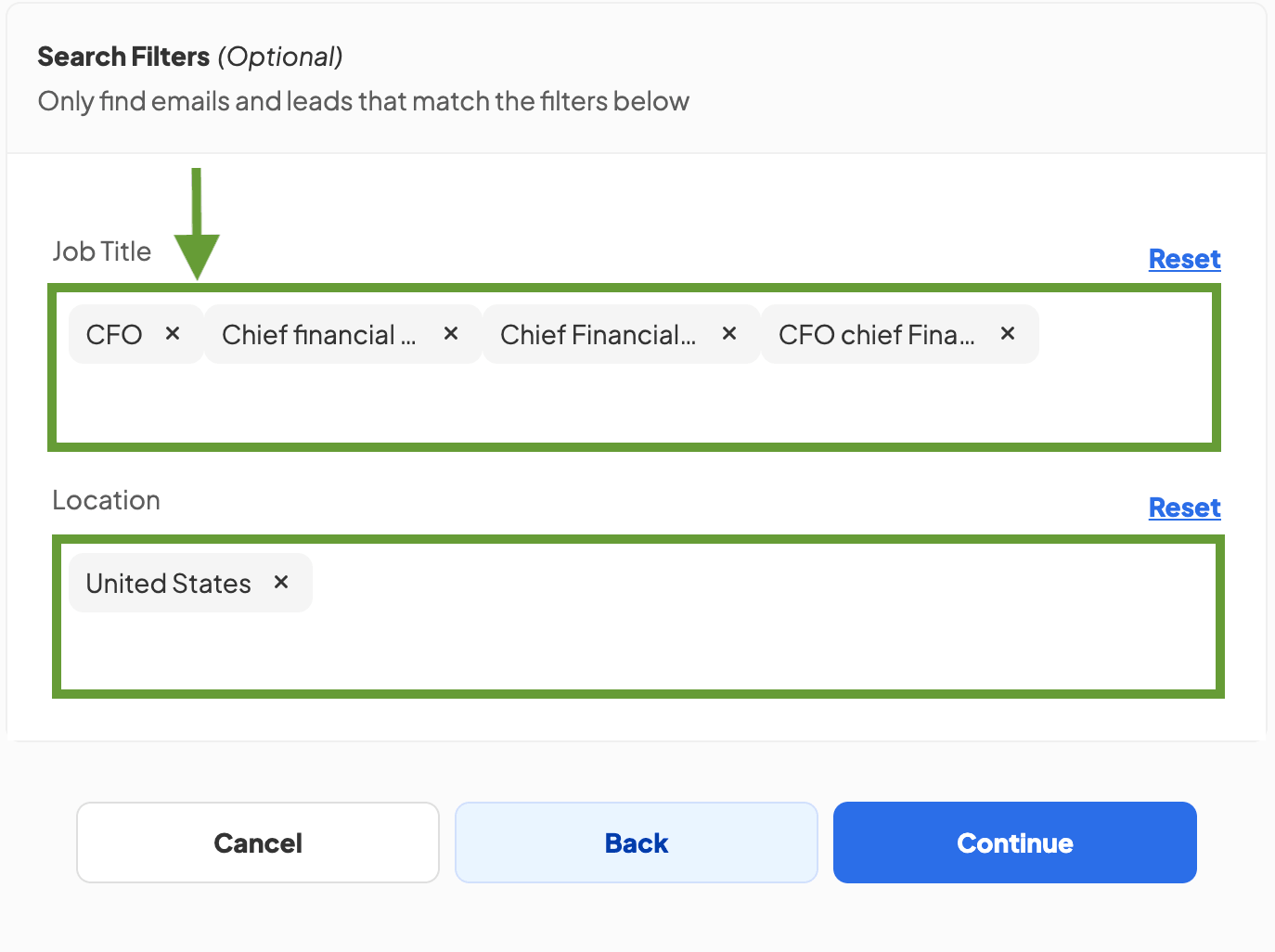
Map your file columns to Skrapp's columns, select the maximum number of emails to look up per company (remember that each contact costs you credits), and set your filters by choosing roles like CFO, Chief Financial Officer, and similar titles from the list.
Select the country where you plan to conduct the email lookup, and when everything is set, press the Continue button.
Step 5:
After selecting the results destination list and launching the campaign, Skrapp will move all the sourced data into a ready-to-use CFO mailing list with a verification summary.
2. LinkedIn (+ Chrome Extension)
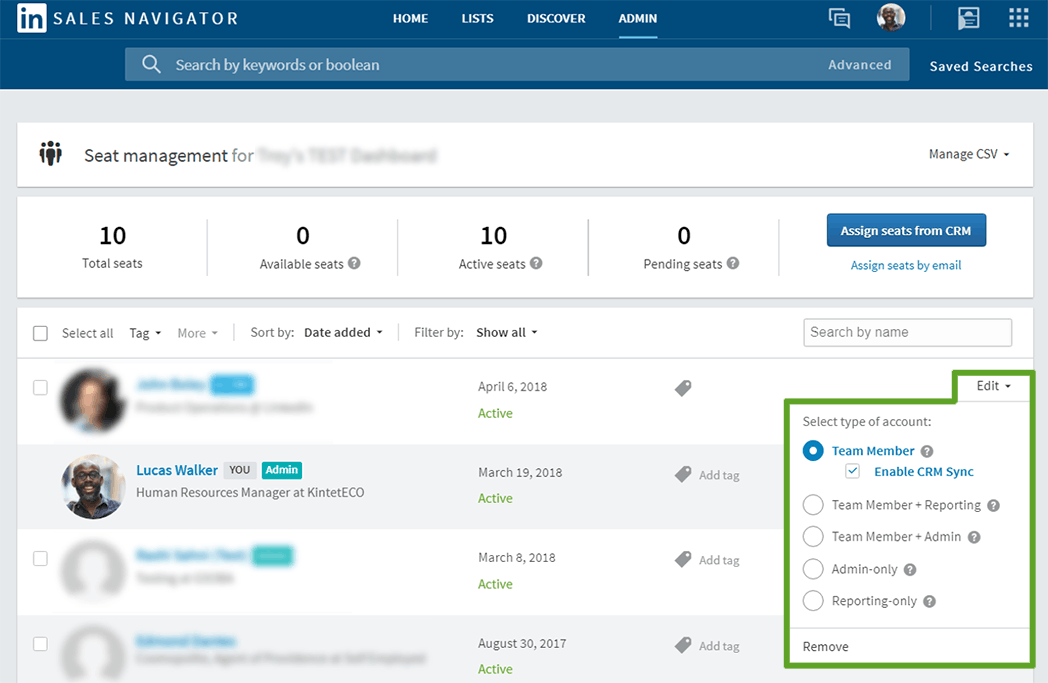
LinkedIn and LinkedIn Sales Navigator are probably the most direct ways to find CFOs since they're already on the platform, maintaining their professional profiles. When you combine LinkedIn and Sales Navigator with the Skrapp email finder extension, you have a working combination for building accurate contact lists.
Sales Navigator gives you access to advanced search filters that let you look for CFOs based on company size, industry, location, and even how long they've been in their current role.
This becomes really useful when you're trying to build a targeted list for specific markets or company types. For example, you could search for CFOs at Series B tech startups in California, or financial officers at manufacturing companies with 200 to 500 employees.
One of the biggest advantages here is data freshness. Since CFOs are updating their own LinkedIn profiles, you're working with current information instead of database entries that might be six months or a year old. This translates directly into lower bounce rates when you actually start sending emails.
Using LinkedIn together with a Chrome extension, you can:
- Access current contact information since people update their own profiles
- Build very targeted lists through advanced filters
- Source CFOs' email addresses with a Chrome extension
- Personalize your outreach by having relevant context
Best for: Finding verified contacts from targeted LinkedIn profiles.
Rating: 4.5/5 based on 150+ user reviews on Capterra
Limitation: You need to pay for both Sales Navigator, which starts at $119.99 per month, and an email finder tool, so the costs can add up compared to other options.
Pricing: Starts at $119.99/month for Sales Navigator Core. Email finder extensions have their own separate pricing.
How to Create a CFO Email List Using a Chrome Extension
If you don’t yet have a list of targeted profiles or companies to reach out to, you can source contacts using LinkedIn, Sales Navigator, and a Chrome extension. Here’s how it works.
Step 1:
Using LinkedIn or Sales Navigator’s search feature, filter your audience by selecting specific characteristics, such as country or company size.
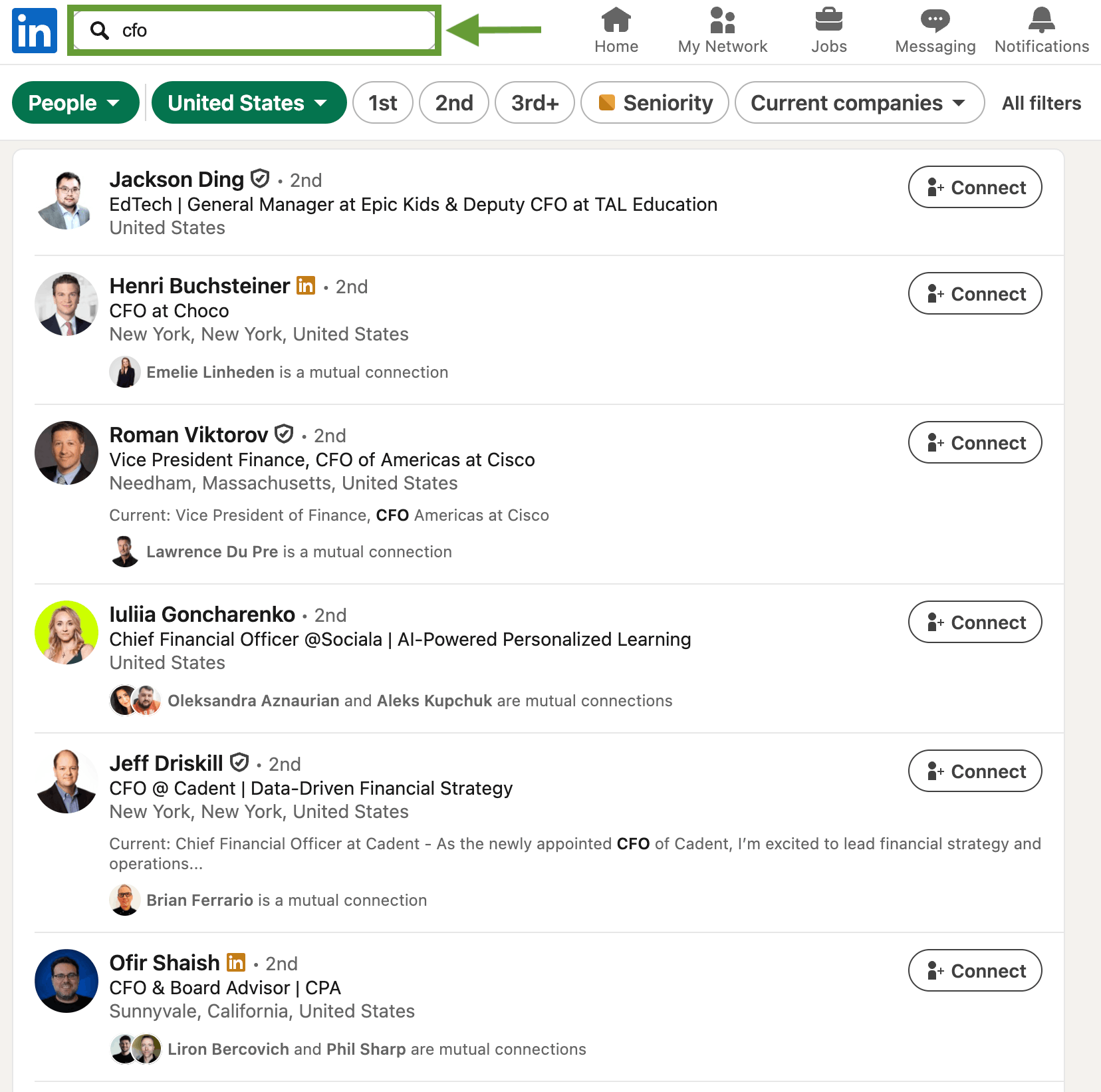
This will return a list of prospects that match your target profile, allowing you to move on to the next step and begin the contact search.
Step 2:
After filtering contacts by location and position, use the Skrapp Chrome extension to export CFO details with verified email addresses. Select the number of pages to enrich and the destination list to save the results.
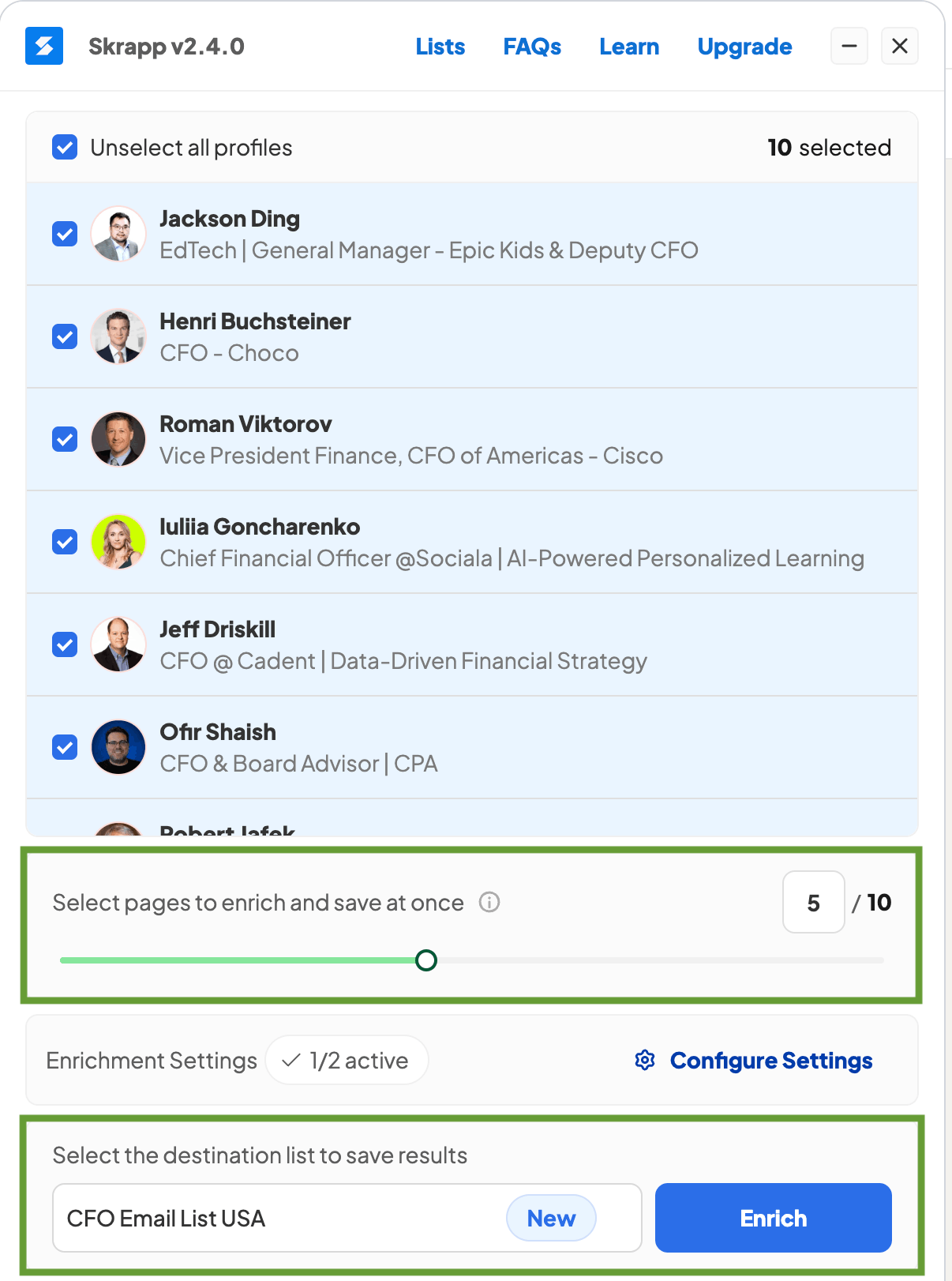
When everything is set, press the Enrich button to start sourcing the data. All CFO contacts gathered by the extension will be available in the selected list on your Skrapp account.
Step 3:
You receive a CFO email database with verification statuses, ready to use in your cold outreach campaigns or to upload to your CRM.
3. Hunter.io
Hunter.io takes a different approach to finding contacts. You give it a company website, and it shows you all the email addresses it has found for that domain, which usually includes executives and decision-makers like the CFO.
The platform uses email patterns to predict addresses even when they're not directly stored in its database. For example, if a company uses the firstname.lastname@company.com format, Hunter will generate what the CFO's email address is likely to be based on their name, then verify whether that address is actually valid.
Hunter's domain search helps when you have a list of target companies, but you're not sure who the CFO is or what their email address might be. The tool shows you all the executives at the company, which makes it straightforward to identify the right person and grab their contact information.
The bulk search feature lets you upload a list of company domains and find contacts across multiple organizations in one go. This really speeds things up when you're building a larger database and don't want to search companies one at a time.
Using Hunter, you can:
- Reveal all email addresses at a company using a domain search
- Find contacts not directly listed with email pattern detection
- Build a large CFO email list through bulk search
- Check address validity with the help of built-in email verification
Best for: Finding email addresses from company domains.
Rating: 4.6/5 based on 700+ reviews on Capterra.
Limitation: Data quality depends on publicly available sources, which can sometimes result in incomplete or generic email addresses (e.g., info@ or support@).
Pricing: Free plan includes 50 searches per month, while paid plans start at $49/month for 2,000 credits.
4. Kaspr
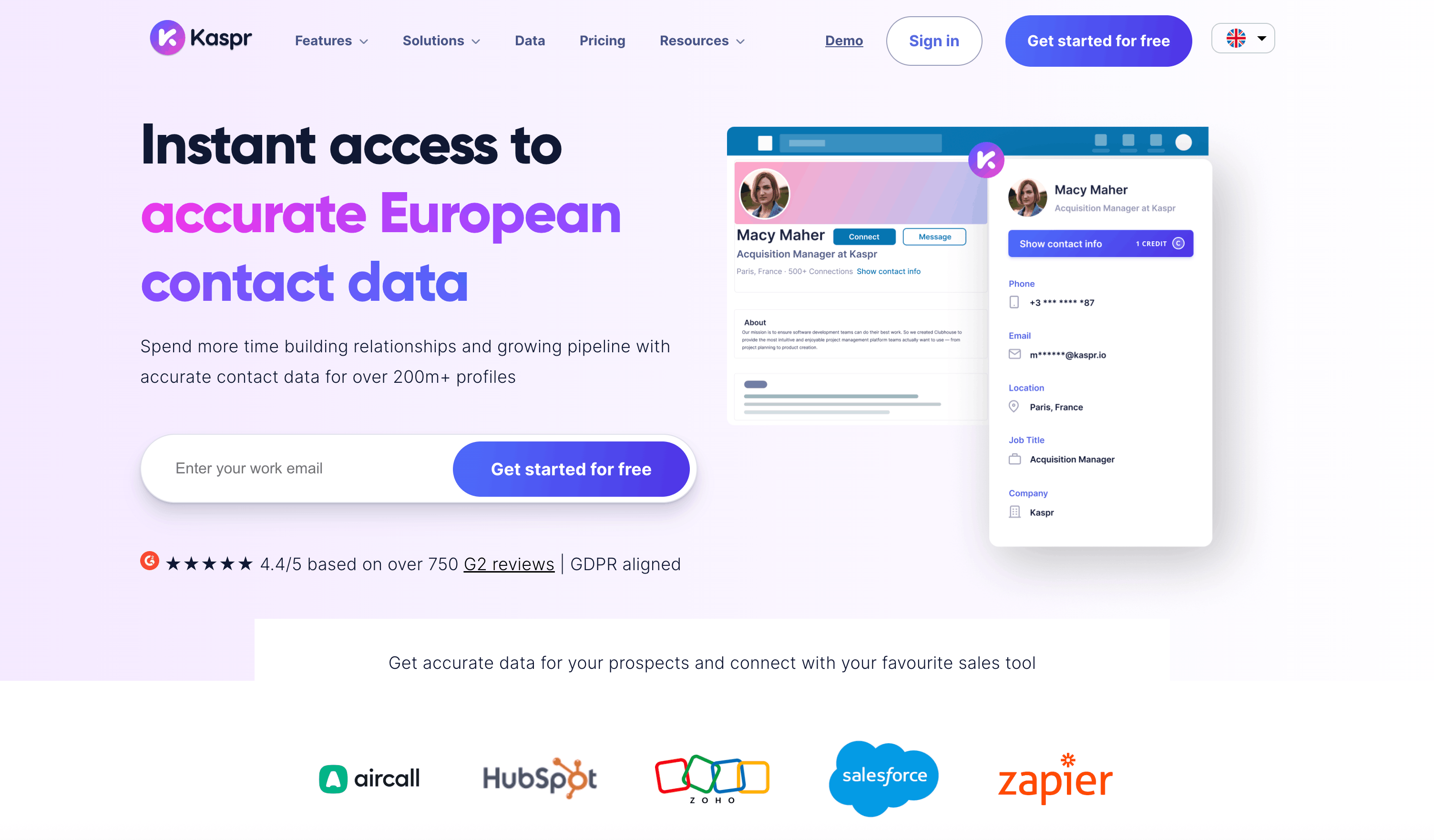
Kaspr provides both email addresses and direct phone numbers for business contacts, including CFOs. This multi-channel approach can be valuable because you're not limited to just email when you're trying to reach decision-makers.
The tool works primarily through a LinkedIn Chrome extension. As you browse CFO profiles on LinkedIn, Kaspr displays their email address and phone number directly on the profile page, where you can see them. You can then save these contacts to lists within Kaspr or export them for use in your outreach campaigns.
What sets Kaspr apart from many other email finder tools is the focus on mobile phone numbers. A lot of tools only give you work email addresses, but Kaspr often includes direct mobile numbers as well. This gives you another channel to reach financial officers when email doesn't get a response or when you want to try a different approach.
Kaspr also offers automated list building through workflows. You can set up these workflows to automatically pull contact information from LinkedIn searches and save it to your database, which is helpful when you're building large lists of CFOs across multiple industries or geographic regions.
The platform includes email validation to make sure the addresses you collect are actually deliverable. The phone number accuracy can vary a bit more, since mobile numbers tend to change more frequently than business email addresses.
Pros:
- Provides both email addresses and phone numbers in one tool
- LinkedIn Chrome extension for grabbing contact info in real-time
- Automated workflows for building lists at scale
- Email validation included to verify address quality
- Multi-channel contact data gives you more outreach options
Best for: Finding phone numbers alongside email addresses.
Rating: 4.4/5 based on 800+ G2 reviews.
Limitation: Phone number accuracy isn't quite as reliable as the email addresses, and the free plan is quite limited, with only 15 B2B email credits per month.
Pricing: 15 B2B email credits and 5 phone credits are available for free each month. Paid plans start at €59/month for unlimited B2B email credits and 100 phone credits.
5. Prospeo
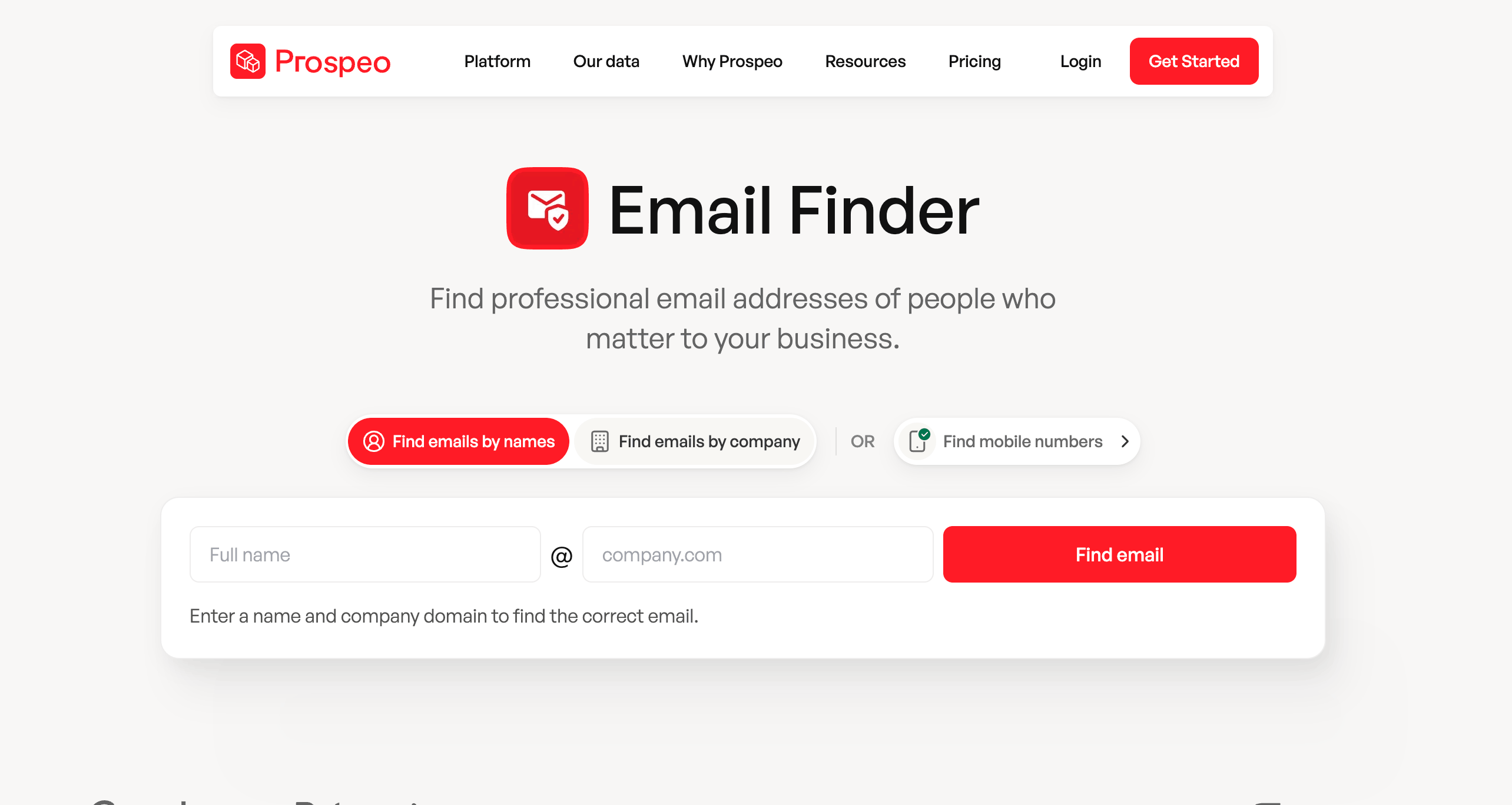
Prospeo is a B2B lead generation platform that helps sales teams find verified emails and direct mobile numbers at scale. It provides access to a large database of contacts and companies, with smart filters for job title, department, and company size, making it easier to target the right decision-makers.
The platform also offers a Chrome extension that enriches contacts directly from LinkedIn and other professional sites, adding emails and mobile numbers. Bulk upload and API options allow you to process large lists or integrate lead discovery into your workflow.
With Prospeo, you can:
- Find verified emails and mobile numbers using smart search filters
- Enrich contacts and export them via the Chrome extension
- Upload lists in bulk to uncover multiple leads at once
- Integrate with CRMs or systems through APIs for automated enrichment
Best for: Bulk email finding plus mobile number search.
Rating: 4.5/5 based on 40+ reviews on G2.
Limitation: Pricing can be high for small teams, and credits don't roll over month-to-month.
Pricing: Free plan with limited monthly credits; paid plans start at $49/month.
6. LeadIQ
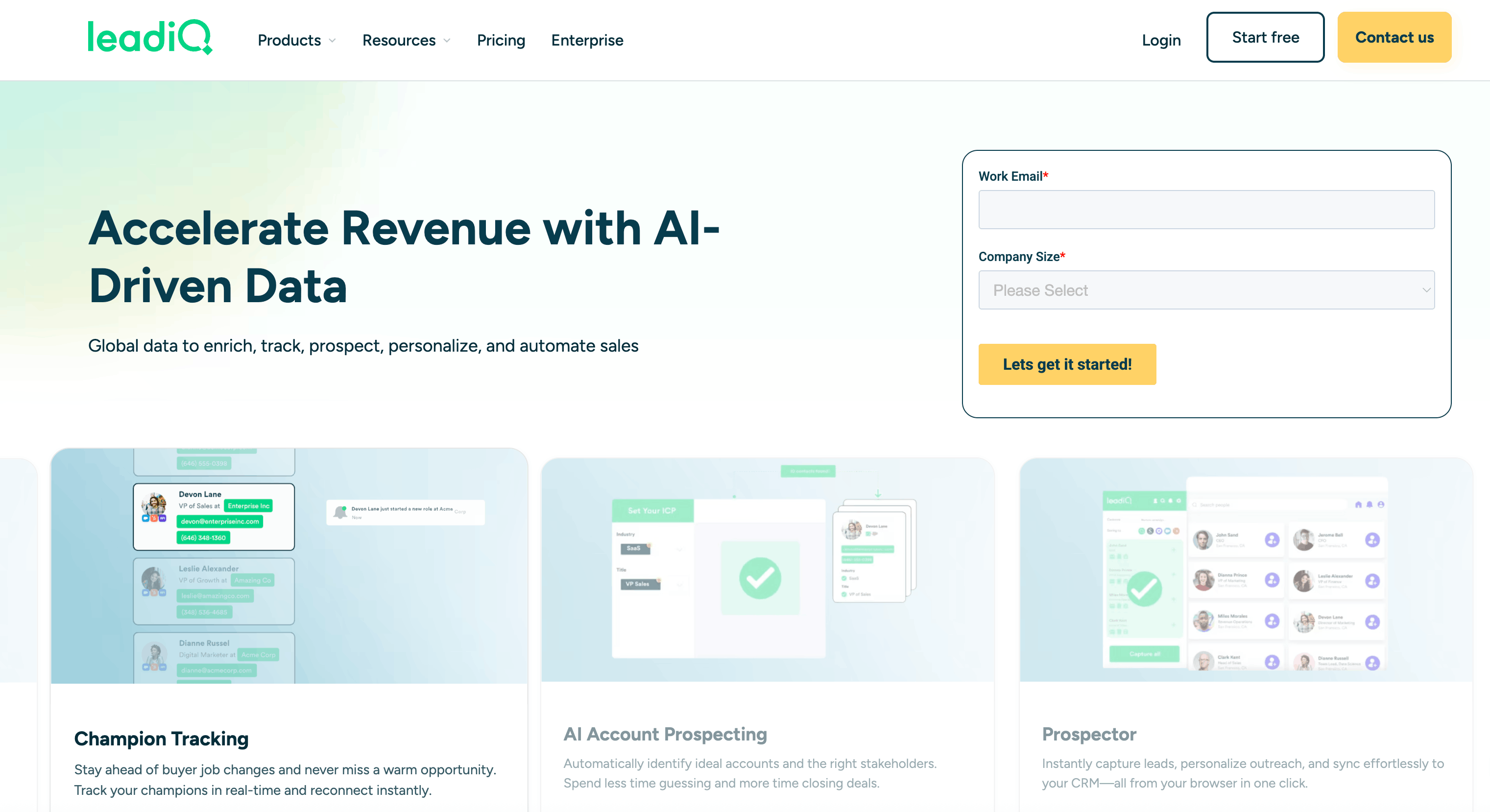
LeadIQ is a B2B prospecting platform that helps sales and revenue teams quickly capture verified contact data for key decision-makers like CFOs and push it directly into your CRM or sales engagement stack.
It combines an extensive contact database with real-time enrichment and seamless integrations, so you can find CFO emails, direct dials, and professional details without manual entry.
The platform's Prospector tool lets you capture contact information straight from your browser, including LinkedIn and Sales Navigator, and sync that data into systems like Salesforce, HubSpot, Outreach, or Salesloft with a single click. LeadIQ also offers CRM enrichment that automatically updates contact records and supports flexible API workflows to keep CFO info accurate and up to date.
In addition to direct contact capture and syncing, LeadIQ provides AI-powered account and contact insights, which help you monitor when key CFO prospects change roles or exhibit sales triggers so you can act on warm opportunities faster.
With LeadIQ, you can:
- Capture verified CFO contact details
- Sync CFO contacts directly into your CRM or engagement platforms
- Automatically enrich and update contact records for accuracy
- Track job changes and key buying signals for CFO prospects
Best for: Building contact lists with direct CRM integration.
Rating: 4.2/5 based on 1,000+ reviews on G2
Limitation: Some reviewers note that phone numbers and mobile contacts aren't always available or accurate, particularly outside primary markets.
Pricing: The free plan includes 50 credits, while the paid plan costs $50 USD/month for 1,000 credits and 3 users.
7. Apollo.io
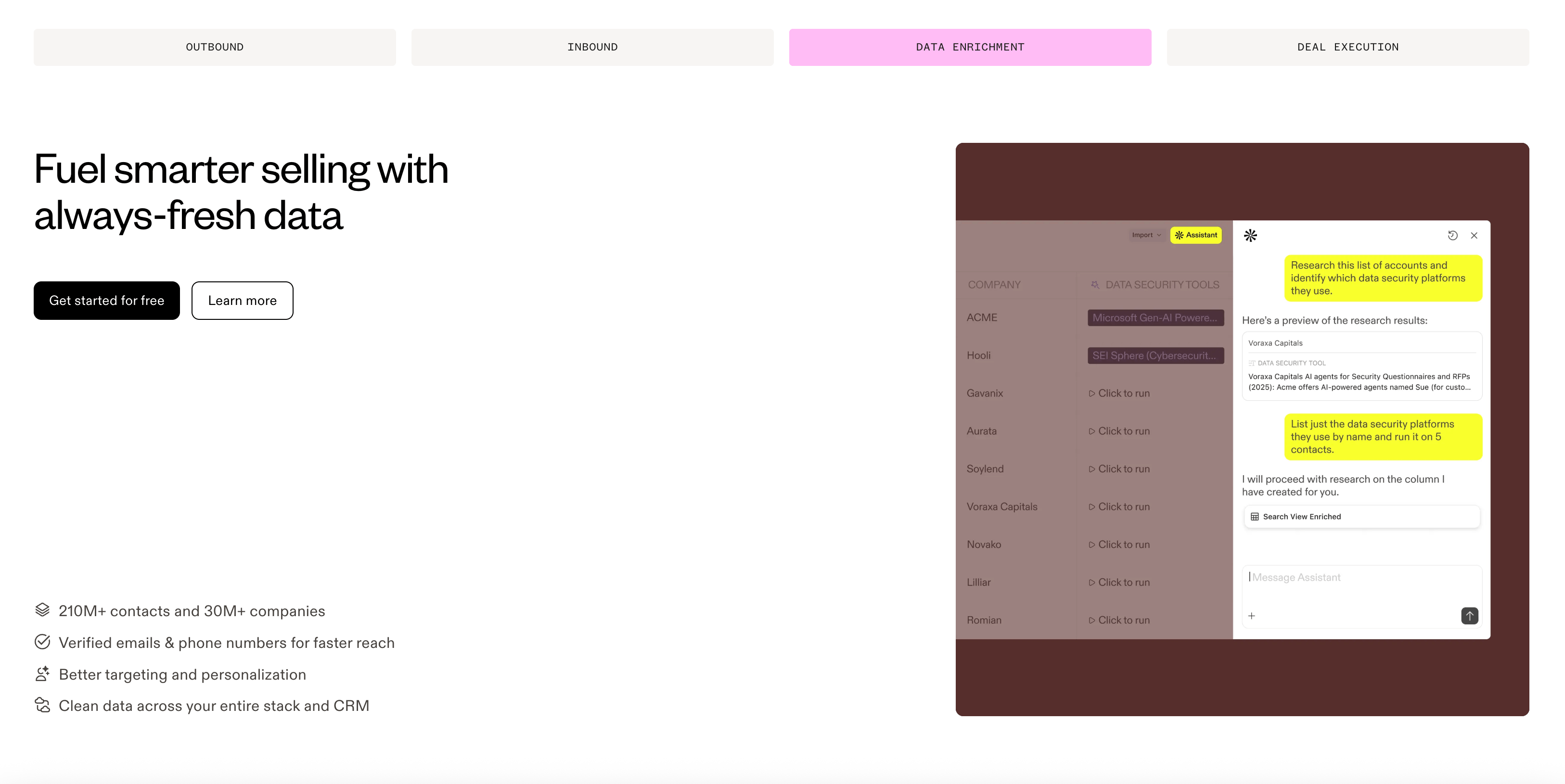
Apollo.io combines a large B2B database with email finding, verification, and outreach tools all in one platform. For building lists of CFOs, Apollo's database includes over 250 million contacts with filters that let you target specific roles and seniority levels.
You can search for CFOs based on company size, industry, location, the technologies the company uses, and many other criteria. This makes it pretty straightforward to build highly targeted lists. For example, you could look for CFOs at SaaS companies in the United States with between 50 and 200 employees.
Apollo provides email addresses along with additional contact data like phone numbers, LinkedIn profiles, and company information. The platform also shows email confidence scores, which indicate how likely each address is to be accurate based on its data.
What makes Apollo different from pure email finders is the built-in email sequencing. Once you've built your list, you can launch outreach campaigns directly from Apollo without having to export your contacts to another tool. The platform tracks opens, clicks, and replies so you can see how your outreach is actually performing.
With Apollo you can:
- Access a large database of contacts across multiple industries
- Apply advanced filters to build highly targeted prospect lists
- Set up email sequences and manage campaigns directly within the platform
- Verify CFO email addresses and automatically clean your lists
- Use an all-in-one solution, reducing the need for multiple separate tools
Best for: All-in-one email finding and outreach platform
Rating: 4.7/5 based on 9,000+ reviews on G2
Limitation: The free plan limits you to basic search features and email exports. To get advanced filters and unlimited access, you need to upgrade to a paid plan.
Pricing: Free plan available with limited features. Paid plans start at $59/month per user.
Key Takeaways
Building an accurate CFO email list comes down to using the right tools and avoiding quick fixes. Here's what to keep in mind:
- Don't buy pre-built lists. They're outdated by the time you get them, get sold to multiple buyers, and will hurt your email deliverability and sender reputation.
- Use email finder tools instead. Tools like Skrapp, Hunter, and Apollo verify addresses in real-time, so you're working with fresh, accurate data from the start.
- LinkedIn is your best source of current data. CFOs update their own profiles, which means pairing LinkedIn Sales Navigator with an email finder extension gives you the most up-to-date contact information available.
- Verification matters more than volume. A smaller list of verified, accurate addresses will always outperform a large list full of bad data.
- Think multi-channel. Tools like Kaspr and Prospeo give you phone numbers alongside email addresses, which gives you more ways to reach decision-makers who don't respond to cold emails.
- Know your budget. Most tools offer free plans with limited credits, so calculate the actual cost per verified contact before committing to a paid plan.
- Stay compliant. Whether you're operating under CAN-SPAM in the US or GDPR in Europe, always use publicly available business contact information and include an unsubscribe option in your emails.
FAQs: CFO Mailing Lists
What is a CFO email list?
A CFO email list is a collection of verified email addresses for chief financial officers at different companies. These lists usually include names, emails, company names, and sometimes phone numbers or LinkedIn profiles. Companies use them to reach financial decision-makers with relevant offers or partnerships. Quality depends on how recent the data is and whether the emails have been checked to make sure they're still active.
Is it legal to mine CFO email addresses?
Yes, it's legal to find and use business email addresses for outreach in most countries, but you need to follow the rules. In the US, you can contact business professionals as long as you include an unsubscribe link and don't use misleading subject lines. In Europe, you need a legitimate business reason and must let people opt out. Stick to publicly available contact info from LinkedIn or company websites, and follow your local email regulations.
Where can I find a CFO mailing list?
You can use email finder tools like Skrapp, Hunter, or Apollo that verify addresses as they find them. LinkedIn Sales Navigator, paired with email finder extensions, works well since CFOs keep their own profiles updated. You can also check industry directories, company websites, and professional associations. Just avoid buying pre-built lists. They're usually outdated and will hurt your email delivery rates.
Why skip pre-built CFO email lists?
Pre-built lists go stale fast because people change jobs, and email addresses stop working. When you buy one, you have no idea when it was last updated or if the information is even correct. Worse, these lists get sold to tons of other people, so the CFOs are already drowning in emails. You'll see lots of bounces, spam complaints, and barely any responses. Building your own list with finder tools takes longer, but you get fresh, accurate data that actually works.