


LinkedIn Email Finder
Find verified business emails from any LinkedIn profile in seconds. Works on Sales Navigator and Recruiter. 97% accuracy, free to start.
Add to Chrome — free4.8 on Chrome
Skrapp is not affiliated with, endorsed by, or sponsored by LinkedIn or Microsoft. LinkedIn and Sales Navigator are registered trademarks of LinkedIn Corporation.
The LinkedIn email finder for individual profiles
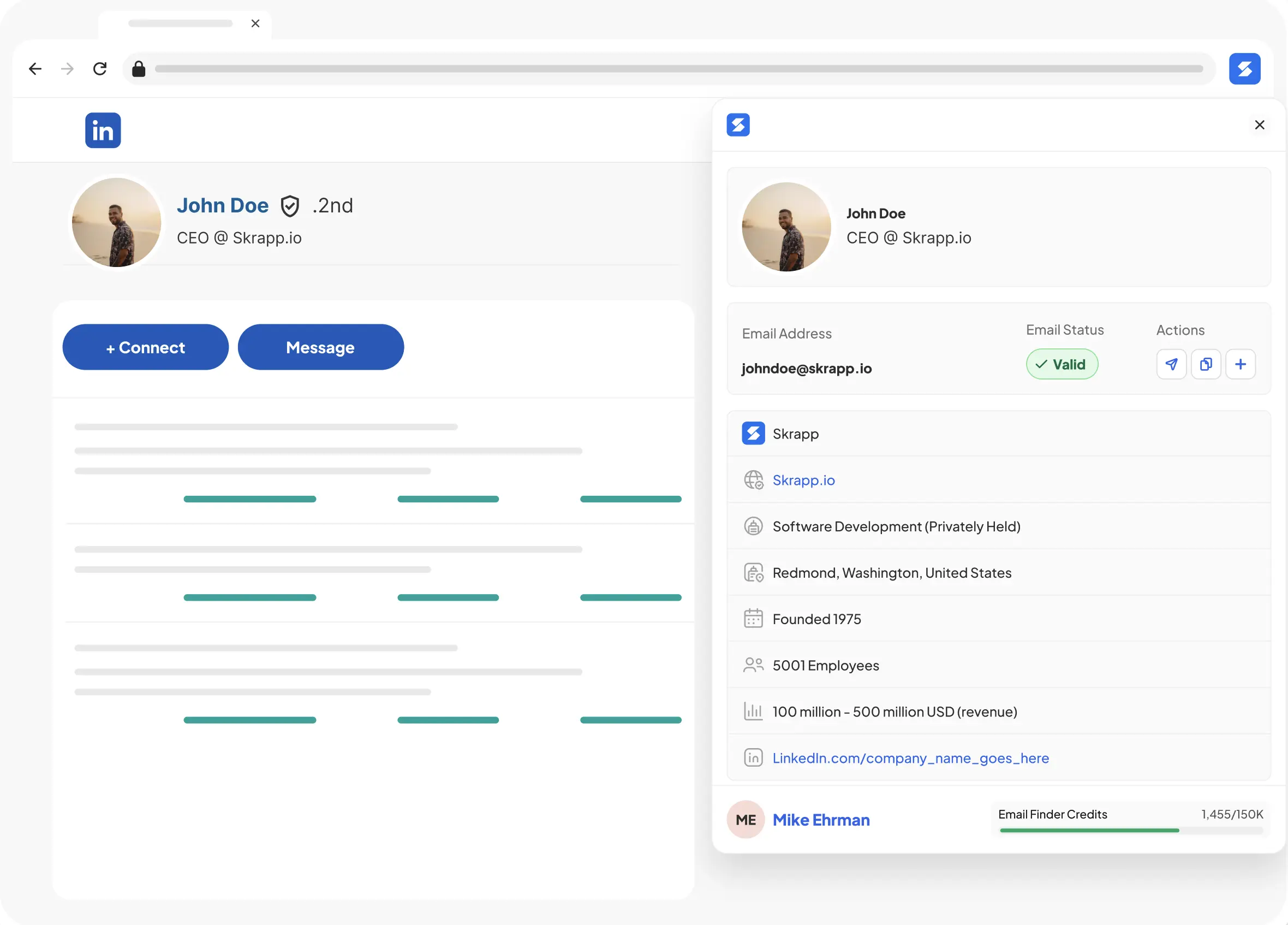
Visit any LinkedIn profile and click the Skrapp extension icon to instantly reveal the person’s verified business email. Every result includes the email address, verification status, job title, seniority, and company — with AI-enriched role and function data to help you prioritize outreach. Works on 1st-, 2nd-, and 3rd-degree profiles.
- Verified against the company’s mail server — 97% verification accuracy
- AI-enriched role, seniority, and function data on every lead
- Save to lists automatically, no manual copy-paste
LinkedIn email extractor for bulk searches & saved lists
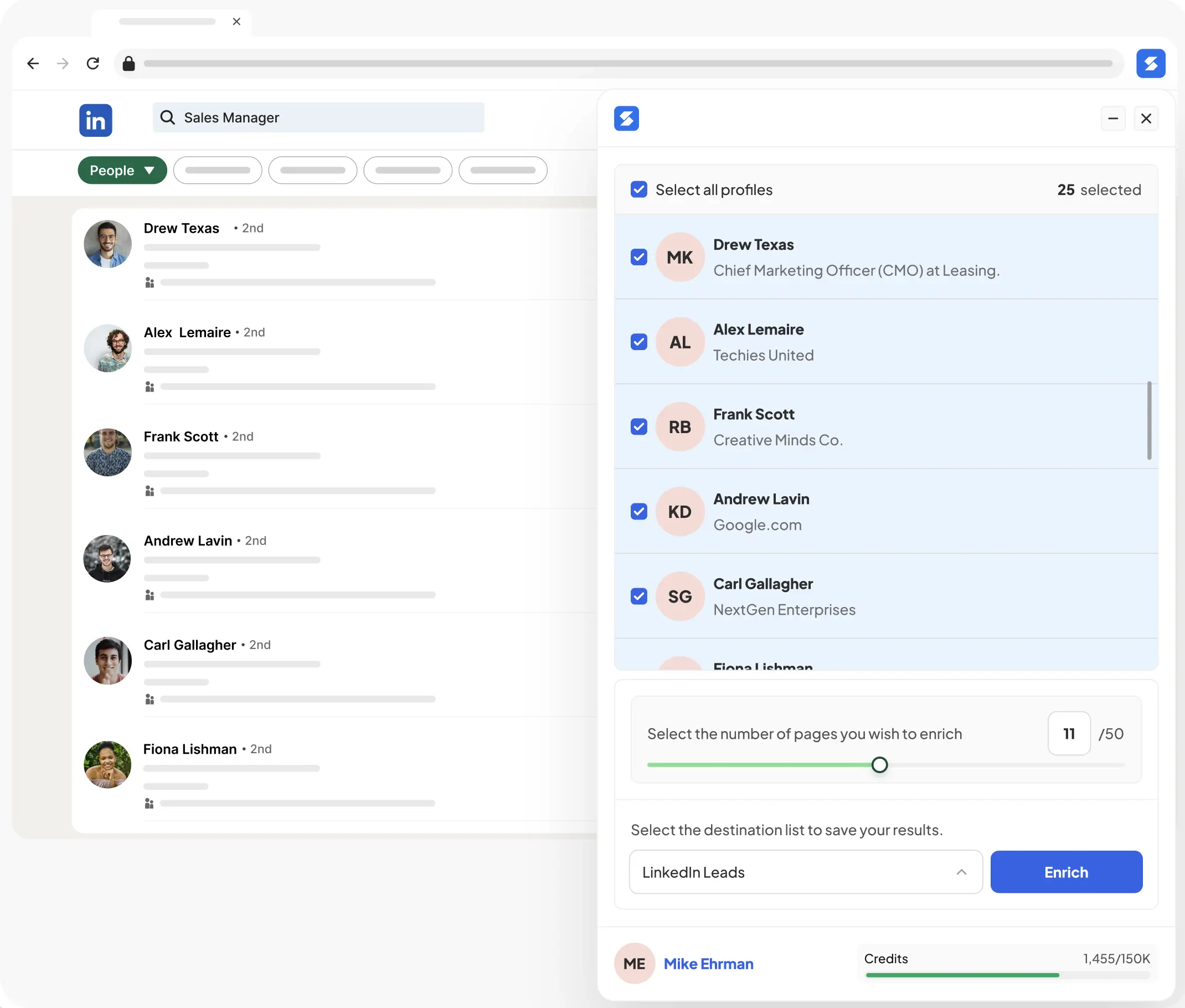
Skrapp’s LinkedIn email finder enriches every result with verified emails and AI-enriched lead data in a single pass. Run any LinkedIn People search, open a saved list, or select multiple profiles — the LinkedIn email extractor processes up to 1,000 profiles per minute. Results include email, verification score, role, seniority, and company data, ready to export to CSV.
- AI enrichment on every lead — role, seniority, function, company data
- Duplicate detection and confidence scoring built in
- Export results to CSV in one click
LinkedIn Sales Navigator Email Finder
Turn Sales Navigator prospects into reply-ready outreach lists
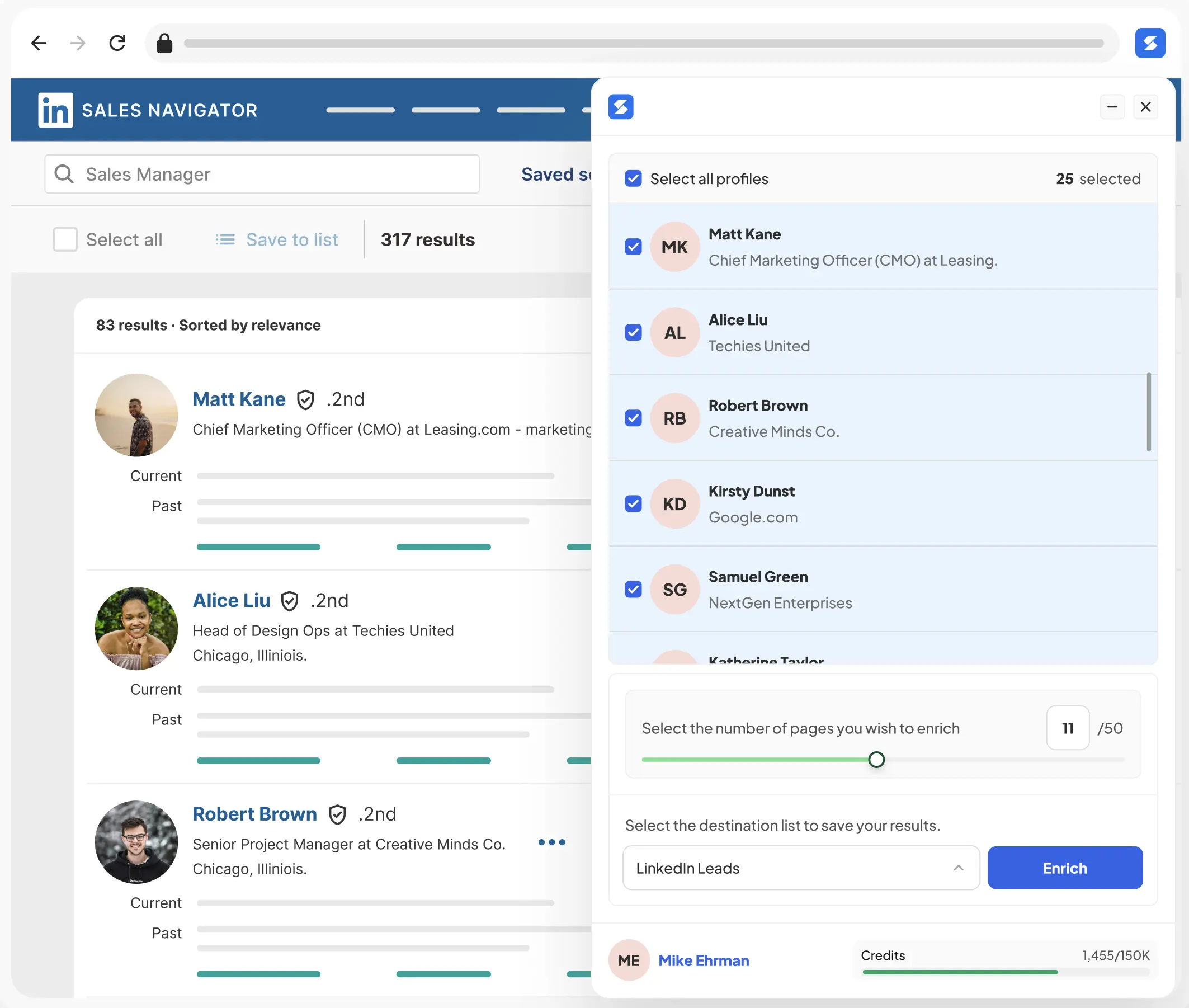
Sales Navigator gives you the right prospects — Skrapp gives you their verified emails and saves them to your lists so you can reach out on your own terms. Works inside Sales Navigator People Search, Lead Lists, Account Maps, and saved searches. Extract verified emails from 2nd- and 3rd-degree connections you can't message through InMail, then run email sequences that actually convert.
Skrapp's extension also auto-saves enriched leads back to your Sales Navigator lists and supports one-click auto-follow from any profile or search result — so your Sales Navigator workspace stays organized as you prospect.
- Works inside Sales Navigator People Search, Lead Lists, and Account Lists
- Auto-save enriched leads to your Sales Navigator lists — no manual exports
- Auto-follow prospects in one click from profiles or search results
- Compatible with Sales Navigator Core, Advanced, and Advanced Plus
How to find someone's email on LinkedIn
Here's how to use Skrapp's LinkedIn email finder in four steps. Under 30 seconds.
Install the Skrapp Chrome extension
Add Skrapp to Chrome from the Web Store in one click. Free plan includes 50 verified emails — no credit card required.
Install LinkedIn Chrome Extension →Open any LinkedIn profile or search
Go to a LinkedIn profile, run a People search, open Sales Navigator, or browse Recruiter results. Skrapp works everywhere on LinkedIn — including finding an email by name, title, or company.
Click the Skrapp icon to extract the email
The sidebar reveals the verified email, job title, company, and AI-enriched role and seniority data, along with a confidence score.
Save or export your results
Save to Skrapp lists or bulk-export to CSV in one click.
Trusted for accuracy. Built for scale.
3B+
Searches processed
97%
Email verification accuracy
200M+
B2B leads
40M+
Company profiles
Popular Questions About LinkedIn Email Finder
Install Skrapp Chrome Extension
Sign up for free
Skrapp vs ZoomInfo · Skrapp vs Apollo · Skrapp vs Hunter
Have more questions? Visit our Help Center.
Start finding LinkedIn emails today
Install the Skrapp Chrome extension in 30 seconds. No credit card required.
4.8 on Chrome