
How to Find CTO Email Addresses in 2026 (Methods & Tools Compared)
In 2026, you can find CTO email addresses by using LinkedIn, dedicated email finders like Skrapp, domain-based searches, and B2B lead-finding platforms with AI search features.
For individual lookups, a name-based search delivers a verified email in under a minute. For bulk prospecting, use Sales Navigator to export data. Then, enrich it with a B2B lead finder. This gives you a quick, clean, and verified list of CTO email addresses at scale.
In this guide, I’ll show you each method step by step. We’ll cover manual LinkedIn research and automated enrichment. I’ll also compare the 5 best CTO email finder tools available today.
1. Extract CTO Contacts from LinkedIn and Sales Navigator
To find accurate CTO email addresses, I usually start with LinkedIn. It’s the best place for professional contacts. Most CTOs have a profile on this social network, and many keep their information up to date.
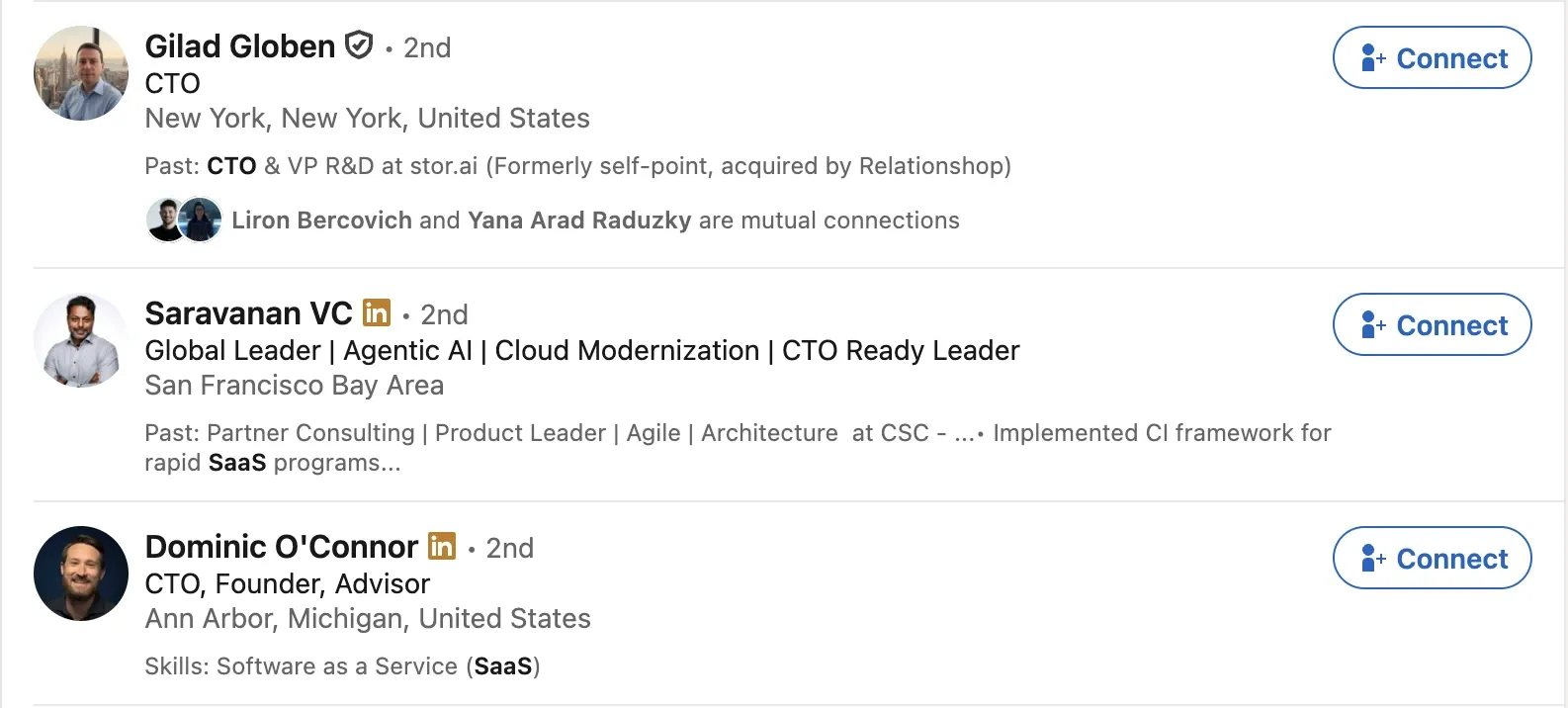
For smaller lists, manual searches suffice. Filter by job titles like "CTO," "Chief Technology Officer," or "VP Engineering." Then, refine your search by industry, company size, or location.
Once you find a relevant contact, the Skrapp Chrome extension quickly gets their verified email from the profile.
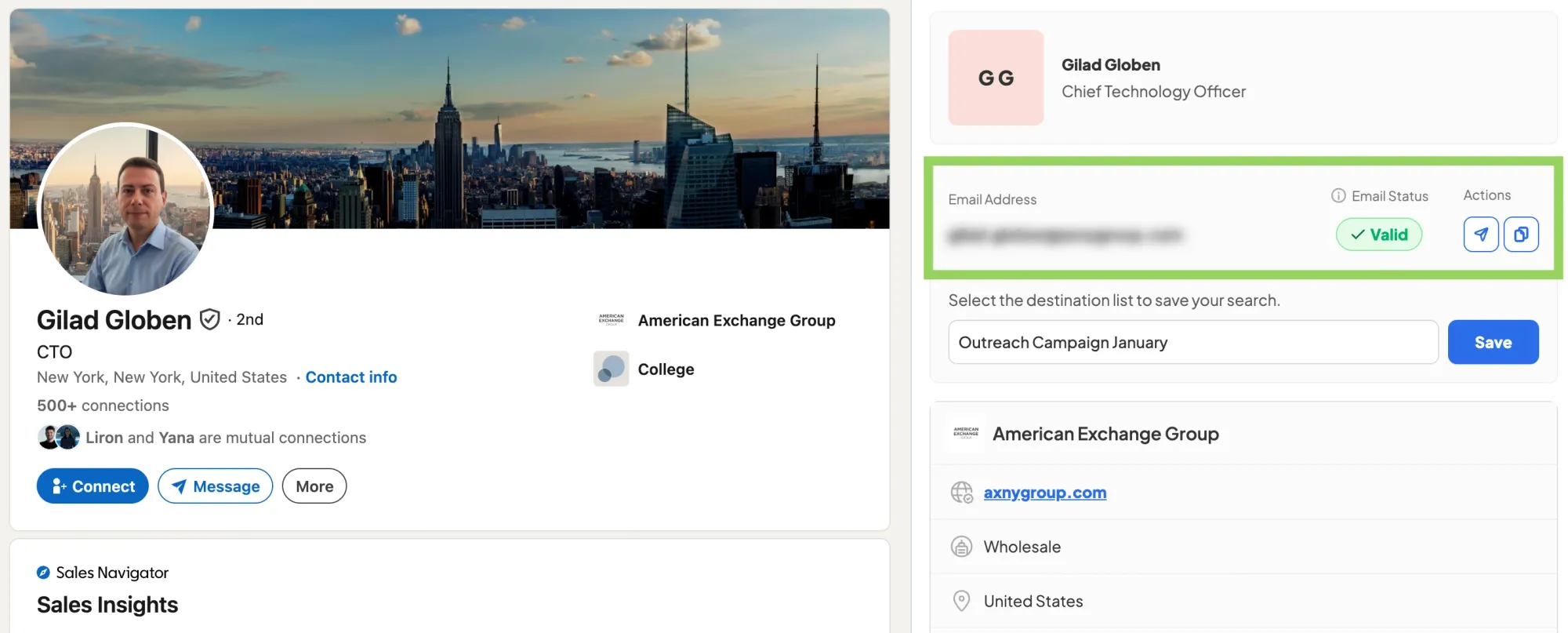
For anything at scale, Sales Navigator provides far more granular filtering options. You can target companies by seniority, department, headcount, funding stage, and recent activity signals. These signals show if a company is ready to buy.
In Sales Navigator, the Skrapp extension lets you export data in bulk. You can grab names, titles, companies, and verified emails for all your results at once. It can also send auto-connection requests to those contacts, which is a useful setup for multichannel outreach.
2. Contact CTOs via LinkedIn InMail
Sometimes you don’t need an email immediately. LinkedIn InMail delivers messages directly to recipients, even without a connection.
InMail is a LinkedIn Premium feature. It allows you to message any LinkedIn member directly, even if you aren’t connected. With a free account, you can only message your connections.
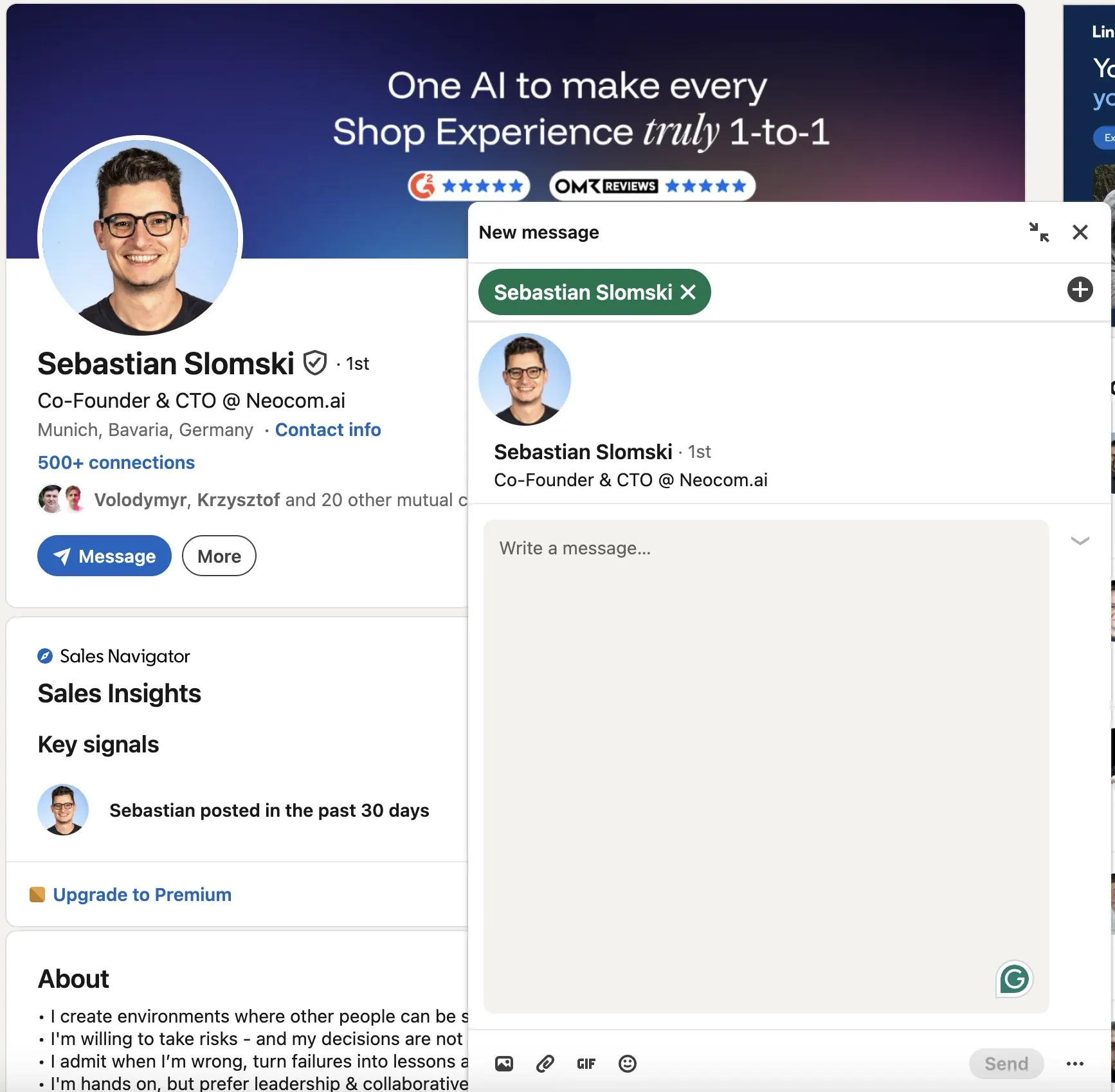
To message others, you'll need to upgrade to Premium. Note that if a CTO has turned off InMail in their message settings, you can't reach them this way.
Do not treat InMail like a cold email. CTOs are sensitive to generic outreach, so specificity improves effectiveness. Reference recent posts, talks, or company news in your opening line. Keep messages brief (three to four sentences) and close with a low-friction request, like a quick chat instead of a demo.
I find InMail most effective for follow-ups. If an email goes unanswered after a few days, a brief LinkedIn note referencing it can re-engage without seeming aggressive.
3. Enrich Contact Data Using a B2B Lead Finder
Not all prospecting begins on LinkedIn. To build a CTO contact list from scratch by role, industry, location, and company size, a B2B lead finder offers a more direct approach.
Set your filters, run the search, and receive a list of matching contacts with verified emails.
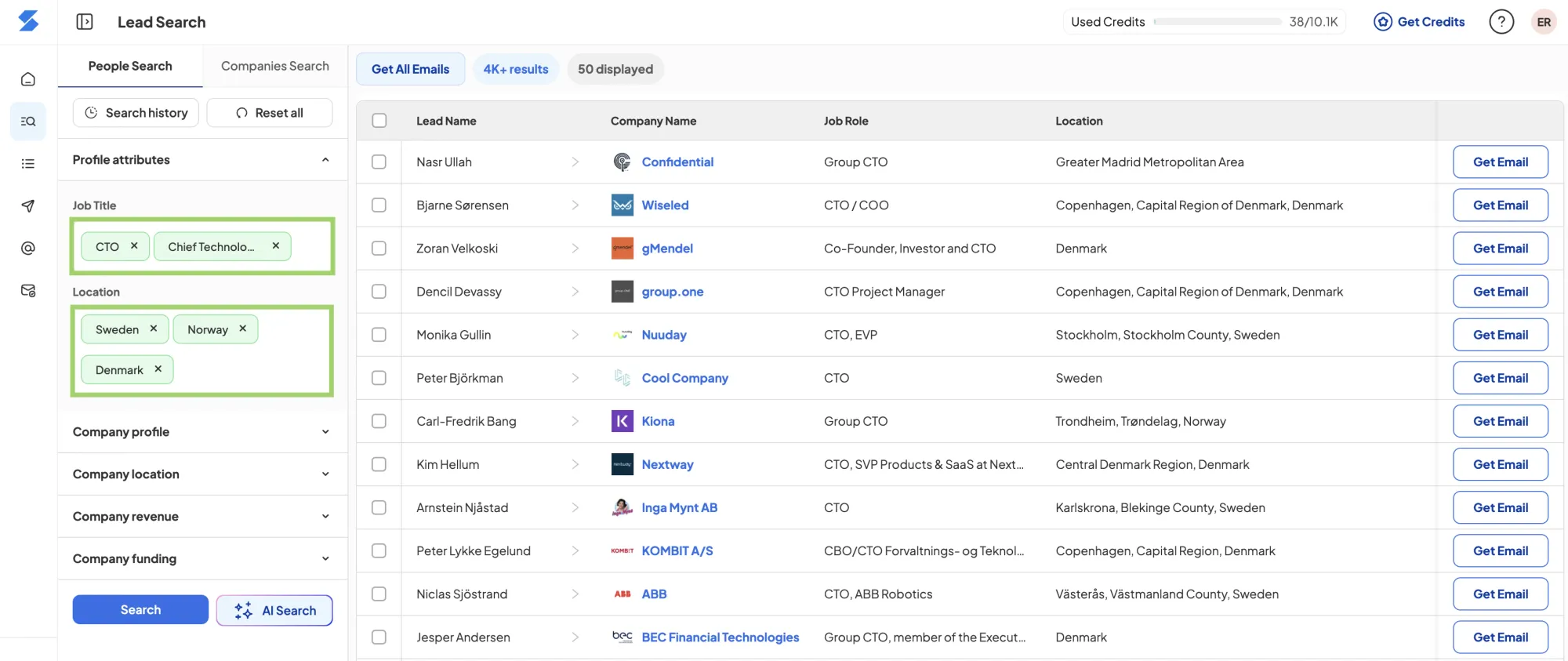
Skrapp's lead finder also has an AI-powered search feature that helps when you need to get more specific. You describe the type of contacts you're looking for, and the AI narrows the options for you instead of requiring you to combine filters manually.
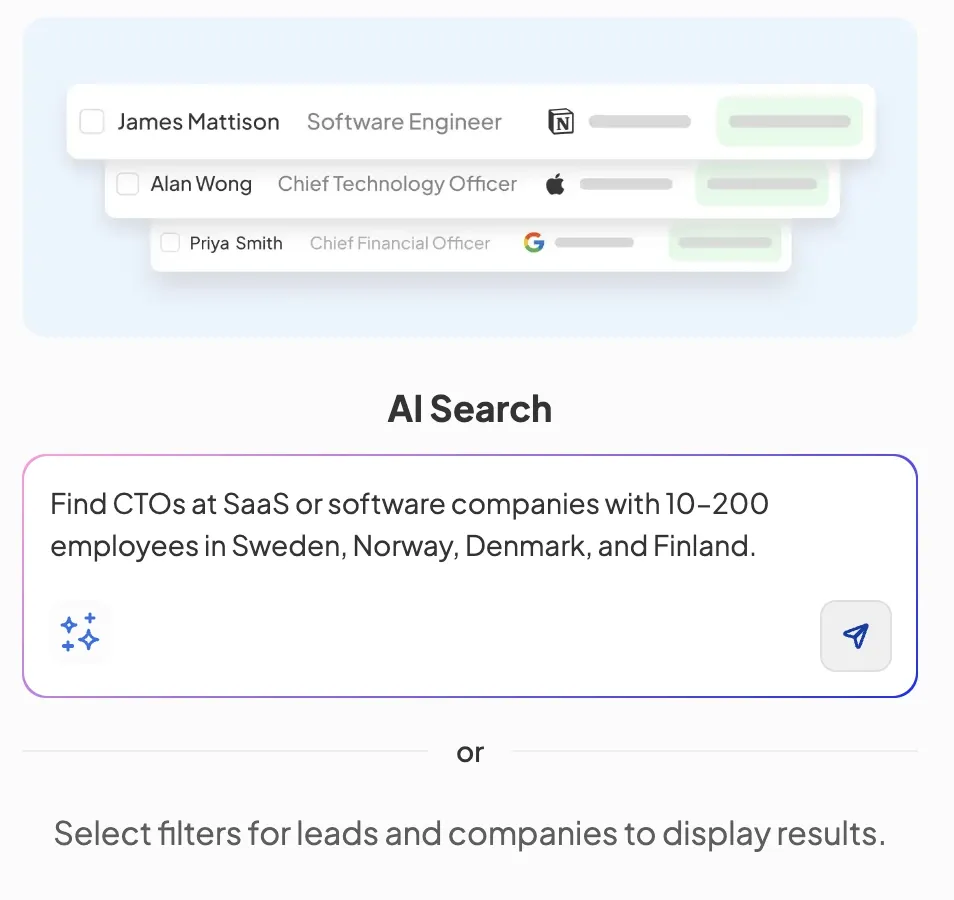
This option works well for niche audiences. For example, you might target CTOs at early-stage SaaS companies in the Nordics. You could also focus on technical leaders at mid-sized logistics firms in the US.
This works for teams that don’t use Sales Navigator. It’s also good for those running broad industry campaigns instead of targeting specific accounts. The output is always verified and export-ready.
4. Find CTO Email Addresses by Name
If you know your target's name, a name-based search is the quickest way to find a verified CTO email address.
In Skrapp, you enter the person's first name, last name, and company name. The tool then finds available email addresses and verifies their deliverability. The whole thing takes seconds and returns a result with a verification status.
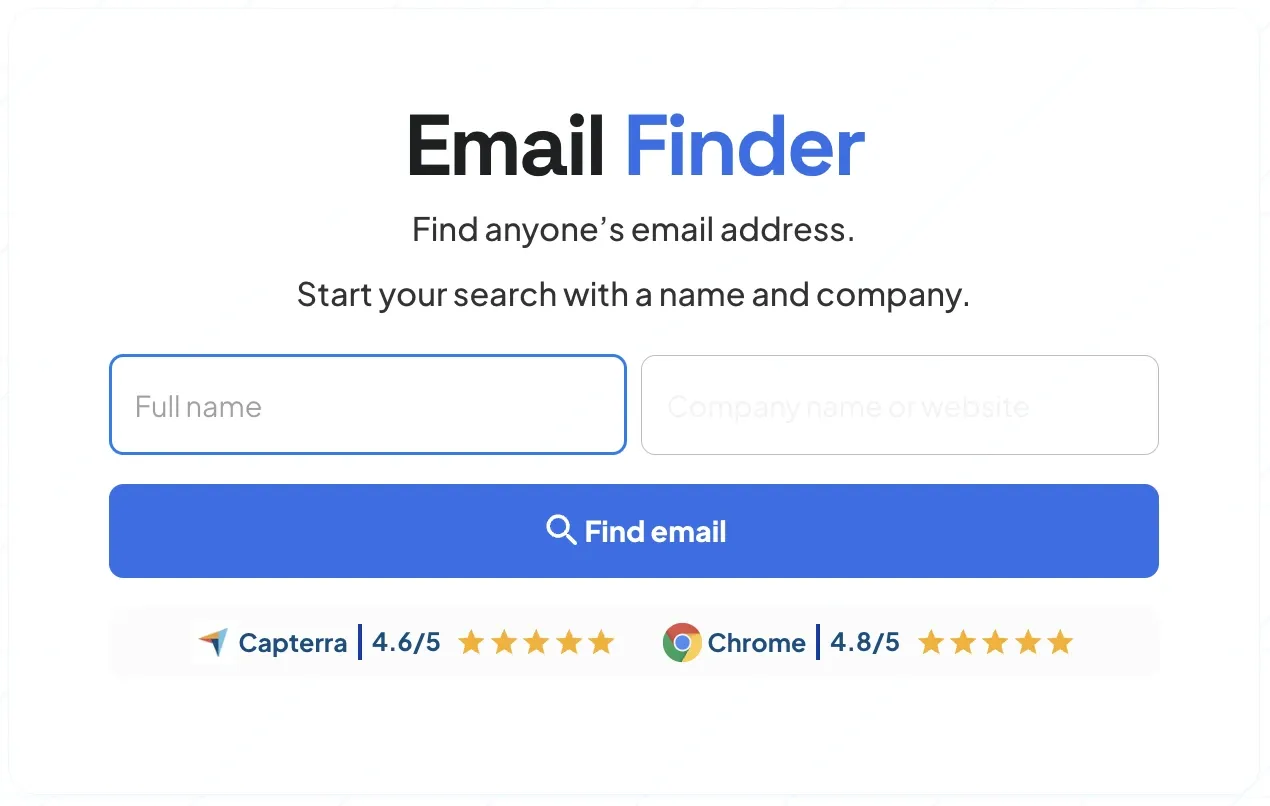
If no results appear, try name variations. Some professionals use middle initials or shortened first names instead of their public names.
For bigger lists, upload a spreadsheet with CTO names and companies. This lets you run several searches at the same time. Skrapp processes contacts and returns verified emails faster than individual lookups. This becomes practical when we identify targets and need contact details to proceed.
Follow these steps to find CTO email addresses by name:
- Go to Skrapp's bulk email finder and select the New Task option.
- Choose the Find emails by name and company option from the two alternatives presented.
- Upload your CSV list, map the fields, and start the search.
- Skrapp finds and verifies each contact's email address.
- Export the results to your outreach tool or CRM without any intermediate steps.
5. Find CTO Emails by Domain
Domain search is efficient when you know the target company but not the individual. It also helps map all reachable contacts within an account to identify the best entry point.
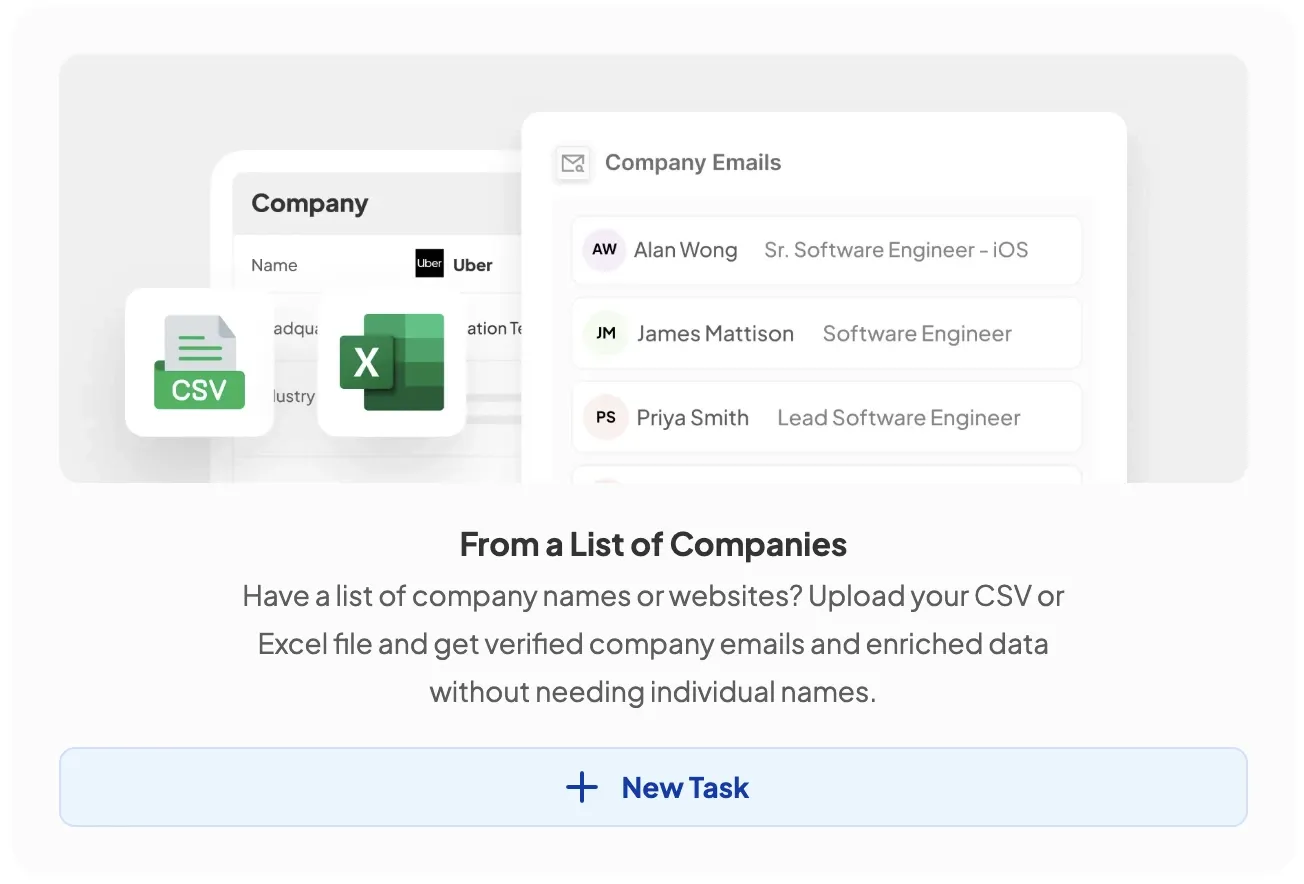
Here's how to run it in Skrapp:
- Open Skrapp’s bulk email finder. It will give you two options: find emails by full name and company, or by company/domain.
- Choose the second option to source CTOs' email addresses from the list of domains you have.
- Filter by title to find the CTO or whoever else in technical leadership you're looking for (CTO, Chief Technical Officer, etc.). Set other filters, such as location and company size, and launch the search.
- Send the results and verified email addresses directly to your outreach tool or CRM.
For enterprise accounts, conduct this search before outreach. Knowing who is reachable and at what level helps you select the right contact and tailor your approach.
Which Method Should You Use? (Methods Compared)
Each method covered in this guide serves a different starting point and use case. The right one depends on whether you're targeting specific people, working from a company list, or building a list entirely from scratch. Here's how they stack up:
| Method | Price | Data Accuracy | Speed | Best For |
|---|---|---|---|---|
| LinkedIn + Email Finder Extension | Free / Paid | High | Fast | Finding CTO email addresses on LinkedIn or Sales Navigator by role and location |
| LinkedIn InMail | LinkedIn Premium | N/A | Medium | Direct outreach before you have an email |
| B2B Lead Finder (by role & location) | Paid | High | Fast | Building targeted lists from scratch |
| Name-Based Search (bulk) | Paid | High | Fast | Enriching a list of already identified CTOs |
| Domain-Based Search | Paid | High | Fast | Mapping all reachable contacts at target accounts |
The choice comes down to where you're starting from. If you work with LinkedIn and Sales Navigator daily, combining it with an email finder is the most natural fit. If you're starting from zero with nothing but a target profile, a B2B lead finder builds the list for you rather than asking you to find it first.
Name-based and domain-based searches are best thought of as gap-fillers. Once you know who you're targeting, they bridge the gap between a name or a domain and a verified CTO email address.
In practice, combining two methods consistently outperforms relying on one. LinkedIn research to identify the right people, followed by bulk enrichment to pull their contacts, balances precision with speed and covers the gaps that any single method leaves behind.
Best Tools for Finding CTO Email Addresses
There's no shortage of CTO email finder tools on the market, but they're not all solving the same problem. Here's how the main options stack up in 2026:
1. Skrapp
Skrapp is designed for B2B email prospecting with strong LinkedIn integration. Its Chrome extension works on profiles and Sales Navigator for quick one-off lookups and bulk exports. Name- and domain-based searches include verification, eliminating the need for more tools. It offers a free plan and scalable paid tiers.
Best for: Sales and marketing teams that mainly use LinkedIn for prospecting. They need email finding and verification all in one place.
2. Hunter
Hunter.io has a large domain-pattern database, ideal when you know a company’s domain and want to identify likely email formats. It detects patterns like firstname@ or f.lastname@ and applies them to new contacts. Its public API and integrations support seamless workflow integration.
Best for: Teams that already have target domains and want to scale contact discovery without much manual input.
3. Kaspr
Kaspr is well-placed in European prospecting. It offers GDPR-compliant data and has strong coverage in the UK, Germany, France, and EMEA. It integrates with LinkedIn and provides emails and phone numbers. It is reliable for European markets but less so outside Europe.
Best for: Sales teams targeting European markets that need compliant contact data.
4. Lusha
Lusha is ideal for teams needing email addresses and direct-dial phone numbers. It helps these details flow smoothly into their CRM. The Salesforce and HubSpot integrations are clean, reducing many of the import/export issues. Coverage skews toward North American enterprise accounts.
Best for: Revenue teams that need enriched contact data (email and phone) feeding directly into their CRM.
5. Cognism
Cognism sits at the more comprehensive end of the market. Beyond contact details, it layers with intent signals, technographic data, and job-change alerts, so you can time outreach to moments when a CTO is actively evaluating new solutions. The pricing reflects that scope, making it better suited to enterprise sales operations than small teams.
Best for: Enterprise sales teams that need full account intelligence, not just an email address.
Final Thoughts
Between LinkedIn, B2B lead finders, and name or domain-based search tools, there are enough options to cover almost any prospecting scenario, whether you're tracking down one specific person or building a list of hundreds.
The method you start with matters less than making sure the contacts you end up with are verified. A smaller, clean list will always outperform a large unverified one, both in deliverability and in the quality of responses you get back.
When it comes to choosing a tool, the decision usually comes down to where you prospect most and how much volume you need. For LinkedIn-heavy workflows, you want something with a native extension that works inside Sales Navigator.
For list building from scratch, a platform with strong filtering and built-in verification saves you from juggling multiple tools. Most of the options compared in this guide offer a free tier or trial, so the most practical advice is to test one against your actual workflow before committing.
FAQs: Finding CTO Email Addresses
What does CTO stand for?
CTO means Chief Technology Officer. This C-suite executive leads the company’s technical direction. The title can be Chief Technical Officer. You might also see similar roles called VP of Technology or Head of Technology. This depends on the organization.
What does a CTO do?
The CTO manages the company's technology strategy. They choose platforms and infrastructure to invest in, lead the engineering team, and assess external technology vendors. They usually make the key decisions for software purchases. This makes them very important contacts in B2B tech sales.
Where can I find a list of CTO email addresses?
The most reliable method is to build your own list on LinkedIn using an email finder like Skrapp. It takes some effort at first, but it produces better and more relevant results than buying databases. For quicker results, B2B platforms like Skrapp, Cognism, and Lusha help you filter verified contacts. You can sort by title, industry, and company size, and then export ready-to-use lists.