
How to Find Someone’s Email on LinkedIn: 3 Proven Methods
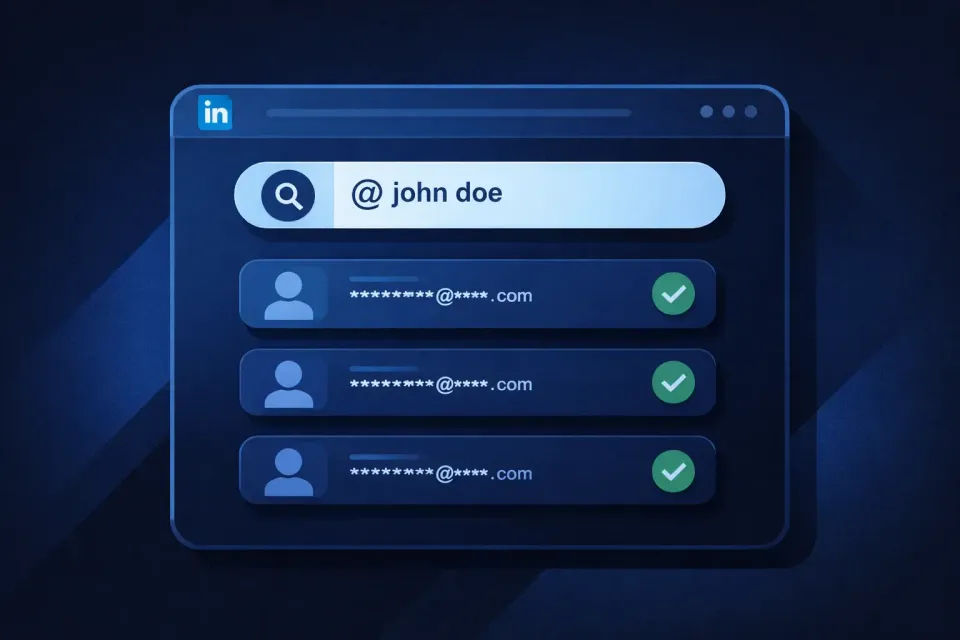
Finding someone's email on LinkedIn can be done in three main ways: using a third-party email finder tool, checking the person's LinkedIn "Contact Info" section, or inferring the email format from their company's known patterns.
Email finder tools like Skrapp.io are the most reliable option, as they cross-reference public data and automatically return verified addresses. LinkedIn's "Contact Info" tab is worth checking first, though most users don't list their email there. Pattern guessing is a last resort. It's useful when you know the company's format, but it's more likely to bounce.
In this article, I'll break down the benefits and limitations of each email lookup method so you can choose the right approach for your goal and campaign size.
Find work emails from LinkedIn in one click
Start Finding Emails1. Use Skrapp LinkedIn Email Finder
This is the fastest and most reliable way to find email addresses of your LinkedIn prospects. It works equally well for individual searches when visiting a person’s profile and uncovering their contact details, as well as for large-scale outreach campaigns where you need to find hundreds of contacts for sales, SEO, or recruitment outreach.
Simply install the Skrapp LinkedIn extension in your browser. Then visit any LinkedIn profile and click the Skrapp icon in the top-right corner of your browser. A small pop-up will instantly display the person’s contact information, including verified email addresses and other available details.
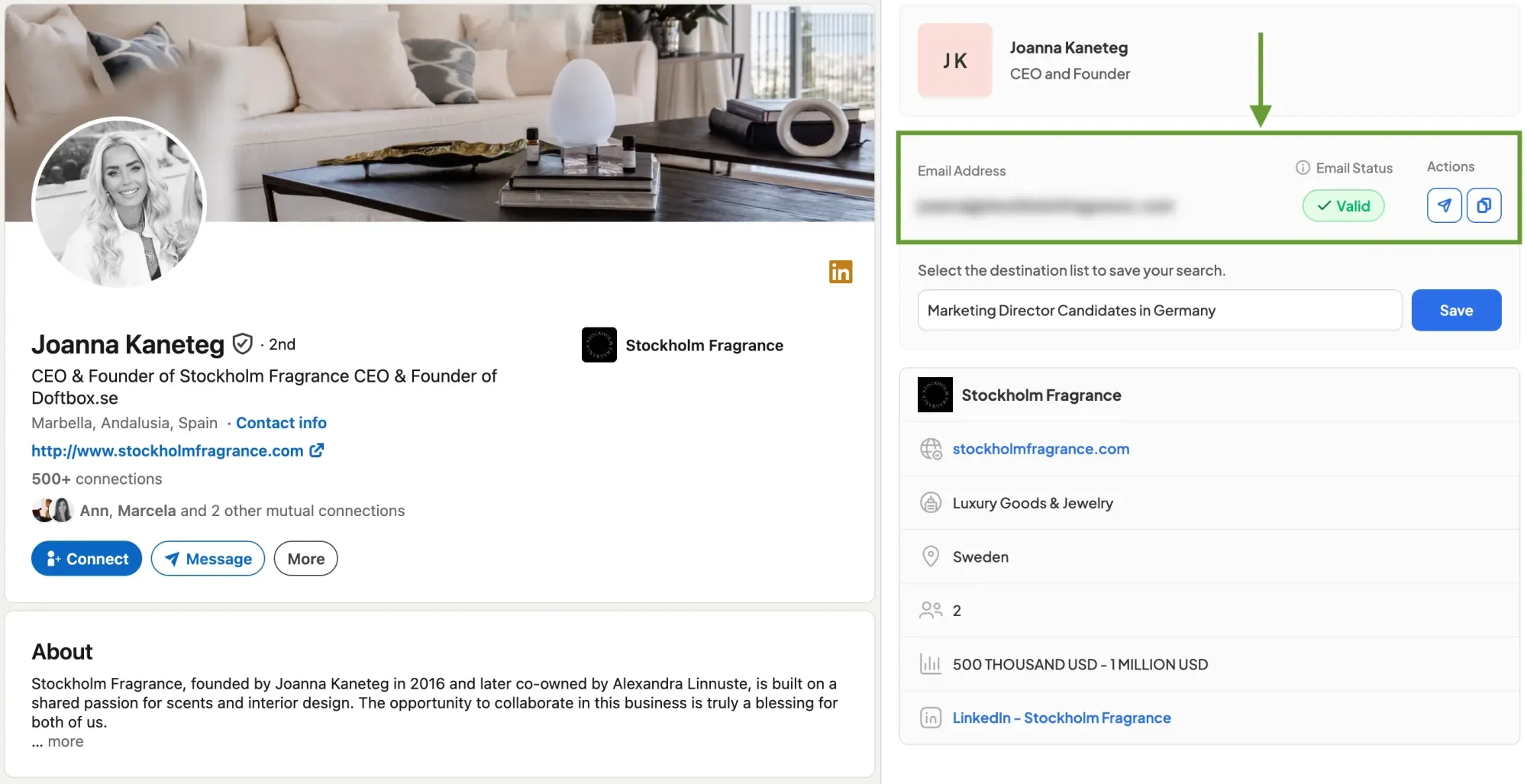
Once you’ve found an email address, you can easily export it to your Skrapp account and save it to a specific list for future reference. This allows you to organize selected contacts and build targeted outreach lists for future campaigns.
With the Skrapp extension, you can find email addresses not only from individual LinkedIn profiles, but also in bulk across LinkedIn and LinkedIn Sales Navigator search pages. Watch the video tutorial below to learn how to discover and import leads at scale directly from LinkedIn.
Skrapp–LinkedIn Integration
Skrapp automatically gathers contacts from search pages, enriches them with key prospect data, and saves them to a selected list. From there, you can export the data as a CSV file or sync it with CRMs like Salesforce or HubSpot.
Find and export LinkedIn contacts with one click
Get LinkedIn Email Finder Extension2. Check the Contact Info Section
Some LinkedIn users opt to share their email addresses in the Contact Info section of their profiles. If your target has made their email public, you'll find it here.
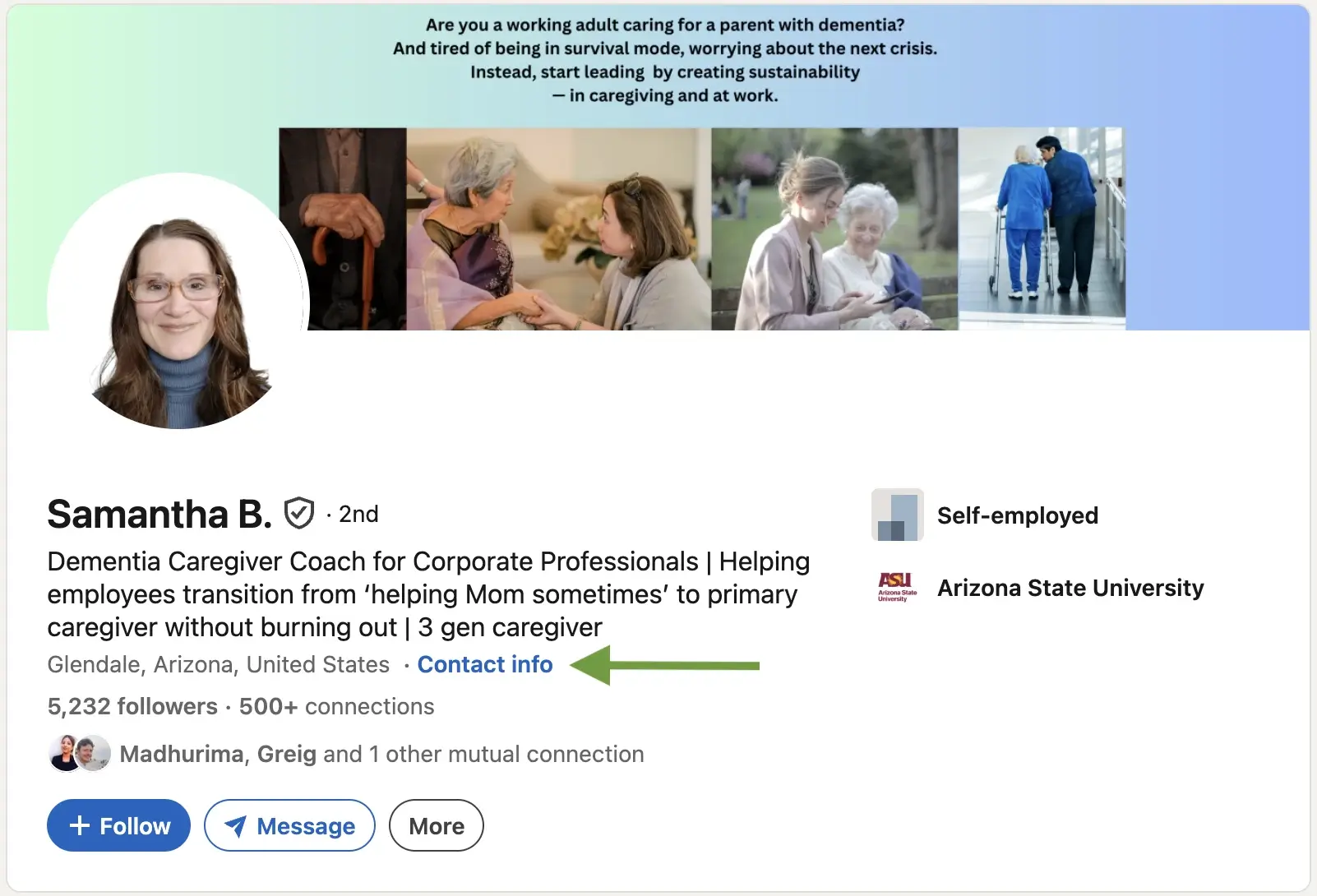
When a user has included an email address, it will appear in the displayed module. However, many users prioritize privacy and may not disclose this information.
Potential drawbacks and limitations
This method of finding contacts may work for occasional one-time searches, but compared to dedicated email finder tools, it has significant limitations for professional use.
Availability: Not all LinkedIn users share their email addresses publicly in the Contact Info Section, prioritizing privacy and security. Consequently, you might not always find the email you are looking for here.
Incomplete or Outdated Information: Even if an email address is listed in the Contact Info Section, it may not be up to date. People change jobs and emails, and LinkedIn profiles aren't always promptly updated.
Privacy Considerations: LinkedIn users control what information they disclose on their profiles, including email addresses. Seeking someone's email without consent may be intrusive and disrespectful of their privacy choices.
Skip manual LinkedIn searches and find verified emails faster
Get the Extension3. Make an Educated Guess and Verify
One method to find someone’s email address not just on LinkedIn involves researching the structure commonly used by their company.
Typical formats include “firstname.lastname@company.com” or an alternative option like “FirstInitialLastName@company.com,” for example, “john.doe@skrapp.com.”
Once you've identified this pattern, you can piece together their email address by visiting their LinkedIn page. Here's a breakdown of the process:
- Find the prospect’s LinkedIn page: Visit their profile to find their company's website. This website URL is essential for determining their email domain.
- Identify email patterns: Many companies follow specific email patterns. You can find these by searching on Google or DuckDuckGo for “@companyname.com.” Then use Ctrl+F to locate “@” and find email examples in the search results, providing you with potential patterns.
- Test the patterns: Test identified patterns using email verification tools before you send the email.
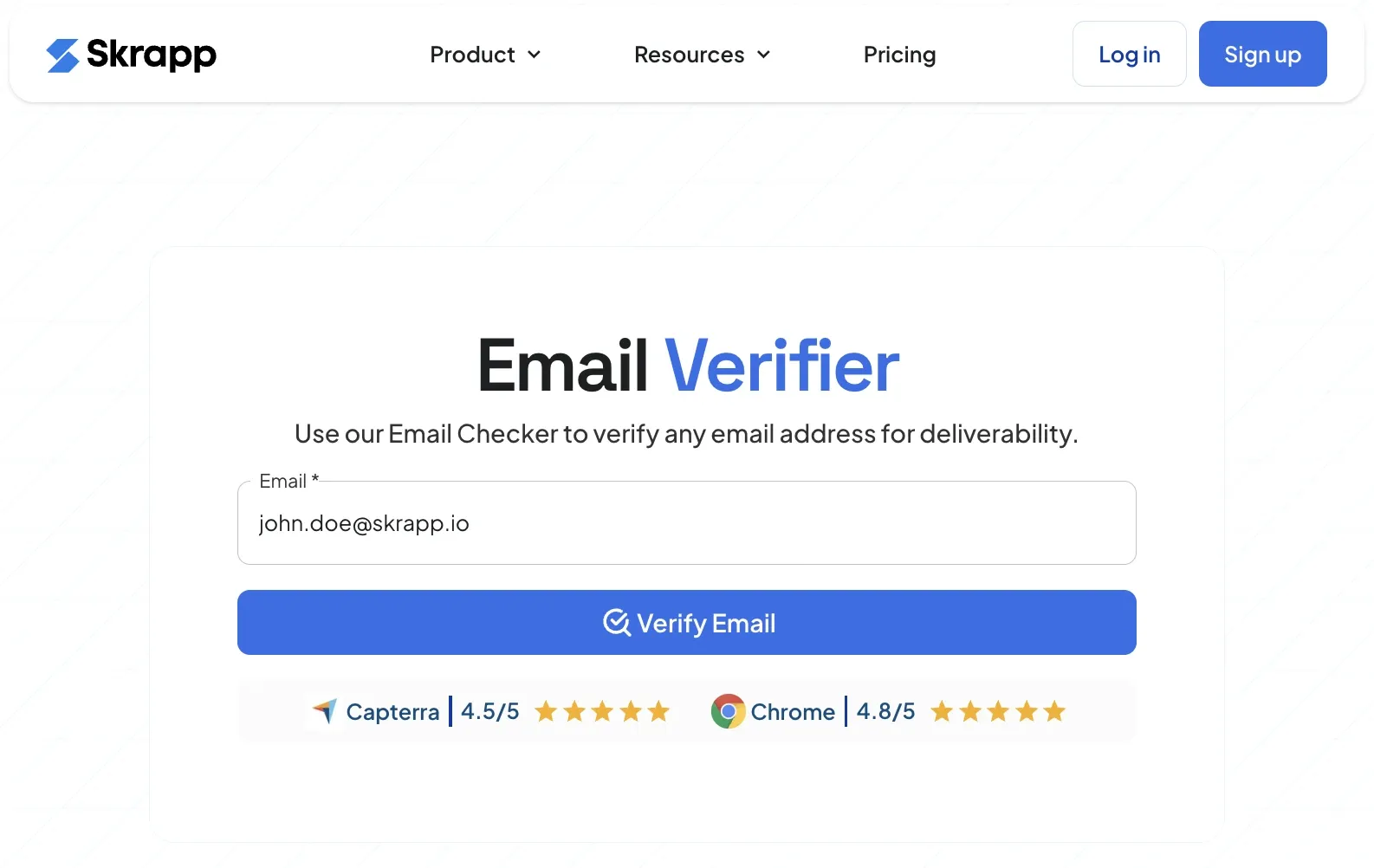
Skrapp helps verify email addresses and determine their deliverability. Once you have several possible email address formats, simply run them through an email verifier to identify which ones are valid.
Potential drawbacks and limitations
If you successfully find someone's email using this method, congratulations! However, in most cases, this approach may not yield results for various reasons.
Nickname usage: People often use nicknames or shortened versions of their names in email addresses (for example, Charles using “Chuck”), making accurate guesses more difficult.
Middle names and initials: Some professionals use middle names or initials in their email addresses, even when this information is not publicly available on LinkedIn.
Outdated profile information: Users may leave a company without updating their LinkedIn profile, which can result in incorrect or inactive email addresses.
Regional email domains: International companies sometimes use country-specific email domains, such as regional subdomains or localized email formats, which are harder to predict.
Email verification needed: Even with educated guesses, manually testing multiple email combinations with an email verification tool can quickly become inefficient for larger outreach campaigns.
As you can see, making an educated guess isn't always easy and can consume time. Nonetheless, it remains a viable option.
Find valid email addresses from LinkedIn without guesswork
Add to ChromeFinal Verdict: How to Find an Email on LinkedIn?
The right method comes down to three factors: how many contacts you need, how much time you have, and whether you're running a one-off outreach or an ongoing campaign.
For any kind of outreach at scale, an email finder tool is the clear choice. Checking profiles one by one or guessing email formats works at first, but it quickly falls apart as your list grows. Skrapp.io gathers verified email addresses directly from LinkedIn profiles and search results, automating email lookup for large campaigns.
For one-off outreach, the "Contact Info" tab is the fastest way to get started. It costs nothing, takes five seconds to check, and works often enough that skipping it doesn't make sense. It won't be reliable enough to build a process around, but for individual prospecting, it's always worth checking first.
Pattern guessing makes sense only when you already know the company's email format and the other methods haven't worked. It can help you get the email, but unverified guesses carry a real bounce risk, so you always have to run the address through an email verifier at an additional cost before sending.
In most outreach workflows, all three methods come into play at different points. The "Contact Info" tab is your first check, an email finder handles the bulk of your list, and pattern guessing fills the gaps when everything else falls short.
FAQs: How to Find Someone’s Email on LinkedIn
Does LinkedIn show someone's email?
LinkedIn doesn’t display email addresses by default, but some users choose to share theirs in the Contact Info section of their profile. If it’s not there, you’ll need other methods, like an email finder tool or a domain-based search.
How do I find someone's contact info on LinkedIn?
To find someone’s contact info, go to their LinkedIn profile and click “Contact Info.” If they’ve made their email public, you’ll see it there. If not, you can use a tool like Skrapp.io’s Email Finder to uncover verified business emails.
How do I find the email address associated with my LinkedIn account?
To check your own email on LinkedIn, go to Settings & Privacy > Sign-in & security > Email addresses. Here, you’ll find the primary email linked to your LinkedIn profile.
How to search for someone's email address?
If LinkedIn doesn’t show the email, try these methods:
- Use an email finder like Skrapp.io to find verified email addresses.
- Check company websites for published contact details.
- Guess the email format using common patterns (e.g., firstname.lastname@company.com) and verify with an email validation tool.
Why can't I see people's emails on LinkedIn?
Most LinkedIn users keep their email addresses private. Whether you can see someone’s email depends on their privacy settings, connection level, and whether they’ve chosen to share their contact information publicly. Email finder tools like Skrapp can help overcome this limitation by finding and verifying professional email addresses associated with LinkedIn profiles.
How can I make sure the email I found is valid?
You can verify an email address using an email verification tool that checks the address format, domain status, and mail server records. These tools help identify invalid, disposable, or risky email addresses before you send outreach emails.
How can you verify someone is real on LinkedIn?
Check whether the profile has a consistent work history, real connections, activity, and a company-linked presence. You can also verify their email address using tools like Skrapp to confirm it is valid and associated with a corporate domain, confirming their professional authenticity.