
15 LinkedIn Scraper Tools That Don't S*ck
Most lead databases cost $3,000-$20,000 per month and provide stale 2019 contacts. The right LinkedIn scraper pulls fresh data from 800+ million active users for a fraction of that cost.
The problem is, most LinkedIn scrapers are ineffective.
The ones that actually work? They extract 2,500+ leads daily while you focus on closing deals. They pull verified email addresses, not just LinkedIn URLs. They start under $50/month, so you can skip the enterprise sales demos. And they let you build your own database instead of renting someone else's leftovers.
I tested 32 LinkedIn data extraction tools over six months. Thirty-two! Most were slow, unreliable, or got banned.
The 15 LinkedIn scraper tools on this list? They work. They respect LinkedIn's rate limits. And, most importantly, they don't overpromise and underdeliver like all the rest.
LinkedIn Scrapers At a Glance
| Tool Name | Key Features | Starting Price (USD) | Deployment | Best Use Case | Notable Pros | Notable Cons |
|---|---|---|---|---|---|---|
| Skrapp | Bulk email extraction (2,500+), 150M+ database, 90–98% accuracy | $39/mo | Chrome Extension | LinkedIn sales prospection | Fast setup, bulk checks, rarely flagged by LinkedIn | Basic CRM integrations, dip for non-corporate emails |
| Octoparse AI | AI-powered automation, no-code workflow builder, desktop RPA, workflow optimization, free core features | Free / Paid tiers | Desktop App (RPA) | Automating entire LinkedIn data workflows (extraction → cleaning → CRM update) | Free RPA tool, AI handles dynamic content, integrates into business processes, no coding needed | More complex than basic scrapers, desktop-only, learning curve, overkill for simple contact lists |
| Evaboot | One-click LinkedIn lead cleaning, email finding, instant exports | $9/mo | Chrome Extension | Sales Navigator list extraction & cleaning | Setup in minutes, plug-and-play outputs | Navigator only, doesn’t work for non-LinkedIn targets |
| Phantombuster | 100+ automations, cross-platform, cloud-run schedules | $69/mo | Cloud | Multi-network scraping & outreach | Truly hands-free, multi-platform flexibility | Learning curve for new users, campaigns break if platforms change |
| Linked Helper | Advanced LinkedIn automation, mini-CRM, flexibility | $15/mo | Desktop App | Recruiters, LinkedIn power users | Full workflow control, no cloud lock-in | Needs your PC, manual config for proxies |
| Captain Data | 40+ LinkedIn/CRM actions, automated workflows, error handling | $165/mo | Cloud | Enterprise lead ops | Very deep automation, robust error handling | High price, steeper beginner learning curve |
| Waalaxy | 800/month invites, AI assistant, multi-channel, free plan | $19/mo | Cloud | Solo founders, SMBs | Super fast setup | Bugs on new features, less workflow granularity |
| Dux-Soup | Multi-step campaigns, cloud or extension, robust tagging | $14.99/mo | Browser/Cloud | Detailed LinkedIn prospecting | Granular segmentation, in-depth personalization | Not beginner-friendly, browser extension can slow LinkedIn |
| Dripify | 15+ cloud workflows, scalable outreach, modern UX | $59/mo | Cloud | Team LinkedIn lead generation | Works fully in cloud, clean intuitive interface | Extras cost more, analytics dashboard basic |
| Meet Alfred | Multi-channel (LinkedIn, Twitter, Email), AI message features | $59/mo | Cloud | Multi-network agencies | Customizable, compliance focused | Occasional disconnections, careful setup needed |
| La Growth Machine | LinkedIn, Email, Voice, agency-grade integrations | $70/mo | Cloud | Agencies, advanced business development | Deep sequence builder, CRM connectivity | Premium price, setup takes more effort |
| Surfe | 1-click CRM sync, up to 93% email accuracy, bulk export | €39/mo | Chrome Extension | LinkedIn + CRM teams | Native CRM support, time-saving bulk sync | Popup UI not for everyone, filtering limited |
| ZenRows | AI anti-bot, proxy rotation, CAPTCHA solving | $69 | API | Data engineers and webdev teams | Fast smart API, robust against anti-bot tools | Gets pricey at scale, power features have learning curve |
| Derrick | Sheets-native add-on, quick LinkedIn email lookup | Free / paid | Sheets Add-on | Sales teams in Google Sheets | Setup in seconds, “lives in” Sheets | Locked to Sheets and Sales Navigator |
| Scrapingdog | AI scraper API, 99.99% uptime, 150+ countries proxy | $40, pay as you go | API | Automating LinkedIn profile data extraction for market analysis | Scrape up to 1Million profiles in a day, GDPR compliant | Need some technical background to run the API |
What Are the Best LinkedIn Scrapers in 2026?
I've done the hard work, so you don't have to. After testing dozens of LinkedIn scrapers, sitting through slow exports, dealing with buggy interfaces, and getting accounts flagged, I finally landed on the 15 tools that are actually worth your time.
1. Skrapp
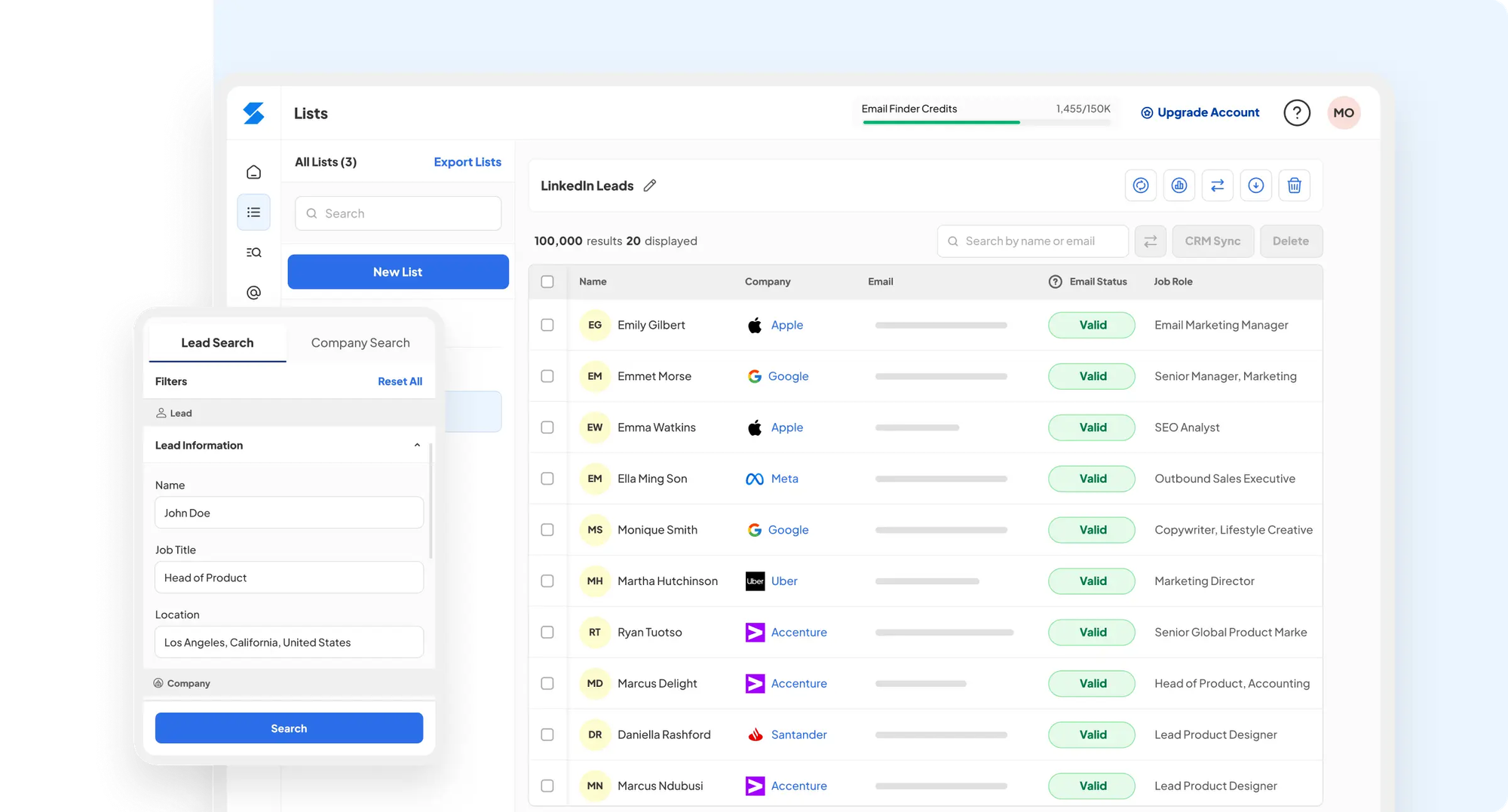
Skrapp is one of the most popular LinkedIn scrapers available, designed specifically for email extraction. The tool has gained popularity among 2M+ professionals across various industries who need reliable email addresses from LinkedIn profiles.
Skrapp key features
Skrapp operates primarily as a Chrome extension that integrates seamlessly with LinkedIn and Sales Navigator. This LinkedIn data extraction tool allows you to:
- Extract up to 2,500 verified business emails per operation at an impressive 25 profiles per second
- Verify emails in real-time with a 92% average success rate across all industries
- Access a continuously refreshed database of 200M+ prospects
- Search through company domains to find employee email addresses
- Organize leads into lists and export them in bulk as CSV files
Additionally, Skrapp offers API integration capabilities for developers who need to incorporate email extraction into their systems.
Skrapp pros and cons
Pros:
- Chrome extension works flawlessly with LinkedIn
- High email verification accuracy (92% success rate)
- User-friendly interface that's simple to navigate
- Integrates directly with LinkedIn Sales Navigator
- Cost-effective compared to buying email lists
Cons:
- Focuses primarily on email finding, lacking broader CRM functionalities
- Email verification can occasionally be hit or miss
- UI/UX isn't intuitive for all users
Skrapp pricing
- Free: 100 email credits/month, 1 user
- Professional: $39/month ($30/month billed annually), 1,000 email credits/month, 2 users
- Enterprise: $349/month ($262/month billed annually), 50,000 email credits/month, 5 users
Skrapp best use case
Skrapp works best for sales teams that need verified business emails from LinkedIn profiles. It's also a solid pick for users who work with LinkedIn Sales Navigator, as it pulls and exports contact data directly from saved lists. Use it to build targeted outreach lists without paying for expensive lead databases.
2. Octoparse AI
Octoparse AI isn't your typical LinkedIn scraper. It's a free RPA tool that uses AI to automate desktop workflows. Instead of just pulling LinkedIn data, you can build entire automation sequences that handle everything from data extraction to processing without writing code.
Octoparse AI key features
Octoparse AI brings AI-powered automation to LinkedIn data collection:
- Smart workflows that adapt to website changes and handle complex data extraction
- Build automation sequences by dragging, dropping, and configuring actions
- Runs locally and can integrate with Excel, databases, and other desktop applications
- Creates complete processes, not just data dumps
- Core RPA functionality available without upfront costs
- Chain together data extraction, cleaning, and export in a single workflow
Octoparse AI pros and cons
Pros:
- Free RPA tool that goes beyond basic scraping
- AI helps handle dynamic LinkedIn content automatically
- Can integrate LinkedIn data directly into existing business processes
- No coding required for building complex automation workflows
Cons:
- More complex than simple LinkedIn scrapers
- Desktop-based, so you need to keep your computer running
- Learning curve if you just want basic data extraction
- It may be overkill for teams that only need contact lists
Octoparse AI pricing
Octoparse offers four pricing plans to fit different scraping needs:
- Free: 10 tasks, 50K exports/month, local device only
- Standard: $69/month, cloud scraping, unlimited data export, 100 tasks
- Professional: $249/month, 250 tasks, 20 concurrent cloud processes, advanced API, priority support
- Enterprise: custom pricing, 750+ tasks, 40+ concurrent cloud processes, dedicated success manager
All paid plans include a free trial.
Octoparse AI best use case
Octoparse AI works best for businesses that want to automate entire workflows around LinkedIn data, not just extract it. If you need to pull LinkedIn profiles, clean the data, update your CRM, and automatically trigger follow-up actions, this tool handles the whole process. It's ideal for teams that see LinkedIn scraping as one step in a larger automation strategy.
3. Evaboot
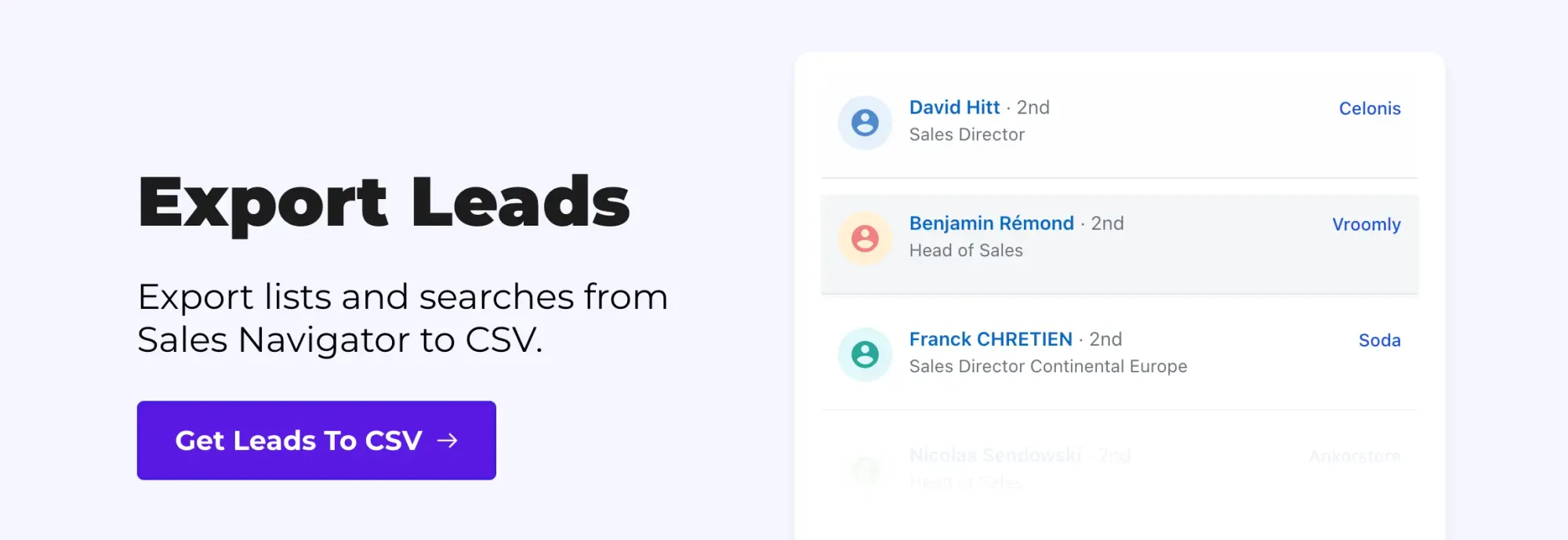
Evaboot stands out as a specialized Chrome extension that works exclusively with LinkedIn Sales Navigator to streamline lead generation. As more than 50,000 professionals have discovered, this tool automates the extraction of prospect information without tedious manual work.
Evaboot key features
Evaboot offers several powerful capabilities that make it valuable for sales professionals:
- Export leads directly from Sales Navigator search results into a clean CSV file
- Automatically removes emojis, fixes capital letters, and corrects typos
- Identifies leads that don't match your search criteria
- Locates and validates professional email addresses
- Pulls complete profile information for better targeting
According to Software Advice reviews, Evaboot excels at extracting up to 2,500 leads in a single operation and then organizing them into ready-for-outreach files.
Evaboot pros and cons
Pros:
- Remarkably simple to set up and use
- Seamless integration with LinkedIn Sales Navigator
- Time-saving automation that converts hours of work into minutes
- Clean data exports with proper formatting for immediate use
- Automatically imposes daily limits to protect your LinkedIn account
Cons:
- Works exclusively with Sales Navigator (not compatible with free LinkedIn or Recruiter)
- Limited functionality beyond data extraction (no email outreach capabilities)
- Credit-based system can become costly for high-volume users
- Some users report customer support issues and response delays
- Can't select a specific number of leads to export (must export all search results)
Evaboot pricing
Evaboot utilizes a credit-based pricing model where each lead export or email found consumes one credit:
- $9/month for 100 credits
- $29/month for 500 credits
- $49/month for 1,500 credits
- $99/month for 4,000 credits
Unused credits roll over to the next billing period as long as you maintain an active subscription. Moreover, you can cancel monthly subscriptions at any time while still using any remaining credits until your billing period ends.
Evaboot best use case
Evaboot works well for sales professionals, recruiters, and business consultants who rely on LinkedIn Sales Navigator for prospecting. The tool performs strongly for B2B campaigns where verified email addresses help reduce bounce rates. Small teams with limited budgets will appreciate how it handles LinkedIn data extraction, particularly those who already run separate email marketing platforms and simply need the connection data.
4. Phantombuster

PhantomBuster functions as a versatile cloud-based automation platform that extends beyond basic LinkedIn scraping. With over 100 pre-built automation tools called "Phantoms" and "Workflows," it simplifies data extraction across multiple platforms, including LinkedIn, Sales Navigator, Instagram, Facebook, and more.
Phantombuster key features
PhantomBuster offers several standout capabilities that distinguish it from other tools:
- Data extraction from LinkedIn search results, event attendees, post interactions, and other sources
- Email discovery and verification to find professional contact information
- Automated outreach campaigns with personalized connection requests
- AI-powered content generation for customized messages
- Multi-platform support beyond just LinkedIn
- CRM integration with popular platforms like HubSpot, Salesforce, and Pipedrive
The platform enables users to build comprehensive workflows by chaining multiple Phantoms together to create end-to-end lead-generation sequences.
Phantombuster pros and cons
Pros:
- Versatility across multiple social platforms, not limited to LinkedIn
- Depth of automation for handling everything from connection requests to complex sequences
- Multi-account capability to manage several LinkedIn profiles safely
- Ready-to-use automations for immediate implementation
- Cloud-based operation reduces detection risk compared to browser-based tools
Cons:
- Limited free use with only a 14-day trial period
- Not ideal for casual or occasional users
- Learning curve may be steep for some users
- Relatively higher pricing compared to single-purpose alternatives
Phantombuster pricing
PhantomBuster offers three main pricing tiers (annual rates shown):
- Starter: $56-69/month with 20 hours execution time, 5 Phantom slots, 10K AI credits, 500 email credits
- Pro: $128-159/month with 80 hours execution time, 15 Phantom slots, 30K AI credits, 2,500 email credits
- Team: $352-439/month with 300 hours execution time, 50 Phantom slots, 90K AI credits, 10,000 email credits
All paid plans include unlimited data exports and community access.
Phantombuster's best use case
PhantomBuster excels for sales teams in small to large businesses seeking to automate their entire prospecting funnel. Given its multi-platform capabilities, it covers companies that need to gather leads from sources beyond LinkedIn. The tool is best suited to users who run regular, intensive automation rather than one-off data extraction tasks. Teams looking to build workflows that connect data extraction, enrichment, and outreach can chain these steps together directly inside PhantomBuster.
5. Linked Helper
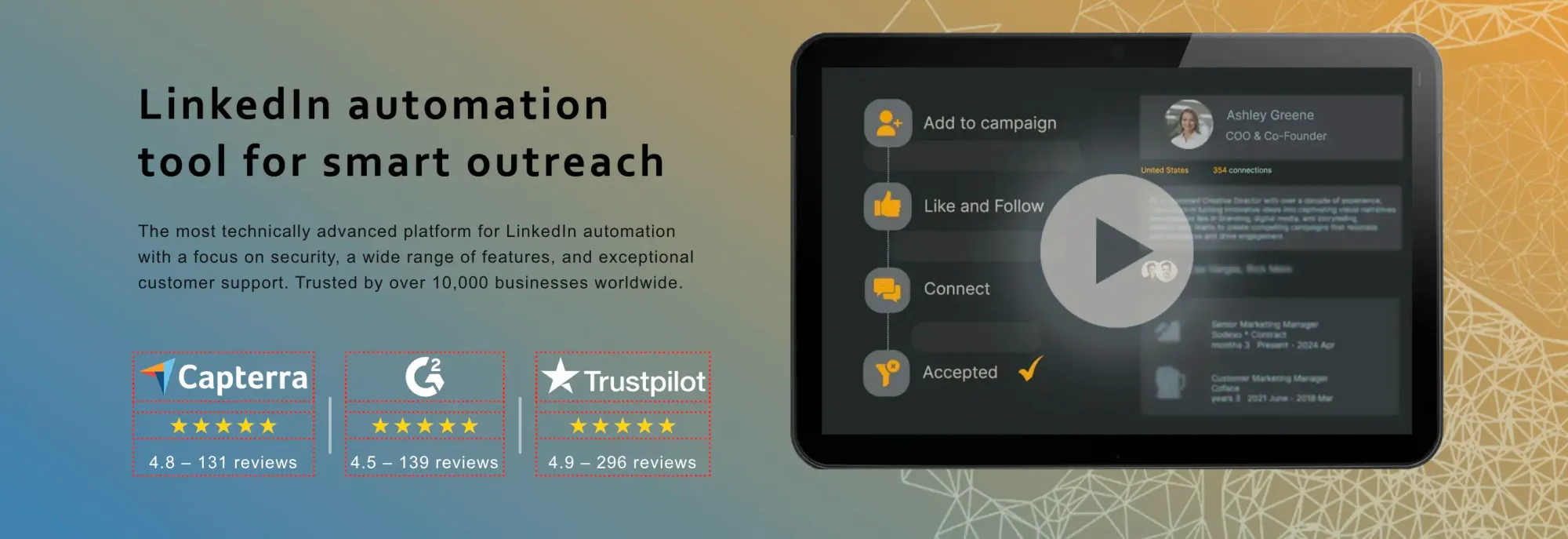
Linked Helper differentiates itself as a desktop application rather than a Chrome extension, focusing on LinkedIn automation with exceptional security features. With over 300,000 satisfied users spanning 180 countries and 8 years of operation, this tool has maintained a 5-star rating.
Linked Helper key features
Linked Helper offers 31 distinct features designed to streamline LinkedIn outreach:
- Send personalized connection requests to 2nd and 3rd-degree contacts, build message chains, and detect replies automatically
- Manage your LinkedIn connections within an integrated system
- Discover emails from profiles with credits included (620 monthly for Standard, 3100 for Pro subscriptions)
- Export profile information, including phones, emails, and messaging history, to CSV
- Create hyper-personalized messages with custom variables
- Connect with popular CRMs, including HubSpot, Pipedrive, and Close
Linked Helper pros and cons
Pros:
- Desktop app design enhances security compared to browser extensions
- Works with all LinkedIn platforms (Basic, Premium, Sales Navigator, Recruiter)
- Exceptional 24/7 customer support with a 20-minute response time
- Randomized timeouts and human-like profile navigation to avoid detection
Cons:
- Not cloud-based, requiring your computer to stay on during campaigns
- Complex proxy management and customization
- Some users report disappointing customer service despite promises
- Learning curve for new users
Linked Helper pricing
- Free Trial: 14 days with basic features
- Standard: USD 15.00/month (USD 8.25/month with annual plan)
- Pro: USD 45.00/month (USD 24.75/month with annual plan)
Discounts available: 11% (3 months), 33% (6 months), 45% (12 months)
Linked Helper best use case
Linked Helper suits HR managers and recruiters who want to source candidates without building manual workflows. Sales teams use it to run automation across multiple LinkedIn platforms from one place. The tool covers end-to-end outreach, including profile engagement, skill endorsements, and personalized message sequences, making it a fit for businesses that need more than just connection requests.
6. Captain Data

Captain Data is a cloud-based no-code platform for businesses seeking to automate LinkedIn data extraction and enrichment. The tool streamlines comprehensive workflows from prospecting to engagement for sales teams.
Captain Data key features
Captain Data offers several impressive capabilities:
- 40+ LinkedIn-specific actions, including extracting post likers, visiting profiles, and searching content
- Advanced filtering options for company headcount, location, and department growth
- Real-time intent data extraction to detect career changes and meaningful interactions
- Account rotation feature to bypass LinkedIn limits while maintaining workflow continuity
- Integration with Google Sheets for managing LinkedIn Sales Navigator searches
Captain Data pros and cons
Pros:
- Comprehensive suite of automated actions for LinkedIn data extraction
- Built-in error handling and safety limits to prevent LinkedIn bans
- Customizable data extraction workflows for specific use cases
- Single unified platform for consolidating multiple LinkedIn data sources
Cons:
- Higher pricing compared to other LinkedIn scraping solutions
- Some workflows are fixed and cannot be modified
- Customer support issues reported by some users
Captain Data pricing
Captain Data uses transparent, usage-based pricing, with the cost per 1,000 credits dropping as you buy more. The starting plan with 2,500 credits costs $165 ($65.98 per 1,000 credits). The more credits you purchase, the lower the unit price. For example, the 100,000-credit package costs $2,308, bringing the price per 1,000 credits to $23.08, making it cost-effective for larger companies or high-volume search needs.
Captain Data's best use case
Captain Data works effectively for medium- to large-sized companies that require deep, customized data extraction from LinkedIn. Its comprehensive approach benefits software editors building sales SaaS solutions and revenue operations teams needing to incorporate intent data into their workflows. Additionally, the platform excels at automating the entire sales process from lead generation to engagement.
7. Waalaxy
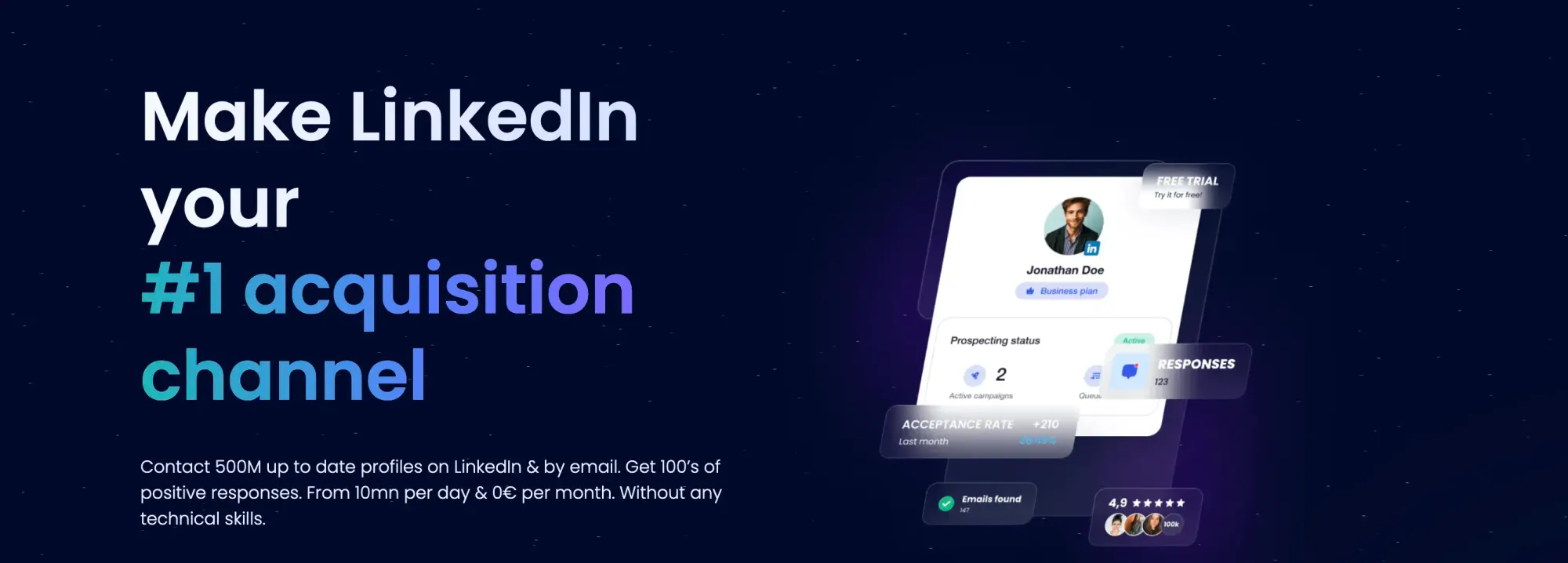
Originally launched as ProspectIn, Waalaxy is a cloud-based LinkedIn automation tool available as a Chrome extension. This platform streamlines prospecting by automating LinkedIn activities without requiring technical expertise.
Waalaxy key features
Waalaxy offers several notable capabilities:
- Automated LinkedIn sequences for connection requests and messages (up to 800 invitations monthly)
- AI-powered prospect finding and message writing
- Multi-channel campaigns combining LinkedIn outreach with email (Business plan only)
- Intelligent response detection to prioritize interested leads
- Pre-made sequences with 99+ ready-to-use templates
Waalaxy pros and cons
Pros:
- User-friendly interface requiring no technical skills
- Automatic follow-ups on both LinkedIn and email
- AI assistant for personalizing messages effortlessly
- CRM sync capability with 2,000+ applications
Cons:
- Higher pricing tiers needed for email outreach features
- Limited customization for automation sequences
- Occasional syncing issues with LinkedIn
- Cannot create custom campaigns beyond pre-built templates
Waalaxy pricing
- Freemium: $0/month (80 invitations/month)
- Pro: $19/month (300 invitations/month)
- Advanced: $39/month (800 invitations/month)
- Business: $69/month (includes email capabilities)
- Enterprise: custom pricing (includes team analytics dashboard and coaching)
Waalaxy best use case
Waalaxy is a good option for freelancers, small businesses, and recruiters seeking straightforward LinkedIn automation. The tool will be useful for those who need to quickly expand their network or automate candidate outreach without a complex technical setup.
8. Dux-Soup
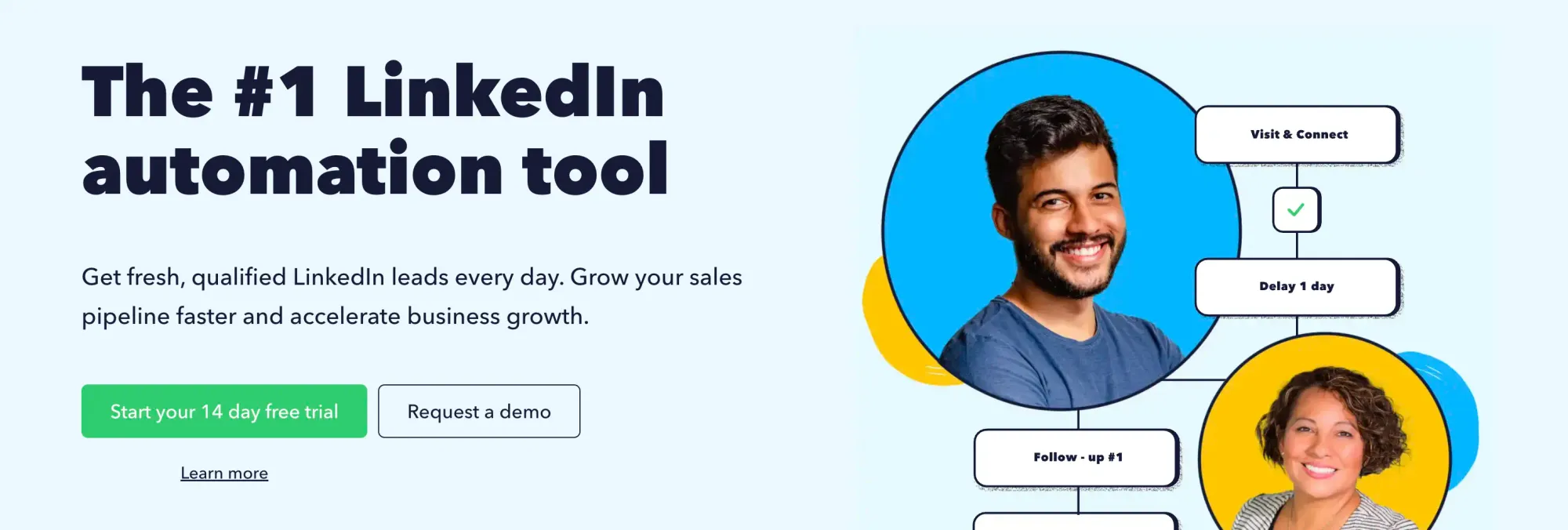
As one of the longest-running LinkedIn automation tools in the market, Dux-Soup has amassed over 279,000 users since its 2015 launch. This versatile tool combines reliable data extraction with comprehensive outreach capabilities.
Dux-Soup key features
Dux-Soup offers essential functionality for LinkedIn prospecting:
- Multi-step drip campaigns with up to 12 actions (Visit, Follow, Connect, Message, InMail, Endorse)
- Automated profile tagging and data scraping to export LinkedIn data
- Human-like behavior simulation that incorporates natural pauses
- Email address extraction from LinkedIn profiles
- Integrations with popular CRMs, including Pipedrive, HubSpot, and Salesforce
Dux-Soup pros and cons
Pros:
- Proven results with users reporting 75% time savings
- Built-in safety features, including throttling and auto-snooze
- Compatible with all LinkedIn platforms (Basic, Sales Navigator, Recruiter)
- No requirement for credit card details during 14-day trial
Cons:
- Non-cloud versions require your computer to remain active
- Interface can be unintuitive for beginners
- Occasionally slows down LinkedIn navigation
Dux-Soup pricing
- Pro Dux: $14.99/month ($11.25/month annually)
- Turbo Dux: $55.00/month ($41.25/month annually)
- Cloud Dux: $99.00/month ($74.17/month annually)
Dux-Soup best use case
Dux-Soup is a great solution for sales teams and business owners seeking to automate repetitive LinkedIn tasks. Its robust campaign features make it ideal for businesses implementing structured outreach strategies requiring personalized messaging sequences.
9. Dripify

Dripify functions as a cloud-based LinkedIn automation platform that helps businesses generate leads without manual prospecting. This tool allows campaigns to run 24/7, even when your device is offline.
Dripify key features
Dripify delivers powerful automation capabilities:
- Drip campaigns with 15+ actions and conditions running on autopilot
- Connection requests (up to 800 monthly) and unlimited InMails
- Advanced LinkedIn protection with human behavior simulation
- Personalization with up to 20 variables
- Team management with roles and permissions (Advanced plan only)
- Email validation ensures up to 99% deliverability
Dripify pros and cons
Pros:
- Simple interface enabling quick campaign setup
- Time-saving automation of repetitive tasks
- Cloud-based operation requiring no active computer
- Responsive customer support team
Cons:
- Higher pricing as you scale
- Limited email automation capabilities
- No true A/B testing despite marketing claims
- Inflexible workflow editing
Dripify pricing
Dripify offers three main pricing tiers (billed annually):
- Basic: USD 59.00/user/month (1 drip campaign, limited quotas)
- Pro: USD 79.00/user/month (unlimited campaigns, full quotas, inbox, CSV export)
- Advanced: USD 99.00/user/month (adds team management, advanced protection)
- Enterprise: customized plan based on client needs plus premium onboarding and customer success manager
Dripify's best use case
Dripify works best for businesses with well-defined target markets and ideal customer profiles. Firstly, it serves sales teams seeking automated outreach with personalized messaging. In addition, business owners benefit by focusing on strategic decisions while operational tasks run automatically.
10. Meet Alfred
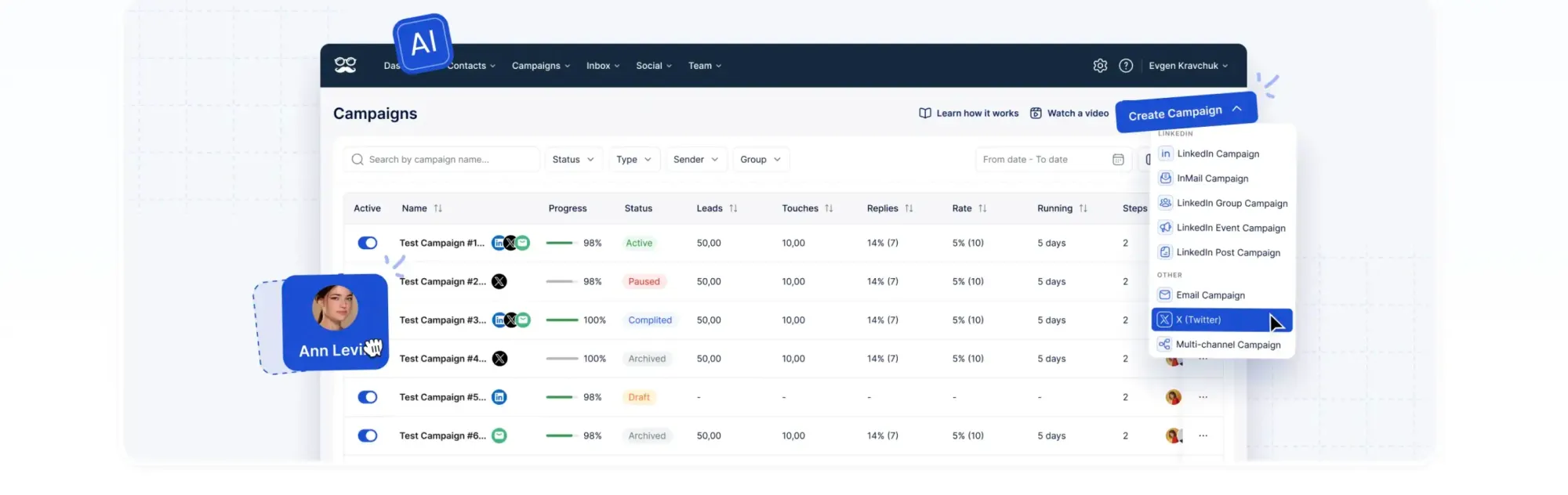
Meet Alfred stands as a cloud-based automation tool that combines LinkedIn, email, and Twitter outreach into a unified platform. Unlike single-channel tools, it creates a comprehensive multi-channel prospecting system.
Meet Alfred's key features
Meet Alfred offers several automation capabilities:
- Automated connection requests, messages, and follow-up sequences
- Multi-channel campaigns across LinkedIn, email, and Twitter
- Lead finder functionality to discover targeted prospects
- Built-in LinkedIn CRM system for contact management
- Social media post scheduling and content planning
Meet Alfred's pros and cons
Pros:
- Comprehensive multi-channel approach to outreach
- User-friendly interface with clearly defined steps
- Detailed analytics dashboard for tracking performance
- Cloud-based infrastructure requiring no active computer
Cons:
- Frequent disconnections requiring profile reauthorization
- Support issues when technical problems arise
- Higher pricing than some competitors
- Limited campaign customization options
Meet Alfred pricing
- Individual: USD 59.00/month (USD 29.00/month annually) with 3 active campaigns
- Business: USD 99.00/month (USD 39.00/month annually) with unlimited campaigns
- Teams: USD 79.00/month (USD 49.00/month annually) for team collaboration
Meet Alfred's best use case
Meet Alfred might be a useful solution for sales professionals and marketers seeking to build multi-channel sales pipelines. Likewise, business owners benefit by automating prospecting while focusing on strategic tasks and closing deals.
11. La Growth Machine

La Growth Machine positions itself as a multi-channel prospecting platform that generates 3.5 times as many replies as standard email campaigns. This cloud-based tool seamlessly integrates LinkedIn, email, and Twitter outreach into unified sequences.
La Growth Machine key features
- Send personalized LinkedIn voice messages with AI voice cloning
- Create customized workflows across LinkedIn, email, and Twitter
- Find verified business emails through multiple verification methods
- Automatically like prospects' posts and follow them before direct outreach
- Manage all LinkedIn and email conversations in one place
La Growth Machine pros and cons
Pros:
- Automated multi-channel prospecting through a single platform
- Unlimited lead enrichment is included in all plans
- AI-assisted message writing for personalization
- LinkedIn voice messages boost response rates considerably
Cons:
- Complex for automation beginners
- Higher pricing for small businesses and freelancers
- Limited number of running campaigns on lower-tier plans
- Charges per identity rather than per user
La Growth Machine pricing
- Basic: €60/month (€50/month annually) with 3 running campaigns
- Pro: €120/month (€100/month annually) with 6 running campaigns
- Ultimate: €180/month (€150/month annually) with unlimited campaigns
- All plans include a 14-day free trial
La Growth Machine's best use case
La Growth Machine works best for business development agencies and sales teams that require multi-channel prospecting capabilities. The tool will be a great option for companies that need to bypass LinkedIn's weekly invitation limits while maintaining relationship-building through personalized outreach.
12. Surfe
Surfe transforms LinkedIn into a CRM workspace through its innovative Chrome extension. This tool differentiates itself by focusing on verified data enrichment rather than traditional scraping methods.
Surfe key features
Surfe leverages waterfall enrichment technology to deliver several capabilities:
- One-click LinkedIn profile export to CRM systems
- Verified email and phone number finding with 93% accuracy
- Bulk export of up to 1,000 profiles at 1.5 seconds per batch
- Automatic contact detail updates when information changes
- Integration with major CRMs, including HubSpot and Salesforce
Surfe's pros and cons
Pros:
- Native CRM integrations simplify workflow
- Waterfall enrichment technology for verified contact details
- Job change alerts for re-engagement opportunities
- Automated CRM updates without manual data entry
Cons:
- Less effective for mass scraping operations
- Daily usage caps on lower-tier plans
- Chrome extension only (no mobile or other browsers)
- Limited functionality compared to comprehensive CRM platforms
Surfe pricing
- Free: €0/month with 20 email finder credits, 5 phone lookups
- Essential: €39/month/user with 150 email credits, 50 phone lookups
- Pro: €79/month/user with 1,000 email credits, 100 phone lookups
Surfe best use case
Surfe excels for sales teams requiring accurate contact information directly from LinkedIn profiles. Furthermore, companies needing to maintain clean CRM data benefit from its automatic update capabilities. The tool serves as an ideal alternative for businesses concerned about LinkedIn's Terms of Service.
13. ZenRows

ZenRows stands out as a developer-friendly scraping API that excels at bypassing LinkedIn's anti-bot measures in a single API call. Designed for technical users who prefer working with APIs over browser extensions, it offers a streamlined approach to LinkedIn data extraction.
ZenRows key features
ZenRows delivers powerful scraping capabilities through:
- AI-powered anti-bot engine with a 99.93% success rate
- Automatic proxy rotation with geolocation options
- Built-in CAPTCHA solving and WAF bypass technology
- JavaScript rendering for dynamic LinkedIn content
- Structured data output with auto-parsing options
ZenRows pros and cons
Pros:
- User-friendly API with comprehensive documentation
- Fast integration requiring minimal technical overhead
- Reliable for small to mid-size scraping use cases
- 24/7 developer support team
Cons:
- Costs increase significantly with advanced features
- Lower request volume at higher price points
- Occasional confusion around the credit usage system
- Steeper learning curve for non-technical users
ZenRows pricing
ZenRows has 3 different subscription plans:
- Developer: $69/month with 250K basic results and 10K protected results
- Startup: $129/month for 1M basic results and 40K protected results
- Business: 3M basic results and 120K protected results
The tool also offers a 14-day free trial.
ZenRows best use case
ZenRows would be the best choice for developers implementing data extraction from LinkedIn without getting blocked. Therefore, it's particularly valuable for agencies and startups needing structured data with minimal infrastructure investment.
14. Derrick
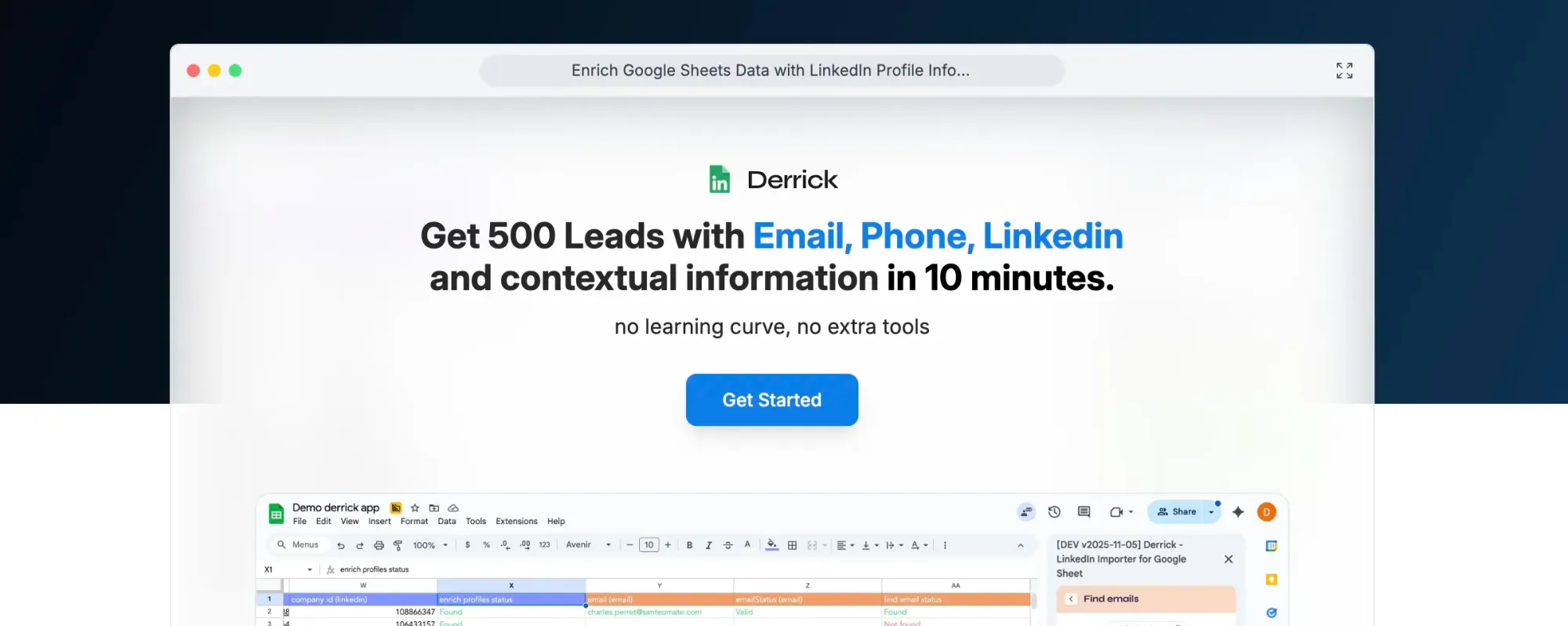
Derrick brings LinkedIn data extraction directly into Google Sheets, allowing users to find, enrich, and centralize prospect information without technical knowledge. With over 22,000 users and a 96% satisfaction rate, this tool simplifies data management for sales teams and marketers.
Derrick's key features
Derrick offers several powerful capabilities:
- One-click import of LinkedIn Sales Navigator profiles and companies
- Email finding with just a name and company information
- Data enrichment for 100+ attributes, including job titles, skills, and languages
- Automated deduplication of leads across Google Sheet tabs
- Real-time extraction ensures data freshness
Derrick's pros and cons
Pros:
- Exceptionally easy to use with no coding required
- Integrates seamlessly with Google Sheets
- Free tier available without a credit card
- Unused credits roll over to the next month
Cons:
- Some features require LinkedIn Sales Navigator
- Limited to the Google Sheets environment
- Email search requires a paid version
Derrick pricing
- Free: 200 credits/month with basic features
- Essential: €9/month for 4,000 credits with all features
- Small: €20/month for 10,000 credits (10% discount)
- Medim: €47.5/month for 25,000 credits (15% discount)
- Large: €175/month for 100,000 credits (20% discount)
Derrick's best use case
Derrick works best for sales professionals and recruiters who already use Google Sheets as their primary workflow tool. Small teams with limited technical resources will appreciate its straightforward approach to building qualified prospect lists.
15. Scrapingdog LinkedIn Scraper

Scrapingdog is a suite of web scraping APIs & also provides a dedicated API for scraping LinkedIn public data. The platform also offers an API for scraping LinkedIn Jobs & details of a particular job.
Scrapingdog key features
Scrapingdog offers advanced prospecting capabilities:
- Built-in unblocking infrastructure that bypasses CAPTCHA and blocks
- Good for scaling data extraction (~1 million profiles in a day)
- Get structured JSON data using a dedicated endpoint for LinkedIn
- Provides more than 99.99% uptime. You can check the status page
- Multiple endpoints to build end-to-end automations/workflows
Scrapingdog pros and cons
Pros:
- Get unlimited public data from LinkedIn
- GDPR compliant
- Easy-to-understand documentation
- 24/7 support
- Can build a scalable data pipeline
Cons:
- Requires some prior technical experience
- The initial setup process can be challenging
- You get lower costs in higher-paid plans
- Some features can lift the pricing significantly
Scrapingdog pricing
- Lite: $40/month for 200,000 request credits
- Standard: $90/month for 1,000,000 request credits
- Pro: $200/month for 3,000,000 request credits
- Premium: $350/month for 6,000,000 request credits
Other plans are also available for more extensive credit needs.
Scrapingdog's best use case
Since it is an API-based platform, one of the best use cases could be analyzing the job market or tracking trends. Since you can quickly scale your process of scraping profile data, building a job board can be one of the use cases, too.
Our Verdict: What's the Best LinkedIn Scraper?
After testing 32 tools, here's what we'd actually recommend:
- Sales teams extracting emails might lean toward Skrapp or Evaboot.
- Teams needing full automation across platforms could prefer Phantombuster.
- Small businesses looking for something simple might choose Skrapp or Waalaxy.
- Developer teams with technical chops could go with ZenRows.
The intelligent question isn't which tool is "best", it's which one solves your specific problem without creating a new one.
Cost matters, obviously. These tools cost a fraction of what you'd pay for lead databases or lead gen agencies. Instead of dropping $3,000-$20,000 monthly on stale contact lists, you're looking at $50-$200 for fresh data you control.
Security matters too. Desktop tools like Linked Helper keep your data local. Cloud solutions like Captain Data run 24/7 without keeping your computer on. Browser extensions like Skrapp are the most practical, as long as they work. Pick your poison accordingly.
Technical complexity varies wildly. Some tools require zero setup. Others need developer expertise. Match the tool to your team's capabilities, not your wishful thinking about what your team's potential.
Most of these LinkedIn scrapers work as advertised. The difference lies in execution, support, and whether they'll still work when LinkedIn rolls in a new update.
FAQs: LinkedIn Scraper Tools
Are LinkedIn scraper tools legal to use?
While LinkedIn's terms of service prohibit automated data collection, many businesses use scraper tools. It's important to use these tools responsibly and respect LinkedIn's usage limits to avoid account restrictions.
What are the key features to look for in a LinkedIn scraper?
Important features include email verification accuracy, integration with CRM systems, multi-channel outreach capabilities, and compliance with data protection regulations. The best tool depends on your specific business needs and technical expertise.
How do LinkedIn scrapers compare to buying lead databases?
LinkedIn scrapers can be more cost-effective, allowing you to extract thousands of leads daily for a fraction of the cost of purchasing verified databases. They also provide more up-to-date information and allow for targeted prospecting.
Can LinkedIn scrapers bypass LinkedIn's anti-bot measures?
Many advanced scraper tools use AI-powered anti-bot engines, proxy rotation, and CAPTCHA solving to bypass LinkedIn's security measures. However, it's crucial to use these tools responsibly to avoid account restrictions.
What are the risks of using LinkedIn scraper tools?
Risks include potential LinkedIn account restrictions, data accuracy issues, and compliance concerns with data protection regulations. It's important to choose reputable tools, use them responsibly, and ensure you're complying with relevant laws and LinkedIn's terms of service.