
10 Must-Have SEO Chrome Extensions for On-Page, Off-Page, and Technical SEO
The best SEO Chrome extensions in 2026 cover all aspects of SEO: technical audits, on-page optimization, and off-page outreach. Most are free or offer limited free plans, with paid upgrades available for more advanced features.
I am using all ten extensions featured in this guide in real SEO workflows. And if I had to pick three to start with, these would be Ahrefs SEO Toolbar for deep SEO analysis, Skrapp for outreach and link building, and Keyword Surfer for keyword research directly in Google search results.
In this article, I’ll cover the best 10 SEO extensions for Chrome to use in 2026, share the most common use cases, and discuss whether the free version is sufficient or if the paid plan is worth considering.
Best SEO Chrome Extensions at a Glance
| SEO Extension | Free Version | Price | Best For | Chrome Store Rating |
|---|---|---|---|---|
| Ahrefs SEO Toolbar | Yes (limited) | From $129/mo (Ahrefs plan) | All-round SEO analysis | 4.3/5 |
| Skrapp Email Finder | Yes (50 credits) | From $39/mo | Email outreach & link building | 4.8/5 |
| SEO Meta in 1 Click | Yes (fully free) | Free | On-page metadata audit | 4.9/5 |
| Grammarly | Yes (limited) | From $12/mo | Content quality & writing | 4.5/5 |
| Redirect Path | Yes (fully free) | Free | Redirect & status code audit | 4.3/5 |
| SEOQuake | Yes (fully free) | Free | SERP analysis & on-page audit | 4.5/5 |
| NoFollow | Yes (fully free) | Free | Link attribute identification | 4.3/5 |
| Keyword Surfer | Yes (fully free) | Free | Keyword data in SERPs | 4.3/5 |
| SimilarWeb | Yes (limited) | From $125/mo | Traffic & competitive research | 4.7/5 |
| Detailed SEO Extension | Yes (fully free) | Free | In-depth on-page & schema audit | 4.9/5 |
1. Ahrefs SEO Toolbar
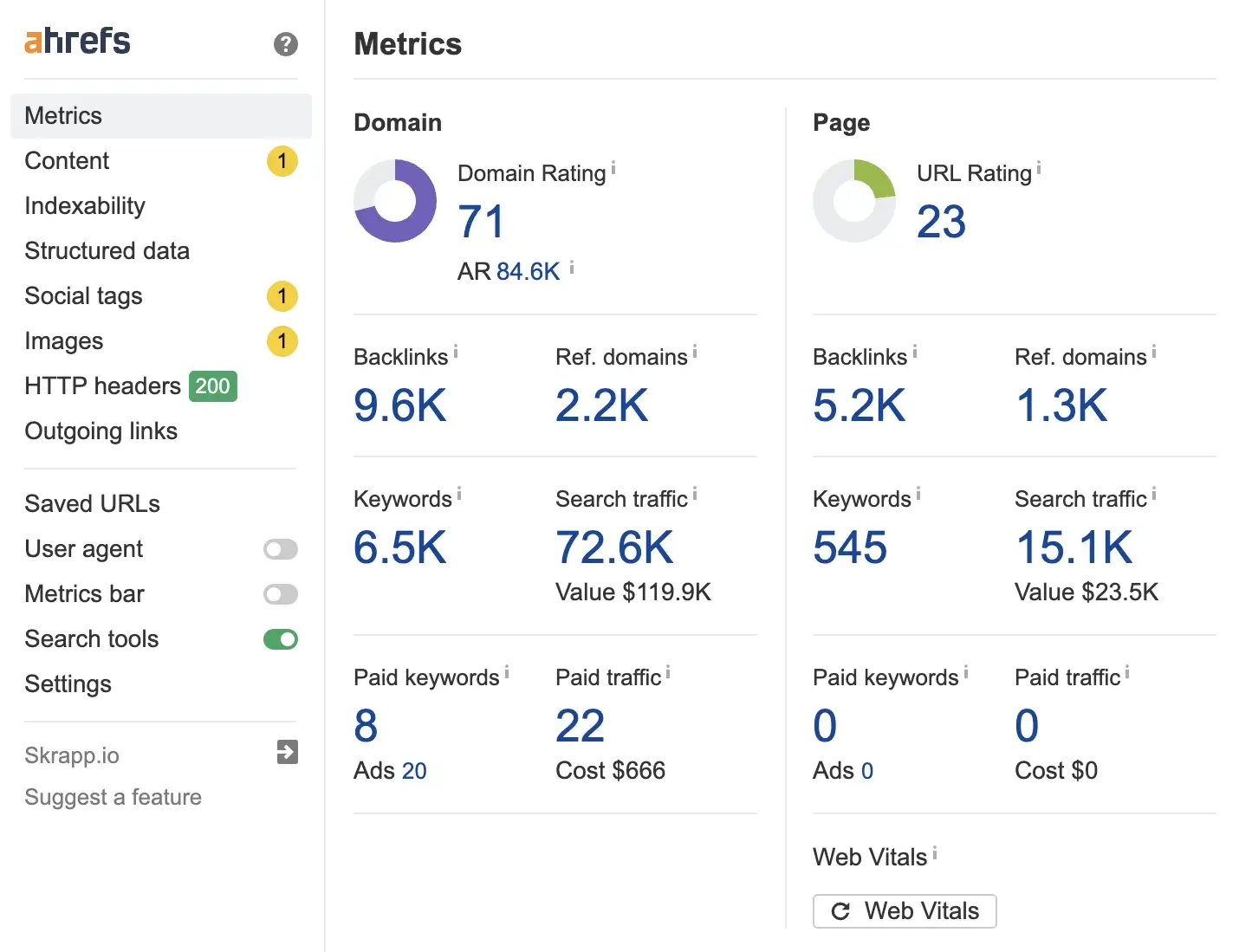
Ahrefs SEO Toolbar is one of the most complete SEO extensions available. Unlike other tools that show only one metric, it brings live data from the Ahrefs database directly into your browser. Ahrefs provides on-page SEO reports, backlink counts, Domain Rating (DR), and URL Rating (UR) for every page. The free version offers useful on-page analysis without an account, making it accessible for beginners.
Best for:
SEO professionals who already use Ahrefs and want their data to be surfaced while browsing.
Most Used Features:
- The Backlink and Domain Rating overlay tells you the authority of any site you visit without opening the Ahrefs dashboard.
- The SERP overlay shows the DR, backlink counts, and traffic estimates for each search result. This helps you quickly assess keyword difficulty and competitor strength.
- The on-page SEO report features the title, meta description, headings, word count, and canonical tag. It shows the full page structure in a single panel. This report is helpful for analyzing your own pages and for conducting competitor audits.
- Broken link highlighter flags dead internal and external links on any page, so you can fix them without running a full crawl
- The redirect chain checker shows every hop in a redirect sequence, so you can spot unnecessary chains that slow load times and cost link equity
How to Use Ahrefs SEO Toolbar:
Open any page you are auditing. Check the on-page report for missing or duplicate title tags. Then, review the meta description length. Look for canonical tag issues and examine the heading structure. On competitor pages, use the DR and backlink overlay to benchmark domain authority before link building.
When investigating a slow or broken page, check the HTTP headers panel for server response issues. Use the broken link highlighter to flag dead links in internal linking without running a full crawl.
2. Skrapp Email Finder
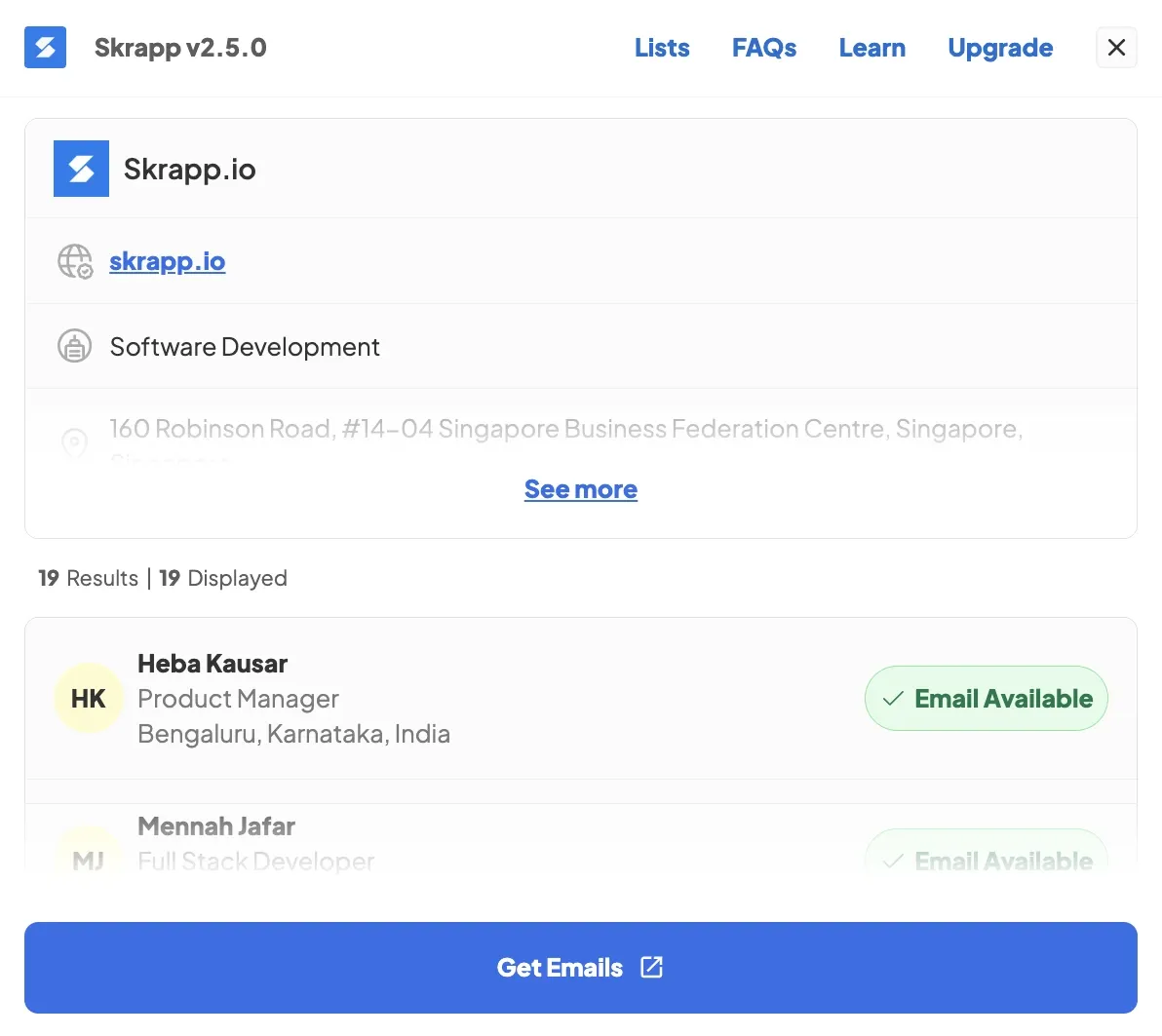
Skrapp isn’t a traditional SEO extension; it’s more of an outreach tool. But off-page SEO largely relies on establishing connections with the right people. Skrapp helps you find verified email addresses for SEO managers, link builders, and content leads. It uses LinkedIn profiles and company websites, making the process fast and easy.
The free plan includes 50 credits to start, enough for small-scale prospecting. If your link-building relies on cold email, this extension helps you save time on the most time-consuming part of that process.
Best for:
Link builders and off-page SEO teams who need to find contact email addresses for SEO outreach.
Most Used Features:
- Single-email lookups on LinkedIn quickly find verified contact emails. This process eliminates the time-consuming manual research step in outreach.
- The company email finder lets you find all available email addresses for a specific domain you are targeting.
- Email verification checks if an address is active before you send. This reduces bounce rates in outreach campaigns.
- The bulk email finder feature allows you to scrape entire LinkedIn search results pages for SEO roles.
How to Use Skrapp Email Finder:
Check each LinkedIn profile or company website for verified email addresses when you have a list of link-building targets or PR contacts. Add these emails to your outreach sheet. This will make sure you have all the contact information before starting the campaign. If a previous list had a high bounce rate, use an email verification tool to clean it before your next send.
For larger campaigns, use a bulk email finder to collect email addresses from entire LinkedIn search results or across multiple company domains. Export verified addresses to your CRM or outreach sheet to reach many contacts without manually checking each profile.
3. SEO Meta in 1 Click
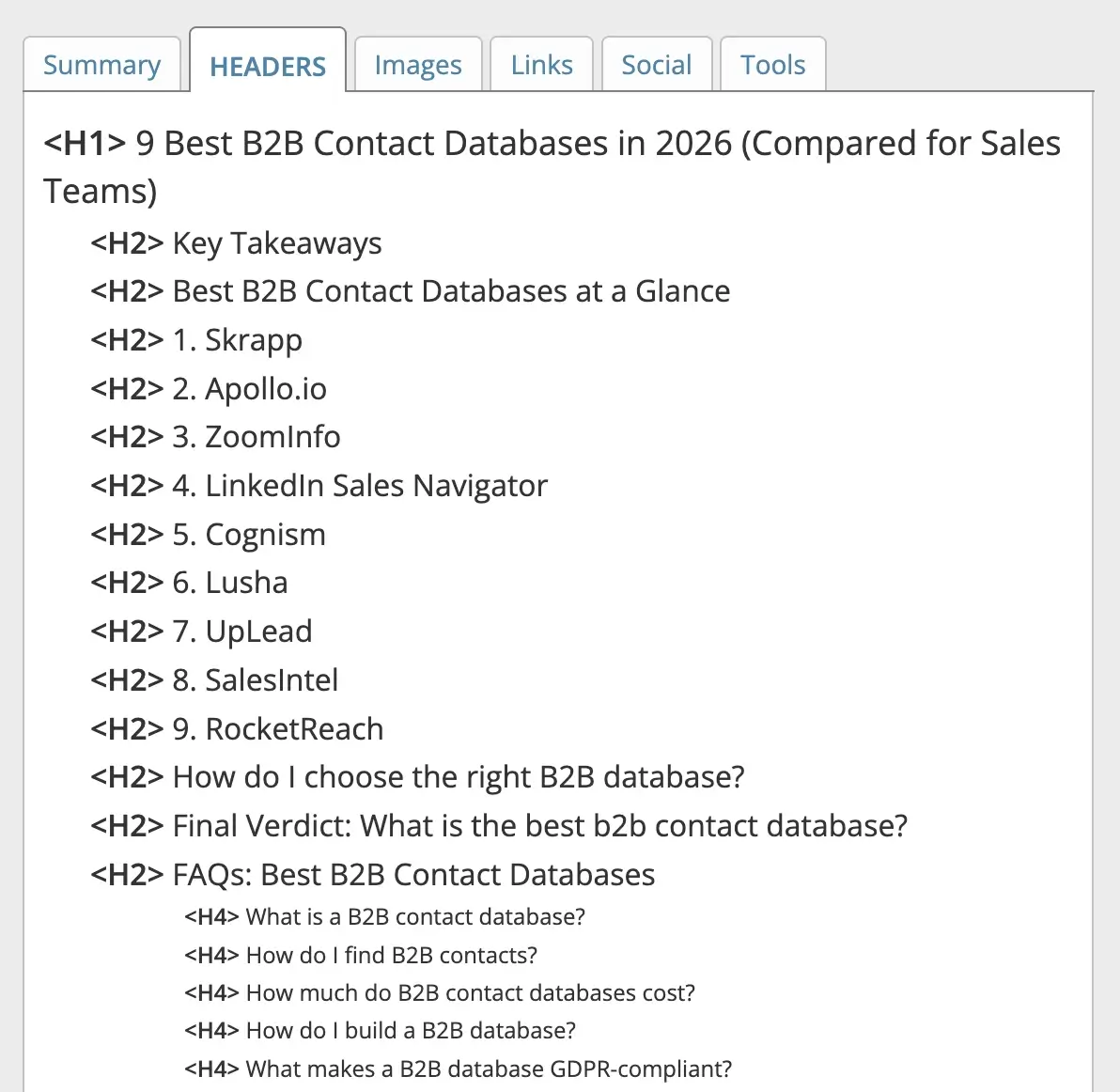
SEO Meta in 1 Click does exactly what its name says. Click the icon on any page. You’ll see the title tag, meta description, canonical URL, robots tag, Open Graph data, heading structure, and image alt attributes right away.
It replaces several manual steps in a standard on-page audit by consolidating everything into a clean panel. It is especially useful for auditing competitor pages or reviewing client sites shortly before a pitch. The extension is completely free with no account required.
Best for:
On-page SEO audits and quick metadata checks.
Most Used Features:
- Title and meta description display with character count lets you spot truncation issues and missing tags across any page instantly.
- The heading hierarchy panel (H1-H6) indicates whether a page has a clear content structure. It also highlights any duplicate or missing heading levels.
- Canonical and robots meta tags confirm whether a page is indexable and point to the correct URL.
- The Image alt text report shows all images on the page with their alt attributes. This way, you can quickly spot any missing or generic descriptions.
How to Use SEO Meta in 1 Click:
Check the page you're auditing. Check the title tag length, meta description, and canonical URL for any errors. Use the heading panel to confirm that there is a single H1 and that the heading hierarchy is logical. Check the robots tag to confirm the page isn't set to noindex by mistake. Review image alt attributes to identify missing or generic alt text.
4. Grammarly
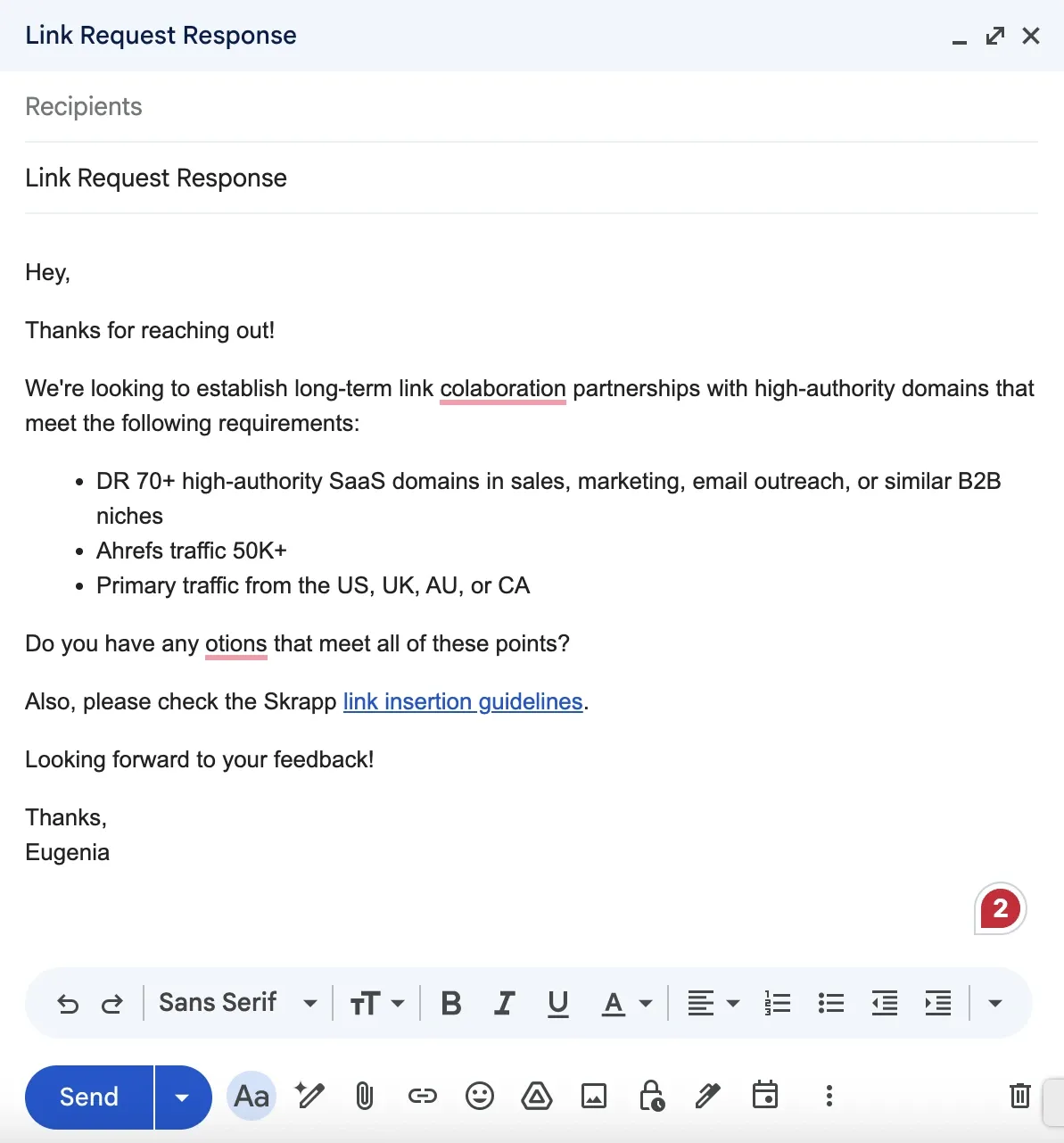
Grammarly isn’t marketed as an SEO extension, but it deserves a place on this list. Search engines like content that is clear and easy to read. Grammarly helps you write better. It checks grammar, punctuation, tone, and readability in real time across Gmail, Google Docs, WordPress, and most web editors.
The free version spots basic errors. The paid plan adds style tips, clarity rewrites, and a plagiarism checker. For anyone creating content at scale or drafting multiple outreach emails, Grammarly saves time on editing and helps maintain consistent content quality.
Best for:
SEO professionals who frequently publish or update content to enhance its performance.
Most used features:
- Real-time grammar and spelling corrections catch mistakes while you write. This stops errors from showing up in your published content.
- Clarity and conciseness suggestions highlight overly long or difficult-to-follow sentences, which can help reduce bounce rates on content pages.
- The tone detector tells you if your content is informational, confident, or off-brand. This way, you can make changes before you publish.
- The extension works in email clients like Gmail. This helps you check outreach emails before you send them.
How to Use Grammarly:
When you edit a page draft or blog post in your CMS, focus on clarity and conciseness. This impacts readability and can help lower bounce rates.
Check for passive voice and lengthy sentences that complicate content scanning. Use the tone detector to ensure your writing matches the search query’s intent. Remember that informational content should read differently from transactional landing pages.
When drafting outreach emails, Grammarly helps ensure your messages are free of grammatical errors before you send them.
5. Redirect Path
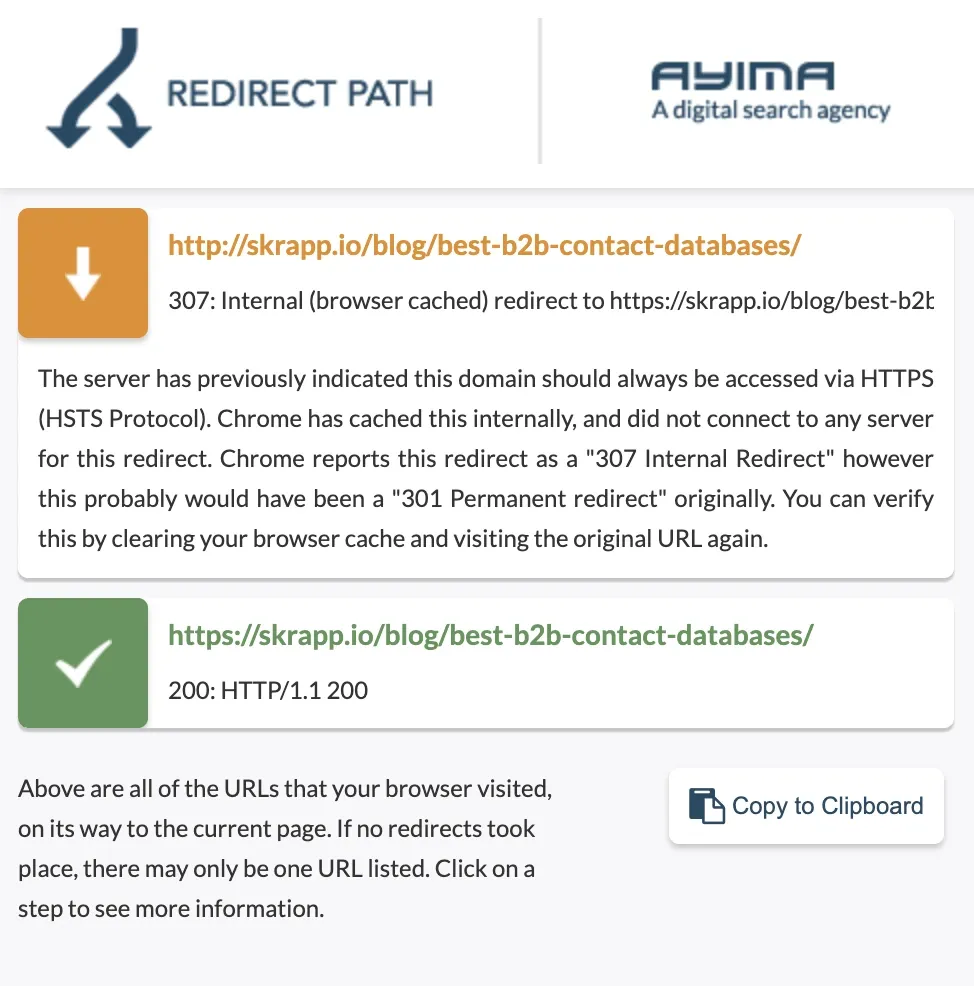
Redirect Path is one of the most underrated technical Chrome extensions for SEO. It flags HTTP status codes (301, 302, 404, 500) as you browse, displaying the full redirect chain in an easy-to-understand visual format.
Redirect chains slow page load times. They can also dilute link equity and lead to soft 404 errors, which Google doesn’t handle well. Redirect Path also detects meta refreshes and JavaScript redirects that regular crawlers might overlook. The tool is completely free and doesn’t require an account.
Best for:
Technical SEO audits focused on redirect chains and HTTP status codes.
Most Used Features:
- Automatic redirect chain detection shows each URL hop before the final destination. This helps you spot and eliminate unnecessary chains.
- HTTP status code flagging (301, 302, 404, 500) uses color codes for every page response. This helps you quickly spot errors as you browse without opening DevTools.
- Meta refresh and JavaScript redirect detection identify redirect types that standard crawlers often miss during a technical audit.
- HTTP header inspection helps you view server response details right in the browser. This is useful for diagnosing caching or indexing issues.
How to Use Redirect Path:
To audit a site migration or check old URLs, visit each key page. Then, review the full redirect chain in the panel. Look for chains longer than one hop, as these slow load time and dilute link equity. Flag any 302 temporary redirects that should be permanent 301s. Check for meta refresh, or JavaScript redirects that your crawl tool may have missed. Use it on any page returning a soft 404 to confirm the actual server response code.
6. SEOQuake
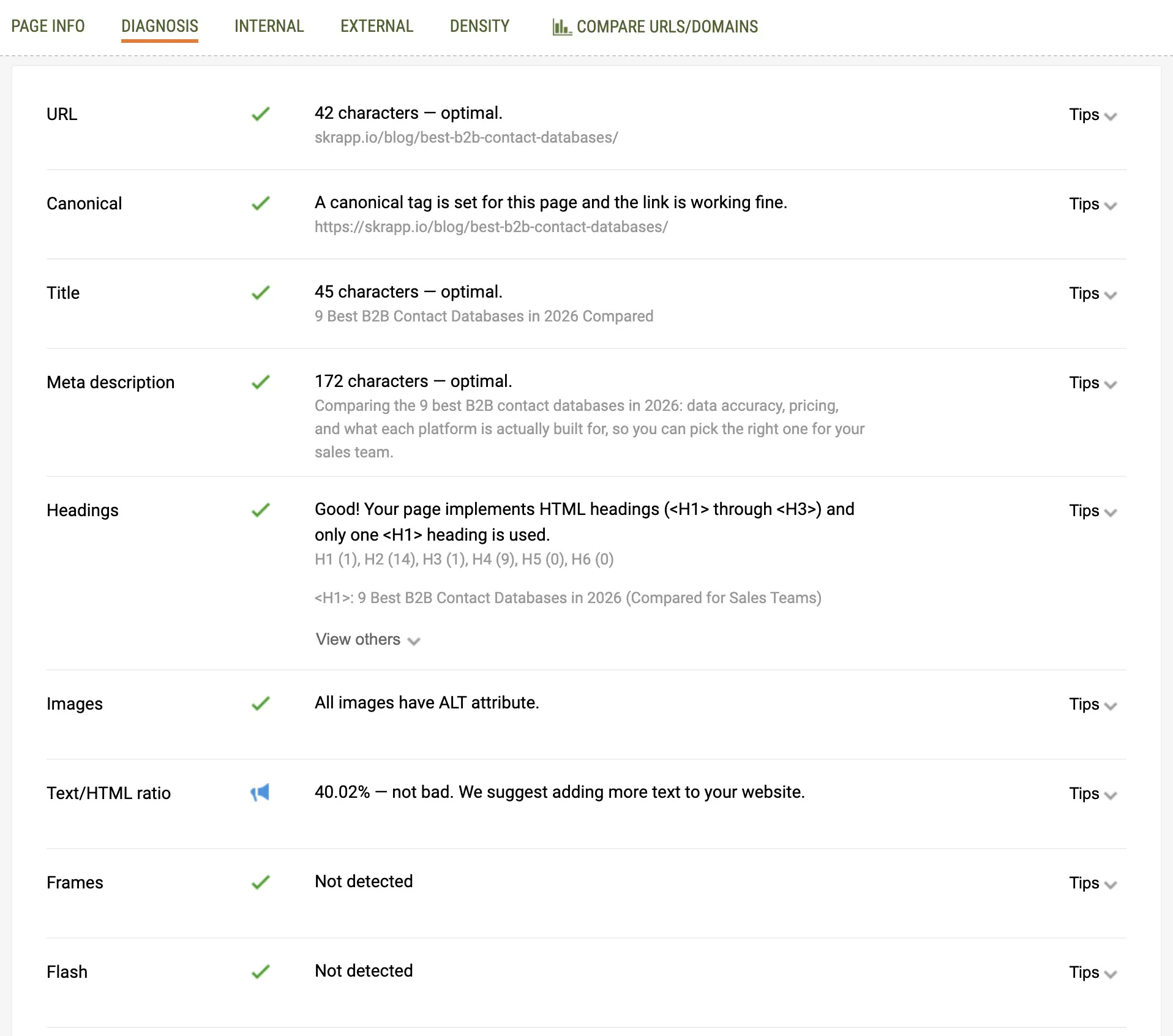
SEOQuake is one of the most established free SEO Chrome extensions, built by the team behind SEMrush. It adds a data bar below each SERP result, showing metrics such as Google Index count, Bing Index, SEMrush rank, and backlink estimates.
It also includes an on-page SEO audit tool and a keyword density report. SEOQuake works without a paid account. But if you connect a SEMrush subscription, you get more accurate metrics.
Best for:
It’s perfect for pros who need SERP-level data but don’t want to pay for a separate rank tracking tool.
Most Used Features:
- The SERP overlay, equipped with index and authority metrics, reveals the competitive landscape for any keyword. You can see this information directly on the results page without opening a separate tool.
- An on-page SEO audit report looks at key elements like metadata, heading structure, and link counts for each page you review.
- Keyword density analysis reveals how often a target term appears on a page compared to the total word count. This helps you identify over-optimization or thin coverage.
- The internal and external link report lists every link on a page, including its anchor text and follow status. This makes it useful for auditing your own site and analyzing competitors' links.
- CSV export lets you pull SERP data into a spreadsheet for keyword difficulty analysis or client reporting.
How to Use SEOQuake:
Search for your target keyword on Google. Look at the SERP overlay to check the authority and index status of competing pages. This will help you decide how difficult it is to rank for that keyword.
Check the on-page report for any page you audit. Look at the metadata, heading structure, and internal link count. Use the keyword density tool to spot over-optimization or thin coverage of your target term. Export SERP data to CSV when creating a competitive analysis sheet.
7. NoFollow

NoFollow is a lightweight, free extension that highlights all nofollow, sponsored, and UGC links on any page with a colored border. Dofollow links are key for link building and off-page SEO. They pass authority, but nofollow links usually do not.
Instead of inspecting every link in the source code, NoFollow makes the link attribute landscape visible at a glance. It is also useful for auditing your site to ensure that internal links are properly attributed and that no important pages are accidentally nofollowed.
Best for:
Link builders who need to identify dofollow and nofollow link attributes.
Most Used Features:
- Visual highlight of nofollow links marks every nofollow attribute with a colored border. This lets you quickly and easily assess a page's linking policy without opening the source code.
- UGC and sponsored rel attribute detection spot link types beyond just nofollow. This gives you a full view of how a site manages outbound links.
- An internal link audit helps you check your site. It ensures no key pages are mistakenly set to "nofollow" in your linking setup.
How to Use NoFollow:
Before pitching a guest post or link, set the attribute to NoFollow. Then, check the page to ensure outbound links are dofollow. Use it when auditing your site to check that no important internal links are accidentally nofollowed. When reviewing a link-building prospect's page, identify whether their existing outbound links to similar sites are followed; this shows their linking policy before you reach out.
8. Keyword Surfer
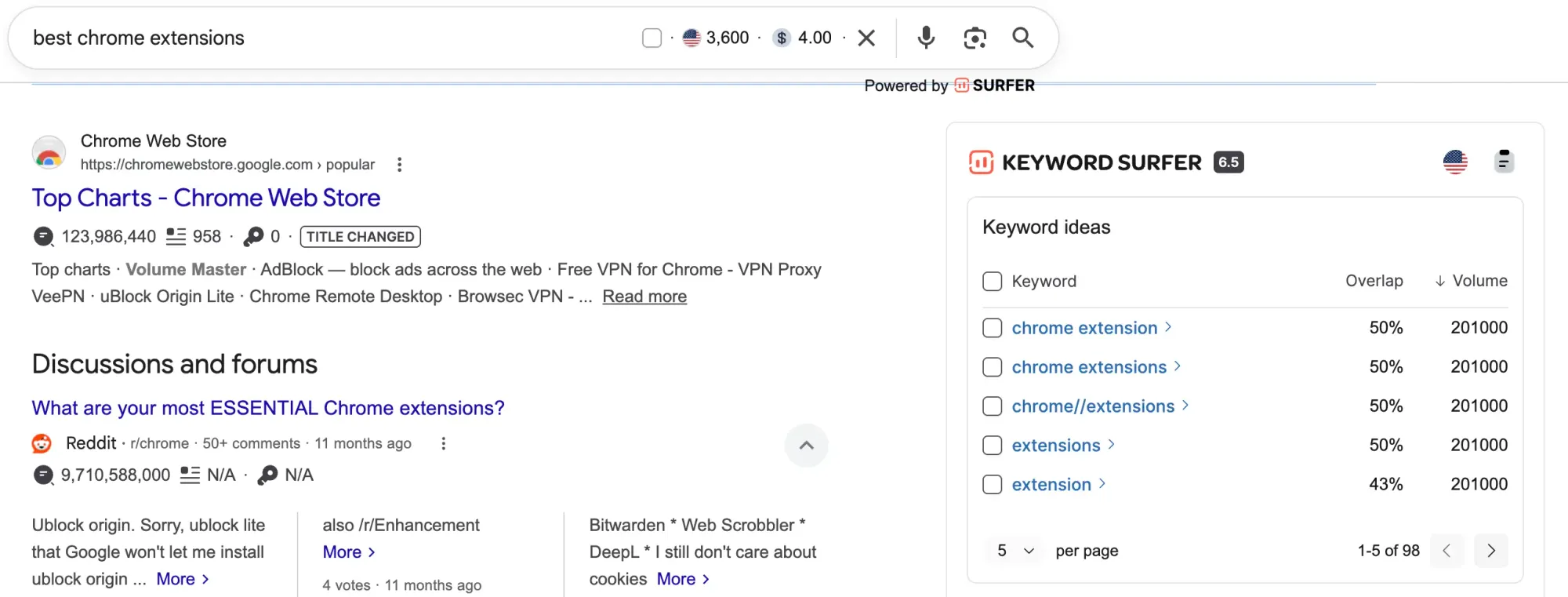
Keyword Surfer adds search volume, CPC, and related keyword data directly into Google search results pages. When you search for a term, you'll see its monthly search volume in the search bar. There's also a sidebar panel showing related keywords, their volumes, and on-page content data for the top-ranking pages.
It is one of the best free SEO extensions for Chrome for content planning because it speeds up the research phase. Built by Surfer SEO, it integrates naturally with their paid platform but works well as a standalone free tool.
Best for:
Content writers and SEO strategists who want keyword data directly inside Google search results.
Most Used Features:
- Search volume in the Google search bar shows monthly query demand for any term the moment you search it, without opening a keyword tool.
- Related keyword suggestions with volume data surface semantically connected terms you can target in the same piece of content.
- On-page word count and keyword usage for top results give you a content benchmark before you start writing, based on what is already ranking.
- Correlation data between content length and rankings helps you decide how deep a piece needs to go to compete on a given topic.
How to Use Keyword Surfer:
When researching a new content topic, search your target keyword on Google and view the search volume directly in the search bar. Use the sidebar to identify related terms with search volume you can cover in the same piece. Check the word count and keyword usage data for top-ranking pages to set a content benchmark before writing. Use it during content gap analysis to spot terms your competitors rank for that your site does not cover yet.
9. SimilarWeb
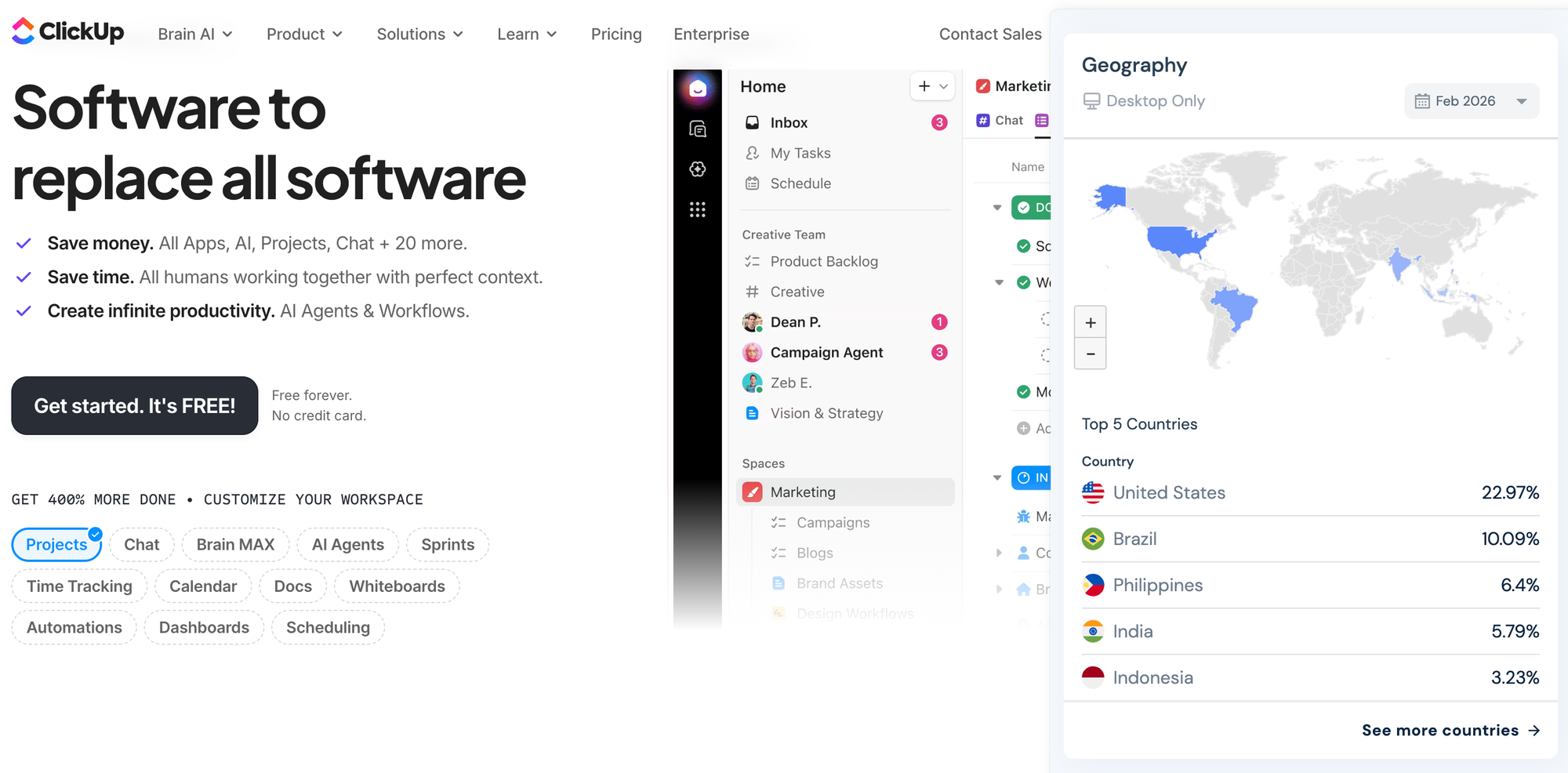
SimilarWeb provides estimated traffic data for any website. You can see monthly visits, traffic sources, top referring sites, audience geography, and device split. It reveals details that keyword tools often miss: how much traffic a competitor gets from direct visits, search, or social media. It also shows which sites drive the most referral traffic.
Used as a link building tool, the free version handles quick competitive snapshots well enough for most research workflows. The paid version suits agencies and in-house teams running regular competitor audits at scale.
Best for:
Competitive research, traffic analysis, and audience intelligence.
Most Used Features:
- Monthly traffic estimates for any domain give you a quick read on a site's size and reach before investing time in a competitive analysis.
- Traffic source breakdown (organic, paid, social, direct, referral) reveals where a competitor's growth is coming from, not just their total traffic.
- The top referring domains list shows sites that link to your competitors. This gives you a ready-made list of potential link prospects.
- Audience geography and device data help you determine whether a site's audience aligns with your target market. This is important before you chase a link or partnership.
- Similar sites suggest other domains in your niche. You might not see these as competitors or link targets yet.
How to Use SimilarWeb:
To analyze a competitor, open their site and check the traffic source breakdown. This helps you see how much growth comes from organic search, paid ads, or referral traffic. Use the referring domains section to build a list of sites that already link to competitors.
Check audience location data to see if a site is a good target for international link building. Use monthly visit trends to identify whether a competitor is growing or losing traffic before investing time in analysis.
10. Detailed SEO Extension
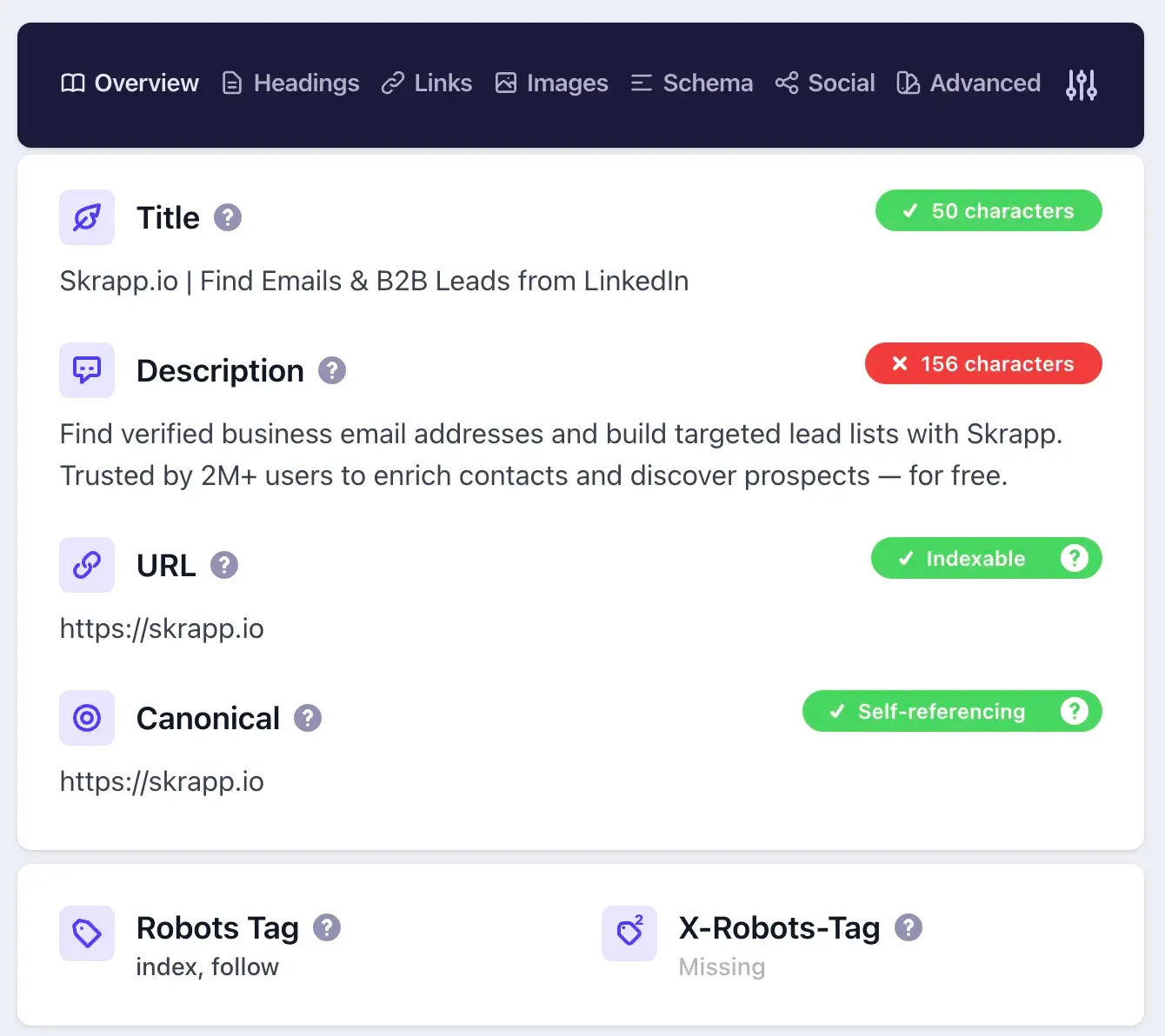
Detailed SEO is a powerful Chrome extension that provides an in-depth view of a page’s SEO and link metrics. Click the icon on any page. You'll see internal and external links, anchor text, nofollow/dofollow status, page-level SEO scores, structured data, and more.
It facilitates several steps in a technical and link audit. This makes it useful for analyzing competitor sites or evaluating client pages before making proposals. The extension is free to use, though some advanced features require an account.
Best for:
Link analysis, technical SEO audits, and competitor research.
Most Used Features:
- It lists all the links on the page. You’ll see the anchor text, target URL, and whether each link is follow or nofollow. This helps you find broken links, too many nofollow links, and links with overly optimized anchors.
- Displays schema markup present on the page, helping you confirm rich snippet eligibility and detect errors.
- Gives a quick snapshot of on-page SEO factors like meta tags, headings, and image optimization.
- Shows word count, title length, meta description length, and other key metrics. This information helps you quickly evaluate the completeness of your content.
How to Use Detailed SEO Extension:
Open the page you want to audit and click the Detailed SEO extension icon. Review internal and external links to identify broken or problematic URLs, assess anchor text for optimization opportunities, and confirm which links are follow vs. nofollow. Look at the structured data section to verify the correct schema implementation. Use the SEO score and page metrics to quickly assess whether content meets basic on-page SEO standards.
Final Verdict: What Are the Best SEO Extensions?
The right SEO extension depends on the work you do most, whether on-page, off-page, or technical SEO. Pick tools that fit naturally into your workflow and cover all the tasks you need to handle.
Also, consider what you already have. If you’re using paid tools like Ahrefs, SEMrush, or Moz, you might only need a few free extensions to fill gaps. The goal is to create a setup that makes your SEO work faster and easier.
Redirect Path is the strongest free option for technical SEO. It catches redirect chains and status code issues faster than most crawlers. Pair it with SEOQuake for a full technical overview. SEOQuake's on-page audit covers metadata, heading structure, and internal linking in one click. If you have an Ahrefs subscription, the Ahrefs SEO Toolbar enhances free tools by adding index data, crawl information, and HTTP header inspection. These features provide deeper insights into your site's performance.
For on-page SEO, SEO Meta in 1 Click is the best starting point. It is free and fast, and it shows every on-page element that matters. Add Keyword Surfer for content planning and keyword data directly in Google SERPs. Grammarly completes the on-page stack by maintaining high content quality, which affects user engagement and search performance.
Skrapp is the best extension for off-page SEO and link building, helping find contact emails during outreach campaigns. NoFollow helps you quickly identify which links on a target page are dofollow before committing time to pitching. SimilarWeb is the strongest tool for identifying competitor backlink sources and traffic patterns that guide your link acquisition strategy.
If you install only three extensions, start with Ahrefs SEO Toolbar, Skrapp, and Keyword Surfer. Together, they cover the three main areas of SEO, require no paid account to get started (aside from Ahrefs’ advanced features), and run reliably without slowing down your browser.
FAQs: Top SEO Chrome Extensions
What is SEO optimization?
SEO optimization is the process of improving a website so it ranks higher in search engine results pages. It covers technical work such as improving site speed and crawlability, on-page work such as optimizing titles and content, and off-page work such as building backlinks from other websites.
How to do SEO optimization in 2026?
Effective SEO in 2026 combines three areas. First, make sure your site is technically sound: fast load times, clean URL structure, no crawl errors, and proper use of canonical tags and redirects. Second, create content that directly answers what your target audience is searching for, with well-structured headings, accurate metadata, and relevant internal links. Third, build authority through backlinks from credible, relevant websites. The extensions in this guide make each of these steps faster and more systematic.
What is an SEO Chrome extension?
An SEO Chrome extension is a browser add-on that brings SEO data and analysis tools directly into Chrome. Instead of logging into a separate platform, you get metrics like backlink counts, metadata, keyword data, and status codes while you browse any website.
How to install a Chrome extension?
Go to the Chrome Web Store, search for the extension by name, and click "Add to Chrome." Confirm the permissions prompt, and the extension will appear in your browser toolbar. Pin it for quick access by clicking the puzzle piece icon in the top right of Chrome.
What are the best free SEO extensions for Chrome?
The best free Chrome extensions for SEO include SEO Meta in 1 Click, Redirect Path, Skrapp, NoFollow, and Keyword Surfer. All five are completely free to start and cover the core functionality you need for SEO optimization.
What are some good Chrome extensions for on-page SEO?
SEO Meta in 1 Click is the best for auditing existing pages. Keyword Surfer helps with content planning by surfacing Google search volume data. Grammarly improves the writing quality of any content you produce. SEOQuake adds an on-page audit and keyword density report for deeper analysis.
What are the best link-building extensions for Chrome?
Skrapp Email Finder is the best extension for finding contact emails for outreach. NoFollow helps you identify dofollow link opportunities on target pages before you pitch. SimilarWeb surfaces competitor referring domains, which can guide your prospecting list.
Which is the top SEO Chrome extension for technical optimization?
Redirect Path is the best dedicated technical SEO extension. It automatically detects redirect chains and HTTP status codes without any manual setup. For a broader technical audit, SEOQuake covers headers, robots directives, and canonical tags. The Ahrefs SEO Toolbar adds deeper technical data if you have an active Ahrefs subscription.
What is the best extension for digital PR and outreach?
Skrapp Email Finder is the top choice for digital PR. It finds verified email addresses straight from LinkedIn profiles and company websites. This process is the most time-consuming part of any outreach campaign. For identifying which sites are worth targeting in the first place, SimilarWeb's referring domains data is a strong complement to Skrapp.
What free SEO Chrome extensions are there?
Keyword Surfer shows search volumes and related keywords inside Google as you search. Skrapp's free tier pulls verified email addresses from LinkedIn and company websites, automating outreach. The Ahrefs SEO Toolbar is free to install and covers on-page data, broken links, and status codes, though you'll need a paid Ahrefs account to unlock the deeper metrics.