
10+ Best Link Building Tools by Stage: From Research to Monitoring (2026)
The best link building tools include Ahrefs for discovering link opportunities, Skrapp for sourcing contact details for target domains and personas, and SendGrid for launching outreach campaigns with high deliverability rates.
Many useful link-building services automate the entire process. They help you find link prospects and track live links.
In this guide, I’ll cover the best free and paid link building tools for 2026. I’ll compare how each tool fits different stages of the link-building process, from research to outreach. I’ll also share practical advice on how to choose the right tool for your unique workflow.
Start finding contacts for your link building outreach with Skrapp
Launch an Email FinderLink Building Workflow and Key Stages Explained
Depending on your link-building workflow, you'll need a set of tools tailored to specific stages to achieve the best results. The process covers everything from analyzing your current backlink profile to tracking links after they go live.
Each stage has a clear goal. Knowing when one stage ends and the next begins helps you create a complete stack that covers the entire workflow without gaps. Here's how the full workflow breaks down:
1. Analyze backlink profiles and set quality requirements
Before building new links, audit your existing profile and set clear goals by analyzing your competitors. At this stage, you should also define the specific characteristics of your ideal link. This helps define the DR, Trust Flow, and topical relevance standards that a high-quality link should meet in your niche. Without this baseline, you may spend months acquiring links that won’t improve rankings.
2. Find link opportunities
One of the most efficient methods to start with is competitor backlink analysis. Find sites that link to your direct or indirect competitors. Check other domains in similar niches for more opportunities. The output of this stage is a raw prospect list ready for qualification.
3. Qualify websites before outreach
Not every prospect on your raw list is worth pitching. Filter your initial list against the quality requirements established in the previous step. A site with DR 50 but no organic traffic and hundreds of links from unrelated directories is a weaker prospect than a DR 35 blog with 60k monthly organic visitors and editorial links from topically relevant sites. This pass usually reduces a 200-site list to 50–60 genuinely viable targets.
4. Search contact details
Having a target domain is not the same as having someone to pitch. Many sites don’t provide a direct contact for link requests, and generic contact forms often get few replies. At this stage, find the right person in charge of content or editorial choices for each domain. Then, search for their email addresses and verify them before reaching out.
5. Launch outreach emails
This stage consists of setting up proper email authentication (SPF, DKIM, DMARC), writing cold emails and specific pitches that earn replies, and managing follow-up sequences. Most link-building responses come from the second or third email; that's why sequencing matters as much as the initial pitch.
6. Track link negotiation statuses
Outreach generates replies at different stages. Some prospects agree immediately, showing strong interest. Others begin negotiating, discussing terms and conditions. Meanwhile, some prospects go cold, losing interest or not responding at all. Without a system to see each person's status, conversations can get lost. So this stage is about keeping a clear pipeline of active, stalled, and closed prospects.
7. Track live links
Editors can remove links during content updates or change anchor text without notice. Monitoring your links regularly helps you act fast. Site owners respond much better to restoration requests made within days of removal than to those made weeks later.
Each section below maps the tools in this guide to the stage where they add the most value.
Best Link Building Tools 2026: At a Glance
| Tool | Free Version | Price | Best For | G2 Rating | Capterra Rating |
|---|---|---|---|---|---|
| Ahrefs | Yes (limited) | From $129/mo | Finding link opportunities | 4.5/5 | 4.7/5 |
| Skrapp | Yes (100 credits/mo) | From $39/mo | Sourcing contact emails | 4.5/5 | 4.5/5 |
| Moz | Yes (limited) | From $99/mo | Domain authority qualification | 4.3/5 | 4.5/5 |
| Majestic | No | From $49.99/mo | Trust Flow & link profile quality | 4.3/5 | 4.4/5 |
| Respona | No | From $100/mo | Outsourcing stages 2-6 of the workflow | 4.8/5 | 4.7/5 |
| ListBrew | Yes (50 credits) | From $49/mo | Finding listicle opportunities for branded placements | -/5 | -/5 |
| SendGrid | Yes (100 emails/day) | From $19.95/mo | Outreach email deliverability | 4.1/5 | 4.4/5 |
| SimilarWeb | Yes (limited) | From $125/mo | Traffic & backlink profile analysis | 4.4/5 | 4.6/5 |
| Pitchbox | No | From $300/mo | SEO outreach CRM | 4.7/5 | 4.6/5 |
| Google Search | Yes (free) | Free | Finding relevant link targets | N/A | N/A |
| Claude | Yes (limited) | From $20/mo | Content angle ideation | 4.6/5 | 4.3/5 |
| Linkody | Yes (limited) | From $14.90/mo | Live link tracking | 4.5/5 | 4.8/5 |
1. Ahrefs
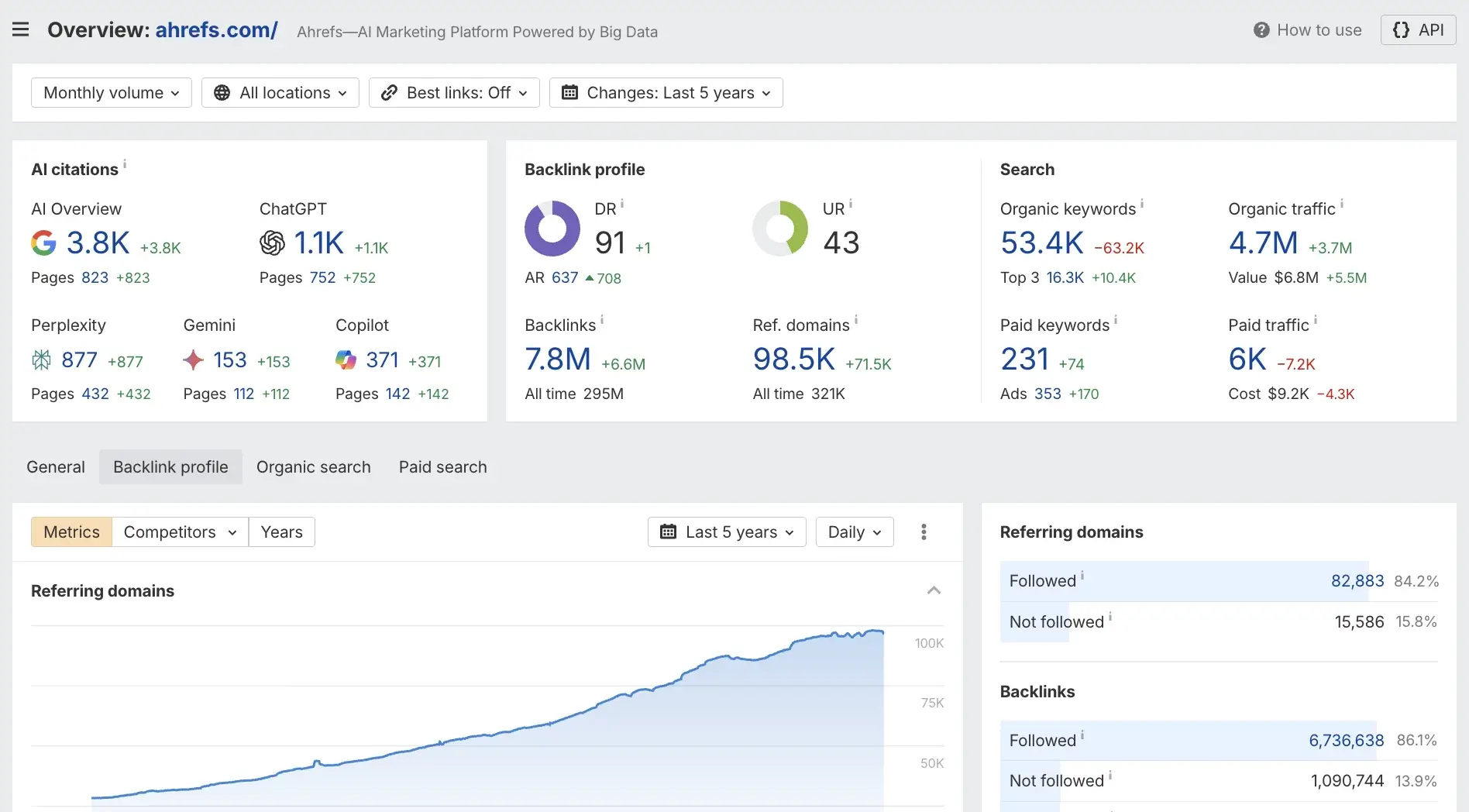
Ahrefs is the most widely used tool for backlink analysis and finding link opportunities. Unlike outreach platforms that help you manage campaigns, Ahrefs focuses on the research stage. It shows you exactly which sites link to your competitors, which pages attract the most backlinks, and where your link profile has gaps. It's the starting point for most professional link building workflows.
Best for: Finding link opportunities and analyzing competitor backlink profiles.
Most Useful Features:
- Link Intersect shows domains that link to many competitors but not to you. These are your best prospects. They already link to similar content and are likely to link again
- Content Explorer lets you find the most linked pages in any niche by topic or keyword. Use it to find content that earns links in your area. Then, shape your own assets to match it
- The Site Explorer backlink report shows all inbound links for any domain. It includes details like DR, anchor text, link type (dofollow or nofollow), and the first-seen date. Use it to audit a prospect's link profile quality before targeting it
- Ahrefs SEO Toolbar (Chrome extension) overlays DR and backlink count on every site you browse. You can qualify a prospect in seconds without opening the dashboard
- Broken link checker surfaces dead outbound links on competitor pages. These are direct-pitching opportunities—offer your content as a replacement.
How to Use Ahrefs for Link Building
Start by running your top 3–5 competitors through Site Explorer. Export their backlink reports and filter for dofollow links from domains with DR 40+. Then run those same competitors through Link Intersect to find sites linking to all of them but not to you. These are your highest-priority targets, so add them to a prospecting spreadsheet organized by DR, relevance, and link type.
Next, use Content Explorer to find pages in your niche with 50+ referring domains. This tells you which content formats earn the most links. If a competitor's resource page has 200 backlinks and yours doesn't exist yet, that's a content gap. Build the asset, then use the backlink report to identify every site linking to the competitor's version and pitch yours to them.
2. Skrapp
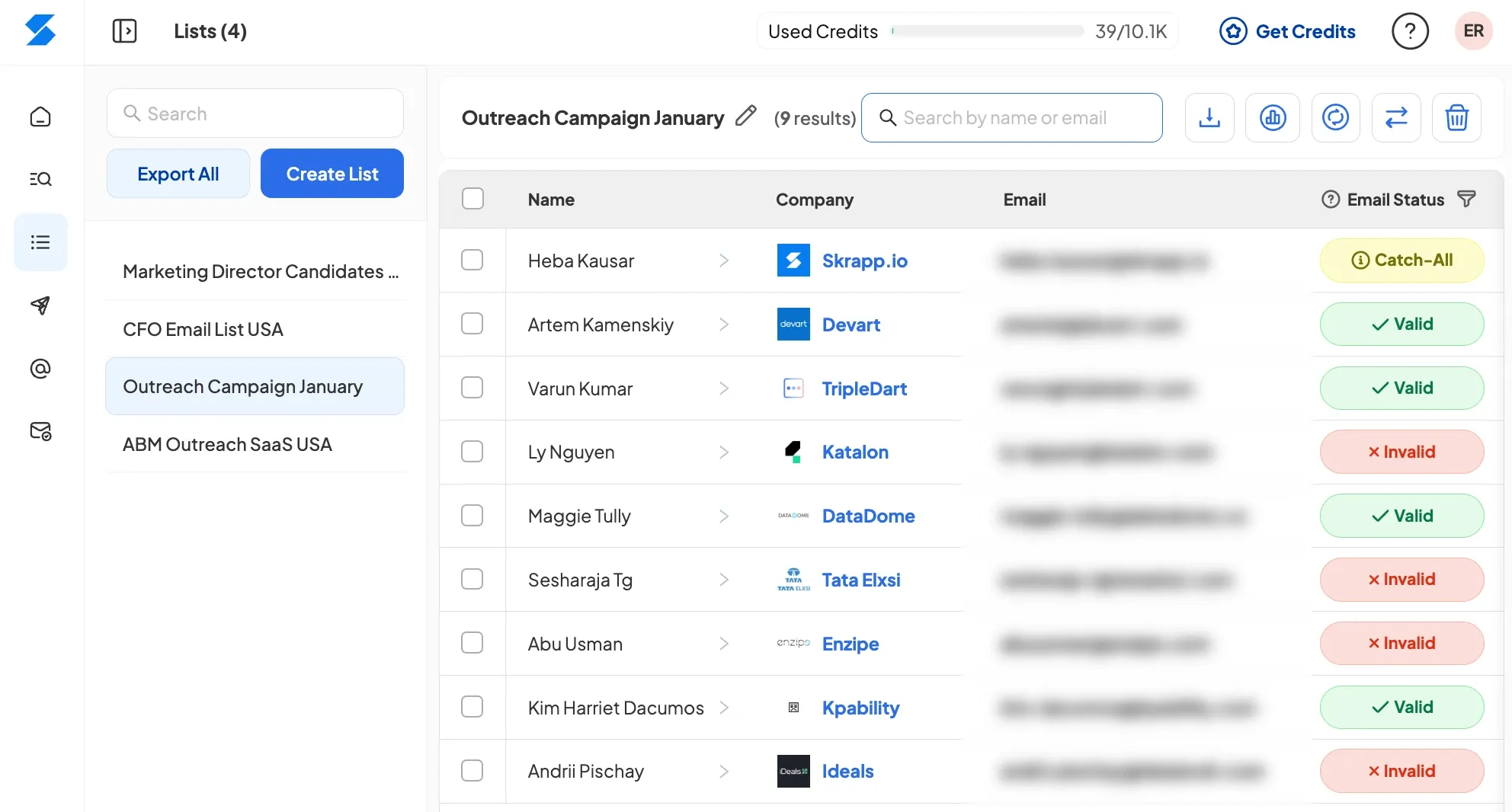
We built Skrapp as a bulk email finder tool and use it daily for our outreach campaigns. You can also integrate it into your SEO outreach workflow. After getting your target domains from Ahrefs, find the right contact's email before you pitch. Skrapp collects verified emails from LinkedIn profiles and company websites. It helps with both individual prospecting and bulk domain lookups.
Best for: Finding verified email addresses for SEO managers, link builders, and content editors at target domains
Most Useful Features:
- LinkedIn single-profile email finder gives you a verified email address straight from a contact's LinkedIn page. To find and verify an email, you just have to press the Skrapp extension icon when visiting a profile
- Company domain email finder returns all available contacts associated with a specific domain. Useful when you have a target site but do not know who handles link placements
- Bulk LinkedIn scraper lets you pull emails from an entire LinkedIn search results page at once. Filter by job title (e.g., "SEO Manager", "Content Lead") and export a clean list
- Email verification checks deliverability before you send. Verifying a list before a campaign helps keep bounce rates low. This also protects the sender's reputation.
- Export feature lets you send verified contacts straight to your outreach tools, a CSV spreadsheet, or your favorite CRM.
How to Use Skrapp for Link Building:
Once you have a prospect list from Ahrefs, go to LinkedIn and search for the relevant job title at each target company. Use the Skrapp Chrome extension on each profile to retrieve a verified email address. For high-volume campaigns, run a LinkedIn search filtered by role (e.g., "Link Building" or "SEO") and use the bulk finder to scrape the full page at once. Export the results to a spreadsheet.
Use Skrapp’s bulk email finder to find contact points and email addresses from domains linking to your competitors’ sites. This tool lets you identify and verify emails for specific roles across all domains at once.
Before importing contact lists into your outreach tool, run the entire list through Skrapp’s email verifier. Remove any addresses flagged as invalid or risky. A clean list with a 2–3% bounce rate performs much better than an unverified list with a 15–20% bounce rate. It also improves both deliverability and your sender domain’s reputation.
Start building contact lists from discovered domains
Launch Bulk Email Finder3. Moz
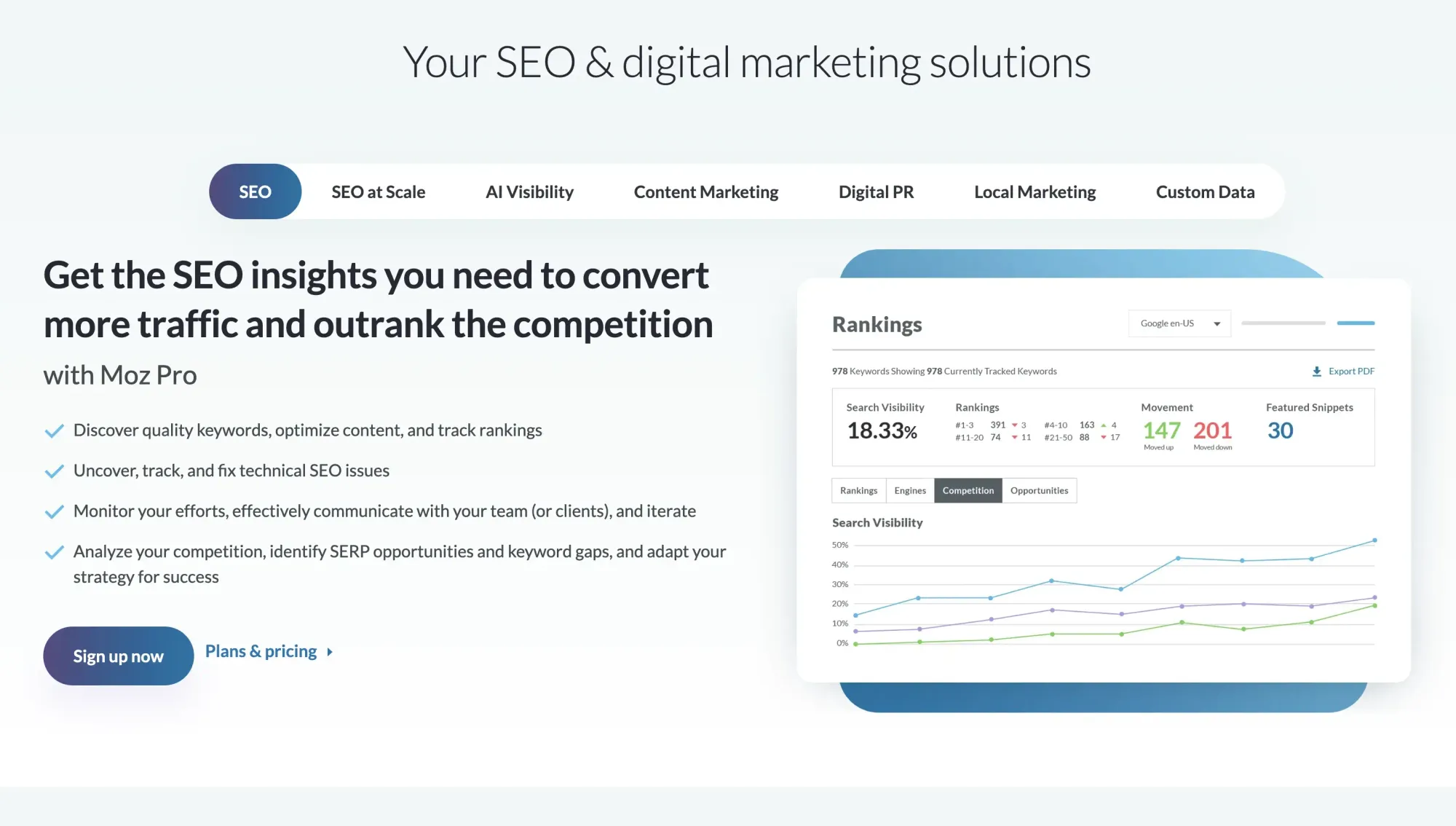
Moz is most useful at the qualification stage, after you've identified prospects and before you spend time writing a pitch. Its Domain Authority (DA) score is one of the most recognized third-party metrics for assessing a site's link value. While Ahrefs and Semrush have more data depth, Moz's DA is still widely used as a quick benchmark. Its Link Explorer gives you enough detail to decide whether a prospect is worth pursuing.
Best for: Qualifying domains and setting minimum authority thresholds before outreach
Most Useful Features:
- The Domain Authority (DA) score is a 1–100 metric for any domain based on its backlink profile. Most link builders use a DA threshold of 30+ or 40+ when filtering prospects.
- Spam Score flags domains whose link patterns appear manipulative. High Spam Score domains are worth skipping, as links from them can harm rather than help your profile. A good metric is usually considered to be a 1-3% rate.
- Link Explorer shows inbound links to any URL. It includes anchor text, follow status, and the linking page's Page Authority (PA). Use it to cross-check prospects already identified in Ahrefs.
- MozBar Chrome extension shows DA and PA on every page you visit. This helps you easily qualify prospects while researching, without switching tabs.
How to Use Moz for Link Building
When you find a site through a Google search or referral, the MOZ toolbar gives you instant DA and Spam Score data before you add it to your list. Set a minimum DA threshold for your campaigns and filter your prospect list accordingly. Most teams use DA 30–40 for general link building and DA 50+ for authority plays.
For deeper qualification, run shortlisted domains through Link Explorer to review their inbound link patterns. A site with a DA of 45 but 60% of links coming from low-quality directories is a weaker prospect than a DA 38 site with clean editorial links from topically relevant domains. Use Spam Score as a secondary filter and remove any domain with a score above 10%.
4. Majestic

Majestic is a backlink-only tool, which makes it more focused than Ahrefs or Semrush but also more specialized. Its main differentiator is Trust Flow (TF) and Citation Flow (CF). These are two unique metrics that measure link quality independently. Trust Flow reflects how trustworthy a site's link neighborhood is, while Citation Flow reflects raw link volume. The ratio between the two tells you more about link quality than DR or DA alone.
Best for: Understanding link profile quality and filtering prospects by trust and relevance signals
Most Useful Features:
- Trust Flow (TF) scores a domain based on the quality of sites linking to it, which are then linked back to a set of seed sites Majestic considers trusted. A high TF means the site earns links from other trusted domains.
- Citation Flow (CF) measures the quantity of inbound links regardless of quality. A high CF with low TF suggests link spam, as the domain has many links from low-trust sources.
- TF:CF ratio is the most practical signal. A ratio close to 1:1 indicates that quality and quantity are balanced. A ratio below 0.5 (high CF, low TF) is a red flag.
- Topical Trust Flow categorizes a site's link profile by topic. Use it to confirm that a prospect's link neighborhood is relevant to your niche, not just generically authoritative.
- Historic Index lets you see how a site's backlink profile has changed over time. Sudden spikes in links are a signal of manipulative link building.
How to Use Majestic for Link Building
Pull your full prospect list into Majestic's bulk checker and export TF, CF, and Topical Trust Flow for each domain. Sort by TF first, then filter out any domain with a TF:CF ratio below 0.4. These are sites with inflated link counts from low-quality sources. They look authoritative on the surface, but won't transfer meaningful link equity.
Use Topical Trust Flow to confirm niche relevance. A site with TF 30, but with its strongest category listed as "Games/Gambling," isn't a strong prospect for a SaaS company, regardless of its overall metrics. Cross-reference Majestic data with Ahrefs DR for a complete picture. TF tells you about trust; DR tells you about raw authority; together, they give you a reliable filter for prospect quality.
5. Respona
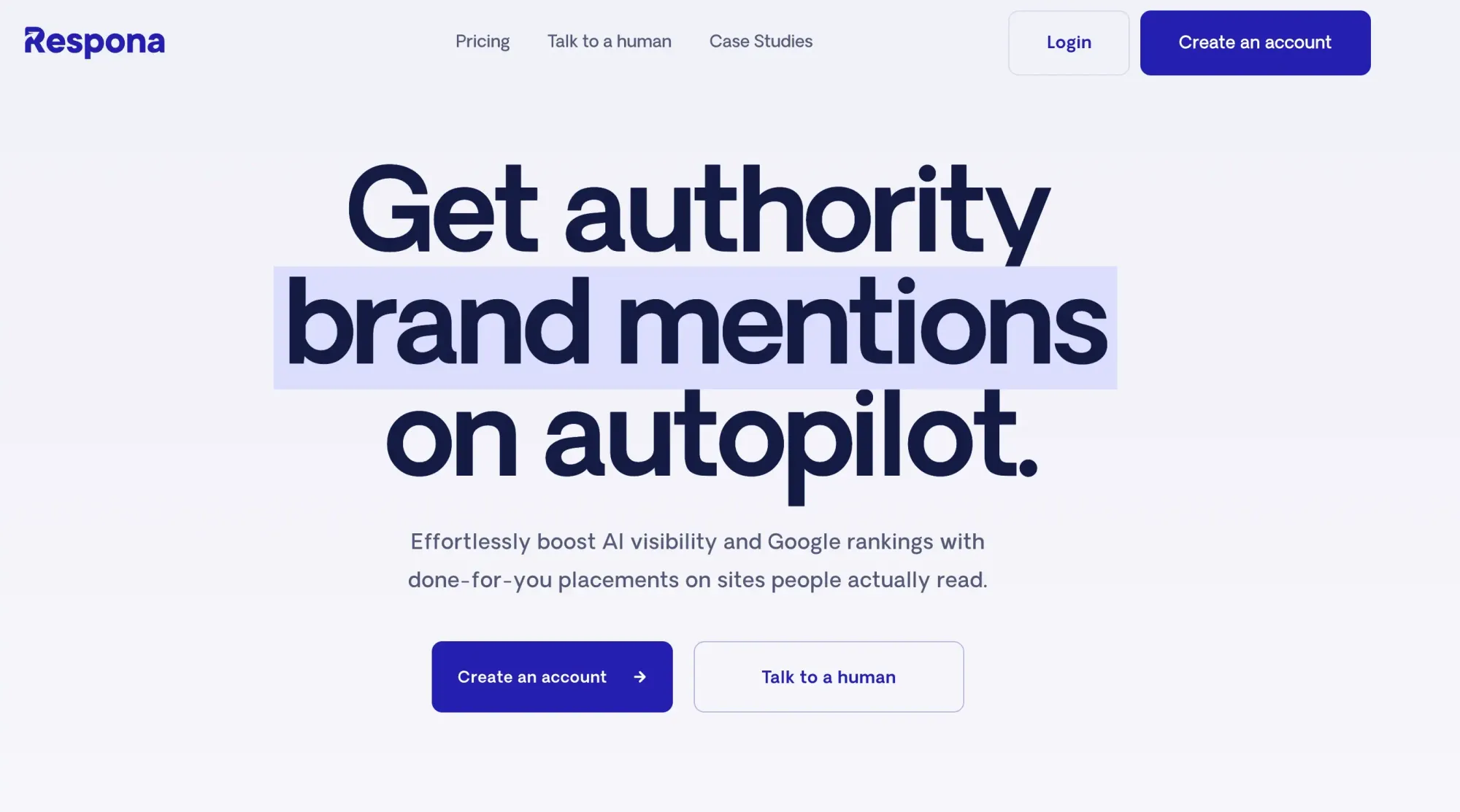
Respona is a different category of tool on this list. Instead of running each stage of the workflow yourself using a stack of specialized tools, Respona handles the entire process as a done-for-you managed service with built-in AI-driven visibility tracking. You share your target pages, keywords, and anchor text preferences, and Respona's team handles prospecting, qualification, contact finding, outreach, follow-ups, and securing live placements on a pay-per-result basis.
For teams without the bandwidth to assemble and operate a multi-tool stack in-house, Respona consolidates stages 2 through 6 of the workflow into a single managed engagement.
Best for: Teams that want to outsource the full link-building workflow rather than build a multi-tool stack in-house
Most Useful Features:
- Done-for-you outreach service handles prospecting, contact finding, pitch writing, follow-up sequences, and negotiation through to live placement. Removes the need for separate tools at each workflow stage.
- AI visibility tracker monitors brand mentions across six AI answer engines (ChatGPT, Perplexity, Google AI Overviews, Gemini, Claude, and Copilot) so you measure AI citation visibility alongside traditional Google rankings.
- Link building action plan generates a prioritized list of articles that already rank in Google AND are cited by AI engines for your target prompts.
- Domain pre-approval lets you vet exactly which sites your links will appear on before any outreach goes out.
- Pay-per-result pricing starts at $100 per live placement and scales by site authority.
How to Use Respona for Link Building
Use Respona when you want link-building outcomes without building an in-house tool stack and team to produce them. Submit a campaign brief with target landing pages, primary keywords, anchor text preferences, and any publication types you want to be featured on. Respona's team handles the rest: prospecting against current Google and AI search rankings, qualifying domains, finding contacts, sending outreach, managing follow-ups, and negotiating each placement until it goes live.
For teams already running outreach in-house, Respona works as an overflow option. Keep your high-priority campaigns running through your existing stack (Ahrefs + Skrapp + Pitchbox), and outsource the long tail of lower-priority placements to Respona's pay-per-result model. This is most useful when team capacity is the bottleneck rather than tool budget. The pay-per-placement model also makes it easier to forecast ROI per link since you know the exact cost of each backlink before the campaign starts.
6. ListBrew
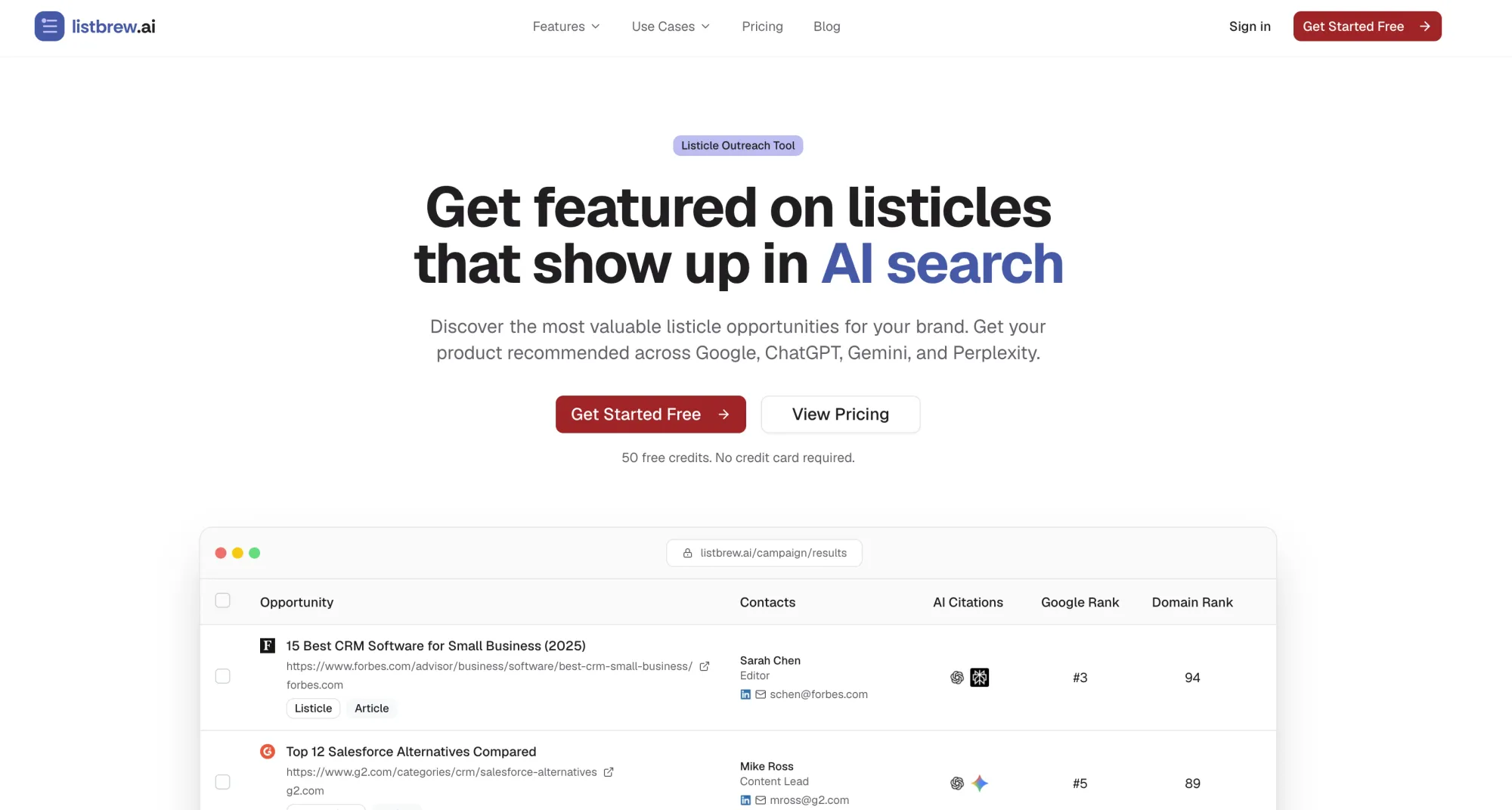
ListBrew is a new link building tool built specifically for AI search. Its main use case is finding listicles, buying guides, blog articles, and commercial pages that are already cited by major AI search engines. Its Contact Finder and Outreach features will then allow you to send personalized pitches to those opportunities, schedule follow-ups, and track replies, all in one dashboard.
Best for: Securing links from pages that already appear in AI Overviews and LLM answers
Most Useful Features:
- Listicle discovery. Uncover “best X” roundups, comparison pages, and “alternatives to” listicles that rank in Google and appear in AI-generated answers.
- Guest post and link insertion discovery. Find opportunities to write guest posts for relevant publications and get your links added to existing content.
- Prospect filtering. Narrow down opportunities using metrics including domain strength, organic traffic, content type, and AI visibility.
- Integrated contact finder. Find the contact information of the writer or editor behind each content piece, with names, email addresses, and LinkedIn profiles. If no contact information is found, you can use Skrapp to find the missing contact details and add them manually to ListBrew.
- Built-in outreach. Add prospects to Outreach Sequences, create personalized pitches with AI, send emails at scale, and monitor opens, replies, and conversions from one dashboard.
How to Use ListBrew for Link Building
Start by creating a campaign around your target keywords and the types of links you want to secure. You can find relevant listicles, buying guides, comparison pages, guest post opportunities, and existing articles that could be suitable for a link insertion. Then filter the results by domain strength, organic traffic, content type, and AI visibility to narrow the list to prospects worth pursuing.
Once you have your shortlist, use Skrapp to identify the writer, editor, or content manager responsible for each page. Add the relevant contacts to an Outreach Sequence, personalize your pitch around the specific opportunity, and schedule follow-ups. You can then monitor opens, replies, and conversions from the same dashboard, rather than switching between separate prospecting, contact-finding, and outreach tools.
7. SendGrid (by Twilio)
SendGrid is an email delivery infrastructure tool, not a link-building platform. It doesn't help you find prospects or write pitches. What it does is make sure your emails for SEO outreach workflow actually land in inboxes.
If you’re sending link building emails from a custom domain at any meaningful volume, deliverability is the biggest factor affecting response rates. SendGrid is the most reliable SMTP service for managing it.
Best for: Sending outreach campaigns with consistent deliverability and low bounce rates
Most Useful Features:
- SMTP relay routes your outreach emails through SendGrid's infrastructure, which has established a sender reputation with major email providers. This reduces the chance of landing in spam compared to sending directly from Gmail or a shared hosting server.
- Domain authentication (SPF, DKIM, DMARC) sets up the technical records that tell receiving servers your emails are legitimate. Without these, even well-written pitches get filtered.
- Email activity feed shows delivery status, opens, clicks, and bounces for every email sent. Use it to identify which contacts bounced immediately and remove them from future sends.
- Suppression management automatically removes hard bounces, spam reports, and unsubscribes from future sends. This protects your sender domain from reputation damage.
- Dedicated IP option (available on higher plans) gives you a sending IP address used only by you. Useful for agencies sending at high volume who don't want to share IP reputation with other senders.
Don't forget to verify your email list before your outreach campaign
Start VerifyingHow to Use SendGrid for Link Building
Set up SendGrid as the SMTP backend for your outreach tool (Pitchbox, BuzzStream, or even a mail merge tool). Authenticate your outreach domain with SPF, DKIM, and DMARC records before sending emails. Most deliverability issues in link building campaigns come from skipping this step.
Warm up new sending domains step by step. Start at 20–30 emails per day for the first two weeks, then scale up. Check the email activity feed daily during a new campaign launch. If you see a bounce rate above 5% in the first 48 hours, stop and clean your list using the Skrapp email verifier. Resume your efforts only after you confirm the list is clean. A damaged sender domain can take weeks to recover.
8. SimilarWeb
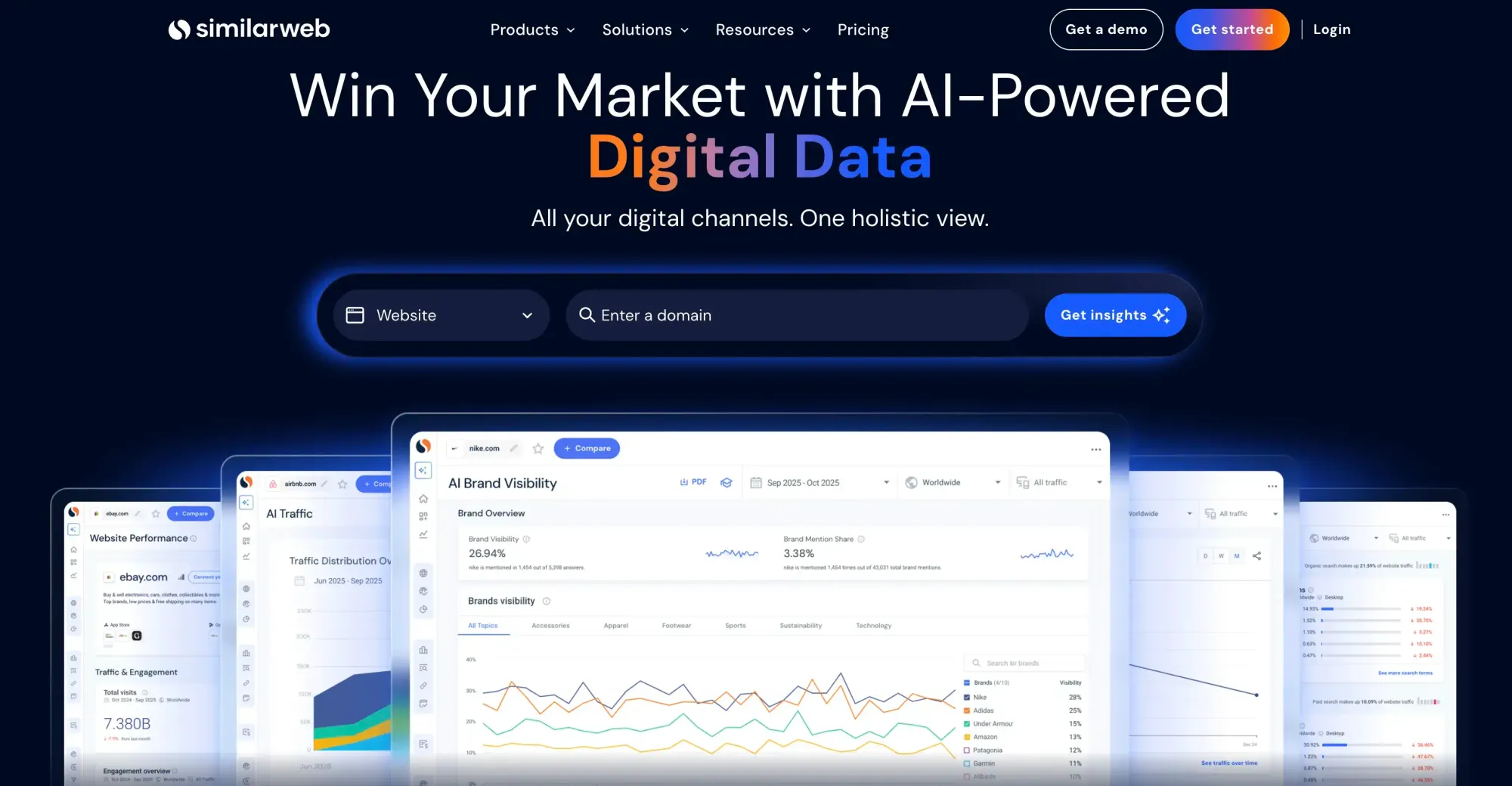
SimilarWeb shows where a competitor's traffic comes from. For link building, the referral traffic report is the most useful tool. It reveals which external domains are sending visitors to your competitors. This gives you a prospect list based on real traffic value, not authority metrics alone.
Best for: Analyzing backlink profiles and identifying high-referral domains
Most Useful Features:
- Referral traffic report shows which sites send the most traffic to any domain. Use it to identify which of a competitor's backlinks actually drive visitors, as these are the links worth pursuing most.
- Traffic by channel breaks down into organic, referral, direct, social, and paid traffic. If a prospective link site gets 90% of its traffic from direct visits and very little from search, the SEO value of a link there is lower.
- Competitor traffic overlap shows which sites share an audience with your target domain. This is useful for finding topically relevant sites you may not have found through backlink analysis alone.
- Engagement metrics (bounce rate, pages per visit, visit duration) tell you whether a site has an active, engaged audience. It's a secondary signal of link quality beyond authority scores.
- Industry benchmarking lets you compare a prospect's traffic profile against category averages. A site claiming to be a top blog in your niche should at least match industry-average engagement metrics.
How to Use SimilarWeb for Link Building
After building your initial prospect list in Ahrefs, run your top 20–30 targets through SimilarWeb's referral report. Sort by referral traffic received and verify which of those referral sources also appear in your niche. Sites that bring in valuable referral traffic from relevant domains are great for SEO. A link from these sites can also attract real visitors.
Use the traffic channel breakdown to disqualify low-value prospects. A site with 500k monthly visits, 85% from direct traffic, and under 5% from search is likely a brand-heavy domain with little organic reach. For link building purposes, a site with 80k monthly visits and 60% organic traffic is often a stronger bet.
9. Pitchbox
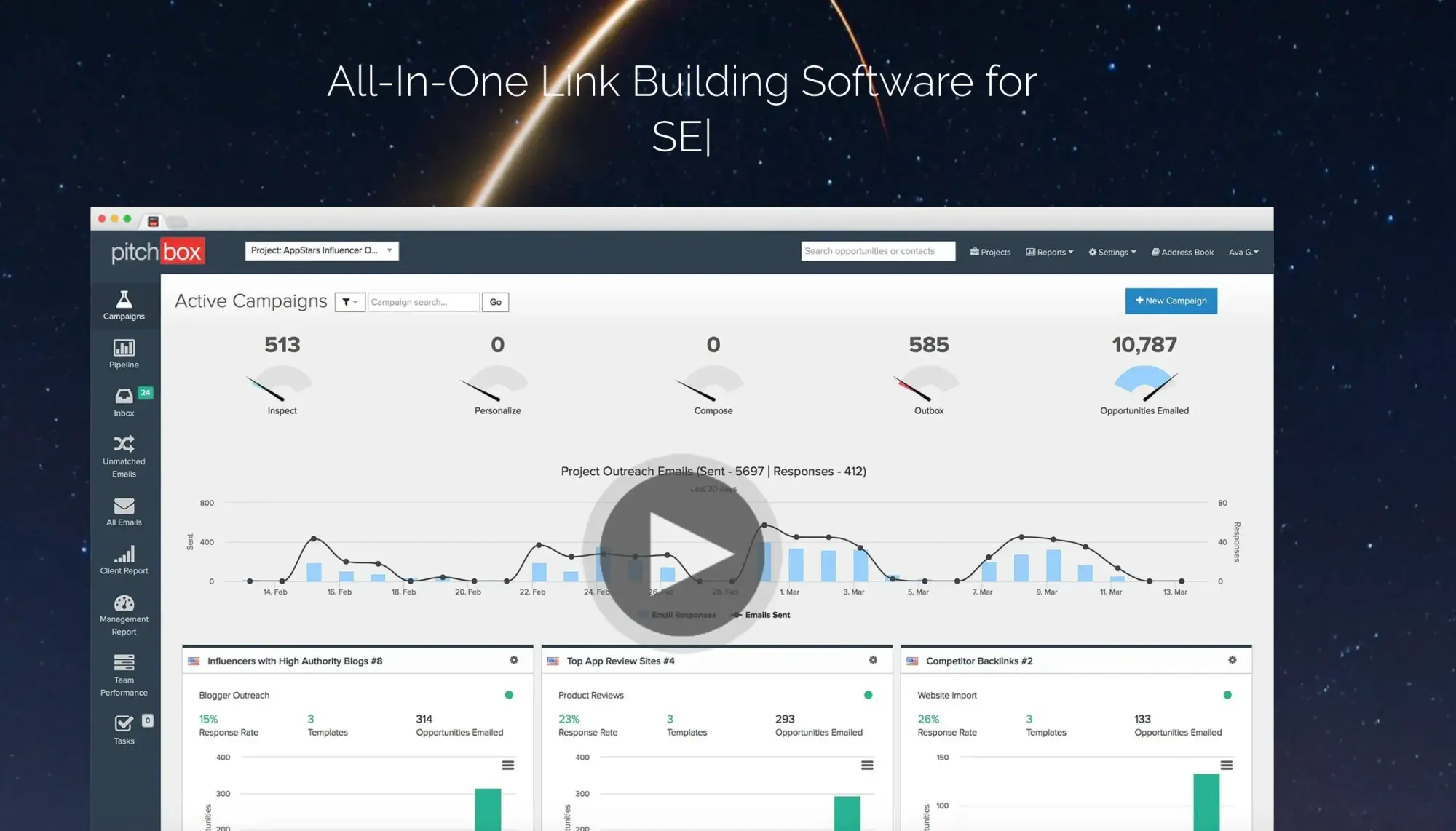
Pitchbox is a purpose-built outreach CRM for link building. It brings together prospect discovery, email sequencing, follow-up automation, and campaign reporting all in one platform. Unlike using a general email tool with a spreadsheet, Pitchbox keeps every prospect's status, email history, and contact information in one place. It's built for teams managing several link building campaigns at the same time.
Best for: Managing outreach campaigns and tracking link negotiation statuses across multiple projects
Most Useful Features
- Integrated prospecting helps you find websites directly from keyword searches and qualify them using SEO metrics inside the platform, reducing reliance on separate exports.
- Automated follow-up sequences send scheduled reminders to prospects who haven’t responded, saving time on manual outreach.
- Pipeline CRM tracks each prospect’s stage in the outreach process, helping replace spreadsheets as campaigns scale.
- SEO data integrations connect with Ahrefs, Moz, Semrush, Majestic, and other providers so you can easily qualify prospects.
- White-label reporting produces client-ready reports, especially useful for agencies managing multiple campaigns.
How to Use Pitchbox for Link Building
Set up one campaign per link building method (guest posts, resource pages, broken links, unlinked mentions). Import your pre-qualified prospect list from Ahrefs or Skrapp. Then write two to three steps in an email sequence: an initial pitch, a follow-up on day 5, and a second follow-up on day 10. Keep each email under 120 words. Pitchbox's templates help you personalize easily. You can use merge fields for the site name, URL, and a custom observation about their content.
Check the pipeline view daily. Manually move prospects between stages when replies come in. When a prospect says yes, move them to "Placed" and log the live link. Review your campaign stats weekly. An open rate below 30% often indicates problems with the subject line. A reply rate below 5% usually shows that the pitch angle needs improvement.
Ensure deliverability before sending outreach emails
Validate Emails10. Google Search (+ Search Operators)
Google Search is free, easy to use, and honestly, one of the most underrated tools for link building. You can find what you need quickly with a few search operators. Look for resource pages, guest post sites, competitor mentions, or specific page types on relevant websites. Combining Ahrefs with manual Google searches offers insights that automated tools often miss.
Best for: Finding specific link placement opportunities and qualifying content relevance before outreach
Most Useful Features:
- site: operator searches within a specific domain. Use site:targetdomain.com "link building" to find relevant pages on a target site where your content might fit as a link placement.
- intitle: and inurl: operators target pages with specific words in their title or URL. For example, intitle:"write for us" SEO finds guest post pages across SEO sites.
- "Keyword" queries find relevant pages across various sites where a link to your product fits naturally.
- Related search operators, like related:competitor.com, show sites with audiences and content similar to your competitors'. They help you grow your prospect list beyond what backlink tools provide.
- Quoted searches for brand mentions find pages that mention your brand or content without linking to it. These unlinked mentions are among the easiest link-building wins available.
How to Use Google Search for Link Building
Build a small library of search operator templates for each link type you target. For resource pages: keyword "useful resources" or keyword intitle:"resources". For guest posts: keyword "write for us" or keyword "guest post guidelines". For link insertions: site:targetdomain.com keyword. Run each query, open the top 10–15 results, and quickly qualify each with MozBar or the Ahrefs toolbar before adding to your list.
Use the site: operator when you've already identified a target domain and want to find the right page for a link insertion. For example, if you're pitching a guide on anchor text, search site:targetdomain.com "anchor text" to find their existing content on the topic. Reference that specific page in your pitch to show you've read their content and increase reply rates.
11. Claude (and Other LLMs)
Claude and other LLMs like ChatGPT and Gemini don't replace any of the research or outreach tools listed. Instead, they eliminate the most time-consuming creative step in the process: finding the right angle. LLMs make pitch writing, guest post hooks, and link insertion faster. You just need to give clear inputs and check the results before using them.
Best for: Generating content angles, pitch ideas, and guest post outlines for link insertions and guest post campaigns.
Most Useful Features:
- Pitch angle generation: give Claude the target site's URL and topic focus, and ask it to suggest three specific angles your content could take that would fit their audience. This is faster than manually reading their archives.
- Guest post outline creation: once a pitch is accepted, Claude can generate a detailed outline with H2s, key points, and suggested internal linking suggestions in under a minute.
- Outreach email drafting: describe the target site, the content you're pitching, and the relationship context. Claude produces a first draft, which you personalize, rather than starting from a blank page.
- Analyzing a page for link insertion opportunities: paste a target page's content and ask Claude where a link to your asset would fit naturally and add value. This helps find the right insertion points faster for human qualification.
- Competitor content gap analysis: paste two competing articles and ask Claude to identify what one covers that the other misses. Use the gaps to strengthen your own content before pitching it for links.
How to Use Claude for Link Building
Use Claude at two specific points: before writing a pitch, and after a guest post is accepted. Before the pitch, paste the last 2–3 articles from the target site. Then ask Claude to identify recurring themes, content gaps, and angles that haven't been explored. Use that output to write a pitch that references an exact feature of their content.
Once a guest post is accepted, use Claude to create an outline. Make sure to include natural internal links back to your target URL. Brief it with the target page you want to build a link to, the host site's audience, and the agreed-upon topic. Always review the outline before submitting to the editor as LLM-generated structures are a more of a starting point, not a final draft.
12. Linkody
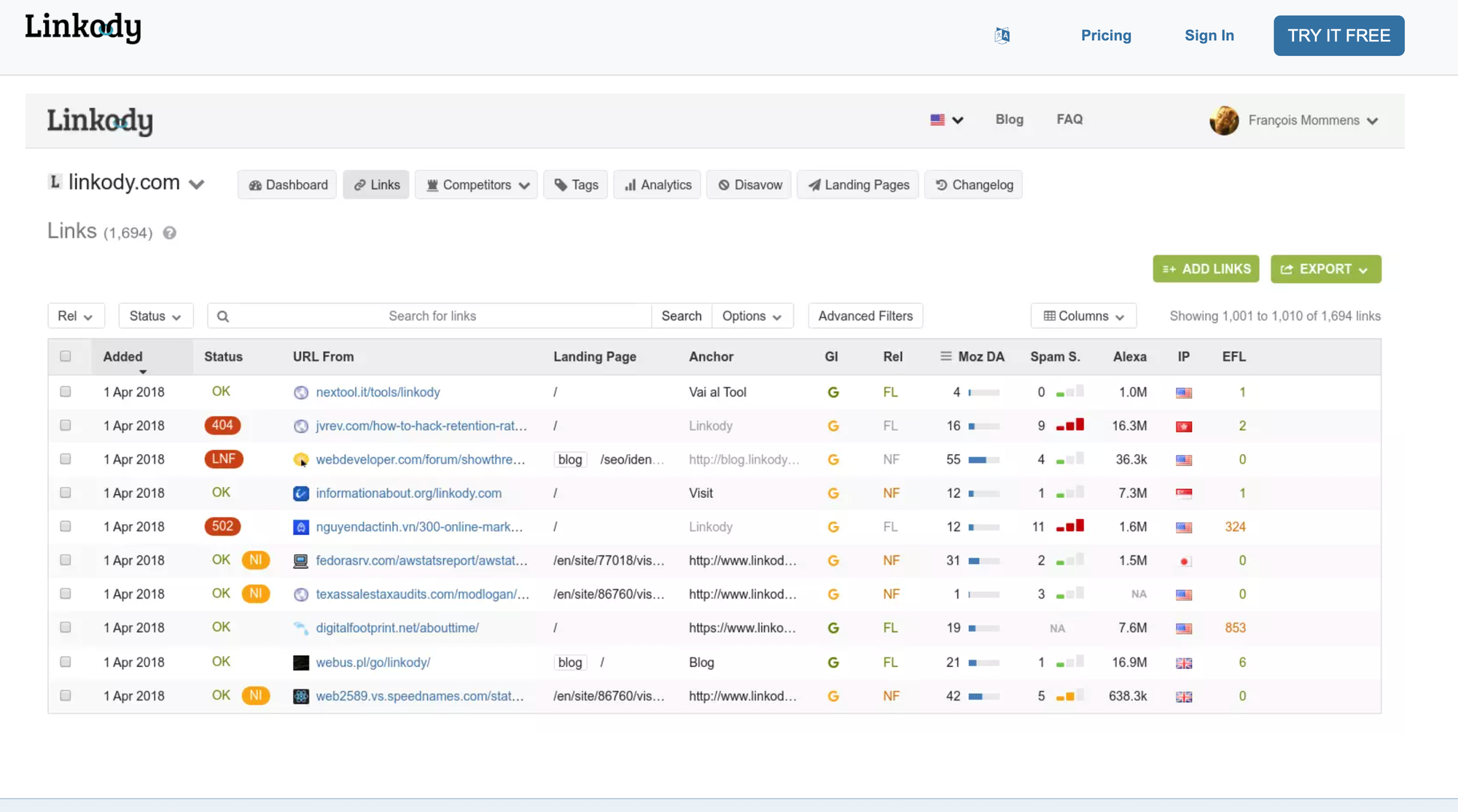
Linkody is a dedicated link tracking tool. While Ahrefs and Semrush can monitor backlinks as part of their broader feature sets, Linkody is built specifically to track the status of links you've already placed. It monitors if links are live, checks for changes in anchor text, and alerts you when any links are removed. It also provides a clean dashboard of your entire built-link portfolio.
Best for: Tracking live link status and getting alerted to anchor text changes or link removals
Most Useful Features:
- Automatic link status monitoring checks every tracked link daily and flags any that return a 404, redirect to a different URL, or change from dofollow to nofollow.
- Link removal alerts send email notifications when a link is removed. This lets you follow up with the site owner quickly, before the page is re-indexed without your link.
- Anchor text tracking logs the exact anchor text used for each link. If an editor changes your agreed anchor text after placement, you'll see it in the dashboard.
- Google Analytics integration shows whether tracked links drive referral traffic. This helps you identify links that add value versus those that only serve SEO metrics.
- Disavow file generator compiles a Google-ready disavow file from any links you've flagged as toxic in your dashboard. Useful for cleaning up bad links without switching to a full SEO platform.
How to Use Linkody for Link Building
Add every confirmed link placement to Linkody as soon as it goes live. Include the target URL, anchor text, and the agreed link type (dofollow/nofollow). Linkody will check the link daily and alert you to any status changes. Set up email alerts for link removals. This way, you can follow up within 24 to 48 hours. Site owners respond best when contacted quickly after accidental removals.
Do a monthly audit of your full link portfolio in Linkody. Filter for any links that have changed status in the past 30 days. For nofollow switches, decide whether to follow up or accept the change. For 404 errors, check whether the linking page still exists. If it does, reach out to request that the link be restored. For fully removed pages, assess whether the effort to recover the link is worth it based on the domain's DR and traffic value.
Find verified editorial emails to recover lost contacts
Find Editorial EmailsFinal Verdict: What Is the Best Link Building Tool for SEO?
No single tool covers the full link-building workflow. The strongest setups combine a small number of specialized tools, one per stage, rather than relying on one all-in-one platform that does everything adequately but nothing exceptionally well.
Ahrefs is the default starting point for research and analysis. Its backlink index is the most complete available, and Link Intersect alone makes the subscription worth it for anyone running active campaigns. Majestic adds a trust layer as Trust Flow and Citation Flow together give you a clearer picture of prospect quality than DR alone.
Skrapp handles contact finding at the volume link-building required. It cuts out the manual step between having a prospect domain and having a verified email address ready to pitch.
Moz gives you a fast qualification pass with DA and Spam Score. Pair it with SimilarWeb to add the traffic dimension. A high-DA site with no organic traffic is a weaker prospect than a mid-DA site with 60k monthly organic visitors.
SendGrid handles deliverability for any outreach setup. Pitchbox covers the full campaign workflow from sequencing and follow-ups to pipeline tracking. It's a great choice for teams managing numerous campaigns simultaneously.
Claude and other LLMs remove the blank-page problem from pitch writing and guest post planning without replacing the research stage. Google Search operators complement this by helping you identify the best placement spots on domains you've already qualified.
Linkody is the most focused option for link tracking. It tracks each individual link and notifies you the day a specific URL changes status. This detailed tracking is exactly what you need once links are live.
Respona is a done-for-you placement service, rather than a tool you operate. You supply your target pages, anchor preferences, and publisher tier, and Respona finds topically relevant sites, creates the content, and secures the live link.
ListBrew is a recently launched tool that helps you find relevant listicle placements and get your brand featured by adding it to existing lists. You can target both link insertions and unlinked brand mentions, which have become important with the rise of LLMs.
FAQs: Top Link Building Tools
What are link building tools?
Link building tools are software platforms that help SEO professionals acquire backlinks from external websites. They cover each stage of the process: analyzing existing backlink profiles, finding link opportunities, sourcing contact details, sending outreach emails, and monitoring placed links. Examples include Ahrefs for prospecting, Skrapp for finding contacts, and Linkody for tracking links.
What are the best free link building tools?
The best free link building tools include Ahrefs (limited free plan) for backlink analysis, Skrapp (100 free credits/month) for finding contact emails, Google Search with operators for manual prospecting, Moz (limited free plan) for domain qualification, and Linkody (free trial) for link monitoring. Most paid tools offer a free tier sufficient for small-scale campaigns.
What are the best outreach link building tools?
The best outreach tools for link building are Pitchbox for full campaign management and follow-up sequencing, SendGrid for reliable email deliverability via SMTP, and Skrapp for sourcing verified contact emails before outreach begins. For smaller teams, combining Skrapp with a basic email sequencer covers most outreach needs at a fraction of the cost of an all-in-one platform.
Which link building tools are best for small teams?
Small teams need tools that cover multiple stages without high overhead. The most practical stack is Ahrefs for prospecting, Skrapp for contact finding, and Linkody for link tracking. This combination covers research, outreach preparation, and monitoring for under $200/month combined, without requiring a dedicated CRM or outreach platform.
Which 3 link building tools under $50 to choose?
The three most useful SEO link building tools under $50/month are Skrapp (from $39/mo) for finding verified contact emails at target domains, Majestic (from $49.99/mo) for qualifying prospects by Trust Flow and Citation Flow, and Linkody (from $14.90/mo) for tracking placed links. Together, they cover contact sourcing, qualification, and monitoring, the three stages most likely to break down without dedicated tooling.
Do I risk anything if I use automated link building tools?
Automated link-building tools carry risk when used to acquire links at scale without editorial control, like mass link submissions, automated guest post networks, and bulk directory placements, which can trigger Google manual actions. Tools that automate outreach workflows (Pitchbox, SendGrid) carry no inherent risk. The risk comes from what you build, not how you send it. Always target editorially placed links on relevant, traffic-generating domains.
How do I find valid contacts for link building outreach?
The most reliable method is using a dedicated email finder like Skrapp. It pulls verified contact emails directly from LinkedIn profiles and company domains, filtering by job title (SEO Manager, Content Editor, Link Builder). Run your final list through an email verifier before sending — bounce rates above 5% damage sender domain reputation and reduce deliverability on future campaigns.
How do I reach out to website editors correctly?
Keep the initial email under 100 words. Reference a specific piece of their content, state clearly what you're offering (guest post, link insertion, resource addition), and explain why it adds value to their readers. Avoid attachments and generic templates. Follow up once at day 5 and once at day 10. Most replies come from the second or third email, not the first.
What link building strategies actually work today?
The strategies with the strongest results in 2026 are digital PR (earning editorial links through data-led content), link insertions (pitching your URL as an addition to existing ranking pages), guest posting on topically relevant sites, and broken link building (replacing dead links with your own content).
What is the best outreach tool for link building?
Pitchbox is the strongest all-in-one outreach tool for link building. It combines prospecting, email sequencing, follow-up automation, and pipeline tracking into a single platform. For teams that prefer a leaner setup, pairing Skrapp (contact finding) with SendGrid (deliverability) covers the core outreach workflow at significantly lower cost.