
7 Proven Ways to Find CEO Email Addresses in 2026 (Free & Paid Options)

If you are trying to push a B2B deal forward, C-level executives are the people you want to be reaching out to. As in most cases, they are the ones who make the decision, the ones who say yes or no to your proposal.
Getting noticed in the CEO’s busy schedule is possible if you know the best practices for contacting them, such as crafting a perfect pitch, creating a personalized proposal, or finding the right email addresses before you hit the Send button.
In this article, I will be sharing the best-tested ways of finding CEO email addresses that work for me in 2026 and deliver high-accuracy results. Often, I don’t choose just one option but combine a couple of them, depending on the list size, campaign objectives, or address availability in open sources.
1. Check the CEO’s LinkedIn Profile
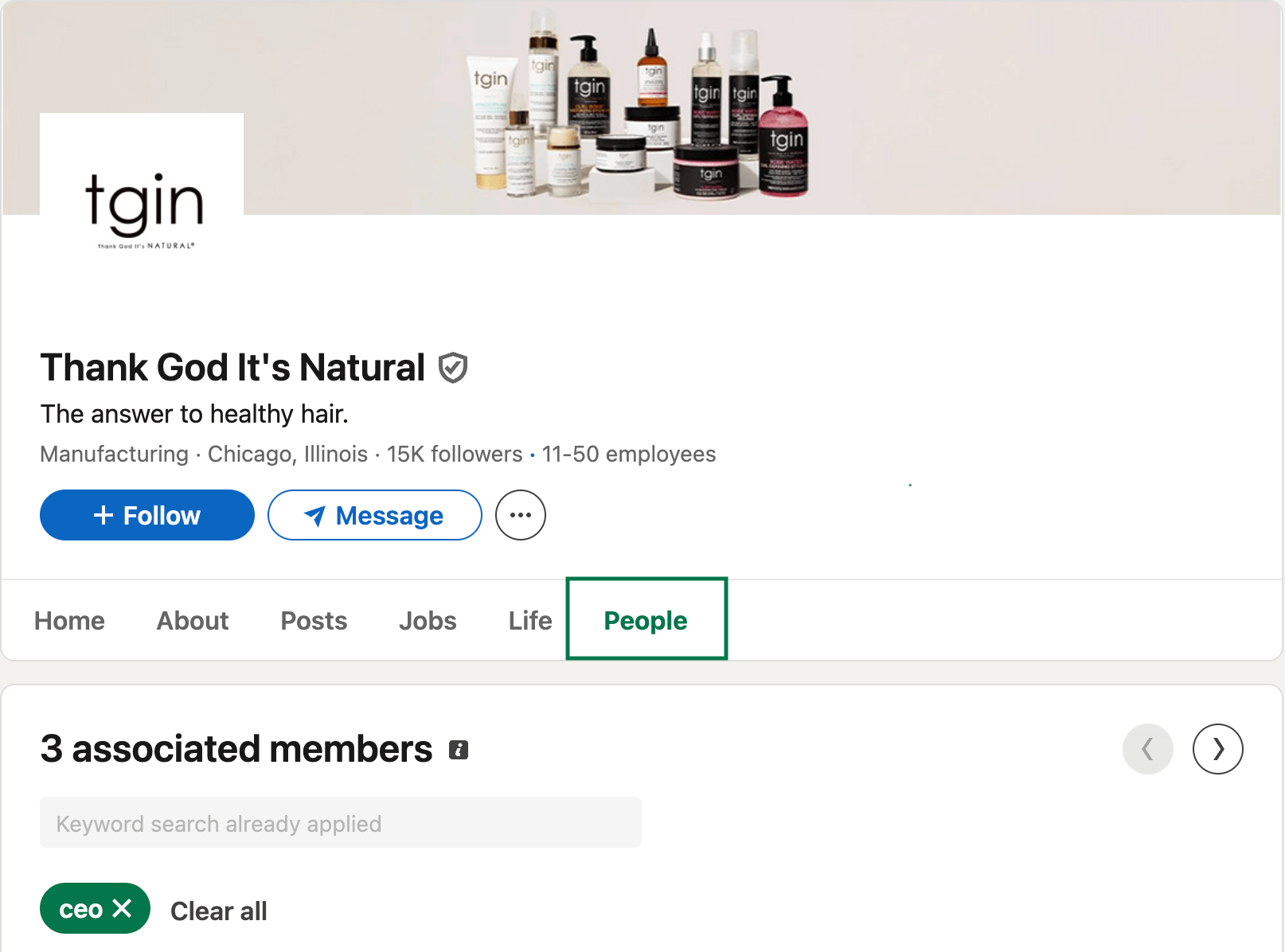
You can find CEO email addresses directly on LinkedIn without going anywhere else. Search for the company name, open their LinkedIn page, and head to the People section where all team members are listed.
If it's a smaller company, you can scroll through and find the CEO manually. For bigger organizations, use the search field to filter by title and save yourself some time.
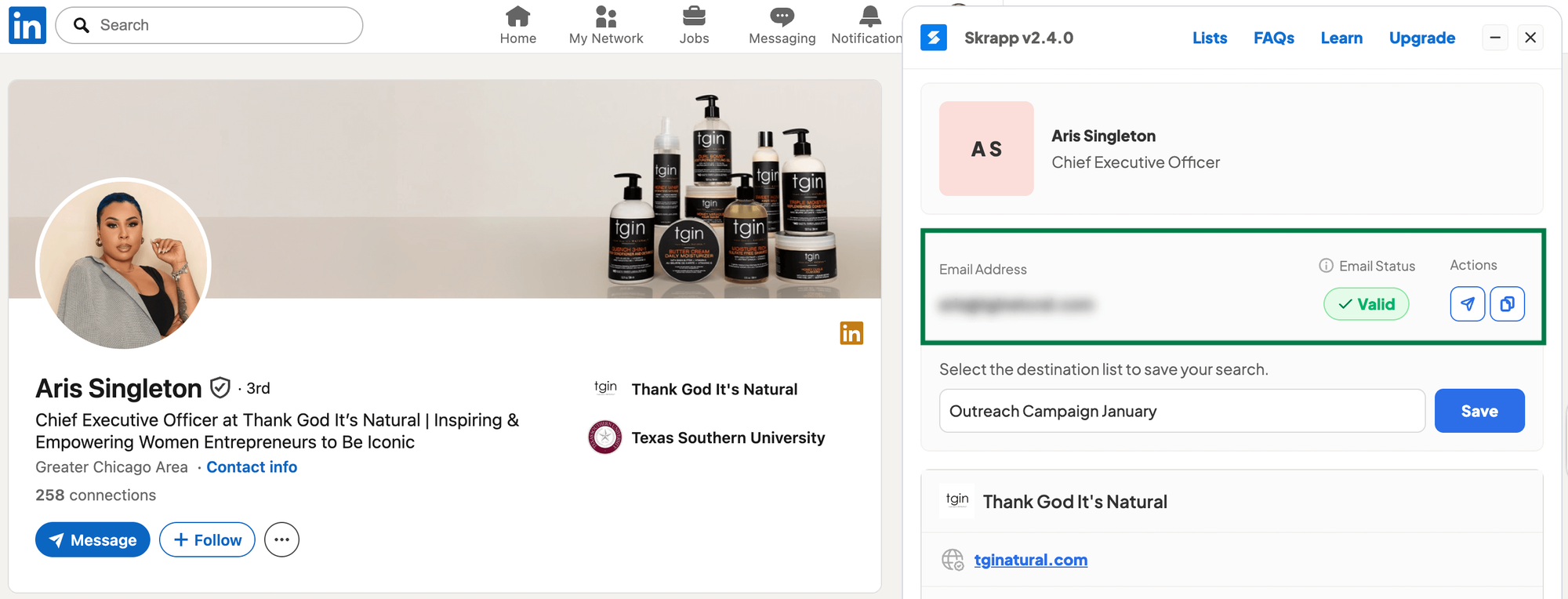
To see the CEO’s email address, install the Skrapp LinkedIn extension and activate it when you open the CEO’s profile. If an email address is associated with that profile, the tool will find and verify it.
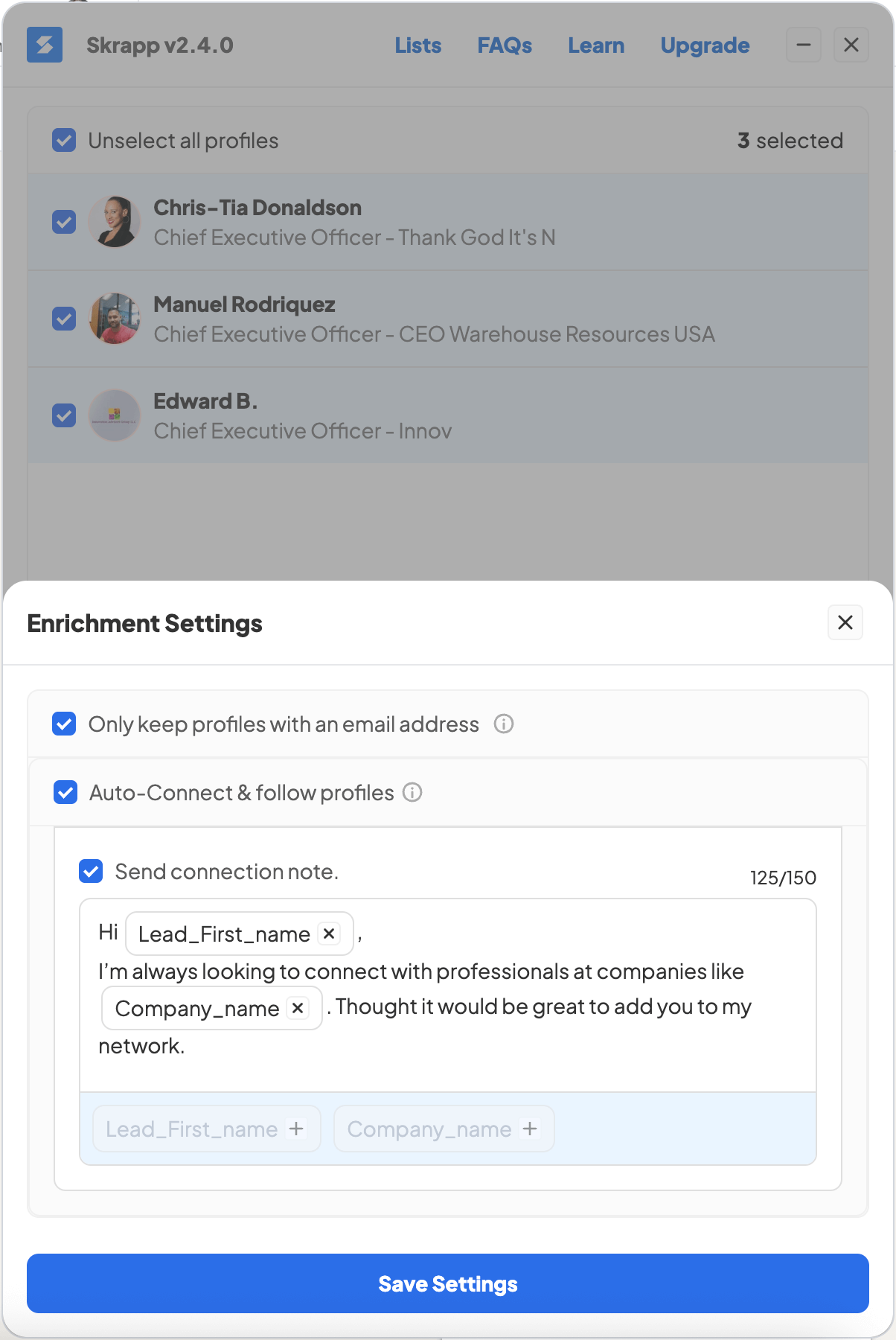
If you're working with longer contact lists for cold outreach, it makes more sense to pull CEO details in bulk. Access the extension from the LinkedIn Search page or directly in Sales Navigator.
This lets you export multiple CEO emails at once instead of hunting them down one by one. The tool can also send auto-connection requests to your selected contacts if you want.
Here's why that's useful: after you scrape the emails and send your outreach campaign, you can follow up on LinkedIn if your contacts already accepted your connection request.
Even if they haven't connected yet, they might recognize your name when they see your email since you already reached out on LinkedIn. It's another way to make your outreach feel more considered, less like a shot in the dark.
2. Find CEO Email Addresses Using a Chrome Extension
If LinkedIn didn't work out or you're not getting responses to connection requests, try using a Chrome extension like Skrapp to pull email addresses directly from company websites.
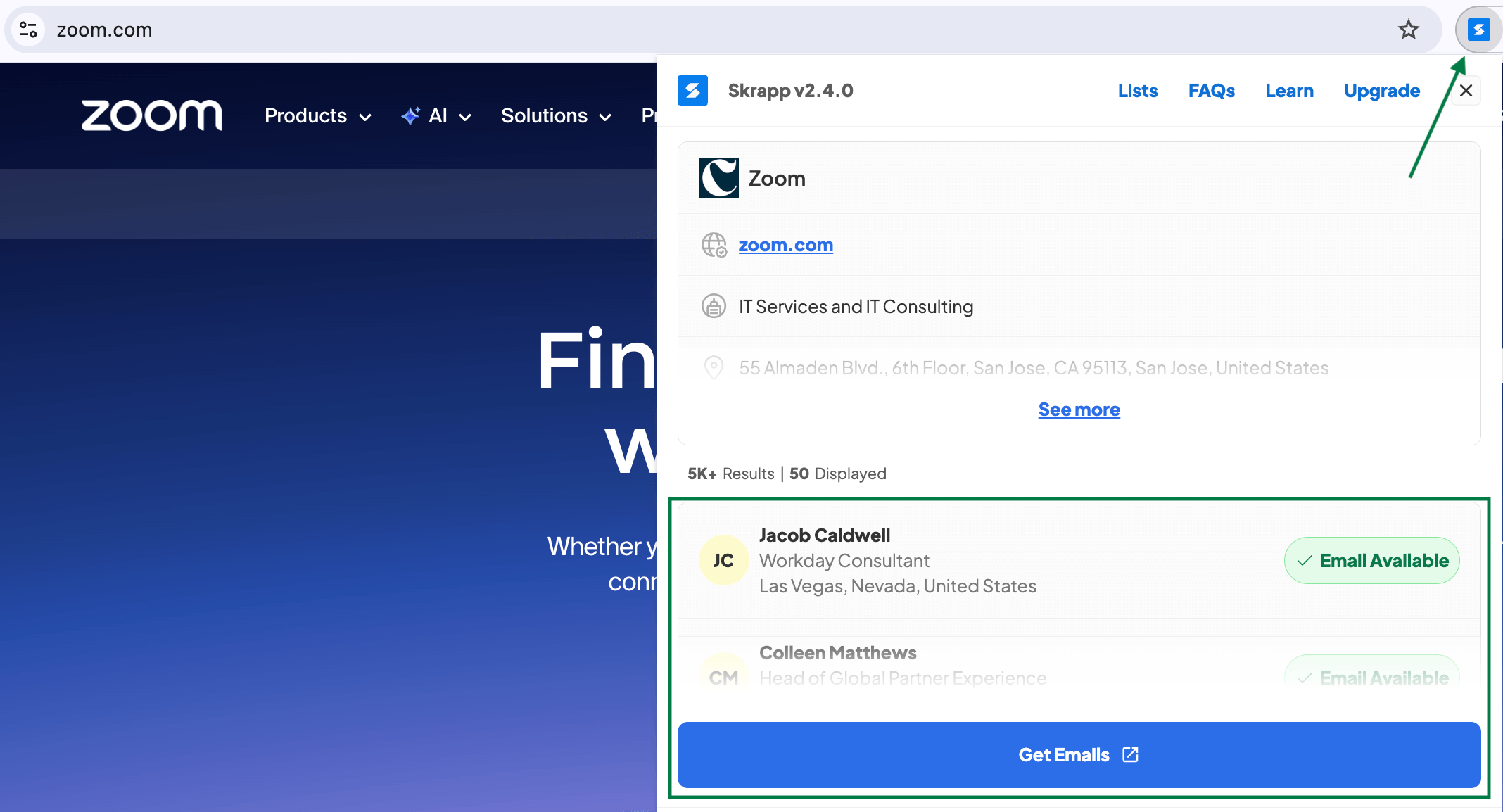
For one-off searches, just visit the company's website and click the extension icon in the top right corner. It'll show you whatever contact information is available on the site, and you can export it to add to your list later.
If you need to find emails for multiple CEOs at once, prepare a CSV with your target companies and upload it to Skrapp. Then filter by the specific role you're after in the search field. The tool will scan those companies and pull the CEO contact details wherever the addresses are publicly available.
You'll end up with a list of verified CEO emails ready to go for your outreach campaign.
3. Look Up the CEO’s Email on the Company Website
If you don't have the Skrapp extension installed, you can always do a manual check by looking directly on the company website for the CEO's contact details.
The best places to look are sections like About Us, Contact, or Our Team, basically anywhere the company talks about who runs the place. Sometimes you'll find names and email addresses listed right there.
If you only find the CEO's name but no email address, you can still use an email finder tool to track it down.
Just enter the executive's first and last name along with the company name, and the tool will return a verified email address.
4. Send an Email to a Generic Company Address
If all of the previous methods didn't work for finding a CEO's email address, sending an email to a generic email address would be a solution. Such addresses could look like the following:
You can usually find these addresses in the About or Contact section of the website, or pull them using email finder tools.
Once you have a generic address, write a personalized email and put the CEO's name in the subject line.
When the support team sees the executive's name right in the subject line, they'll know the email is meant for the CEO specifically and are more likely to prioritize it or forward it along.
5. Contact the CEO via X (Twitter)
Besides LinkedIn, many CEOs are active on X (formerly Twitter). It's another way to reach executives directly, and some even list their email addresses right on their profiles.
If their account settings allow it, you can send a direct message. If not, a public mention works too, just keep it professional.
Before reaching out, spend a bit of time engaging with their content. Follow them, like a few posts that actually interest you, and drop some genuine comments. This makes your profile familiar to them and increases the chances they'll actually respond when you do reach out.
When you're ready to message, reference something they posted recently before getting to your point. Executives are busy, so keep it short and make it clear why you're contacting them without extra details.
6. Ask AI to Help Find CEO Contact Information
Another free option for building a CEO email list in 2026 is using AI assistants like ChatGPT to compile one for you. It's quick and usually free, but don't expect the accuracy to be great, you'll need to verify everything it gives you.
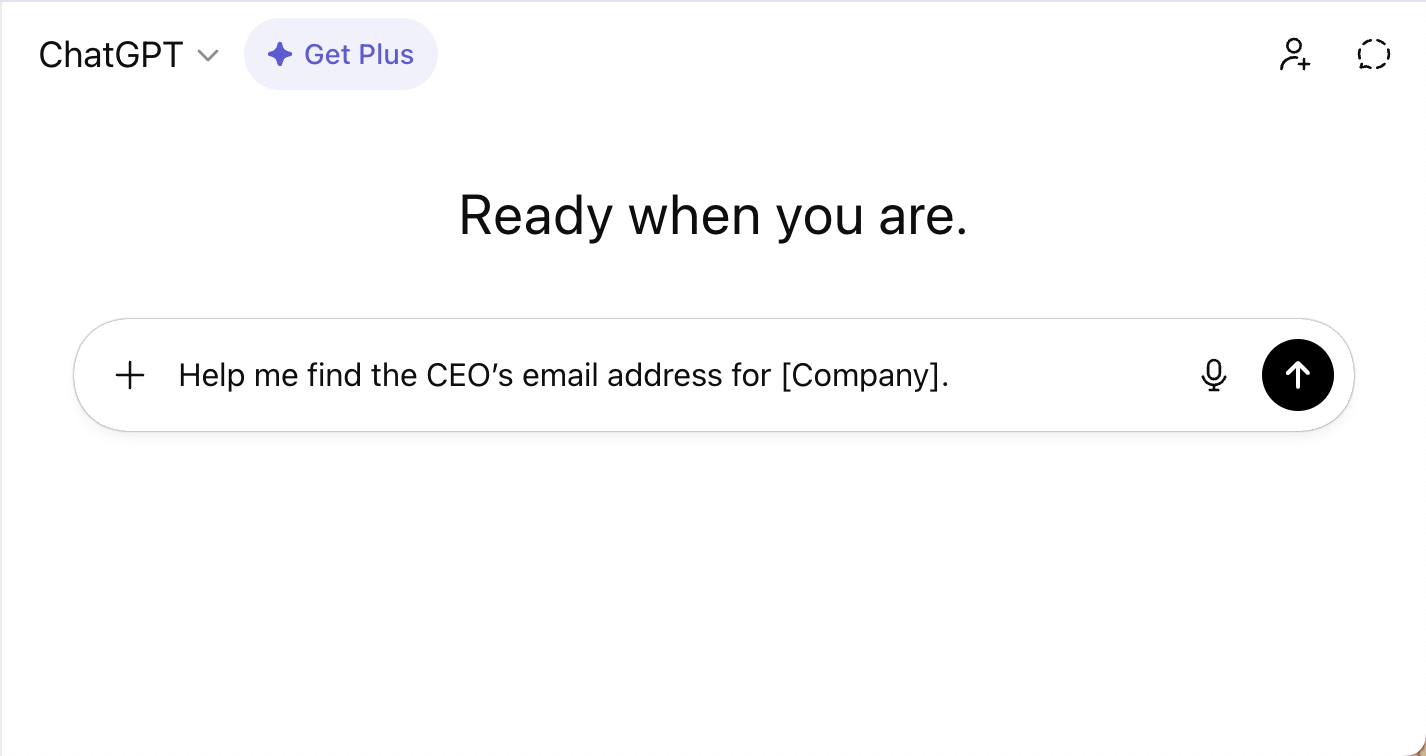
You can't just trust AI results and start sending emails. Using unverified contacts can damage your sender reputation. So even if you're getting contact details for free through AI, you'll still need a budget for verification.
Skrapp's email verifier gives you 100 free credits for small batches, which works if you're just testing a few addresses. For verifying larger lists, you'll need one of their paid plans.
7. Network Offline to Gather Executive Contacts
You can't beat offline networking when it comes to getting real email addresses for executives.
Sure, online tools have their place, but nothing compares to meeting people face-to-face at industry conferences, trade shows, or those exclusive business dinners.
The best part? You're not just collecting email addresses, you're actually building relationships. Even if you don't get five minutes with the CEO, chatting with their senior managers or business partners can open doors.
Here's what works, so do your homework before you go. Check out who's attending, figure out which companies you want to connect with, and know exactly what you're offering.
Once the event wraps up, reach out within a day or two while you're still fresh in their mind. Mention something specific from your conversation to stand out.
Pros and Cons of Manually Finding CEOs' Email Addresses
Manually hunting down CEO email addresses works great when you're reaching out to a handful of people. But if you're on a sales team trying to hit aggressive targets? It's probably going to slow you down.
The manual approach has real advantages, like the possibility to double-check accuracy and personalize your research for each contact. But this approach eats up a lot of time. What takes you an hour to find manually, automated tools can do in minutes.
For small, targeted campaigns where quality matters more than quantity, doing it by hand makes sense. But when you need to scale up and contact dozens or hundreds of prospects, the time investment just doesn't add up.
Here's a comparison table that breaks down manual methods versus automation, so you can see which approach makes sense for your situation.
| Method | Price | Data Accuracy | Automation | Time | Best For |
|---|---|---|---|---|---|
| LinkedIn email search (with Skrapp) | Paid / Free | High | Yes | Low | Scalable B2B prospecting on LinkedIn |
| Using a Chrome extension | Paid / Free | High | Yes | Low | Fast email discovery directly in the browser |
| Finding CEO’s emails on company website | Free | Medium | No | High | Researching executives at smaller companies |
| Using a generic email address | Free | Medium | No | High | Initial outreach when direct emails aren’t available |
| Reaching out via X | Free | High | No | High | Building informal connections |
| Ask AI | Free | Low | Yes | Low | Generating email guesses (verification required) |
| Offline Networking | Paid / Event-based | High | No | High | Relationship-driven sales and partnerships |
The best method really depends on what you're working on. For high-volume prospecting, automated tools like LinkedIn extensions save time and give you decent accuracy.
If you're on a budget or only reaching out to a few people, the free methods work fine, but expect to spend more time digging through websites and verifying addresses. AI tools are a quick but unreliable solution, so don't use them without double-checking.
How do I automate the CEO contacts lookup?
You can automate CEO contact searches with email finder and data enrichment tools like Skrapp. These tools save hours of manual work researching prospects and verifying emails.
You give the tool a list of companies or LinkedIn profiles, and it goes out and finds the email addresses for the executives you want to reach. Most of them also grab extra details, which help when you're actually writing your emails.
The real benefit is how much faster everything moves. Instead of spending your afternoon digging through company websites and LinkedIn pages, you get verified contact lists in minutes. A lot of these tools connect directly to your CRM or email software, so the data flows right into wherever you're already working.
FAQs: CEO Email Lookup
How can I find CEO email addresses for free?
Start with the company website, check their About Us or Contact sections as CEO's email addresses can be directly listed there. LinkedIn works if the CEO is active there, so you can manually send them a connection request together with an intro message. If these methods don't work, use the generic info@ address and ask to be forwarded.
How should I address a CEO in an email?
"Hi [First Name]" works fine in most cases. The addressing matters less than getting to the point quickly. CEOs get flooded with emails, so respect their time by being direct and relevant.
What tools are best for finding executive email addresses?
Skrapp, Hunter, and Lusha are solid options for finding verified executive emails. LinkedIn Sales Navigator paired with the Skrapp email finder extension works well too. Each tool has different strengths. Some prioritize accuracy while others focus on volume, so test a few free trials before you commit to a subscription.
How do you cold email a CEO and get a response?
Try to say what you need in as few words as possible. Mention a specific problem or challenge you noticed at their company and how you might help fix it. Such an approach shows you actually did research instead of sending the same template to everyone. End with a clear ask so they know exactly why you're emailing and what next step you expect.
Is it legal to send cold emails to CEOs?
Yes, but there are rules depending on location. In the US, follow CAN-SPAM and include your address, an unsubscribe option, and honest subject lines. Europe's GDPR requires legitimate interest for B2B emails and lets recipients request data deletion. Canada's CASL is stricter and often needs prior consent. Check regulations for where your recipient is located and include an easy opt-out link.