
Contact Data Quality: How to Fix Bad Data for Sales and Marketing
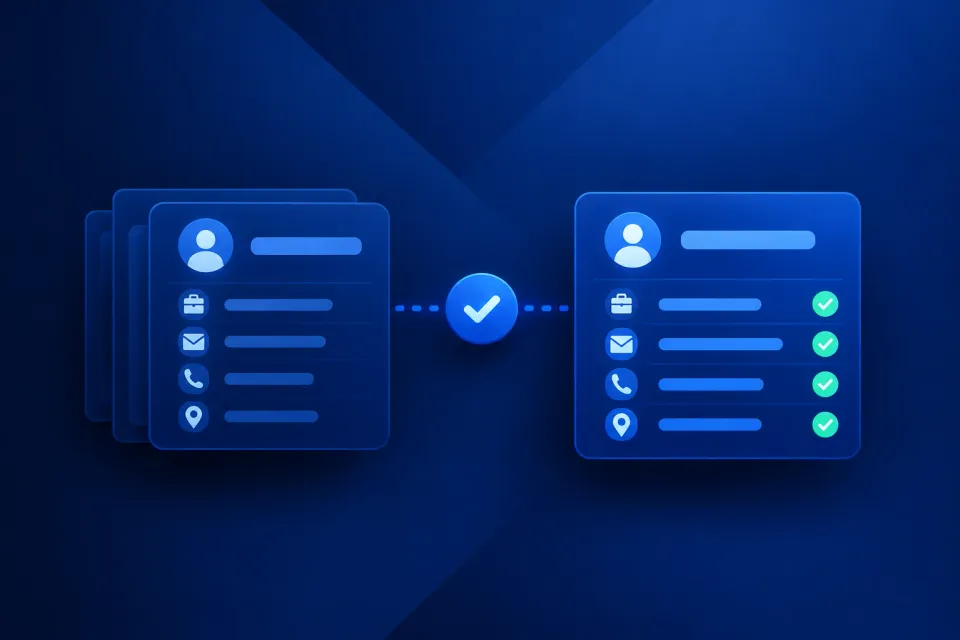
Contact data quality measures the accuracy, completeness, timeliness, uniqueness, and consistency of your prospect info. And it’s never static. If you collect 10,000 valid emails today, you’ll lose about 2,250 of them within a year, as databases degrade by around 22.5% annually. Add typos and cheap lead lists, and you’re left with barely anyone to reach out to.
It’s not the end of the world, though. Plenty of ways exist to track data quality issues and fix them preventively. By following the fundamentals I describe in this post, you’ll retain the details you need most: names, phone numbers, emails, job titles, and even firmographics.
You’ll also discover the five dimensions of high-quality B2B contact data, core metrics to measure, and sources of bad data to watch out for.
Give your sales and marketing teams the accurate data they need
Find B2B Contact DataThe Impact of Poor Data Quality on Your Business
Poor data quality might sound like an IT problem. But in reality, it’s a much bigger issue that affects your entire business. It drains revenue, creates compliance and brand risks, ruins your analytics, and harms team performance.
Let’s look at the possible consequences more closely.
Lost revenue and missed opportunities
The most pragmatic reason to pay attention to contact data quality issues is money and opportunities. If you let your database decay, you’ll miss out on both.
The numbers show just how costly it can be.
Forrester’s 2023 survey found that over 25% of global data and analytics employees estimated losses of over $5 million per year due to poor data quality. About 7% experienced losses of $25 million or more.
Gartner reported a similar situation earlier. Its 2020 research estimated that bad data quality costs organizations at least $12.9 million annually on average.
If your money constantly goes on managing low quality data, there’s less left for growth. And some opportunities disappear before you even realize they were there.
Wasted sales and marketing productivity
Think about the time your sales and marketing teams spend on fixing and double-checking bad data. They could’ve used those precious minutes to contact the prospect instead.
MarketsandMarkets reports that sales reps waste about 500 hours, or roughly 62 working days, each year because of low-quality data.
The impact goes beyond time. The same source states that working with inaccurate data can reduce sales and marketing effectiveness by 30% to 50%.
Poor analytics, forecasting, and targeting
There’s a reason the golden rule of computer science says, “garbage in, garbage out.”
The same principle applies to contact data. If you use incomplete or inaccurate records for your analyses and forecasts, the results may be unreliable too.
Building a strategy on top of those findings isn’t viable. You’ll likely target the wrong audience, misjudge demand, misprice your offerings, or pursue opportunities that weren’t the right ones in the first place.
Email deliverability and sender reputation
Poor data quality also means that part of your emails never reach their recipients. Invalid addresses increase bounce rates, which can hurt your sender reputation and make future messages harder to deliver.
According to MarketsandMarkets, the average company loses around $180,000 a year on campaigns that fail to land in their intended inboxes.
As if that wasn’t enough, email providers set strict requirements for senders. Google mandates that you keep spam rates below 0.3%. Microsoft demands email authentication for bulk senders (over 5,000 messages daily).
Fortunately, we won’t let your emails end up in the spam folder. Handle the issue by reading our guide on 8 ways to improve email deliverability.
Compliance and brand risk
Data quality issues can cause legal and reputational problems, too.
Privacy regulations, such as the GDPR, CCPA, and others, require you to handle personal data appropriately. Depending on where you operate, additional local rules may apply as well.
If your data is siloed, outdated, duplicated, or simply messy, managing it lawfully becomes difficult. You may find it hard to update and protect records, or delete them upon a person’s request. This can lead to fines and damaged brand image.
Ultimately, poor data quality can harm your business from every angle. It impacts your revenue, productivity, analytics, and reputation.
How poor contact data impacts sales, marketing, and recruiting
So far, I’ve focused on the business-wide impact of poor data quality. Let’s narrow it down to the teams that use contact data every day.
Sales outreach and pipeline
For sales teams, bad prospect data equals a lot of wasted effort. They typically:
- Spend too much time dialing dead numbers and emailing invalid addresses
- Miss quotas because their pipeline is stalled
- Struggle to prioritize the right leads
- Damage prospect trust by using the wrong personalization details
Marketing campaigns and deliverability
Marketers need high quality B2B contact data to launch effective, precisely targeted campaigns. When they work with poor records, they:
- Fail to segment and target their audience properly
- Spend ad and email budgets on contacts who were never a good fit
- Distort their campaign attribution and ROI reports
- Damage their sender reputation by emailing outdated addresses
Recruitment and talent sourcing
Recruiters struggle just as much when their candidate contact info is incorrect or outdated. They usually:
- Waste outreach on people who left their target companies years ago
- Deal with inaccurate pipeline and diversity reporting
- Face compliance risks by keeping candidate data longer than regulations allow
Find accurate email addresses for sales, marketing and recruitment
Find Verified Emails5 Pillars of High-Quality B2B Contact Data
Clean contact data has to meet five requirements: it should be accurate, complete, current, unique, and consistent. Let’s consider each in greater detail.
- Accurate: This means your data matches reality. You have valid email addresses, correct phone numbers, the right job titles, and other details that belong to the people or companies they describe.
- Complete: This means that all required fields in your database are filled in. You’re not missing email addresses, phone numbers, job titles, or company names. But note that the “required” fields depend entirely on your workflow.
- Current: This means your records are up to date. You might contact a person listed as a director at Company X, for example, only to discover they’ve changed roles or companies since you last updated the record. Fresh data is relevant data.
- Unique: This means there are no duplicate records in your database. These can appear when you import lists from different sources or add contacts manually over time. As a general rule, keep one record for one prospect.
- Consistent: This means your datasets use uniform formats and labels. “United Kingdom” and “UK” are the same thing to you, but your CRM will treat them as two separate countries. This also applies to formatting like “(415) 555-0132” and “415-555-0132”.
| What it means | Real-world example | If this is not met | |
|---|---|---|---|
| Accurate | Contact data is correct and belongs to the intended person | Business email is valid and active, not bounced or dead | Emails bounce, sender reputation suffers, reps waste time on dead leads, outreach credits are wasted |
| Complete | All required data fields are populated | CRM contains the prospect’s name, phone number, email, job title, and other details your workflow requires | Teams spend time filling gaps or enriching records instead of contacting prospects |
| Current | Contact data is recent enough for practical use | Contact’s job title, email, phone number, and company details reflect their current status | Outreach reaches the wrong people, analytics and segmentation become less reliable |
| Unique | Contact data contains no duplicates | Each prospect appears only once in your CRM | Analytics skew, task ownership can conflict, teams may contact the same person more than once |
| Consistent | Contact data uses uniform formats and terminology | Country names, job titles, phone numbers, and other details follow the same standardized format | Automation struggles, filters return incomplete results, segmentation becomes less accurate |
When your datasets meet all five criteria, you have a contact list you can actually put to work.
Improve contact data quality with email checks before every outreach campaign
Check Your Email ListContact Data Quality Metrics: How to Measure Data Quality
You can’t improve your B2B contact data quality until you know exactly what’s wrong. To do that, you need to evaluate the records you already have.
So, what metrics indicate high-quality contact data? The table below gives a solid baseline.
| Metric | Formula | When to track | What to aim for |
|---|---|---|---|
| Completeness rate | Complete records ÷ total records × 100 | Monthly | Over 80% |
| Email validity rate | Valid emails ÷ emails checked × 100 | Before campaigns | Over 95% |
| Duplicate rate | Duplicate records ÷ total records × 100 | Monthly | Under 5% |
| Freshness rate | Recently verified records ÷ total records × 100 | Monthly or quarterly | Over 60% |
| Bounce rate | Bounced emails ÷ emails sent × 100 | Every campaign | Under 2% |
Step 1. Choose a representative sample
Start with a minimum viable audit. You really don’t need to go through your entire contact database. Choose any segment that matters to your processes, say, a recent import or a specific campaign list.
Step 2. Check key fields
Next, examine the most important fields. There are typically five of them: email, phone number, job title, company name, and last enrichment or verification date. Mark any fields missing or information that hasn’t been checked in the past 12 months.
Step 3. Verify contactability
Now verify if you can actually contact the prospects in your sample. Use a verification tool to classify emails as valid, catch-all, invalid, or unknown. Check phone numbers as well.
Email verification is one of the most manageable checks to automate with Skrapp. Using our tool, you can either check emails individually or in bulk.
Step 4. Check for duplicates and real-world impact
At this point, you clearly see which contacts are reachable. Now work on the remaining issues.
Look for duplicate contacts in particular. When you find them, connect those errors to their tangible impact: bounces, misroutes, or repetitive outreach, and so on.
Step 5. Record your results
Once the audit is over, document what you found. Record your sample size, each metric’s pass rate, the audit date, and any found issues. Conduct these kinds of checks regularly to see if your data quality improves.
Scale email verification with bulk checks and APIs
Verify Emails in BulkWhere Does Inaccurate Data Come From?
Even when you take database management seriously, some B2B contact data quality challenges are inevitable. People make mistakes when entering or moving records between systems. Data naturally decays over time.
Let’s look at these and other causes of bad data so you know what to prepare for.
Low-quality purchased lists
Buying an email list always carries some risks.
On the surface, the spreadsheet may look legit. The vendor has provided names, job titles, company details, and emails that seem to match your target audience. But when you launch your campaign and see your bounce rate increase dramatically, you realize half the records are dead.
If you already bought a list and aren’t sure about its quality, validate it before using it. With Skrapp’s email verifier, you can upload a CSV and check the addresses in bulk. This kind of email list hygiene is a must if you want to keep your sender reputation safe.
Manual entry errors
This one is pretty common. And, luckily, easy to detect.
Manual entry errors happen when reps misspell names, mix up phone numbers, mistype domains, or format information incorrectly. A rep might type “gnail.com” instead of “gmail.com” when adding a new lead. Or they can enter a phone number without the country code, for example.
Prospects do the same thing on web forms. They may leave out part of their company name or drop in fake details just to download an ebook or other lead magnet offering.
Import and integration mistakes
Data quality can also suffer when you transfer records between different tools.
If you don’t standardize and map your fields correctly during an import, your CRM will distort the information. This is usually when duplicate, inaccurate, and inconsistent records appear.
For example, your CRM stores “VP of Sales,” but an imported CSV file uses “Vice President, Sales.” Without mapping, your system will see these as different values, which isn’t good for segmentation.
Natural data decay
As mentioned earlier, no matter how diligently you manage your data, it decays by roughly 22.5% each year. This happens on multiple levels:
- Contact-level decay: People change jobs or companies, update phone numbers, deactivate email addresses, or edit LinkedIn profiles.
- Company-level decay: Businesses rebrand, merge, get acquired, restructure, change their headcount, or pivot business models.
- Relevance-based decay: Technically, your data is accurate, but the contact no longer fits your target audience.
Let’s say you added a small software startup to your CRM because it matched your ideal customer profile. Six months later, they were acquired by an enterprise. Now the firmographic data you collected has lost its relevance.
Lack of ongoing verification and maintenance
This is the worst thing you can do to your database. Without contact data quality validation rules and maintenance routines, every data source becomes a bad data source.
To make regular checks a habit, you need tools that simplify the process. Skrapp’s email verifier is a great starting point. It lets you check whether addresses are valid, invalid, catch-all, or otherwise risky. You can verify 50 emails for free just by signing up, and upgrading to 2,000 monthly credits only costs $39.
| Cause | Stage | Detection difficulty | Pillar violated |
|---|---|---|---|
| Low-quality purchased or scraped lists | Data acquisition | Hard, records can look legitimate until you use them | Accurate, current |
| Manual entry errors | Data entry | Easy to spot with validation rules and required fields | Accurate, complete |
| Import and integration mistakes | Data movement | Moderate, often visible in bulk, but easy to miss record by record | Accurate, consistent |
| Natural data decay | Over time | Very hard, no error is triggered when info becomes outdated | Current, accurate |
| Lack of ongoing verification and maintenance | Ongoing process | Hard to detect systematically because there is no regular check | All five pillars |
How to Clean and Maintain B2B Contact Data
You now know where the problems are and which contact company data quality metrics to use. Next, let’s look at how to clean B2B contact data and what to check at each stage of your pipeline.
Clean contact data before it enters your CRM
The easiest fix to data quality issues is making sure bad records never enter your CRM. Before adding new contacts, either from your own research, a purchased list, or an enrichment tool, handle a basic quality check:
- Verify email addresses
- Standardize all fields
- Validate contact-company relationships
- Remove junk or incomplete records
- Deduplicate contacts
Here are data quality rules for contact validation broken down by field:
| Field | Validation Rules |
|---|---|
| Valid syntax, correct domain, deliverable, no obvious disposable or test address | |
| Phone | Valid country code and standardized format |
| Name | No placeholders, numbers, or obvious junk |
| Job title | Present, standardized, consistent with seniority |
| Company | Matches company domain and standardized company name |
| Duplicate | No existing matching contact based on your defined identifiers |
| Status | Contact is still associated with the company |
| Required fields | All fields needed for the intended use case are populated |
Clean contact data during CRM migration
A CRM migration is your chance to clean old data. Yet, this process also creates room for errors. Make sure you:
- Audit the source database before exporting anything
- Define field mapping rules
- Standardize all formats
- Deduplicate your records
- Remove obsolete data entirely
Finally, always run a post-migration check to validate the data that made it across.
Prepare contact data before every campaign
Don’t assume that a contact list you used for your last campaign will work perfectly for the new one. Before sending emails, you should carefully review your target list:
- Re-verify every email address
- Remove any remaining duplicates
- Check for recent job or company changes
- Confirm that prospects fit your ideal customer profile (ICP)
- Check your personalization fields so your emails don’t start with “Hi [Name]”
- Respect suppression or unsubscribe records
Build an ongoing data quality routine
Contact data doesn’t stay high-quality on its own. To keep it that way, you need a consistent routine. Here are the actions to take:
| Check | Recommended frequency | Action |
|---|---|---|
| Email verification | Before campaigns or periodically | Remove or suppress invalid addresses |
| Duplicate detection | Weekly or monthly | Merge or delete duplicates |
| Job or company changes | Monthly or quarterly | Update contacts |
| Missing fields | Monthly | Enrich or flag incomplete records |
| Bounce monitoring | Every campaign | Investigate spikes and bad sources |
| CRM validation rules | Continuously | Prevent bad records from entering |
| Data quality audit | Quarterly | Measure overall database health |
Fix the source of poor data
Once you know where the bad data is coming from, deal with the source.
- Purchased lists → Reconsider your sourcing criteria or provider, and verify lists before importing them
- Manual entry → Set data quality validation contact records rules and add must-have fields
- CRM imports → Introduce pre-import validation and deduplication processes
- Data decay → Set up recurring verification procedures
- Enrichment tools → Review the sources and fields your tools use, and validate the results before they enter your database
Final Thoughts
Unfortunately, you can’t stop data from decaying. But you can certainly avoid making it worse.
Verify emails and phone numbers regularly, remove duplicates from your database, standardize fields and formats, and block bad records at the source. Generally, aim to keep your contact data accurate, complete, current, unique, and consistent.
Find relevant B2B contacts to fill gaps in your prospect database
Explore the B2B Contact DatabaseFAQ: Contact Data Quality
What is contact data quality, and how do you improve it?
Contact data quality measures how accurate, complete, consistent, and up-to-date contact records are. Improve it by auditing your CRM, removing duplicates, verifying business email addresses, correcting outdated information, and enriching missing fields. Automate validation for new records and regularly monitor data quality metrics to prevent recurring issues.
What's the true cost of bad contact data?
Bad contact data increases sales research time, email bounce rates, wasted marketing spend, and missed revenue opportunities. It can also undermine lead scoring and sales forecasting. To measure its cost, track hours spent correcting records, campaign performance, failed outreach, and conversion rates.
What metrics indicate high-quality contact data?
Key contact data quality metrics include accuracy, completeness, validity, consistency, uniqueness, and freshness. Track verified email rates, hard bounce rates, duplicate rates, missing-field percentages, and the percentage of records reviewed recently. Also monitor lead conversion and sales connect rates to understand whether better data improves business outcomes.
How do you clean bad data in a CRM?
Export or segment your CRM records and identify missing fields, outdated contact details, invalid emails, and duplicates. Standardize formats, verify addresses, update records with trusted sources, and carefully merge duplicates to preserve engagement history. Then automate validation for future imports and schedule recurring data quality audits.
How to find high-quality B2B contact data?
Define your ideal customer profile, identify relevant companies and decision-makers, and collect professional contact information from reliable sources. Check job titles and company details, verify business email addresses, and remove duplicates before importing records into your CRM. Skrapp can help find professional emails using a prospect's name and company domain and support prospecting through LinkedIn and Sales Navigator.
What are the best contact data quality validation rules?
Effective contact data quality validation rules include requiring essential fields, checking email syntax, standardizing phone number formats, enforcing consistent country and industry values, and matching incoming records against existing contacts. Automate these checks during form submissions, imports, and CRM updates. Use email verification tools for additional checks that basic field validation cannot provide.
What are the leading contact data quality solutions for B2B companies?
Leading solutions include CRM data quality tools, email verification services, B2B contact databases, enrichment platforms, and deduplication software. Choose based on your primary problem: correcting existing records, finding missing contacts, verifying emails, or maintaining data across systems. Skrapp is a relevant option for finding professional email addresses, verifying them, and enriching prospect lists. Compare tools using sample-record accuracy, coverage, integrations, compliance features, and total cost.
How often should you update and validate CRM contact data?
Validate new contacts as they enter your CRM, refresh records when changes are detected, and verify prospect lists before major campaigns. Quarterly database audits are a reasonable starting point, but active opportunities and high-value accounts may require more frequent checks. Adjust your schedule according to data decay, outreach volume, and the impact of inaccurate records.
How can Skrapp help improve B2B contact data quality?
Skrapp helps sales and marketing teams find professional email addresses, verify existing emails, and enrich prospect lists. Start by identifying CRM records missing business emails, then use Skrapp to find relevant addresses, verify the results, and export or sync the reviewed data through supported workflows. Combine this process with CRM deduplication, field validation, and regular audits to keep contact data reliable.