
10 Best Cold Email Tools for Every Stage of Outreach in 2026

Email outreach consists of roughly five stages, and each calls for the right cold email tools. For starters, Skrapp and Clay help you find and enrich prospect data, while Mailwarm and GlockApps ensure email deliverability. In the following stages, Lavender and Newoldstamp improve copy and branding, Instantly and SendGrid handle email sending, and, finally, Close and Calendly turn replies into booked meetings.
Building such a multi-tool setup takes extra effort, but it’s totally worth it. Top teams typically earn $36 for every $1 spent on email campaigns. And, to be fair, you rarely get this performance with just one tool at hand.
In this guide, I describe the top 10 cold email tools and explain what each one does best. You’ll also get a clear outreach workflow, so you know exactly what to do and use at each stage.
Start your cold email outreach with accurate prospect data
Find ProspectsBest Cold Email Tools at a Glance
| Tool | Price | Core function | How to use it | G2 reviews |
|---|---|---|---|---|
| Skrapp | Free credits available; paid from $39/mo | Find and verify contacts | Find verified professional emails, build prospect lists, and discover contacts by name, domain, or LinkedIn | 4.5/5 |
| Clay | Free version available; paid from $185/mo | Automate list building and enrichment | Enrich prospect lists, research companies and contacts, and automate list-building workflows | 4.6/5 |
| Instantly | Free trial available; paid from $47/mo | Send cold email campaigns and automate outreach | Launch cold email campaigns, automate sequences and follow-ups, and manage multiple sending inboxes | 4.8/5 |
| Lavender | Free version available; paid from $29/mo | Improve and personalize cold email copy | Analyze email drafts, get AI-powered writing suggestions, and personalize messages | 4.8/5 |
| Mailwarm | No free trial; paid from $79/mo | Warm up sending inboxes | Exchange emails with real inboxes to build sender reputation | 5/5 |
| GlockApps | Free version available; paid from $85/mo | Test email deliverability and inbox placement | Run spam tests, audit domain authentication, and monitor blocklists | 4.2/5 |
| SendGrid | Free trial available; paid from $19.95/mo | Provide email delivery infrastructure | Send emails through an API or SMTP relay, authenticate domains, and track delivery | 4/5 |
| Close | Free trial available; paid from $19/user/mo | Manage leads and sales pipelines | Centralize prospect replies, automate follow-ups, and track deals | 4.7/5 |
| Newoldstamp | Free trial available; paid from $4.5/signature/mo | Apply branded email signatures | Create and manage professional signatures with banners, CTAs, and more | 4.7/5 |
| Calendly | Free version available; paid from $12/user/mo | Book meetings | Share booking links and let prospects choose a meeting time | 4.7/5 |
1. Skrapp Email Finder
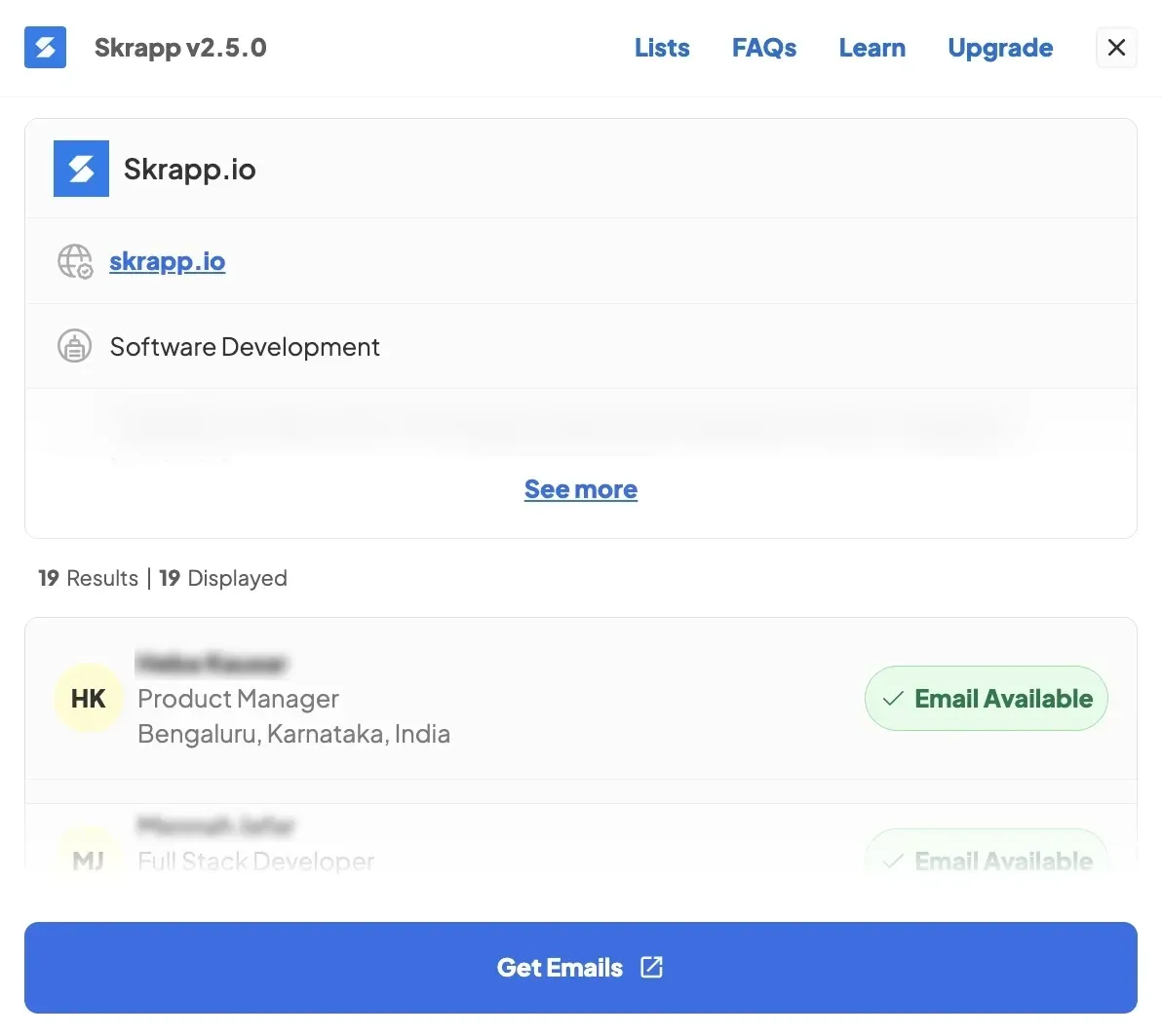
Skrapp is a B2B email finder made specifically for prospecting and cold outreach. It lets you find professional email addresses and verify them in an instant. You can search by a person’s name and company, find contacts by company domain, or scrape profiles on LinkedIn.
Best for:
SEO specialists, B2B sales reps, recruiters, and small-to-medium-sized businesses.
Most-used features:
- Individual email search using a person’s name and company, company domain, or anywhere on LinkedIn
- Bulk email search using company domains or existing CRM lists and CSV or Excel files
- Email verification to check if addresses are valid, catch-all, invalid, or unknown before adding them to your outreach lists
- Chrome extension for finding professional email addresses on basic LinkedIn, LinkedIn Recruiter, and LinkedIn Sales Navigator
- Email Finder API that integrates into your existing tools and workflows
How to use Skrapp to find verified contacts
To find a single contact, go to Skrapp, enter your prospect’s first and last name along with their company name or website, and click search. Skrapp immediately returns their email address alongside a deliverability status so you know if it’s safe to message.
If you’re working on a larger campaign, you can handle a bulk domain search or upload a spreadsheet of prospects for batch enrichment. For LinkedIn searches in bulk, use a dedicated Chrome extension.
Find verified contacts one by one or in bulk with ease
Get Email Addresses2. Clay List Building and Enrichment
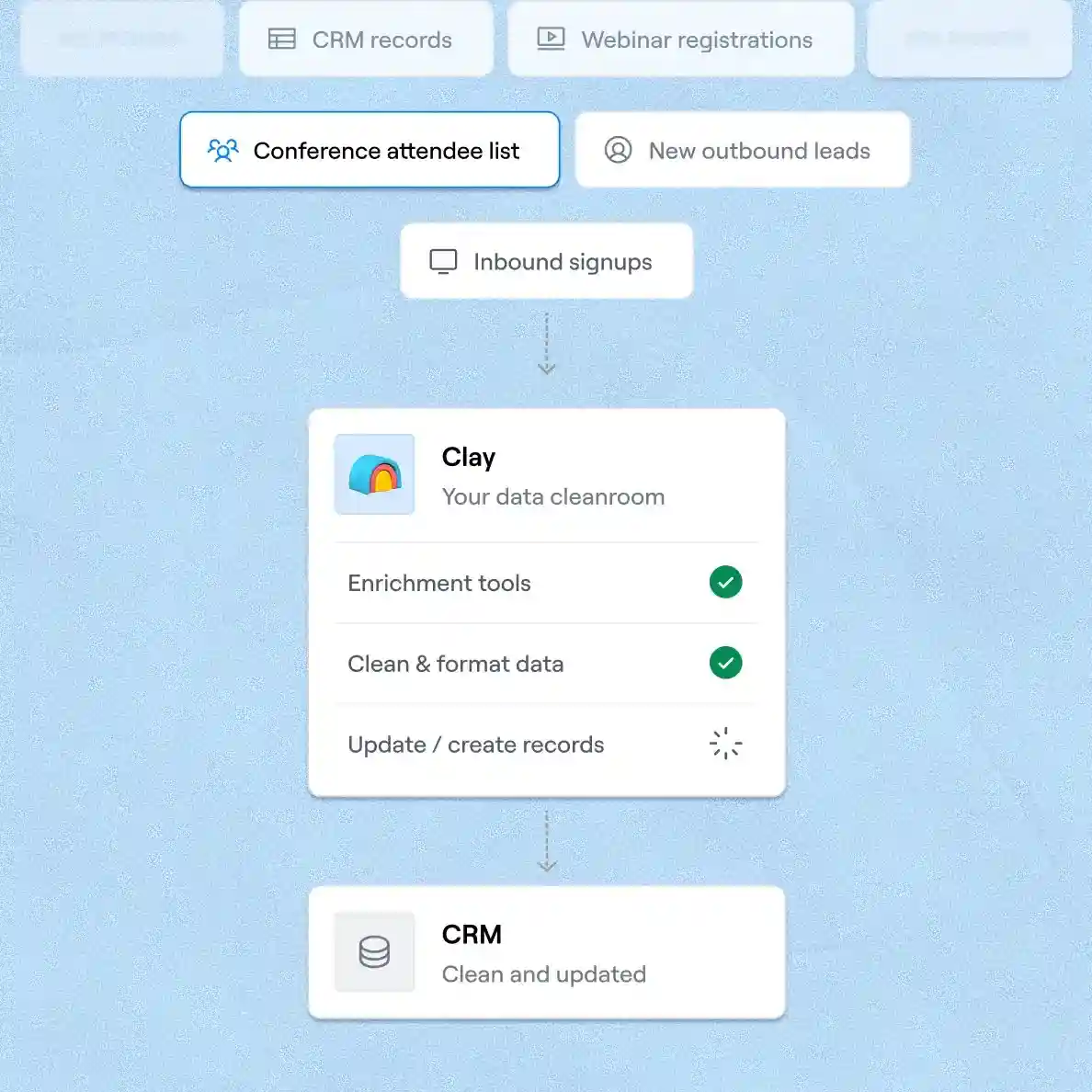
Clay is a go-to-market (GTM) platform trusted by 500K+ teams for data enrichment and orchestration. Designed like an advanced spreadsheet, it pulls data from 200+ providers in order to automate list building and enrich contact and company records at scale.
For even better results, you can pair this tool with Skrapp via HTTP APIs. The integration adds verified email addresses and firmographics, such as industry, headcount, location, and revenue, from Skrapp straight into your Clay tables.
Best for:
B2B go-to-market teams, marketers, sales reps, and lead generation agencies.
Most-used features:
- Multi-source list building by finding prospects directly in Clay’s databases or importing existing leads from your own CRM and other tools
- Automated waterfall enrichment that combines data from multiple providers to make sure no details are missing
- Lead scoring that matches enrichment data with real-time intent signals to prioritize high-value prospects
- CRM auto-sync whenever a new lead enters your pipeline or periodic refreshes scheduled by you
How to use Clay for automated list building and enrichment
Integrate verified contact data into Clay and other tools with the Skrapp Email Finder API
Explore the API3. Instantly Cold Email Campaigns
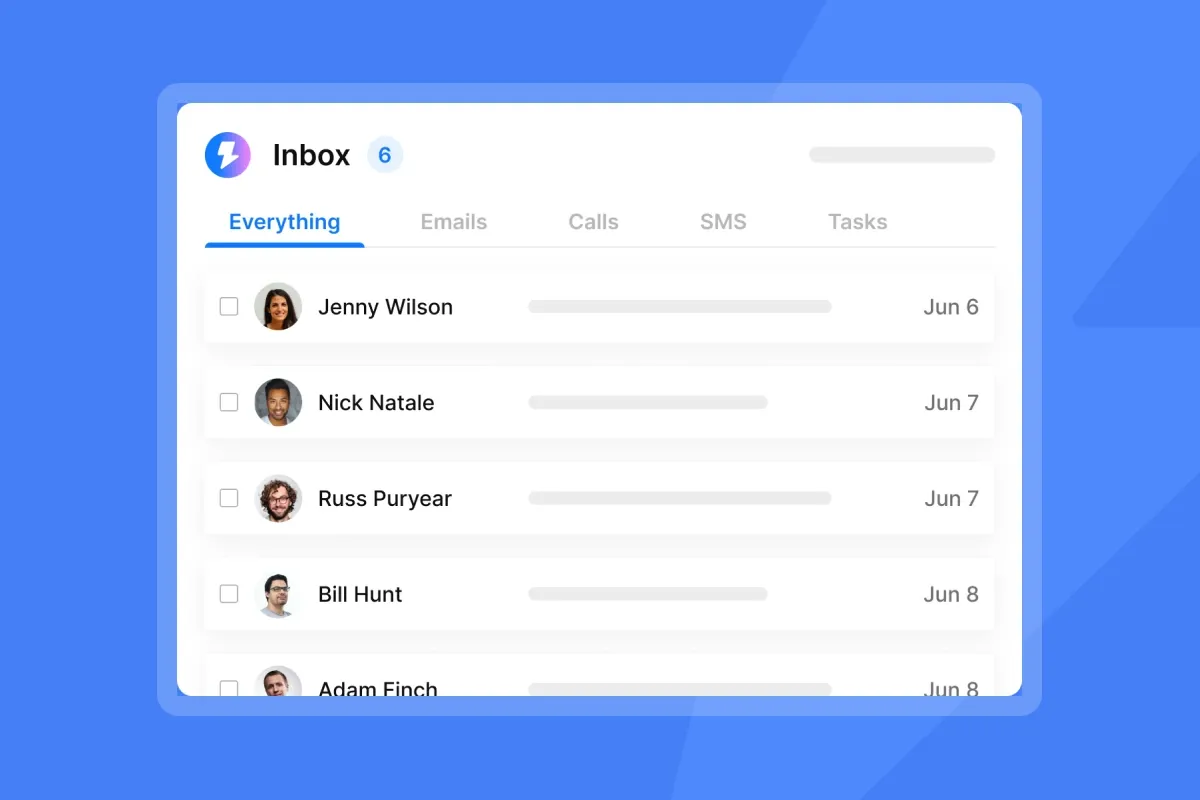
Instantly provides all-around lead generation and cold email automation tools for businesses. Using it, you can automate your email sequences and follow-ups with AI and manage outreach across multiple channels at once.
Best for:
B2B sales teams, lead generation agencies, business founders, and marketers requiring tools for automated outreach.
Most-used features:
- AI writing assistant to draft email sequences, replies, and follow-ups for you
- Multi-channel campaigns coordinated across email, LinkedIn, and webhooks
- Outreach analytics to monitor campaign performance and key outreach metrics
- Unified inbox, aka Unibox, that lets you manage conversations from connected accounts in one place
How to use Instantly to run cold email campaigns
Import your prospect list or run a search with Instantly’s dedicated Lead Finder. Write your initial email and follow-up steps (or generate them with AI) and set a sending schedule. After you launch the campaign, Instantly automatically triggers follow-ups if a prospect doesn’t reply.
4. Lavender Cold Email Copywriting
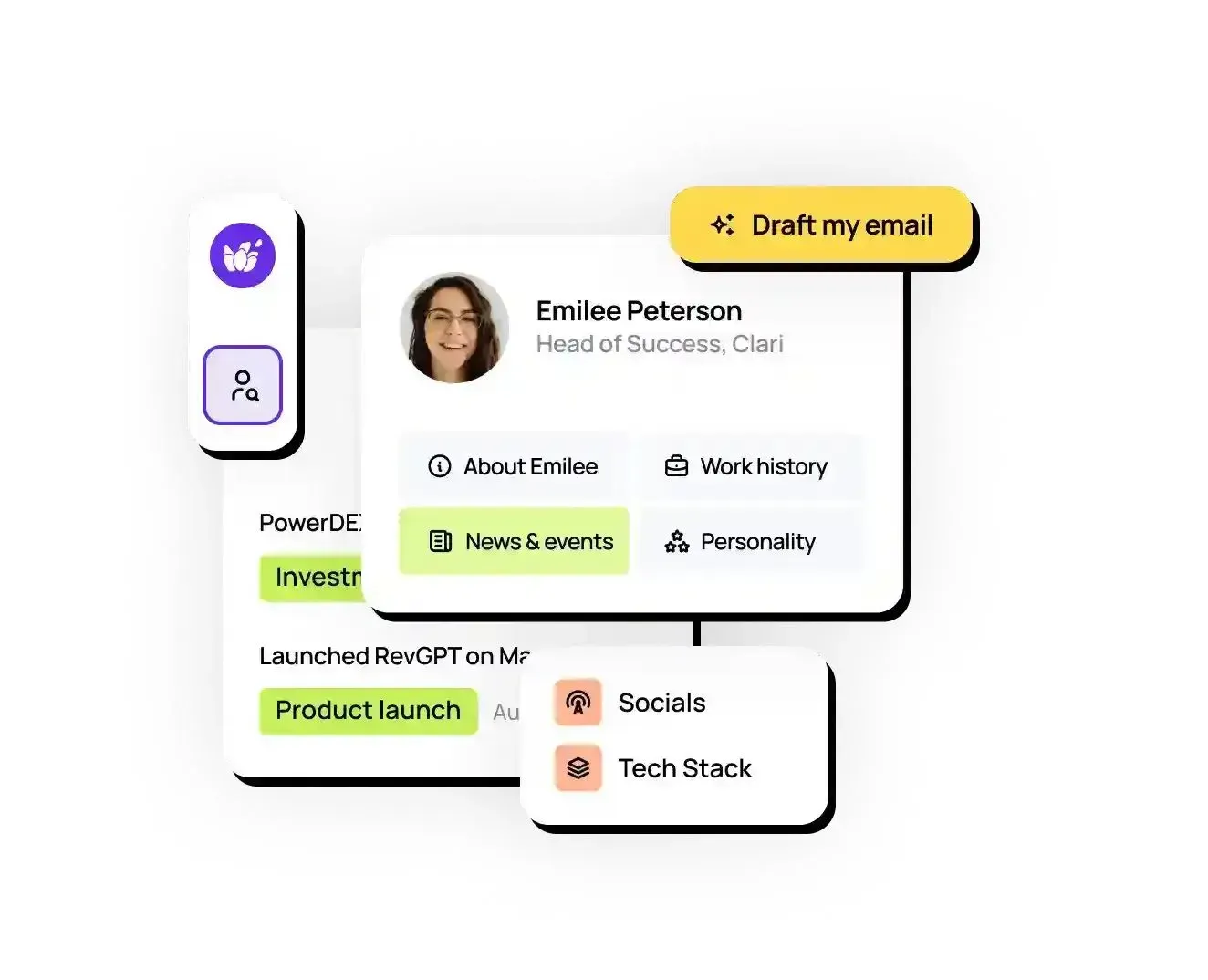
Lavender is one of those cold outreach tools that actually help you write your emails. Built on OpenAI and its own fine-tuned models, it scores and proofreads your drafts (or creates them from scratch), provides recipient context, and fixes anything that could leave your message unread.
Best for:
SDRs, account executives, and generally anyone who wants more replies.
Most-used features:
- Email Coach scoring your emails and templates from 0 to 100 and pointing out specific fixes
- Personalization Assistant that pulls prospect data directly into your writing so you can personalize messages right away
- AI writing recommendations backed by billions of data points, which also adapt to your inbox insights over time
- Monitoring dashboard that displays email scores, reply rates, and ROI across your team
How to use Lavender to draft better cold emails
Install the Lavender Chrome extension and open your email composer or, for example, your sales tool. Start typing a message or let the platform’s AI draft it for you. From there, apply Lavender’s suggestions and edits until your email score hits 90 or higher.
5. Mailwarm Email Warm-Up
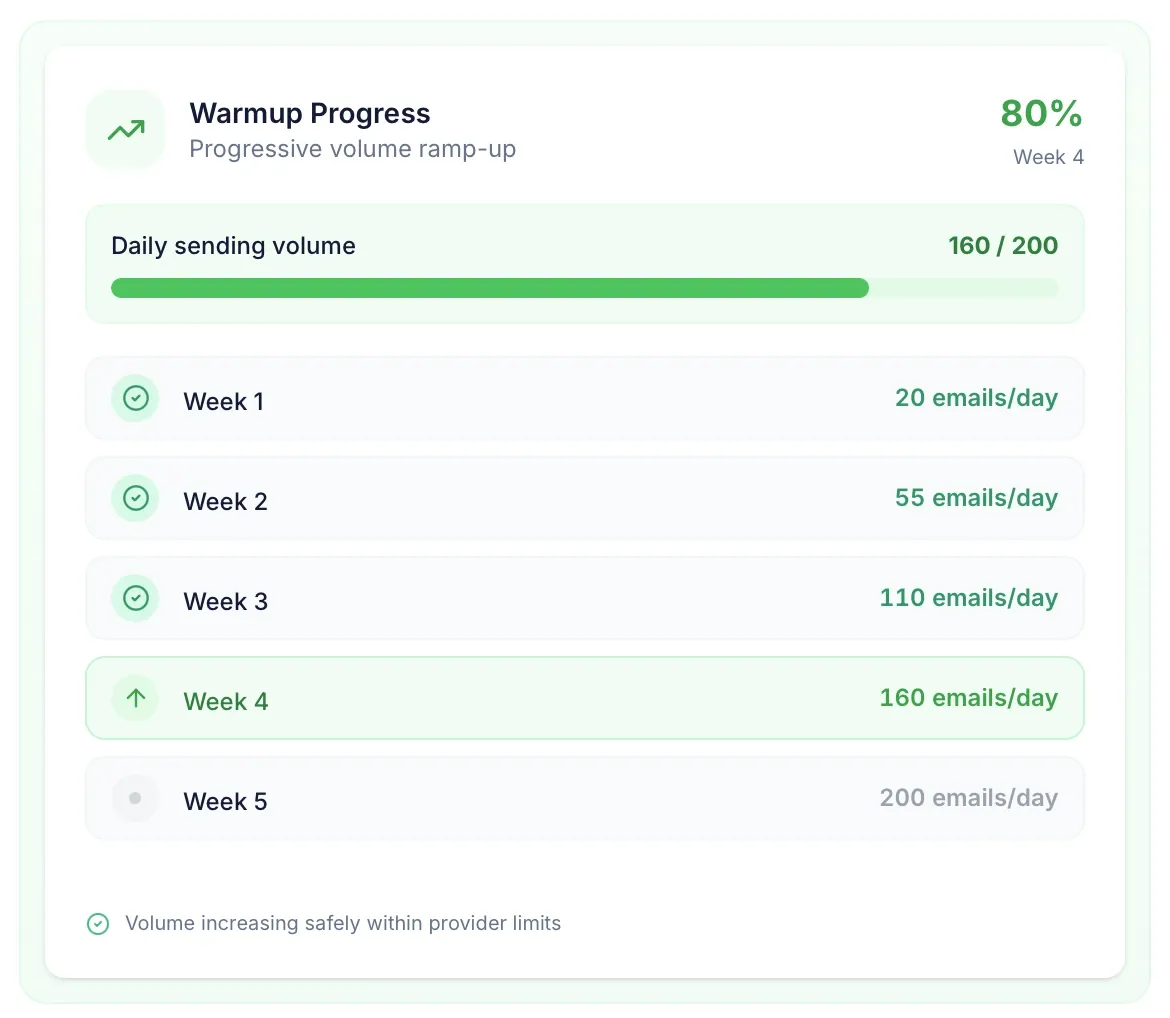
Mailwarm is the cold email software that takes the “cold” out of your sending domains before you launch your first campaign. It connects to your Gmail, Outlook, Yahoo, or any SMTP inbox in under two minutes and exchanges emails with a network of real accounts. This process generates opens and replies so email providers trust your domain and keep your further campaigns in the primary inbox.
Best for:
Sales teams, SDRs, agencies, and founders who want to build and protect their sender reputation.
Most-used features:
- Automated email warm-up that involves exchanging emails with 50K+ real Mailwarm inboxes that open, reply, mark messages as important, and pull them out of spam
- Multiple provider support, including Gmail, Outlook, Microsoft 365, Yahoo, and SMTP inboxes
- Email infrastructure checks that cover SPF, DKIM, and DMARC, blacklist detection, as well as SMTP and IMAP configurations
- Deliverability monitoring that involves tracking your spam scores and inbox placement in real time
How to use Mailwarm to warm up your email inbox
Sign up for Mailwarm and connect your email account. Then, launch the warm-up process and wait for the tool to exchange emails with its network of inboxes. After two to four weeks of consistent warm-up, you’ll notice stronger inbox placement and sender reputation.
6. GlockApps Email Deliverability Testing
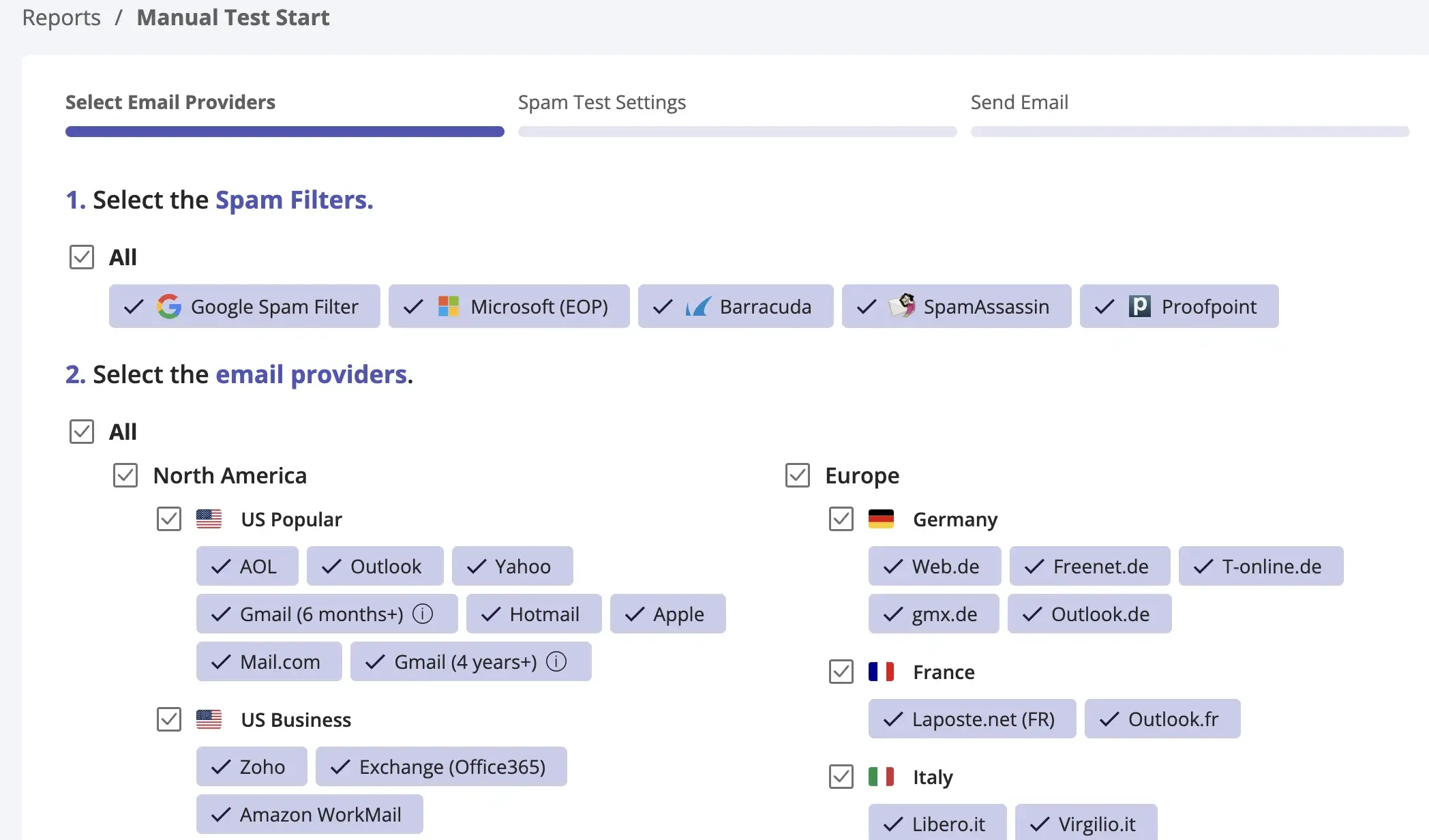
GlockApps is the best cold email software for email deliverability and spam testing. It shows where your emails end up after sending, whether that’s the primary inbox, promotions tab, spam folder, or nowhere at all. Alongside inbox placement, GlockApps audits your domain authentication and sending infrastructure.
Best for:
Cold outreach teams, email marketers, high-volume senders, and deliverability specialists.
Most-used features:
- Inbox placement testing, either in the inbox, spam, tabs, or missing, with major email providers
- Spam score checks against the main spam filters, such as Google, Barracuda, and SpamAssassin
- Blocklist monitoring against 50+ industry blocklists to keep your sender reputation clean
- Automated deliverability tests and alerts that notify you of inactive mailboxes and other issues
How to use GlockApps to test cold email deliverability
Start a new test in your GlockApps dashboard. Send your draft campaign to the seed list the tool provides. Within minutes, you’ll get an inbox placement report showing where your message landed, your spam score, authentication health, and other details.
7. SendGrid Email Delivery
SendGrid by Twilio gives you the backend infrastructure to send emails at massive scale. But don’t expect an email sequence dashboard or a Chrome extension. SendGrid is a technical solution for email delivery that works under the hood via SMTP or REST APIs.
Best for:
Businesses and dev teams that need scalable email delivery infrastructure for high-volume sending.
Most-used features:
- SMTP and RESTful API for sending transactional and marketing emails
- Deliverability and authentication tools, including SPF/DKIM authentication, reputation and delivery monitoring, and more
- Real-time event analytics that cover delivery rates, hard bounces, spam blocks, and engagement metrics
How to use SendGrid for email delivery infrastructure
Register a Twilio SendGrid account and pick a plan that corresponds to your sending volume. Choose how you’ll send emails as well: it’s either the Email API for apps and automation or the SMTP relay for a simple “plug-in”. After this, authenticate your domain with SPF/DKIM, and optionally DMARC, then send your first message.
8. Close Lead Management and Follow-Ups
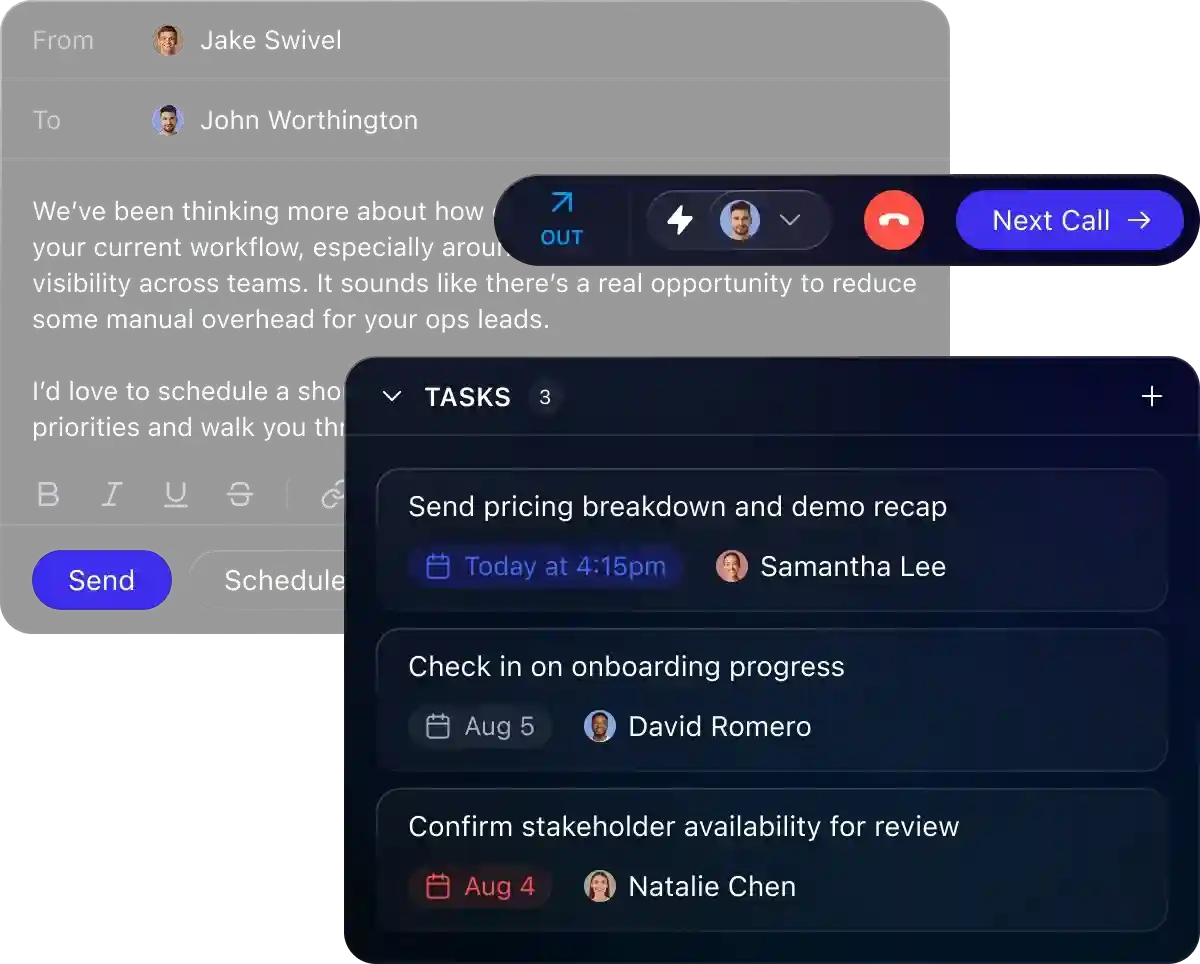
Close is the only CRM among all cold email outreach tools on this list. It covers the entire lead and sales pipeline, so you can conveniently manage leads, conversations, follow-ups, and deals right after launching your outreach campaign.
Best for:
B2B sales teams and businesses that need a centralized solution for managing leads and sales processes.
Most-used features:
- Lead page to keep emails, calls, texts, tasks, notes, and deal information in one view
- Centralized inbox so you don’t have to switch apps when managing multiple communication channels
- Custom workflows that you can set up to automate routine tasks and follow-ups
- Built-in reporting that tracks sales rep activity and pipeline performance
How to use Close to manage cold email leads and follow-ups
Sign up for Close and connect your email account. If necessary, you can integrate other cold email automation tools you already use, such as Calendly or Clay. Import your enriched leads, assign them to specific pipeline stages, and then create cold email templates with suggested follow-up timing.
9. Newoldstamp Cold Email Branding
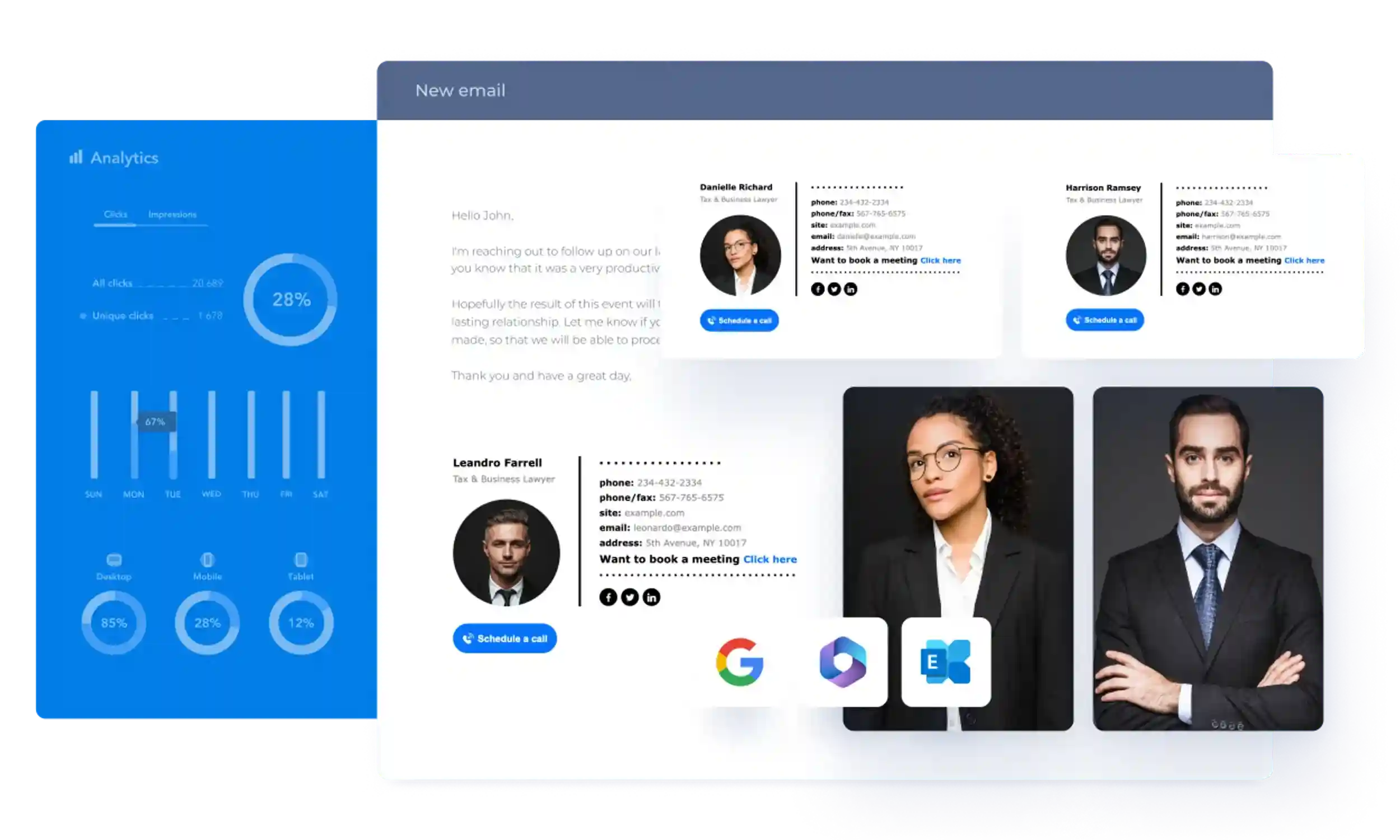
Newoldstamp is the finishing touch for your cold email copy. The tool lets you create branded email signatures with contact and company details, social media links, clickable banners, CTAs, and more. While it doesn’t handle outreach itself, it can be used to give your messages a recognizable identity.
Best for:
Sales and marketing experts, as well as business owners who want to strengthen their brand authority.
Most-used features:
- Signature management in one place, including creation, updates, and segmentation by teams or departments
- Email signature generator with professionally designed templates, advanced customization, and the ability to add CTAs, social media buttons, banners, and more
- Signature distribution from the dashboard directly to Gmail, Outlook, HubSpot, Salesforce, SendGrid, and other platforms
How to use Newoldstamp to brand your cold emails
Open the Newoldstamp dashboard and pick a pre-made signature template or start completely from scratch. Fill in your personal and contact details, add visuals, and, if necessary, complete with marketing banners and CTAs. Once you save the design, you can deploy it directly to the best cold email outreach tools.
10. Calendly Meeting Scheduling
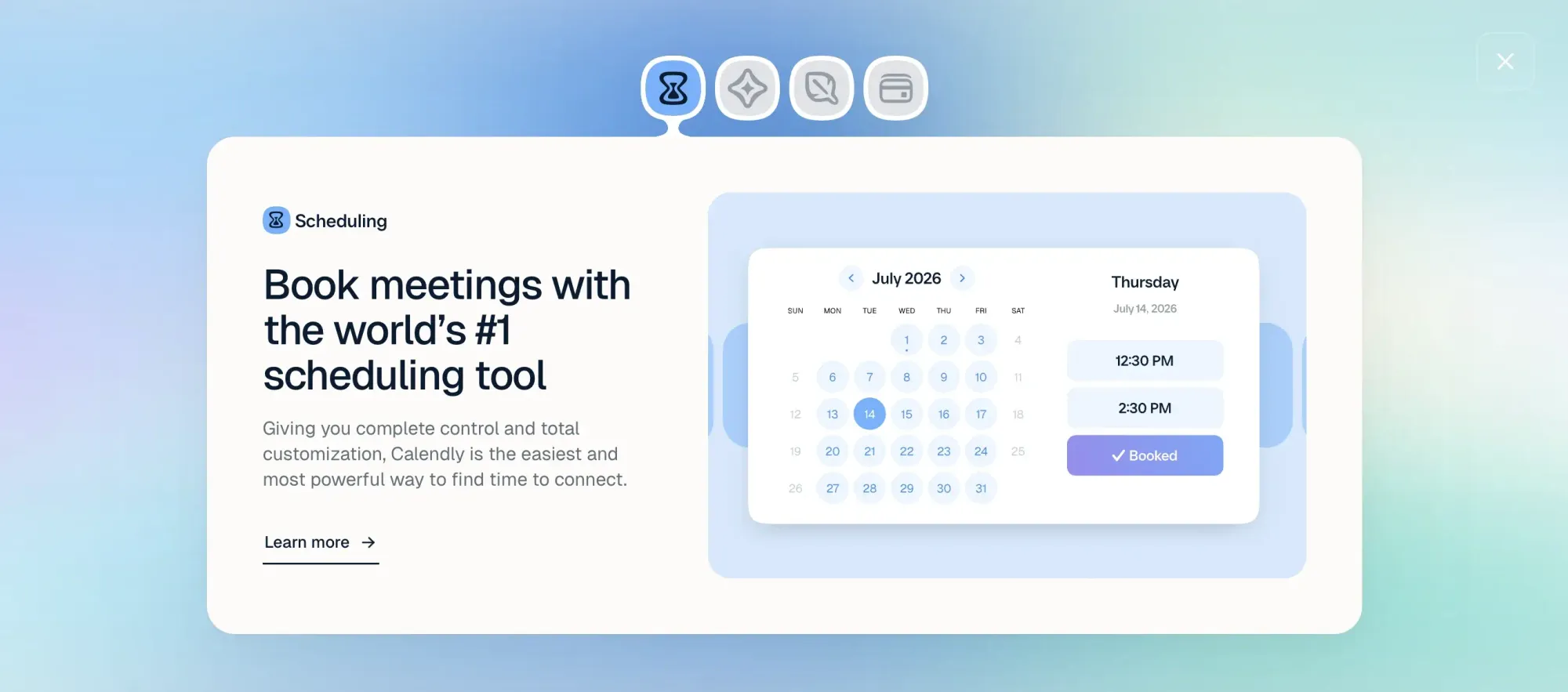
Calendly is one of the cold email tools for sales teams used at the final stage of the outreach workflow. It lets you turn an interested prospect’s reply into a scheduled meeting. Instead of going back and forth to find a suitable time, you can simply share a booking link for your prospect to choose a slot that works best for them.
Best for:
SDRs, sales reps, recruiters, and business owners looking for an easy-to-use meeting scheduling solution.
Most-used features:
- Scheduling to set your availability, use pre-built event types, and share schedules throughout your team
- AI scheduling assistant, Callie, that works right in your email inbox and coordinates meetings 24/7
- Notetaker you can use to capture meeting recaps and plan your follow-up
- Built-in payments, including upfront meeting payments, meeting packages, invoices, and payment links
How to use Calendly to turn cold email replies into meetings
Once your prospect expresses interest in your offer, invite them to book a meeting using your Calendly link. Set up an event type with your preferred meeting duration and availability. After they book, Calendly adds the meeting to your schedule.
How to Build a Cold Email Workflow Using These Tools
You’ve seen the best cold email outreach tools 2026 has to offer. Now, let’s look at the main stages of the outreach process: what happens at each and where every tool I just described fits.
| Stage | Tools | Main purpose |
|---|---|---|
| 1. Find and enrich | Skrapp, Clay | Build accurate, targeted prospect lists |
| 2. Prepare | Mailwarm, GlockApps | Warm inboxes and check deliverability |
| 3. Write and personalize | Lavender, Newoldstamp | Improve copy and strengthen email branding |
| 4. Send and automate | Instantly, SendGrid | Launch campaigns and handle email delivery |
| 5. Manage and book | Close, Calendly | Manage replies, opportunities, and meetings |
1. Find and enrich your prospects
Your outreach should start with a targeted prospect list. To build one, use Skrapp email finder for initial research, then add even more context on your leads through Clay.
Tools: Skrapp, Clay
Create your first list of verified target prospects with Skrapp
Find B2B Leads2. Prepare your email infrastructure
Before actually sending emails to the prospects on the list you’ve just built, make sure your message can reach them. Use Mailwarm to improve your sender reputation and GlockApps to test inbox placement and fix deliverability issues early on.
Tools: Mailwarm, GlockApps
3. Write and personalize your cold emails
Avoid generic messaging at all costs. Count on Lavender to sharpen and personalize your copy and complete it with branded signatures and elements from Newoldstamp.
Tools: Lavender, Newoldstamp
4. Launch and automate your campaigns
At this point, you can launch your campaigns, automate follow-ups, and coordinate multiple inboxes with Instantly. For even larger email sequences, turn to SendGrid’s SMTP or API infrastructure.
Tools: Instantly, SendGrid
5. Manage replies and turn prospects into meetings
Once you get the replies, continue moving your prospects down the funnel. Manage conversations and sales deals with Close, then use Calendly for interested prospects to book a call in a few clicks.
Tools: Close, Calendly
Which Cold Email Tool Should You Choose?
When narrowing down the best cold email tools 2026, your choice depends entirely on which stage of your outreach needs the most attention right now:
- Skrapp is perfect for SEO specialists, recruiters, and sales teams that need accurate, verified contact data for outreach
- Clay suits go-to-market teams and lead generation agencies that want to automate data enrichment and list building
- Instantly is a strong fit for outbound agencies and sales teams that need to launch cold email campaigns and automate follow-ups
- Lavender helps SDRs and account executives write clearer, more personalized emails
- Mailwarm suits various teams that prepare new or inactive inboxes for cold outreach
- GlockApps is useful for email marketers and outreach teams that need to test inbox placement and deliverability
- SendGrid works best for businesses and developers who demand reliable email delivery infrastructure for their apps and workflows
- Close is one of the best cold email outreach tools for agencies and sales teams that require full CRM capabilities
- Newoldstamp is ideal for sales and marketing specialists who want to use branded signatures within their outreach
- Calendly helps reps, founders, and recruiters book more meetings with their prospects
Choose wisely, since your perfect setup is a combination of tools that cover every step of your outreach.
The tools you choose matter. Get your cold email outreach running with the right ones
Explore SkrappFAQs: Cold Email Tools
What is cold email software and how does it work?
Cold email software includes tools that support every stage of email outreach. Depending on the tool, you can find and enrich prospects, set up your email infrastructure, write and personalize messages, automate campaigns, manage conversations, and turn interested prospects into meetings.
What are the best cold email software tools?
The best cold email tools for 2026 depend entirely on your prospecting and outreach needs. You can use Skrapp and Clay to enrich lead data, and Mailwarm and GlockApps to make sure your emails reach their recipients. Lavender and Newoldstamp are a must for improving your copy and branding. Later on, Instantly and SendGrid help with email sending (especially at scale), while Close and Calendly are perfect for managing replies and scheduling meetings.
How do you choose the right platform for cold outreach?
To choose the right platform, identify the biggest challenge or gap in your outreach strategy. For example, if you struggle with poor contact data, consider using enrichment tools like Skrapp or Clay. If your emails feel generic, Lavender and Newoldstamp might help with personalization. Other factors to take into account include your team size, budget, campaign volume, and required features.
What are the best tools for sales teams and agencies?
Sales teams and agencies might benefit from the following cold email tools: Skrapp, Clay, Instantly, Lavender, Mailwarm, Close, Newoldstamp, and Calendly. Each of these covers different stages of cold outreach (from the initial contact lookup to booked meetings) and helps sales reps move leads down the funnel.
How much does cold email software cost?
The cost depends on the tool you choose, its pricing tier, as well as your team size and feature requirements. Plenty of platforms offer free trials before you fully commit. After that, expect to pay from $39/mo for data enrichment tools like Skrapp, from $80/mo for email deliverability solutions like Mailwarm and GlockApps, from $47/mo for email automation tools like Instantly, and so on.
Which features matter most when choosing a cold email platform?
Your must-have features are largely dictated by the gaps in your current stack. But generally, look for tools that handle contact discovery and verification, list enrichment, email automation, deliverability testing, and CRM integrations.
How can AI automate cold email prospecting?
AI lets you automate different aspects of cold email prospecting. It can research prospects, enrich contact details, suggest personalization in your messages, draft emails, and even qualify leads.
How do cold email tools help improve deliverability?
They make sure your emails land in the primary inbox, not the spam folder. For example, Mailwarm gradually warms up your inboxes. GlockApps, for its part, checks your spam scores, monitors blocklists, and verifies your inbox placement before you launch your campaign.
Can cold email software integrate with CRMs and other sales tools?
Yes. Most cold email tools offer integrations with CRMs and other sales/marketing solutions. For instance, Skrapp can connect with other platforms via its API, while Close is basically a CRM with sales communication features.
Is cold email still effective in 2026?
Of course. But good old mass-mailing no longer works. Because of strict deliverability rules and email provider filters, cold outreach now has to be very precise. Landing in the inbox requires data enrichment through, let’s say, Skrapp or Clay, combined with automation platforms like Instantly to manage the campaigns.
Is cold emailing legal?
Cold emailing is legal in most countries if you follow regulations like GDPR, CAN-SPAM, and CASL. These laws require clear opt-out options, sender transparency, and relevant messaging. The key is targeting the right prospects and ensuring your emails provide value rather than spam.