Top Email Marketing Templates to Use in 2026
If you're looking for expertly designed email marketing templates and strategies to streamline your outreach, you’ve landed on the right page. Dive in and discover top-performing templates, expert tips, and ready-to-use examples, so you never have to start an email from scratch again!
Just look at the email marketing statistics. Daily emails will likely rise from 333 billion in 2022 to 392.5 billion in 2026 — the same with email users: from 4.26 billion to 4.73 billion in the forecast period.
Email is also a top pick for 60% of consumers to communicate with brands, while 90% of business leaders and marketers consider it crucial for their success.
If you’re one of them, you have landed on the right blog page packed with email marketing templates, strategies, and examples.
Before You Bring Email Templates Into Use
Make it a habit to clean your email marketing list every few months before launching templated campaigns. Fresh data means fewer bounces and better chances that you're actually reaching active contacts.
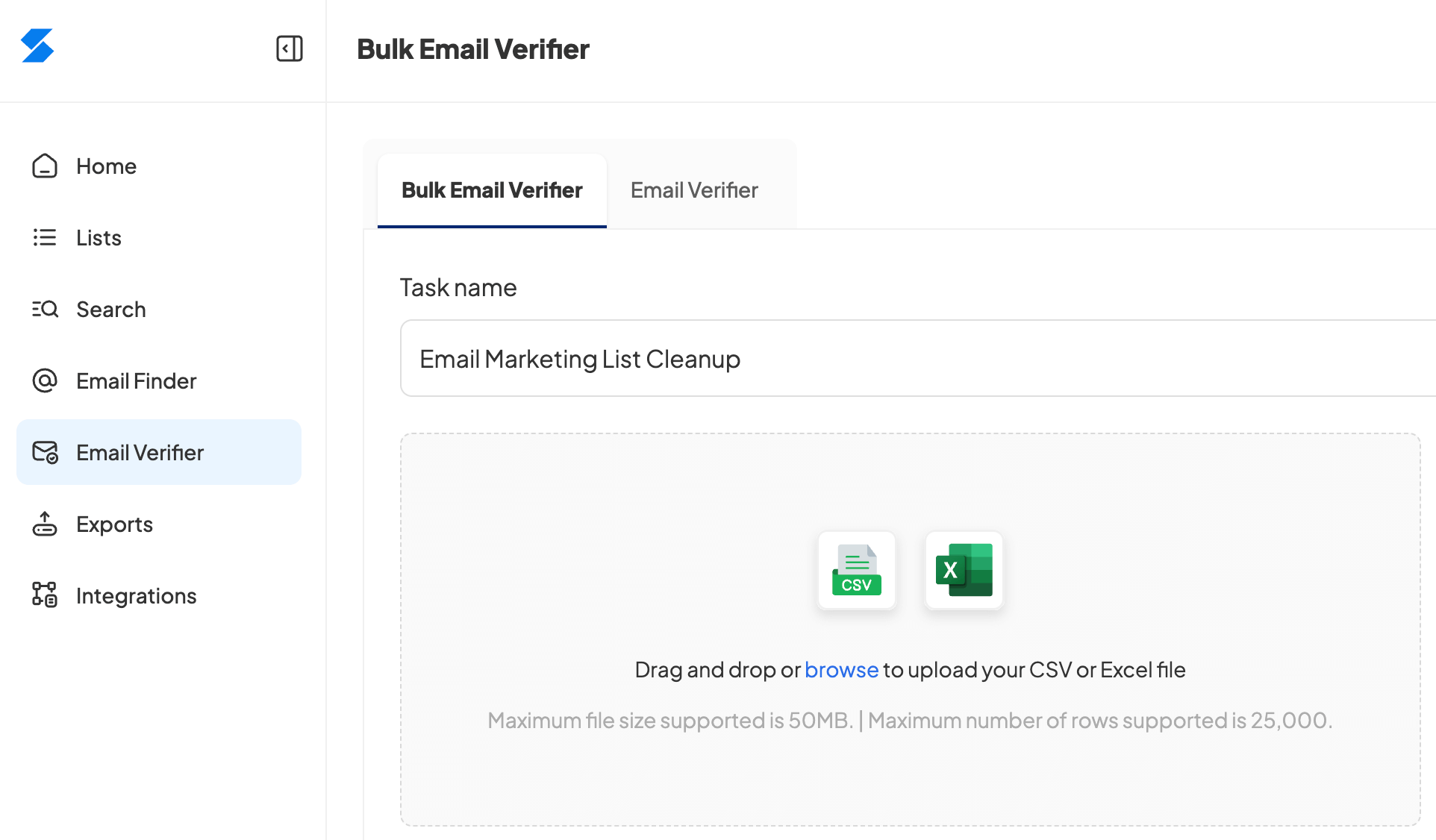
To keep your email list current, upload your contacts to the Skrapp bulk email verifier. The tool assigns a status to each contact, showing you which email addresses are invalid and should be removed.
Keeping your list clean helps your emails reach inboxes instead of getting blocked, and your campaigns will perform better as a result. Sign up for free now to get 100 free credits for email verification.
7 Sources of Free Email Templates for 2026
From generic to niche-specific email layouts, these websites can give you tons of ideas and patterns to craft compelling emails for every need.
1. Canva (140+ free email templates)
Canva is one of the easiest and most popular tools for creating email templates, especially if you don’t have a design background.
It has a huge library of free, professional email templates that you can tweak in minutes with a simple drag-and-drop editor. Whether you're sending welcome emails, newsletters, or promotions, Canva makes it easy to create good-looking emails without needing design skills.
When choosing the best email marketing template for your needs, Canva lets you apply filters such as Category and Style, or helps you draft the actual newsletter using its advanced AI features.
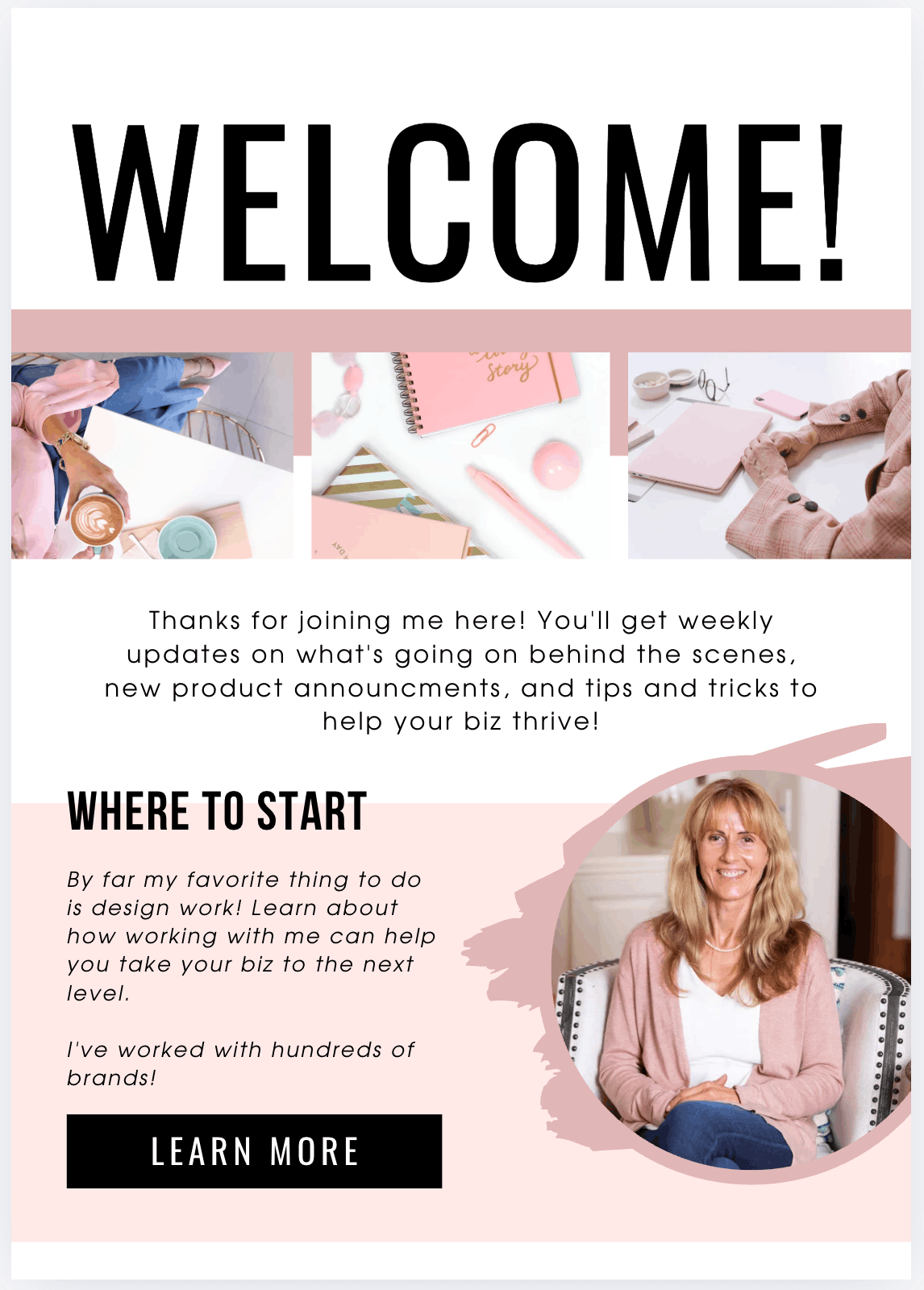
Welcome email example:
Here’s a pink-black welcome email template from Canva.
2. SendGrid by Twilio (50+ free email templates)
SendGrid gives you a solid collection of responsive email templates that make it easy to put together professional campaigns.
You can pick a pre-built design, customize it to match your brand using either a visual editor or code, and save it for future campaigns. The templates are tested to look good on any device, so you can focus on writing emails that actually get responses instead of wrestling with design.
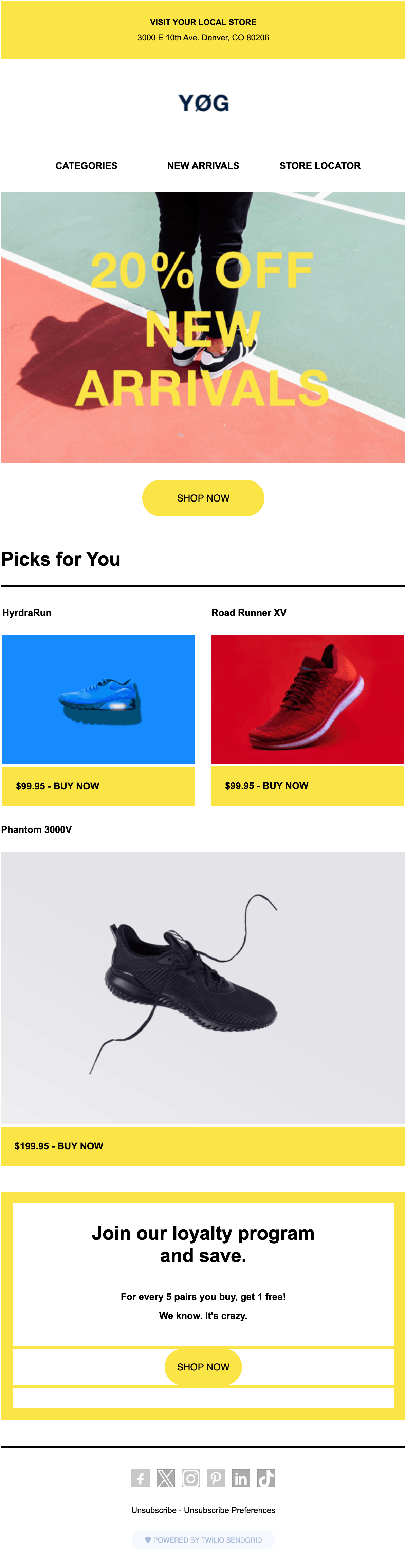
E-commerce email example:
Check out one of the sales email templates on SendGrid/Twilio.
3. BeeFree.io (1,600+ free email templates)
BeeFree.io has a big template library covering different industries, occasions, and seasonal campaigns.
You can browse by category, customize what you pick with their drag-and-drop editor, and work on designs with your team. They've also added an AI assistant that helps you write content, which speeds up the whole process of creating and sending campaigns.
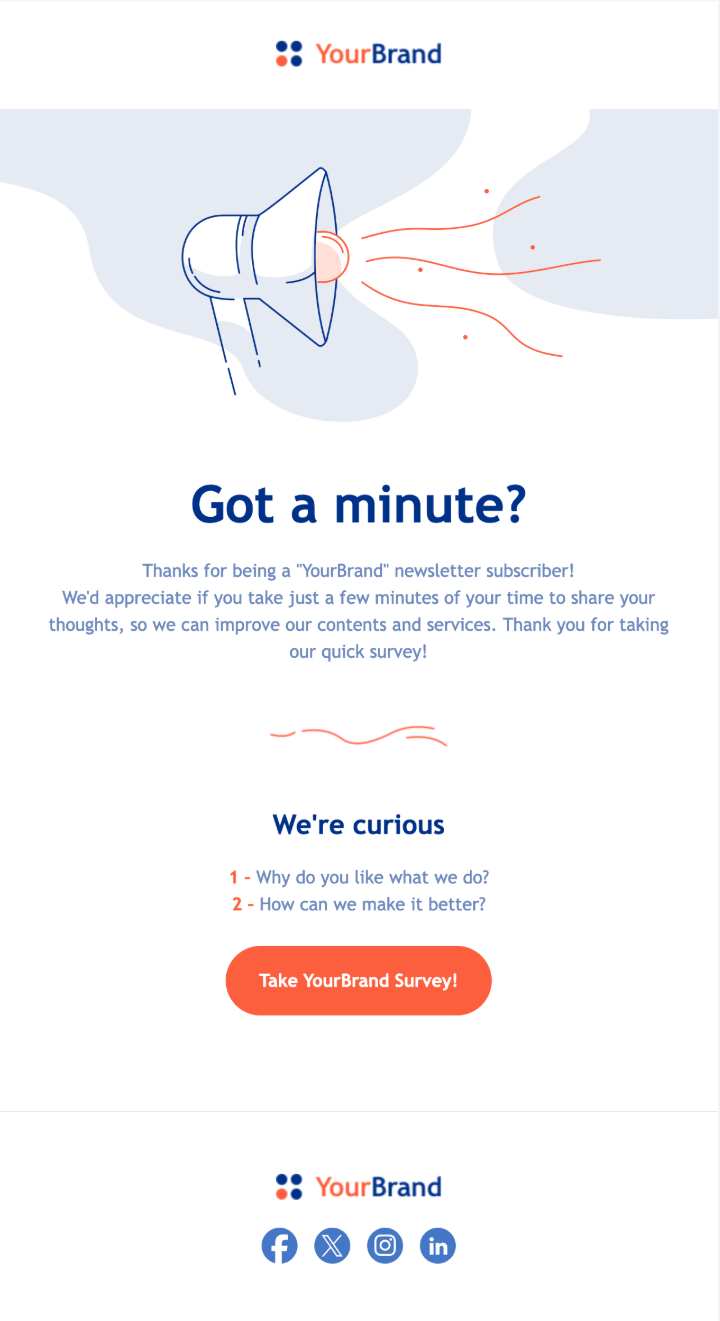
Example:
Look at this survey email template for customer feedback collection.
4. Stripo.email (1,600+ free email templates)
Stripo.email has a massive template library with solid filtering options. You can search by email type (cold emails, announcements, follow-ups, coupons), industry (finance, manufacturing, travel, etc.), season or holiday, design elements (3D graphics, carousels, typography), and even by which email platform you're using (Mailchimp, Zoho Mail, iContact, and others).
The filtering system actually works well, making it easy to find templates that match your campaign and technical setup.
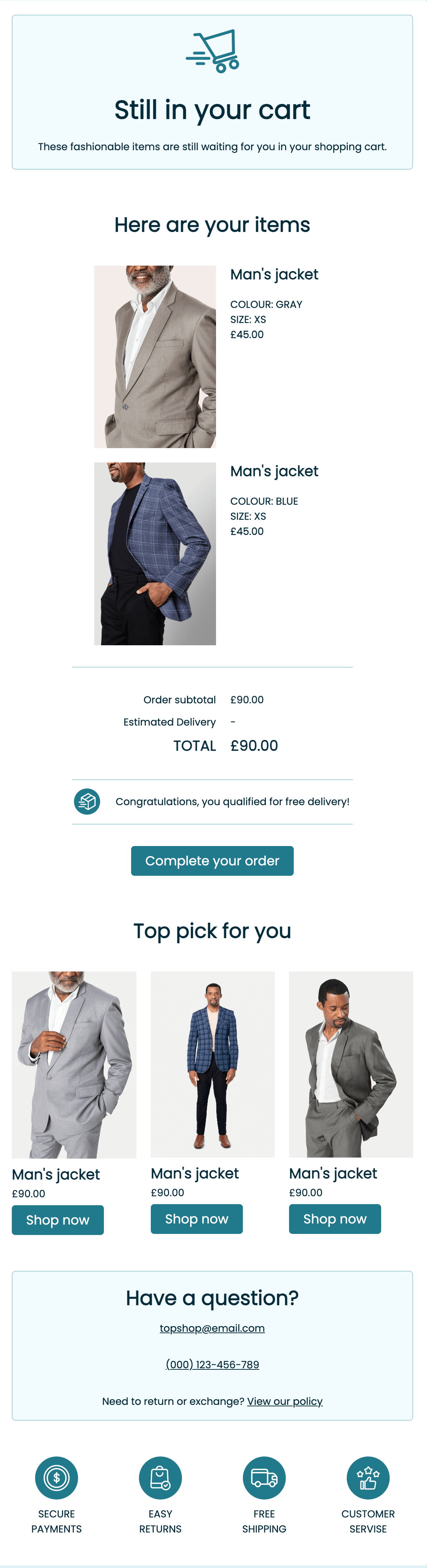
Example:
The following screenshot is one of the follow-up email templates that could be used in the e-commerce industry.
5. Unlayer (1000+ free email templates)
Unlayer gives you a drag-and-drop editor with tons of mobile-friendly templates you can customize without writing a single line of code. Pick a template, then change whatever you want: swap images, edit text, add buttons, drop in merge tags.
Works for newsletters, promos, transactional emails, and boasts the largest heap of holiday email marketing templates. You can also save design blocks to reuse later, and if you've got a team, everyone can jump in and collaborate.
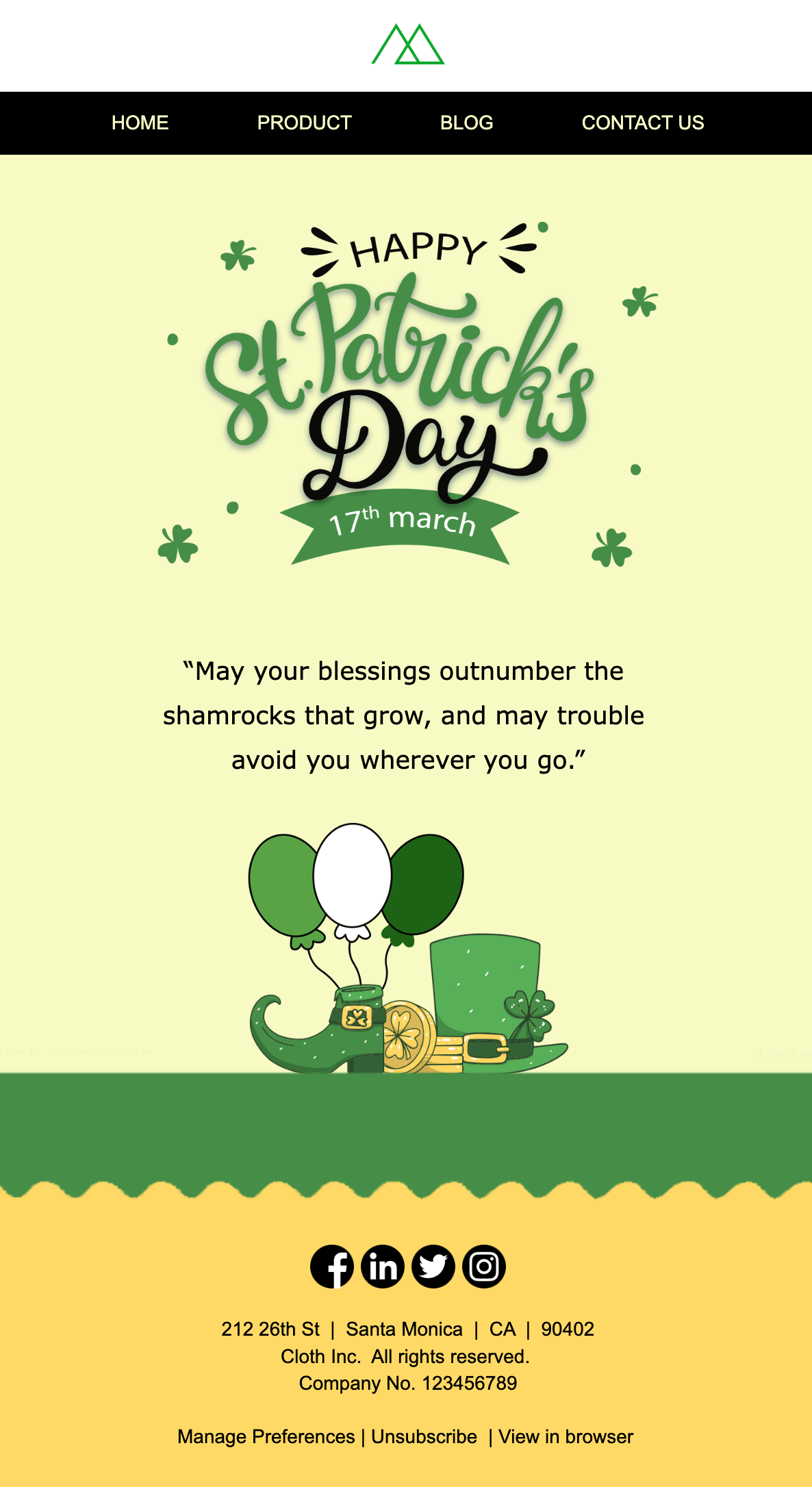
Example:
This email template is dedicated to St. Patrick’s Day.
6. Benchmark Email (90+ free email templates)
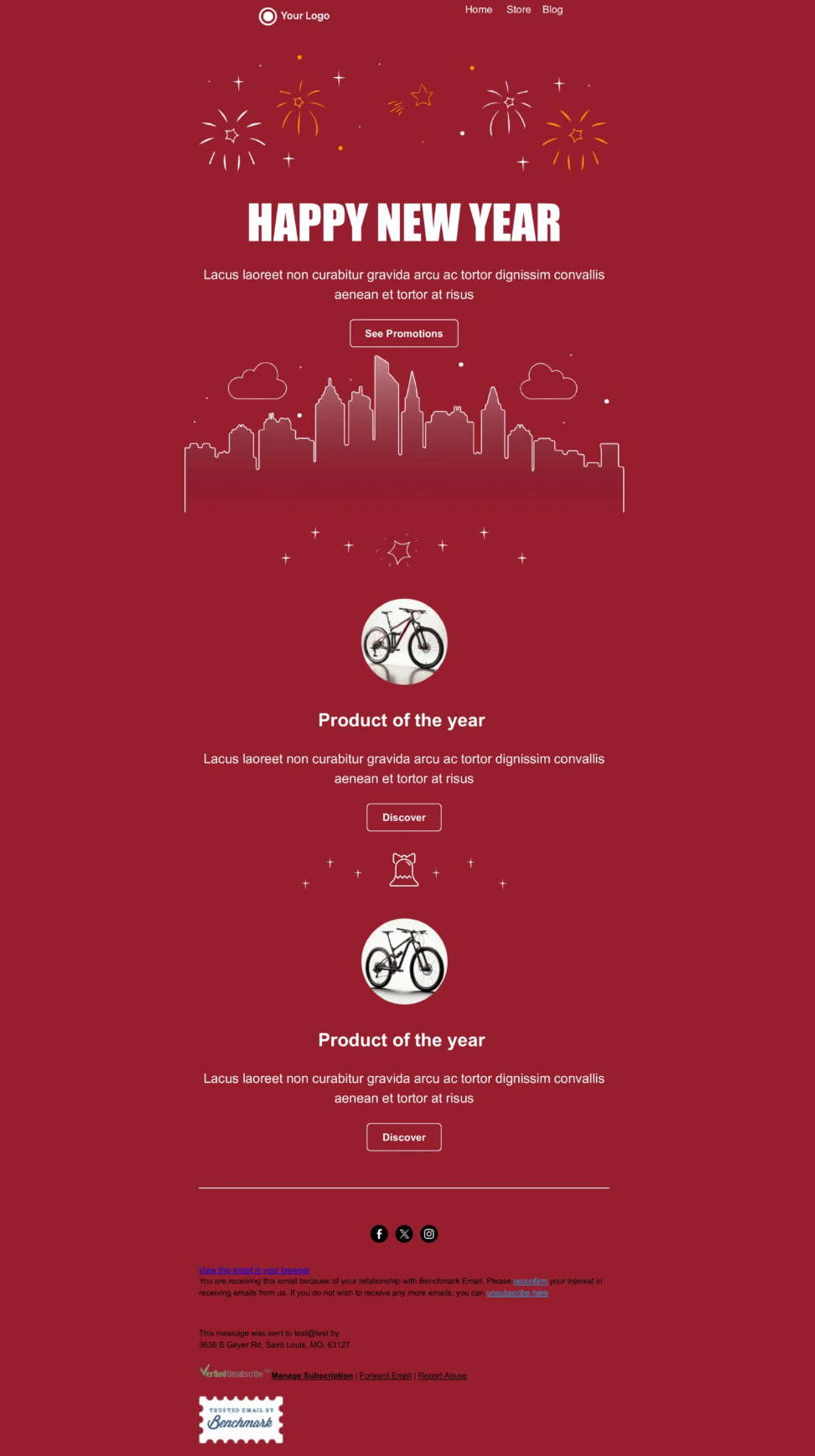
Along with MailerLite, Drip, and others, Benchmark Email is one of the top newsletter platforms. It specializes in templates for holiday-driven emails and monthly newsletters.
Example:
Below is a simple but elegant holiday email template from Benchmark Email.
7. Designmodo (30+ free email templates)
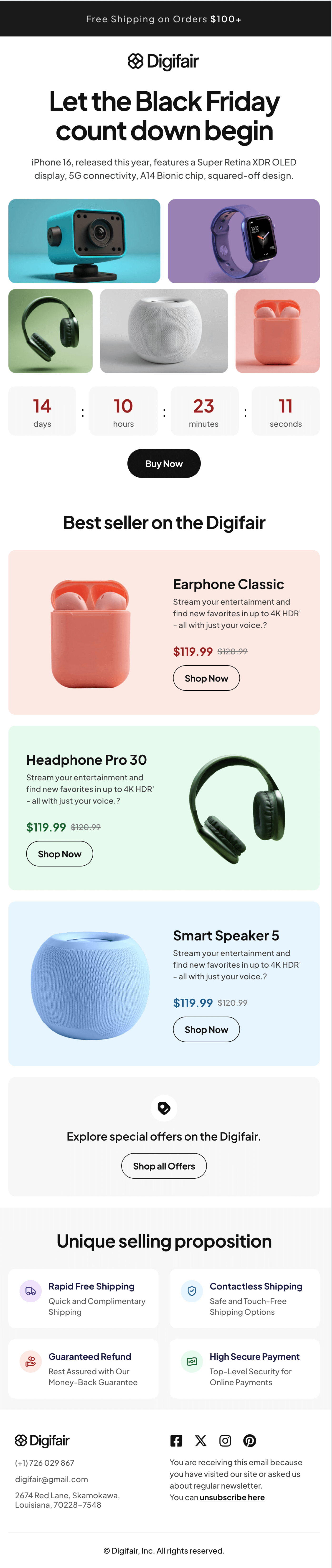
Designmodo offers a small, curated collection of free HTML email marketing templates focused on clean design and responsive layouts.
Templates can be sorted by industry, use case, season, or brand, making it easier to find layouts suited to specific campaign needs. The templates are provided in HTML format, allowing for direct customization and use across different email platforms.
Example:
See how Designmodo specialists structured an email marketing template with the call-to-action “Buy Now.”
6 Tips and Examples of Using Email Marketing Templates
Discover how to use email templates wisely to boost engagement and drive conversions.
Shake off impersonal email layout
Personalization is the essence of email campaign management.
“Once you have chosen great email templates, make sure to personalize those to the fullest,” recommends Anthony Martin, Founder and CEO of Choice Mutual. “Email template personalization builds an emotional bond, often lasting for a lifetime, and gives the highest reply rates,” he notes.
Indeed, personalized communication is a decisive factor for 76% of customers.
So, whether it’s a prospecting introduction email or a special offer for a loyal customer, the things to personalize are:
- Greetings → Hello, [Name]!
- Compliments → Our team was so impressed with your ____; I was blown away by how you ____; Your ____ is a true masterpiece of ____.
- Visuals → personalize the visual content (images, videos).
- Pain points → solve individual issues and concerns.
Align your subject line with the email template content
“When you edit your email template, you shouldn’t forget about the subject line – an illustration of what your email is about – and adjust it accordingly,” emphasizes Volodymyr Shchegel, VP of engineering at MacKeeper.
He also warns: “It’s better to steer clear of misleading email subject lines that trick you into opening emails but leave your prospects as cold as ice. Worse, they get your emails reported or deleted.”
Imagine you receive an e-letter with the subject line Re: work. What would you think?
Probably, it’s work-related.
But nope, it’s just one of the sales email subject lines used by Bellroy, an accessories brand.
Although the email body targets workers, the subject line is rather deceitful.
Note: Misleading content is one of the most common mistakes to avoid in subject lines.
Set the right tone in the email opening line
Do you know how awesome you are?
This is how Mailmodo opened a welcome email.
Aside from powerful subject lines, you should also add creative opening lines to your email marketing templates. Of course, the most popular is I hope this email finds you well.
A couple of other examples from real emails are:
- I hope that March is off to a good start for you.
- How is it going so far?
- It’s your lucky day with [Company]!
- I want to share some wise words with you.
- Hey there, it’s now or never!
According to Stephan Baldwin, Founder of Assisted Living, “A simple thank-you as an opening line of your email template can set a tone of appreciation and have a positive impact on your customer through the power of gratitude.”
Here’s one in the email from the Assisted Living Center.
Embed the unsubscribe link into email templates
Mind: Not all email newsletter templates have unsubscribe options by default.
But why do they matter, you may ask?
Get the explanation from Andrew Pierce, CEO at LLC Attorney. He mentions, “The unsubscribe procedure is regulated by the CAN-SPAM Act, which governs commercial messages and obliges businesses to provide an opt-out mechanism for email recipients. Under this law, you should add unsubscribe links to your emails. They keep your brand’s reputation neat and make your emails more deliverable, showing that you don’t want to spam your prospects.”
If you want to increase email deliverability, place a visible unsubscribe button to give your leads or customers a choice to cancel their subscription anytime they wish. Similar to the one in the email from The Podcasting University built with the ConvertKit email template.
Gamify and animate your email template
Suppose you have armed yourself with free and responsive email templates. However, most of them are text-and-image only. They are lifeless.
When asked about the best strategy for successful email marketing, Jesse Hanson, Content Manager at Online Solitaire & World of Card Games, advises reviving email templates with animation and gamification.
He says, “Animated and gamified emails are no longer short-lived trends. They are a necessity. Making your email newsletters look alive is easy with motion design elements. Then, you can add a touch of interactivity with mini-games and game elements (points, challenges, or rewards).”
Gamification
- Scratch card
- Quiz
- Scavenger hunt
- Puzzle
- Spin-the-wheel game
Fact: A gamified email campaign can boost the open rate by 25% and the click-through rate by a whopping 1000%.
Animation
- Image carousels
- Rollover/hover effects
- Countdown timers
- GIFs
Fact: A single GIF added to emails can increase the click rate by 42% and conversions by 103%.
Test and analyze different email templates
Before jumping into tests and analytics, you must know what to focus on.
The critical email metrics or KPIs to monitor are:
- Deliverability
- Open rate
- Engagement rate
- Click-through rate
- Conversion rate
- Bounce rate
- Unsubscribe rate
“A/B testing is a sure-fire way to see what works and what doesn’t in your email templates,” says Puneet Gogia, Founder at Excel Champs. “By running A/B tests of emails, you can obtain data-driven insights and then improve your email KPIs based on the derived results.”
Gogia also shares several email A/B testing tools: ActiveCampaign, GetResponse, Campaign Monitor, and Litmus.
FAQs: Email Marketing Templates
What are the 5 T’s of email marketing?
The 5 T’s of email marketing—Tease, Target, Teach, Test, and Track—help create engaging, personalized, and effective email campaigns that drive conversions.
How can you build a marketing email template?
To create a marketing email template, start with a responsive layout, use compelling visuals, craft a clear message, personalize the content, and ensure a strong call to action (CTA) for engagement.
What does the 80/20 rule mean in email marketing?
The 80/20 rule in email marketing suggests that 80% of your results come from 20% of your efforts, emphasizing the importance of focusing on high-performing content, subject lines, and segmentation strategies.
What are the 4 P’s of email marketing?
The 4 P’s of email marketing—Personalization, Persuasion, Proof, and Performance—guide the creation of impactful email campaigns that resonate with audiences and improve engagement.