
LinkedIn Recruiter vs. Sales Navigator: Which Is Better for Hiring?
LinkedIn Recruiter vs Sales Navigator can both help you find talent. But they approach the search differently. The first is built specifically for candidate sourcing. The other one focuses on finding leads, accounts, and professional connections. Before you subscribe to either of the two, learn which platform actually suits your hiring workflow.
Sales Navigator was originally made for… well, sales reps. To cover hiring needs, recruiters mostly stuck to LinkedIn’s dedicated products, such as Recruiter Lite and Recruiter Corporate. However, small talent teams increasingly choose Sales Navigator Core for its powerful search at a price below any Recruiter plans.
In this post, I primarily compare LinkedIn Recruiter Lite vs Sales Navigator Core. Keep reading to discover the differences, pricing, features, and third-party tools like Skrapp that let you work around LinkedIn’s limits.
Search candidate emails directly from LinkedIn profiles
Install the LinkedIn ExtensionSales Navigator vs LinkedIn Recruiter Lite at a Glance
Recruiter Lite is LinkedIn’s paid, entry-level hiring product. It’s a lighter version of Recruiter Corporate, made for individual recruiters and small teams that hire just a handful of roles a year. It gives you candidate-focused search filters and a limited number of InMail credits for contacting and sourcing candidates on LinkedIn.
Sales Navigator Core is LinkedIn’s entry-level, single-user sales and lead generation tool. It lets you explore companies, find prospects, and generally build professional relationships. Since it’s designed for precise targeting, Sales Navigator Core also works well as a recruiting solution.
LinkedIn positions these two products for different audiences. But for the 18M+ small businesses using the platform to grow, they do the exact same thing.
Both are advanced search engines that give you more ways to explore LinkedIn’s database than a free account. Both offer InMail credits for you to contact people outside your existing network.
The differences between LinkedIn Sales Navigator vs Recruiter Lite are most noticeable in the following three areas:
- Pricing
- Search filters
- Network access
See the table below to study these more closely.
| Feature | Recruiter Lite | Sales Navigator Core |
|---|---|---|
| Built for | Solo recruiters and small talent teams with occasional hiring needs | Primarily individual sales reps, but also solo recruiters requiring affordable sourcing tools |
| Approximate monthly price | ~$170 for single license | ~$120 |
| Search filters | 20+ advanced filters, including recruitment-specific options | 50+ advanced filters, including companies and groups |
| LinkedIn network access | Up to 3rd-degree connections | Full LinkedIn network of 1B+ members |
LinkedIn Recruiter vs Sales Navigator Pricing
We’ve covered what is LinkedIn Recruiter Lite and how it differs from Sales Navigator Core. Now let’s look at the pricing of both product lines.
The main Recruiter options include:
- LinkedIn Recruiter Lite: $170/month for a single-user license or $270/month for 2–5 licenses.
- LinkedIn Recruiter Corporate: Custom pricing based on your team’s requirements and hiring needs.
Sales Navigator, for its part, comes at three pricing tiers:
- Sales Navigator Core: Made for individual users, either recruiters or sales reps, at $119.99/month.
- Sales Navigator Advanced: Designed for sales teams that need collaboration features without CRM sync for $159.99/month.
- Sales Navigator Advanced Plus: Built for sales teams that require full CRM sync and embedded workflows at custom pricing.
Here’s how these plans compare based on the features you actually need for hiring:
| Plan | Monthly price | InMail credits | Search filters | Network access | Best for |
|---|---|---|---|---|---|
| Sales Navigator Core | $119.99 | 50 per seat | 50+ advanced filters | Full LinkedIn network | Solo recruiters and sellers |
| Sales Navigator Advanced | $159.99 | 50 per seat | 50+ advanced filters | Full LinkedIn network | Sales teams |
| Sales Navigator Advanced Plus | Custom | 50 per seat | 50+ advanced filters | Full LinkedIn network | Sales teams requiring CRM sync |
| Recruiter Lite (single license) | $170 | 30 per seat | 20+ advanced filters | Up to 3rd-degree connections | Solo recruiters, small hiring teams |
| Recruiter Lite (2–5 licenses) | $270 | 30 per seat | 20+ advanced filters | Up to 3rd-degree connections | Small hiring teams, small businesses with modest hiring needs |
| LinkedIn Recruiter Corporate | Custom | 150 per seat | 40+ advanced filters | Full LinkedIn network | Mid-market and enterprise teams with extensive hiring needs |
Combining LinkedIn with email finders
Both Recruiter Lite and Sales Navigator Core let you source candidates with great precision. But they still have a limited number of InMail credits. If you regularly reach out to candidates, these credits run out fast.
Sure, you can buy extra InMails directly from LinkedIn. Recruiter Lite lets you purchase up to 70 additional credits each month. Yet, Sales Navigator doesn’t offer that option at all.
There’s a better, more affordable solution. You can pair your LinkedIn plan with an email finder tool like Skrapp. Our Chrome extension extracts verified candidate emails straight from LinkedIn profiles and search lists, one by one or in bulk.
Here’s what it costs to combine either LinkedIn Sales Navigator vs Recruiter Lite with Skrapp Professional:
| Recruiter Lite | Sales Navigator Core | |
|---|---|---|
| LinkedIn subscription | $170 per month / 30 InMails | $119.99 per month / 50 InMails |
| Skrapp Professional | $39 per month / 2,000 email addresses | $39 per month / 2,000 email addresses |
| Total monthly cost | $209 | $158.99 |
It’s a perfect combo. Skrapp handles your high-volume email sourcing and outreach. This lets you keep your precious InMails for the most critical hires.
Combine Skrapp with LinkedIn to find verified emails
See PlansHow to Use Skrapp to Find Candidate Email Addresses?
As we just said, you can use Skrapp’s Chrome extension to find candidate emails. Once installed, it works across all LinkedIn products, including basic LinkedIn accounts, Recruiter Lite, Recruiter Corporate, and Sales Navigator.
Here’s how to get started:
- Install Skrapp’s Chrome extension: Open skrapp.io/linkedin and click Add to Chrome. Pin our extension to the top of your browser for quick access.
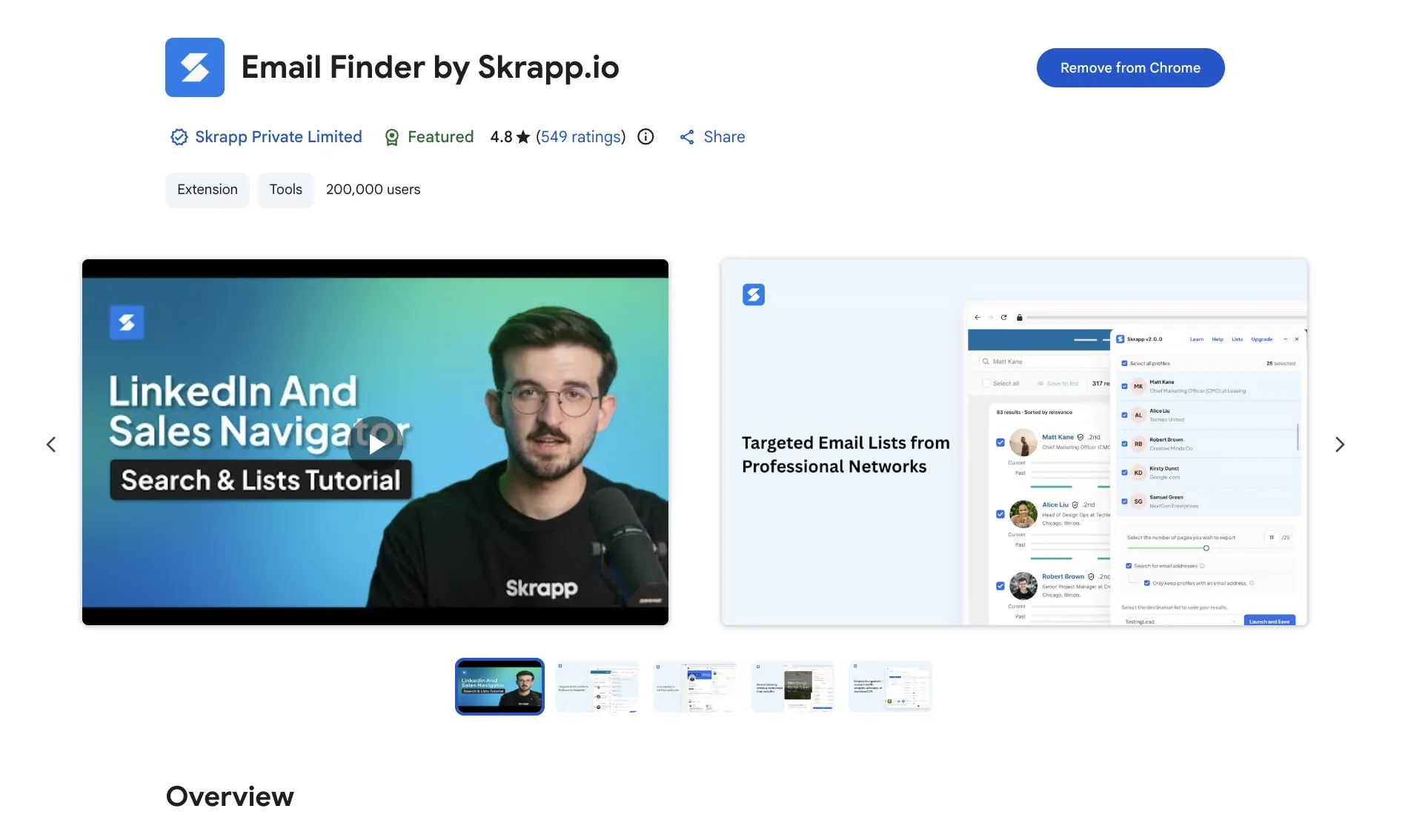
- Log in or sign up with Skrapp: If you don’t have an account, create one. If you do, make sure you are logged in. Create your first candidate list there.
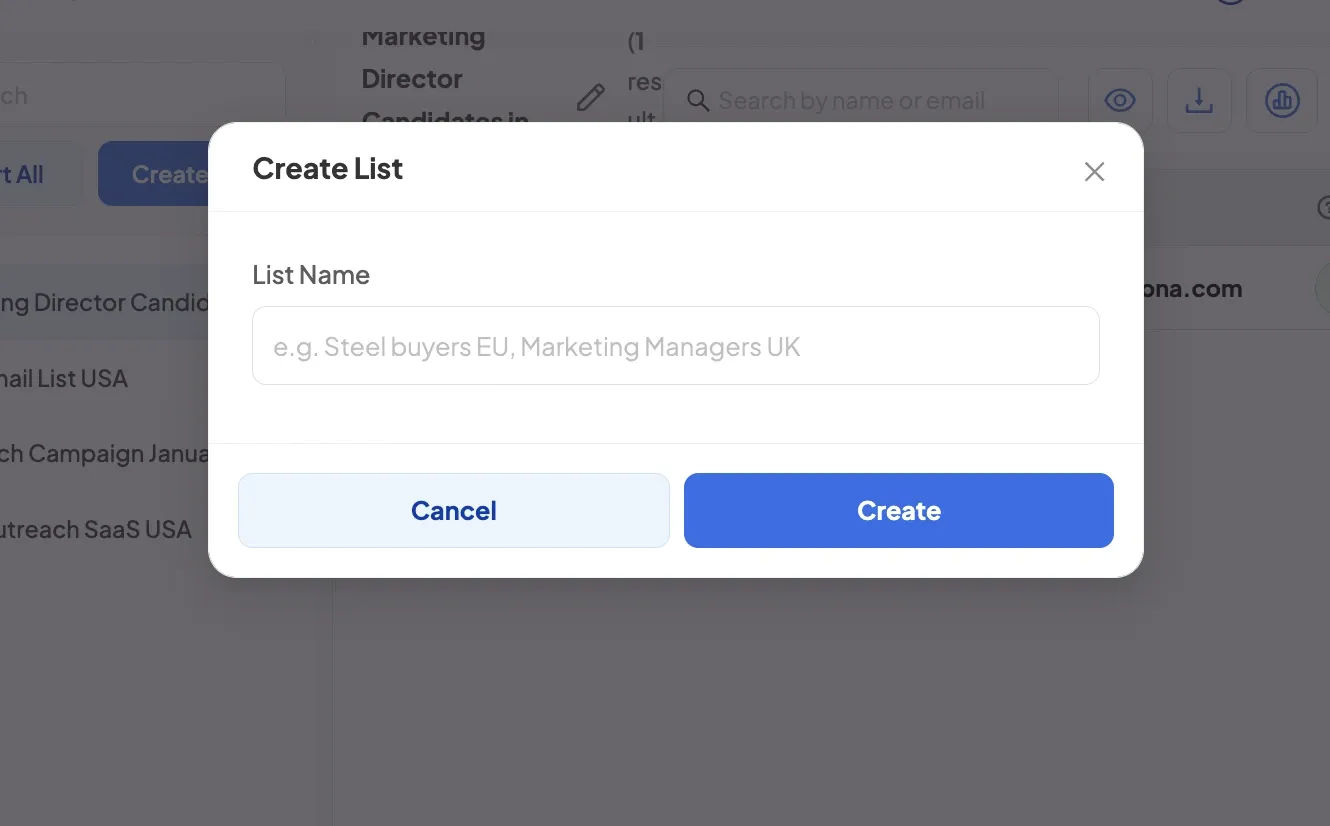
- Open your LinkedIn account: Log in to Sales Navigator vs LinkedIn Recruiter to start browsing profiles, searches, or candidate lists.
- Use Skrapp to find emails: Open a specific LinkedIn profile or run a search query. Once you get the results, click on the Skrapp icon to extract emails.
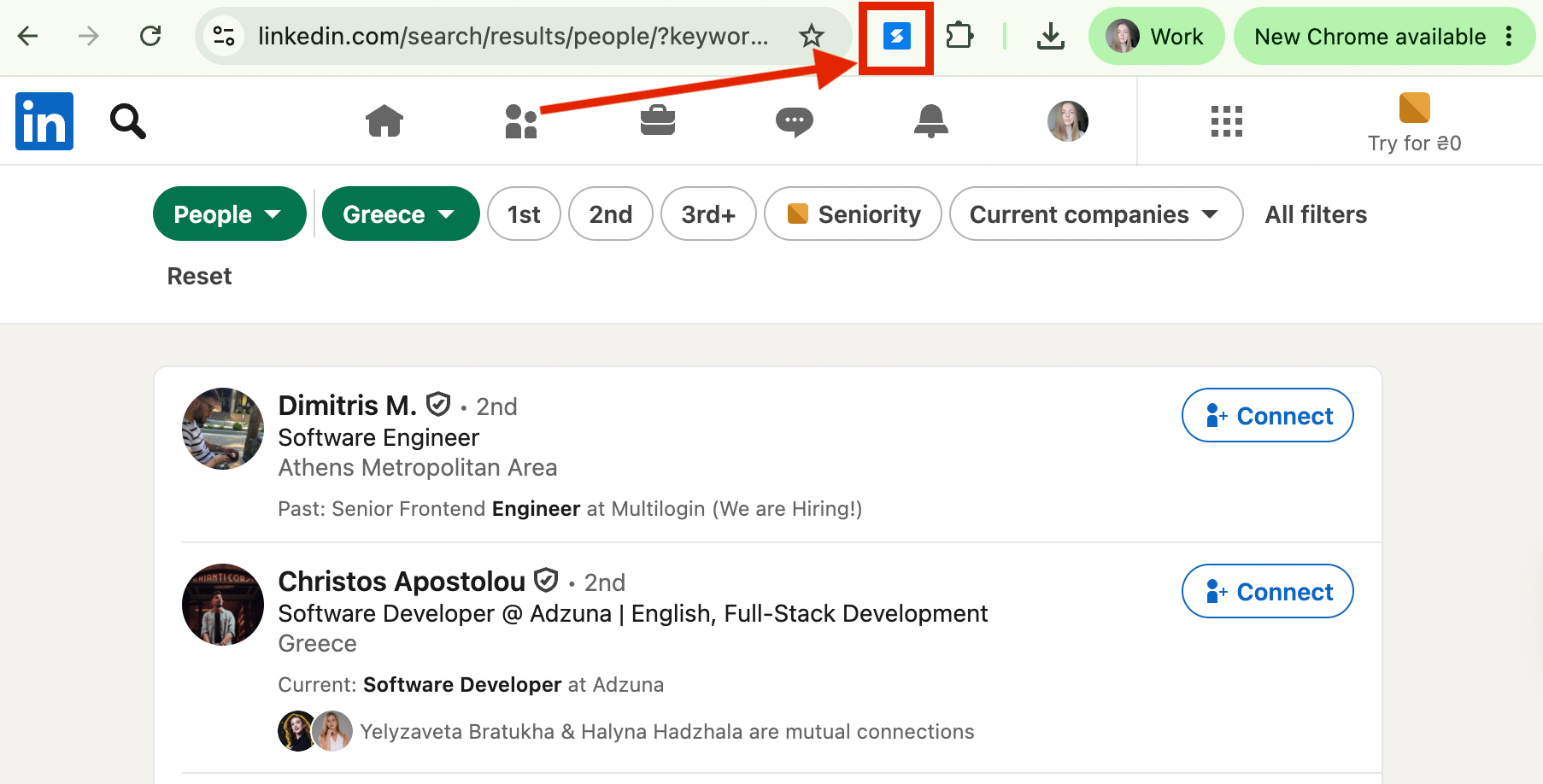
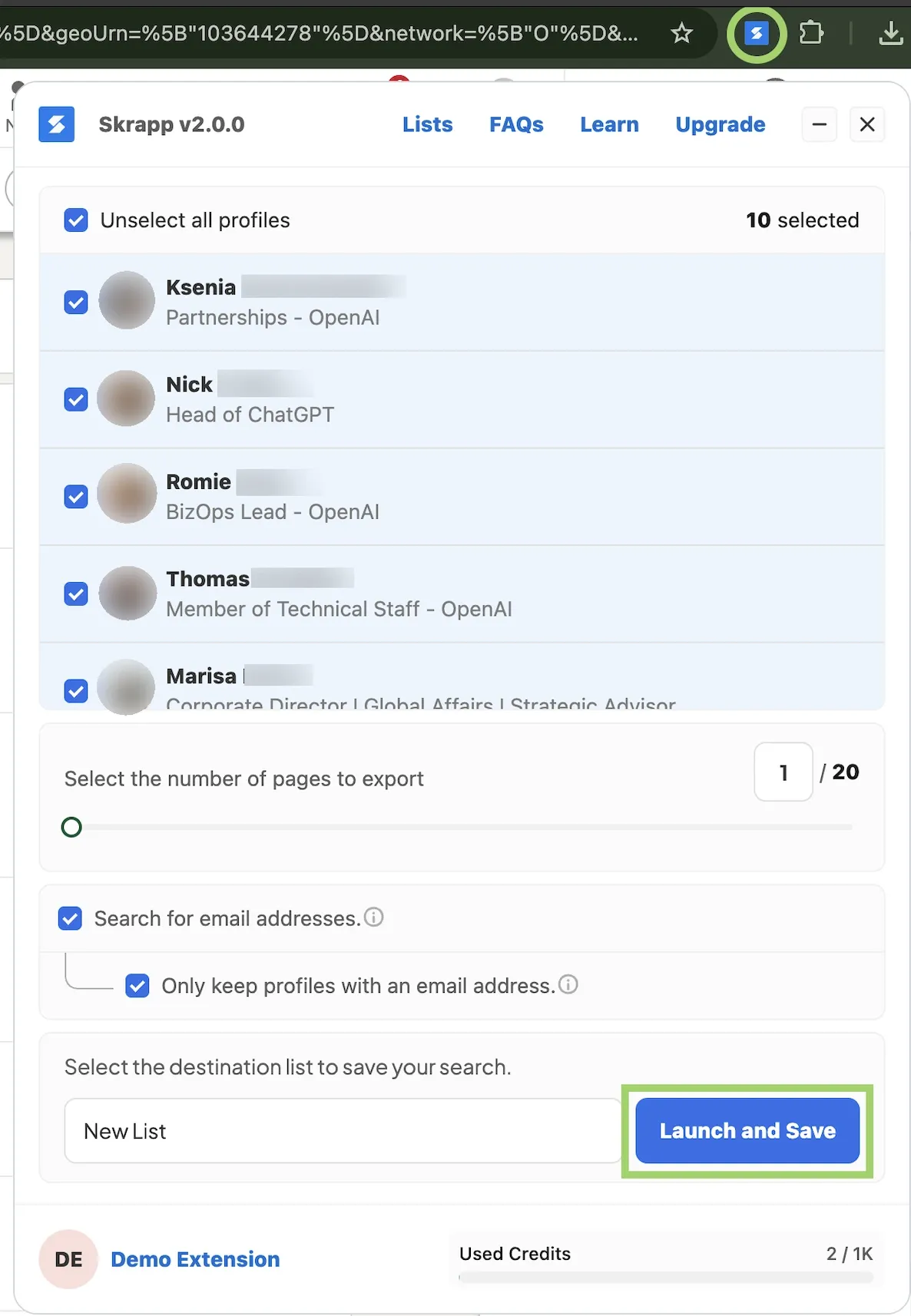
- Save or export contact information: In the extension popup, you’ll see details, such as candidate name, company, and, of course, email. Save them to Skrapp lists or export them as.CSV or .XLSX.
LinkedIn Recruiter Lite Features
Let’s explore LinkedIn Recruiter vs Sales Navigator differences even further. Here are Recruiter Lite-specific features that aren’t quite available in its opponent:
Candidate-specific search filters
With 20+ search filters, Recruiter Lite lets you run focused searches for the right candidates. You can filter prospects by:
- Job title
- Location
- Industry
- Skills
- Years of experience
- Seniority
- Function
- Company size
- Education
- And more
For faster sourcing, Recruiter Lite puts your most-used filters at the top of your search panel.
30 InMail credits per month
Recruiter Lite gives you 30 InMail credits each month to message candidates right from search results, projects, or profile pages. You can contact anyone in your 1st-, 2nd-, or 3rd-degree network.
Since the InMail allowance in Recruiter Lite is rather limited, you’ll want to keep your messages concise and impactful. In fact, we explain how to improve your InMail response rates in this guide.
Skrapp for email search
If thirty InMails aren’t covering your sourcing workflow, you can always complement Recruiter Lite with Skrapp.
Our Professional tier includes 2,000 email credits per month. Each credit equals one verified email address. You only spend credits on real deliverables. Once you collect contact details, you can launch cold email campaigns without burning your InMails.
Network up to 3rd-degree connections
Recruiter Lite lets you view your 1st-, 2nd-, and 3rd-degree connections. Although it’s more limited than Sales Navigator’s full access, you still can search for and message qualified candidates outside your primary network.
Candidate search alerts
Recruiter Lite saves you time when you need to fill similar positions.
Instead of setting up the same search from scratch every time, you can simply save your parameters as automated alerts. LinkedIn then runs your criteria in the background and sends new matching talent as it appears.
What Recruiter Lite doesn’t include
While LinkedIn Recruiter Lite pricing fully pays off for light hiring, LinkedIn locks its most advanced recruitment features behind its premium Recruiter solutions. Depending on the product, these include:
- 40+ advanced search filters
- #OpenToWork and More Likely to Respond filters
- Bulk InMail messaging and 150 InMail credits
- Unlimited talent pool access
- Applicant tracking system (ATS) integration
However, these extra features cost significantly more. Compared to Recruiter Lite at $170–$270 per month, corporate-level Recruiter starts at around $800+ monthly.
If Recruiter Lite doesn’t cover your hiring needs but you’re not ready to switch to a corporate plan, consider Sales Navigator.
Not enough InMails for successful recruiting? Reach candidates by email with Skrapp.
Get Skrapp for LinkedInSales Navigator Core for Recruiting: Main Features
Sales Navigator Core isn’t primarily a recruitment product. But that doesn’t stop recruiters from using it. This is mainly for two reasons:
- It’s cheaper than LinkedIn’s hiring products
- Its search and messaging capabilities are really on point
So, how to use Sales Navigator for recruiting? Check out the following features:
Extended network access
Recruiter Lite limits your search to 3rd-degree connections. Using LinkedIn Sales Navigator for recruiting means you never hit that ceiling. Instead, you get access to LinkedIn’s entire network of more than 1 billion members. This lets you discover candidates even if you have no existing connection with them.
Filters specific to Sales Navigator
Sales Navigator offers over 50 attributes and parameters for a truly granular search.
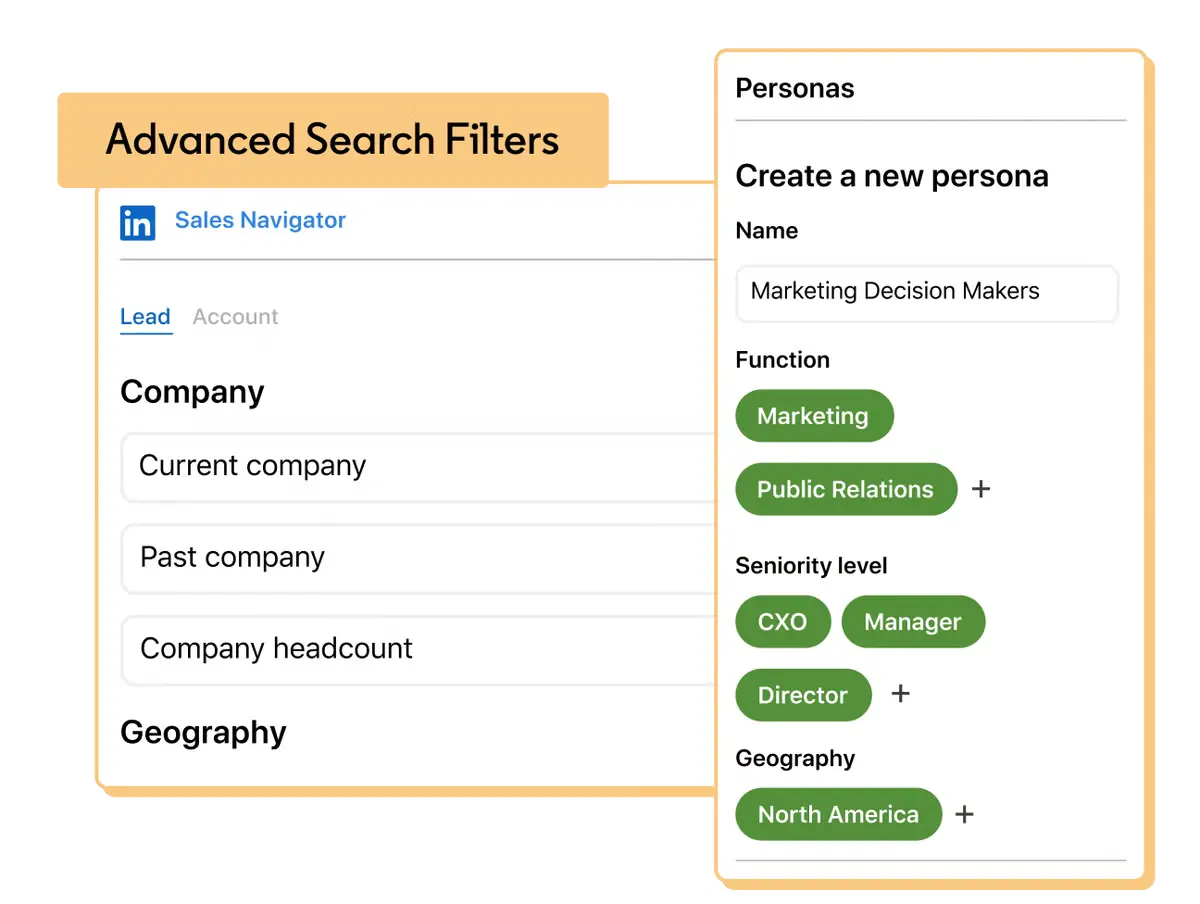
Along with basics such as job title, location, and industry, you can filter candidates by more specific criteria. Those include keywords, memberships, groups, and even shared experiences.
50 InMail credits per month
For such an affordable Sales Navigator cost, you get plenty of InMail credits. At least, that’s 20 more than in Recruiter Lite.
However, there’s one downside: you can’t purchase additional InMail credits directly from LinkedIn. But you can tackle that restriction with Skrapp and scale your outreach through email.
Company-level insights
Sometimes, to learn more about your candidate, you need to check their current workplace. Sales Navigator Core lets you do just that with company-level insights. In particular, you can view annual revenue, department headcount, senior leadership changes, and other company updates.
Saved leads, accounts, and alerts
Sales Navigator Core lets you save leads and accounts for easier tracking. For recruiting purposes, treat candidates as leads and companies as accounts.
Then, organize talent into lists and set up alerts. Whenever a saved candidate changes jobs, posts an update, or takes part in a similar activity, you’ll get an instant notification from LinkedIn.
LinkedIn Recruiter Lite vs Sales Navigator: Key Differences
Recruiter Lite and LinkedIn Sales Navigator for recruiting are similar at their core. Both act as advanced search engines and let you InMail candidates directly.
Yet, they’re built for different purposes, and that impacts how you use them. The main distinctions are:
- Recruiter Lite is made for recruitment and candidate sourcing. Sales Navigator Core is built for sales prospecting and lead generation
- Sales Navigator Core offers 50 InMail credits per month, compared with 30 in Recruiter Lite
- Recruiter Lite provides over 20 recruitment-focused search filters, while Sales Navigator Core comes with more than 50 search parameters
Eventually, both products hit message limits. But you can easily pair either one with Skrapp to find verified emails and keep your outreach growing.
FAQ: LinkedIn Recruiter vs Sales Navigator
How do you use LinkedIn Recruiter?
After subscribing, you run candidate searches using Recruiter Lite's 20+ filters (job title, location, skills, seniority, etc.), save promising profiles into projects, and reach out using your monthly InMail credits. You can also save searches as alerts so LinkedIn automatically surfaces new matching candidates. For candidates you can't reach with InMail alone, pairing Recruiter with Skrapp lets you pull verified emails directly from their profiles for outreach outside LinkedIn.
How much is LinkedIn Recruiter?
LinkedIn Recruiter Lite starts at about $170/month for a single-user license, or $270/month for 2–5 licenses. LinkedIn Recruiter Corporate is priced custom, typically starting around $800+/month depending on team size and hiring needs.
What is included in LinkedIn Recruiter Lite?
Recruiter Lite includes 20+ candidate-specific search filters, 30 InMail credits per month (with up to 70 more purchasable), access to your 3rd-degree network, and up to 10 saved search alerts per day. It does not include #OpenToWork/More Likely to Respond filters, bulk InMail, unlimited talent pool access, or ATS integration; those are reserved for Recruiter Corporate.
What is the difference between LinkedIn Recruiter and Sales Navigator?
Recruiter Lite is built for candidate sourcing, with hiring-specific filters and access up to your 3rd-degree network. Sales Navigator Core is built for sales prospecting, but its access to a 1B+ network and 50+ filters make it a popular, more affordable alternative for recruiting.
Is Sales Navigator cheaper than LinkedIn Recruiter?
Yes. Sales Navigator Core costs about $120/month, compared to roughly $170/month for a single Recruiter Lite license, which is about $50 less. Add Skrapp for email sourcing ($39/month), and the combined Sales Navigator + Skrapp setup still costs less than Recruiter Lite alone.
Can you use LinkedIn Sales Navigator for recruiting?
Yes. Many solo recruiters and small teams use Sales Navigator Core to source candidates because it's more affordable than Recruiter Lite and offers broader network access and more search filters. Pairing it with Skrapp for email outreach expands its utility as a comprehensive sourcing solution.
How many InMail credits do Recruiter Lite and Sales Navigator Core include?
Recruiter Lite includes 30 InMail credits per month (with up to 70 additional credits available for purchase). Sales Navigator Core includes 50 InMail credits per month, but extra credits can't be purchased directly. It's a gap most recruiters fill with an email finder like Skrapp instead.
Is Recruiter Lite worth it for small businesses?
It depends on hiring volume. For occasional hiring, Recruiter Lite's candidate-specific filters can speed up sourcing. But Sales Navigator Core paired with Skrapp costs about $159/month combined. It's less than Recruiter Lite alone, and it adds 2,000+ verified email credits per month.
What's the difference between Recruiter Lite and Recruiter Corporate?
Recruiter Corporate is LinkedIn's enterprise-level hiring tool, offering 40+ filters, unlimited talent pool access, ATS integration, and 150 InMail credits, but at custom, significantly higher pricing ($800+/month) than Recruiter Lite.
Can I buy extra InMail credits on Sales Navigator?
No. Unlike Recruiter Lite, which allows up to 70 additional credits per month, Sales Navigator Core doesn't offer extra InMail purchases. Pairing it with an email finder like Skrapp is a common workaround for higher-volume outreach.
How can I find candidate emails beyond LinkedIn InMail limits?
Skrapp's Chrome extension extracts verified email addresses directly from LinkedIn profiles and search results and works with both Recruiter Lite and Sales Navigator. Skrapp's Professional tier includes 2,000 email credits per month, so you won't be stuck when your InMail allowance runs out.
Which plan should a solo recruiter choose: Recruiter Lite or Sales Navigator Core?
If budget and network reach matter most, Sales Navigator Core is generally the stronger pick, especially when paired with Skrapp, which covers both InMail limits and adds direct email outreach. If you specifically need recruiting-focused filters, Recruiter Lite may be a better fit, though its most advanced hiring features (like #OpenToWork visibility) are reserved for higher Recruiter tiers, not Lite.
What are good alternatives to LinkedIn Recruiter?
Sales Navigator Core is the most common alternative, offering access to a 1B+ network and 50+ filters at a lower monthly cost than Recruiter Lite. Combining Sales Navigator (or even a free LinkedIn account) with an email finder like Skrapp is another popular route, allowing you to source verified candidate email addresses instead of relying solely on limited InMail credits.